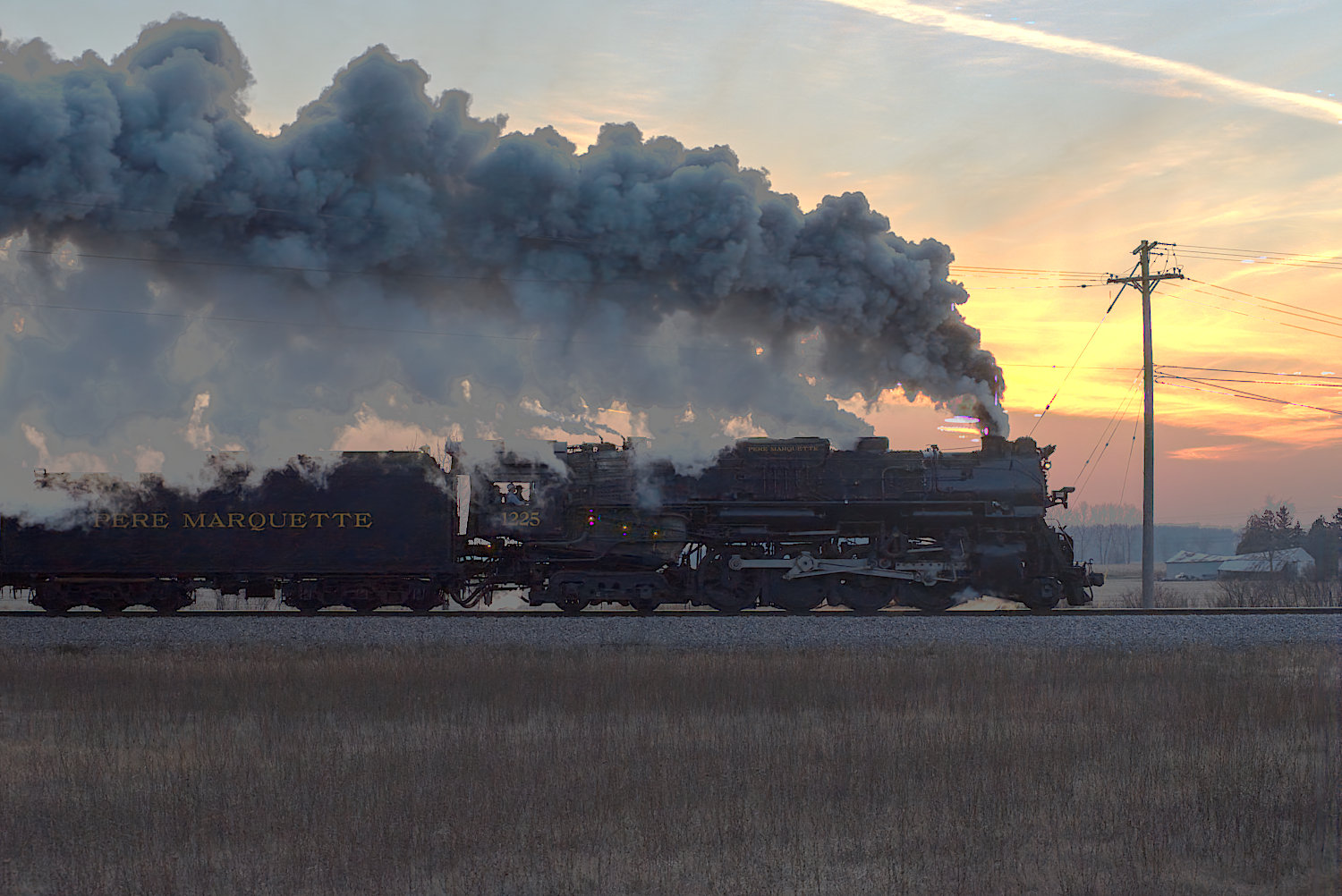
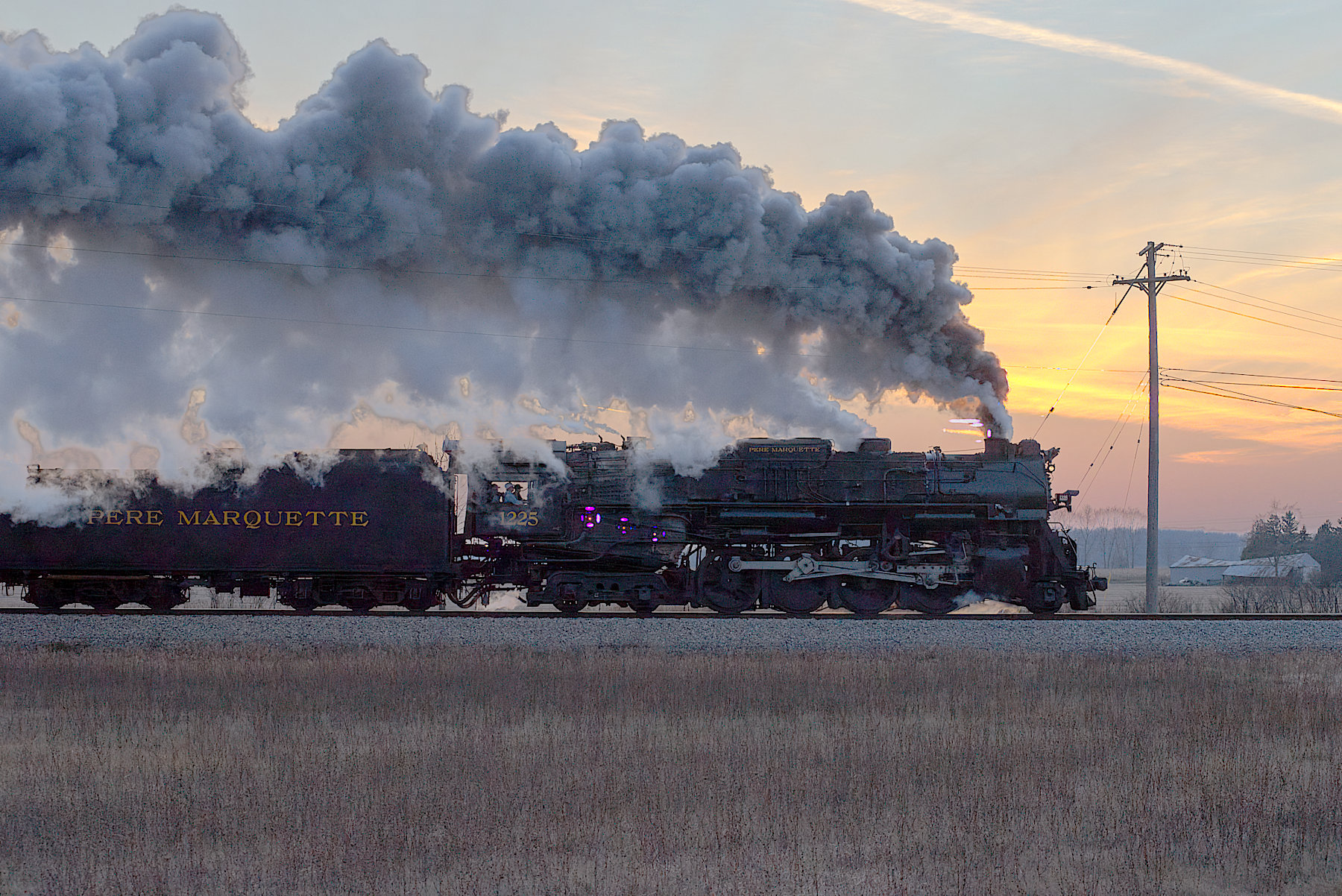
I have DT running onnxruntime-gpu on my linux computer. It works well, but I’m finding that the neural restore RGB denoise leaves artifacts, as you can see in the attached image. I also get the same results if I use the bundled onnxruntime. The dynamic range in this photo is large. I shot for the sky and prayed for the shadows
As I look at the posted shot, the problem is probably unclear. Here’s a better example. On the engine, just ahead of the cab, are three artifacts. Each one of these is centered around a hole into the firebox; the orange that you see is really hot as in termperature. With gimp, I read some of the RGB values are way beyond 255. In percent, gimp says for red, that the value is 400+. I’m wondering if the brightness is screwing up the denoising. There are also a few artifacts around the smoke stack (chimney).
I am not familiar with this specific model that darktable uses, but most denoise models I have seen are trained on sRGB, I think you hit a limitation of the model, those spots are so over exposed that this introduces artifacts. What was the original ISO of the image?
I would like to have a small feature to “neutral restore”:
in “output parameters” I would like the possibility to choose myself the suffix of the processed file. Now the default suffix is “_raw-denoise” and I would like something different and sometimes none. Thanks.
@anry … lightning fast with the latest update , great work !!
No issues with artifacts for me … running on M1 Tahoe .
Just a thought … not sure of that is possible , just feel the color noise could be addressed a bit better . But this might be just me .
When the new window pops up … the magnification is different on two machines ?
My Mac Studio does show 172% and the MBP shows at 200 % .
Can i set the magnification myself ?
I tried both positions. Preserve wide-gamut colors did the best. If I unchecked it, things were much worse, with the sky being blown out.
By source file, I think you mean the original *.nef file. Sure I’ll share it with you. Please tell me how to do it.
I’m sure this will get cleared up by and by. I absolutely love this feature, as it’s a good rescue for low light images. Thanks for your work on this .
Same issue, Mac M1 Pro, latest build just downloaded.
And using the denoise function the colours are washed out in the tiff file compared to the processed raw.