Since the update to 5.6.1, I can no longer open CR2 files from the 350D. Other programs, such as DaVinci Resolve or iMatch, can open them without any issues. Any idea?
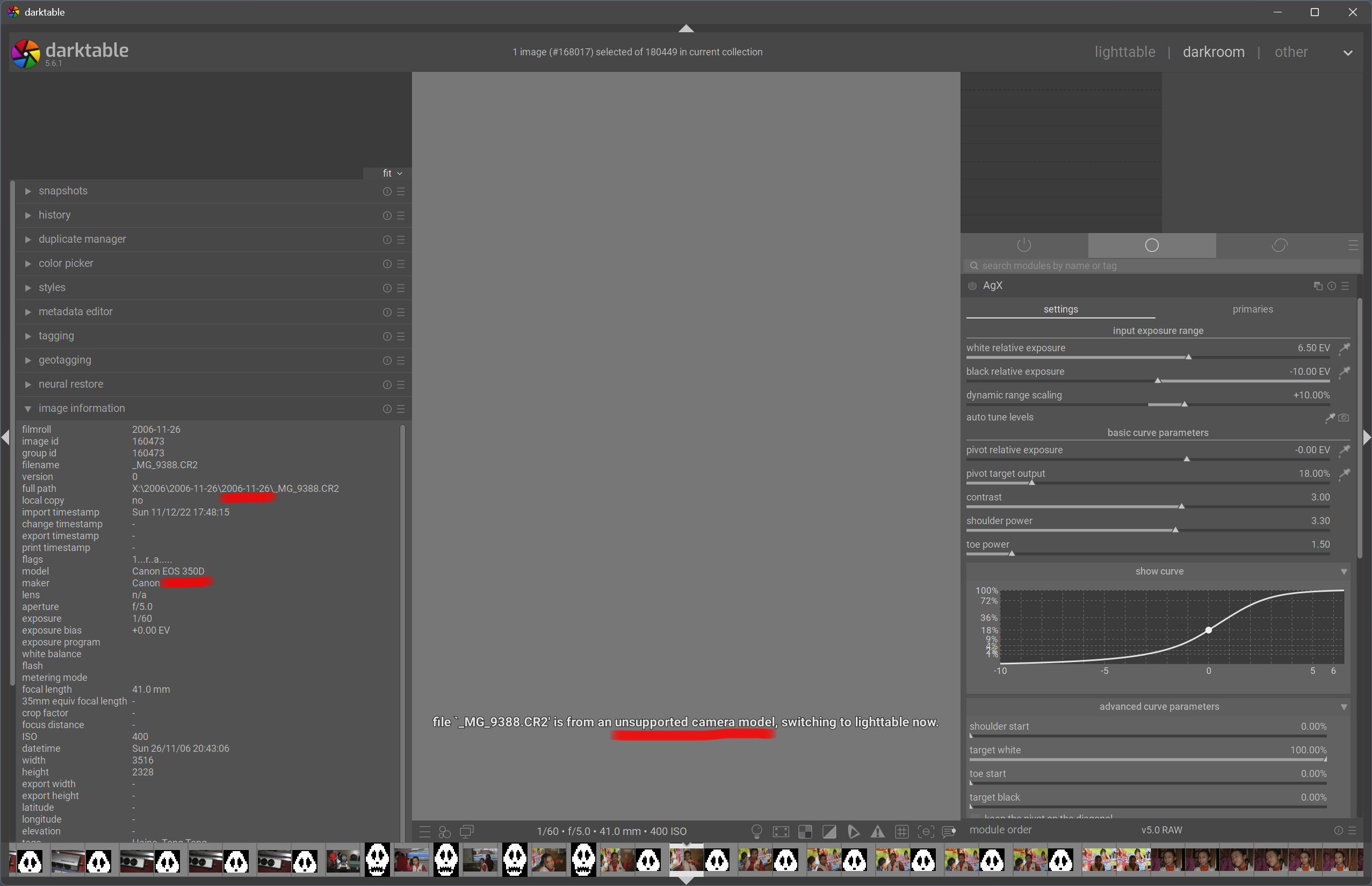
It’s shown as supported here:
1 Like
I know. But why is DT telling me it is not? Maybe not supported anymore?
Hi!
You can find which DSLR are at the end of support in the Release Notes of 5.6.1 at the Suspended Support paragraph (since that’s the version you’re using).
What kind of install is it? Which system/version too?
Did you have a look to the list of issues related to Canon 350D ?
I looked at all mentioned issues before I posted. And I played all iterations with OpenCL and stuff. I also installed a new NVIDIA Driver. And yes … I rebooted Windows. 
The file is flagged as ‘not supported’ - even when I re-import. File-wise … the exact file is working in other DBs/Raw-Developer.
Thanks for the precisions. 
Can you share a RAW so we can try to reproduce?
Share a log? Always the same file or any cr2 350D image?
There was some Canon model cleanup, please share a sample to check if some metadata was missed…
@sventetzlaff Also, is this file straight out of camera (i.e. SD card), or transferred by some Canon or other software?