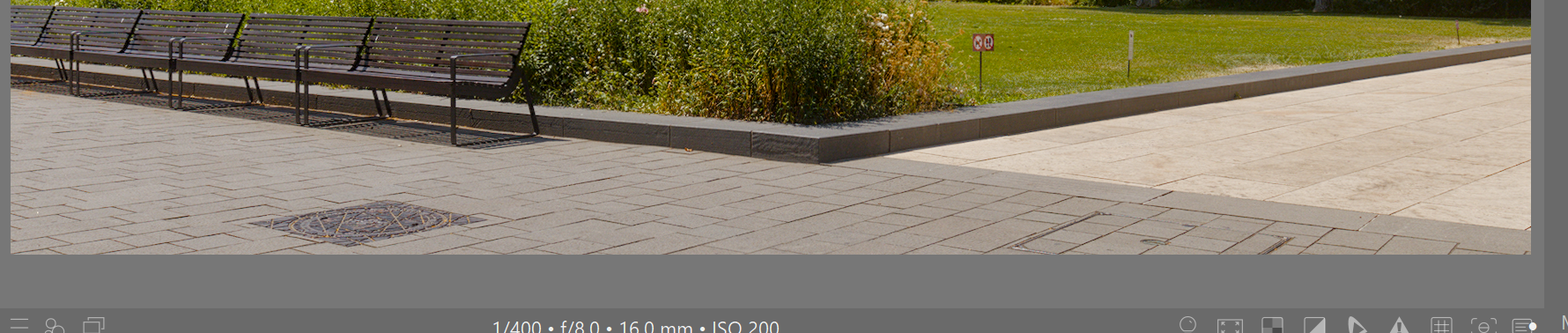
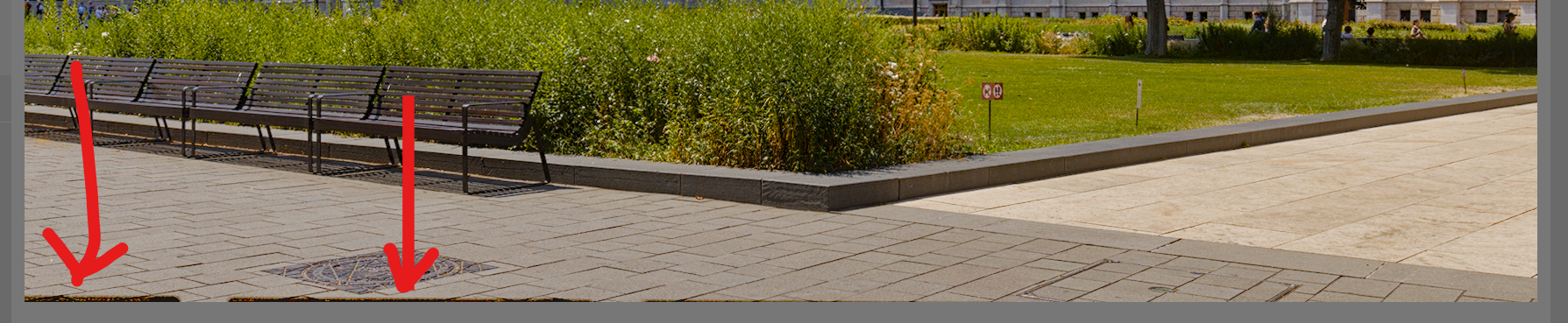
Haze Removal module (DT 5.4/5.6). When I enable it, dark bars appear along the bottom edge of the image. I am working on a laptop running Windows 11 with Intel Arc graphics at a resolution of 2560x1600 (8-bit RGB). I can’t quite pinpoint the source of the problem; the laptop seems to be properly configured, and OpenCL is enabled.
Ohne Modul
Maybe not for this issue but you can get some dehaze without the big color shift if you blend in lightness instead of normal when you use dehaze…I have a preset for it as sometimes I don’t want the color boost and sometimes its why I use the module…
Oh, this is an old screenshot (over 2 years old), and tbf, idk what was the conclusion when I reported the issue (or even where was it). I have no idea if it occurs the same way now
Erm, uhhhh… I might have forgotten to report, sorry
I’ve posted about it on the forum back in mid 2024, but after failing to resolve it, I forgot about the problem and stopped using Haze removal tool altogether after getting different colors on export when it was enabled…