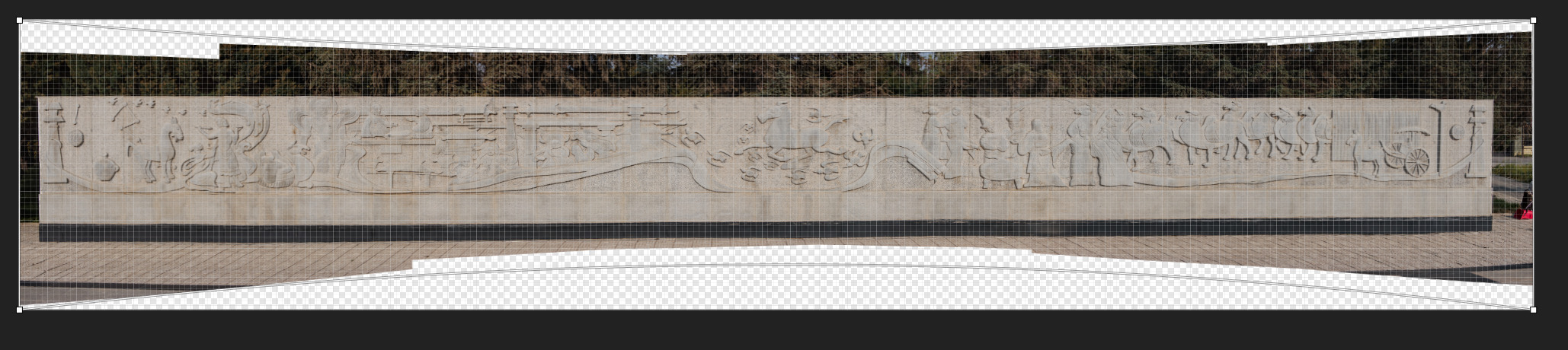
Recently I stitched a panorama together of a wall. Naturally this resulted in a curved look which I wanted to straighten out. In the software (not FOSS) that stitched the image together there was a “warp tool” that allowed me to pull in the top and bottom centre points to manage the curvature. It worked reasonably well. However, I would have like to have done this correction of curvature in darktable. I experimented with the liquify module but it didn’t seem designed for this type of correction. Is there a tool in DT that would facilitate this sort of correction? I am sure all panorama photographers have suffered from this issue.
If you were stitching in hugin, it would also let you transform there.
I could think the liquify module should be able to do a warp but figuring out how to do it might take a bit of experimentation.
1 Like
I recently did a stitch with hugin yes it can straighten.
Bruce Williams did an episode with hugin (and darktable).
I might give Hugin a try again when faced with a challenge like this. As for liquify module I would be interested if anyone has done this sort of correction successfully.
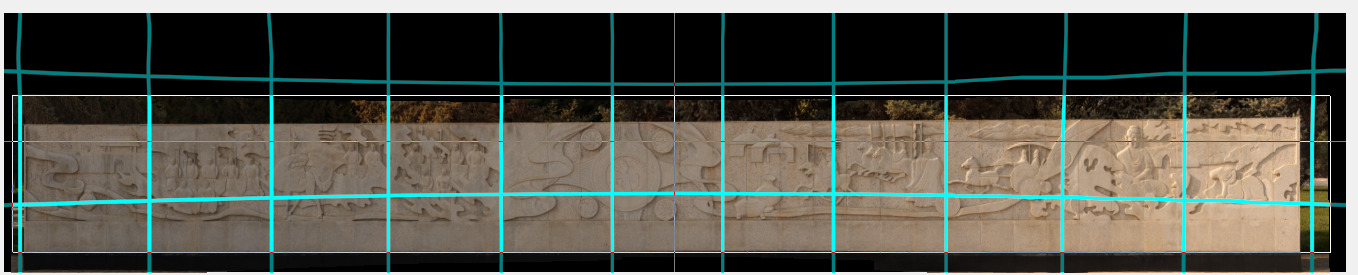
I want to give credit where credit is due. Hugin offer numerous projection options and the Panosphere (inside) projection gave a reasonably good straight line for the next murals that I was stitching. And then the straighten option allowed me to straighten the image. So Hugin seems worth looking at for challenging stitching. I also presume with more experience my comfort level with Hugin will improve.
3 Likes
Indeed this is quite true. Glad you found what you needed!
2 Likes
Wasn’t ICE the only thing keeping you on windows? Maybe getting comfortable with Hugin will open a new door  .
.
I am not sure that I am allowed to talk about ICE here since it is not FOSS. It works really well on most of my panoramas and is very fast. Occasionally, ICE doesn’t like a particular stitch so I use another free piece of software which is not FOSS and it tends to work on those images. It was this software that then offered the warp tool (not as part of the panorama stitching). I had hoped to find a similar tool in Darktable but in my hands the liquify module wasn’t succeeding.
The next similar panorama of a long wall I tried in Hugin. It succeeded very well, but was very slow in comparison to the non-FOSS options. However, I will experiment with Hugin more on my trickier panoramas. I am certainly not knocking Hugin and was impressed with the variety of projections available.
2 Likes