The open-source project Little Backup Box transforms a Raspberry Pi into a powerful, mobile backup and media management hub - perfect for photographers, travelers, and professionals working on the go. Designed for autonomy and reliability, it performs complex backup and synchronization tasks without requiring an external computer, making it ideal for fieldwork, travel photography, and event documentation.
From Simple Bash Scripts to a Powerful Python 3 System
Originally created by Dmitri Popov, Little Backup Box has been completely re-engineered by outdoorbits, rewritten from Bash scripts into a modern and efficient Python 3 application. The new implementation introduces a wide array of features and a responsive web interface optimized for both desktop and mobile use.
Flexible Backup and Synchronization
Little Backup Box can automatically back up media from multiple sources and synchronize it across local and remote destinations. Typical use cases include copying photos from a camera or smartphone to an SSD in the field, then uploading them securely to cloud storage or social media.
Supported backup sources:
- USB storage
- Cameras (via gphoto2)
- Internal storage
- NVMe SSD storage
- Cloud storage
Supported destinations:
- USB storage
- Internal storage
- NVMe SSD storage
- rsync servers
- Cloud storage (via rclone) - e.g. Google Drive, Dropbox, OneDrive, Nextcloud, WebDAV, Amazon S3, and many more
- *Social media platforms - Mastodon, Bluesky, Telegram, Matrix
By acting as a central media hub, Little Backup Box can aggregate and distribute media from various devices for archiving, publishing, or post-processing, all without user intervention.
Secure and Connected Workflows
For remote and mobile setups, VPN integration ensures secure and encrypted synchronization with the cloud - ideal for photographers working over public or mobile networks. The system can automatically email a backup completion report, providing instant confirmation that files have been safely copied.
Smart Web Interface and Image Viewer
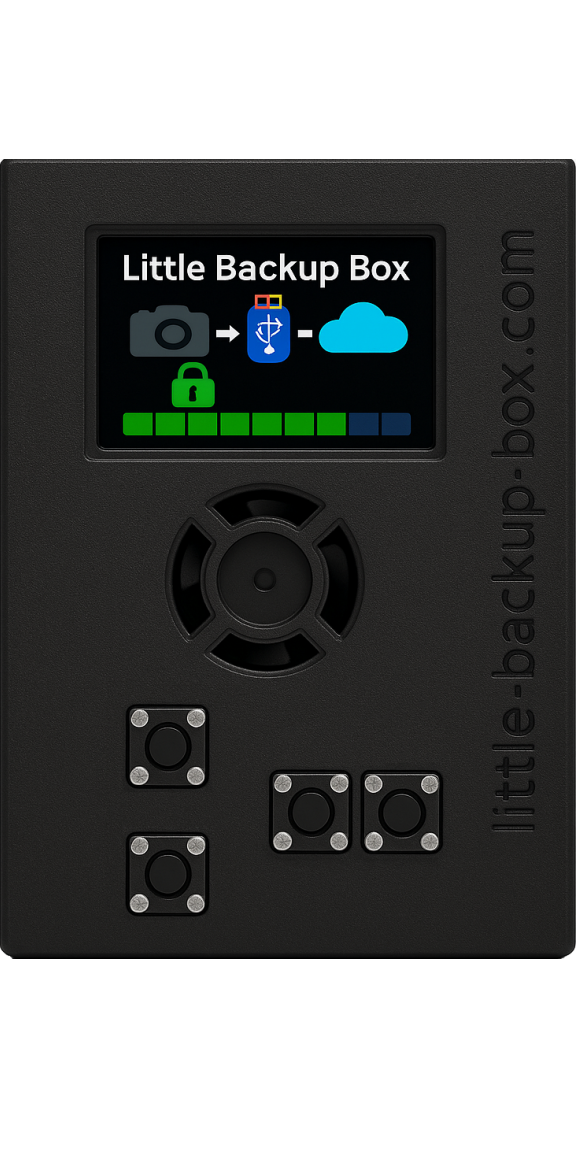
The web interface is the heart of Little Backup Box, allowing users to configure, monitor, and operate the system from any connected device. Whether running in a simple enclosure, a box with a small display and physical buttons, or a full touchscreen setup - all functions remain fully accessible through the browser interface.
Its built-in image viewer offers powerful management and curation tools:
- Preview photos and videos directly on the device
- Rate and filter images for quick selection
- Use zoom and loupe tools for close inspection
- Add comments and mark favorites for publication on social media
- Filter by camera model, file type, or rating
Storage and System Management Tools
Beyond backups, Little Backup Box provides a complete suite of storage maintenance tools for managing connected drives and verifying data integrity:
- Manual mounting of local and cloud storages
- Disk integrity and authenticity checks
- Disk formatting utilities
- File management through an integrated file browser
- Backup and restore of configuration settings for easy migration to new installations
All of this is handled through a menu-driven setup and a clear, responsive interface, making configuration accessible even for non-technical users.
Autonomous by Design
Once configured, Little Backup Box runs independently - it doesn’t need a connected laptop or desktop. Power it from a USB source or battery pack, connect your camera or phone, and the system handles the rest. Its lightweight footprint and flexible storage options make it a reliable companion for field photographers and digital nomads alike.
Open Source and Extensible
As an open-source project, Little Backup Box invites contributions and experimentation. The GitHub repository includes documentation, setup guides, and community support for customization and expansion.
 Learn more and get started:
https://github.com/outdoorbits/little-backup-box