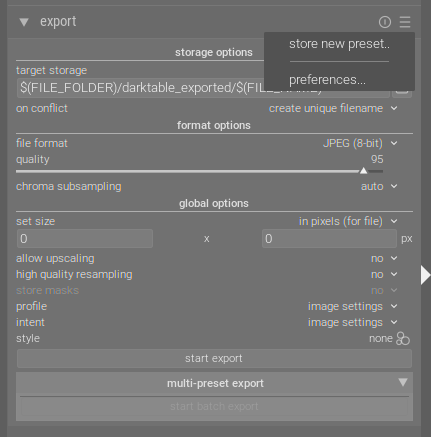
I have absolutely no idea how they got lost. Is there any way to recover them? Are they in a file somewhere?
I back up my system every hour using Restic, so I can also restore older versions of the files if that’s possible.
And to prevent this from happening again in the future, how can I back up my presets?
I’m using using the stable 5.6.2 for my works, but I also have a nighly build compiled from the source that I use only on a staging folder to avoid messing up with the db.
How can I recover them from on old data.db? Do you mind suggesting a process/tool?
It should be safe to back up the current db (most important step), launch a stable darktable with a backup db by copying data.db.xxx to data.db, then export all your presets from the settings menu. Then restore the current db and launch your current darktable version and import the presets you’re missing from the same menu.
I’m pretty sure that 5.7 is the culprit, if you have tested the new fleximask which got 2 versions bumps for the masking and then reverted one version for the final release.
Also, if you inadvertently use 5.6.x on a DB upgraded by 5.7 you’ll lost all your presets.
where darktable-nightly is an hardlink to darktable/build/bin/darktable
I always thought that this way it wouldn’t affect the main database; according to the help:
--library FILE
Specifies an alternate location for darktable's image information database,
which is stored in an SQLite file by default (library.db) in the directory
specified by --configdir or $HOME/.config/darktable/. You can use this
option for experimentation without affecting your original library.db.
If the specified database file doesn't exist, darktable will create it.

When darktable starts, it locks the library to the current user by writing
the process identifier (PID) to a lock file named FILE.lock next to the
specified library. If a lock file already exists, darktable will exit.

:memory: -> Use this option as FILE to keep the database in system memory,
discarding changes on darktable termination.
The :memory: switch only protects library.db, i.e., the image catalog with all the edits. To avoid messing with data.db, shortcuts etc. you must point darktable to a different --configdir.
@boredphoto could you please send me a PM with your data.db (the restored one, the one with the presets), so that I can try to reproduce? TIA!
I have been through the V7 → V8 → V7 migration and I have not lost my export presets.EDIT: Scratch that. The V8 step has never been shipped to master, the code that we merged was always V7, albeit two different V7 steps (1st: AI raster masks, 2nd: AI raster masks + Flexi model).
It is possible, though, that I never run my master on the V7(1) version, so my presets were migrated directly to V7(2). Would that explain it?
And I’m pretty sure I have tested all the PR with all different blend version in my test run environment, and that’s where I lost my presets. All my presets are preserved on my photographer work environment.
@Pascal_Obry, @boredphoto has shared with me his pre-data loss data.db, I run it with master and I see all the export profiles where they are supposed to be.
In the terminal, I see healthy migration messages:
3.3350 [lighttable_init_presets] updating 'export' preset 'SMC Pentax 67 105mm f/2.4' from version 8 to version 9
3.3352 [lighttable_init_presets] updating 'export' preset 'SMC Pentax 67 45mm f/4' from version 8 to version 9
3.3353 [lighttable_init_presets] updating 'export' preset 'Diana F+' from version 8 to version 9
3.3354 [lighttable_init_presets] updating 'export' preset 'Kiev 6x6' from version 8 to version 9
3.3355 [lighttable_init_presets] updating 'export' preset 'Web Export' from version 8 to version 9
3.3357 [lighttable_init_presets] updating 'export' preset 'Portfolio' from version 8 to version 9
So, probably it is as you said. He was unlucky enough to run the a binary with the v7(1) format, which was around only for one or two days, and then when he run the new binary with v7(2) that one could not make sense of the data anymore.
@AxelG if you create a new configfdir, copy over your -pre-5.7 data.db and start the same build that you just run from that configdir, your presets should be all there. If that’s not the case, please let me know.