Recently I had a shooting session where some of the shots were not so nice because of annoying creases on a garment (a flag, in this case). My bad, I should have ironed it beforehand… anyways, I started looking for ways to alleviate the issue and save the shots.
I first tried to use the darktable toolbox (tone eq, color eq, blurs, retouch, etc.), but with no success. I could make it look a bit better, but it was an overwhelming amount of work for a not so nice result.
After spending a lot of time trying out different alternatives, I stumbled upon IOPaint. It’s a very nice little tool which uses the LaMa model (not to be confused with Llama) to do basic inpainting, an open-source model trained on academic datasets.
I haven’t tried to use the tool for other stuff, but I found out that for crease removal it works quite nicely. You brush exactly on the crease, and it magically disappears.
Since the original IOPaint project on github has been archived, I have forked the repo, added a Lua script, did some changes to smooth the integration and added a one command script to download, install and configure the whole shebang.
Here is it in action:
If you want to try it out, you can find all the details on Github:
(Note: only tested on Mac - there are Linux/Win install scripts but I have no idea if they work)
This looks very interesting!
I tried to install it, but I have python 3.12.3-0ubuntu2.1 on my system (Linux Mint 22.2), and it won’t install.
Is it a genuine incompatibility between python 3.11 and 3.12x or just an oversight?
Yes, some of the deps of IOPaint require an older version of python.
On mac, you can install it with brew install python@3.11, it is installed alongside whatever other version of python you have. On Ubuntu you should be able to do something similar.
Edit:@Thomas_Gulmark give me 10 mins, I am working on removing those deps and making it work on 3.12+.
==> Running setup (virtualenv, dependencies, web frontend)…
error: no supported Python found (need 3.8-3.11).
       Install one (e.g. 'brew install python@3.11') or set PYTHON=/path/to/python3.11.
It looks as if I have python 3.12.3 installed
Installed python 3.11
Upgrading pip...
/home/nick/.local/share/darktable-iopaint/.venv/bin/python: No module named pip
I installed pip
$ type pip
pip is /usr/bin/pip
but
$ pip -V
pip 24.0 from /usr/lib/python3/dist-packages/pip (python 3.12)
On Debian/Ubuntu, ensurepip’s bundled wheels live in a separate apt package. Without it, python3 -m venv can produce a venv that has no pip, which probably is what happened. This should be fixed now.
[19:38:32] IOPaint: frontend build failed - run scripts/build_frontend.sh manually in /home/nick/.local/share/darktable-iopaint
ok … … …
$ ./build_frontend.sh
Installing web_app dependencies (npm install)...
./build_frontend.sh: line 22: npm: command not found
$ npm
Command 'npm' not found, but can be installed with:
sudo apt install npm
OK. All done. suggest you look for npm in your instal script and inform if missing*
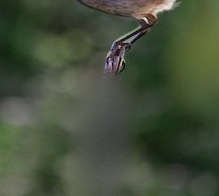
And it does seem to work. I took a playraw pic and removed the branch the bird was landing on. it’s now a bird landing on a smudge.
Severely cropped as this was not the purpose for which the pic was provided.
I’m a bit confused by the import process. I had to go and find that there was a png and import that into dt. I was expecting that it would turn up in the lighttable, like the denoise module.
*I quite like this treasure hunt thing that Linux installs can occasionally become. But I understand that others do not. It’s certainly not toast
It does, but it (1) happens only after you close the browser tab (as you make save an image multiple times), so you do not want to reimport every time, and (2) it takes a couple of seconds after you close the browser.
Yes, on the LaMa website they showcase quite good inpainting ability. I didn’t have this impression, but maybe I never tried with the right photos. However, I find it adequate for crease removal, that is what I use it for.