@Caslon_Bodoni@paperdigits As far as I know,
You as well as I are out of luck with osx -intel.
I setup a virtualbox with my mac and install linux version on it.
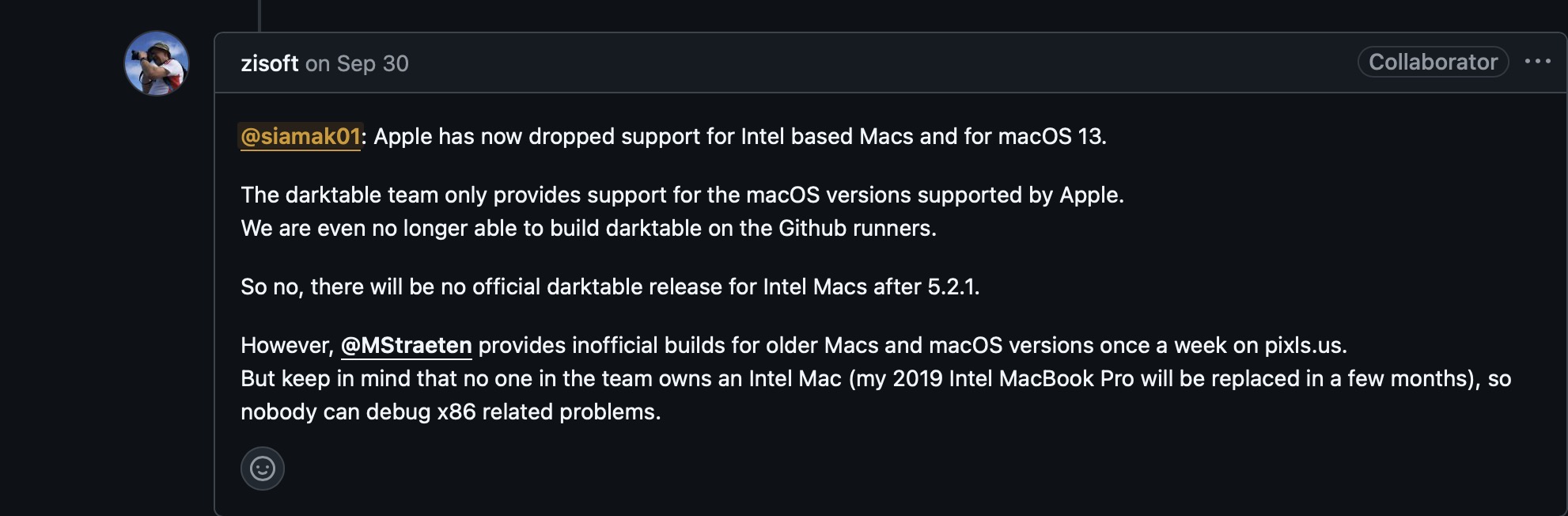
for osx-intel version you may have to wait till @MStraeten build for us. His latest build is just before 5.4 release and as close as to it gets.
Unless you know how to build yours from the source. Is not easy, I tried with no avail.
@siamak: I already asked you to open an issue on github to exactly describe the problems you encounter while building darktable from source. There should be really no problem to do so unless you have messed up your system in some way (like installing homebrew and macports in parallel).
So please stop posting things which are simply not true.
Unless you don’t tell us about your problems we are unable to help.
Yes I do have both of them. I have other program that rely either on macport or brew. I followed instruction on how to edit macport so it can build from source. It seems halfway thru the build it fails due to not finding or installing cmake.
When did you ask me? recently? I must have missed it.
I tried it about few months back and gave up. I think it was around the time you helped fixing the dialog window for preferences in osx. If you wish I can try going thru initial steps to modify the macport again. As you know it is lengthy process and I may not be able to do it right away. Unfortunately, I must have both brew an macport. @MStraeten suggested that he uses UTM for intel built. I tried that and could not go far enough, did not have iso for the version osx just to install a Mac version on UTM.
In the end, I felt too much work and time for it to work. I already can run it in linux versions thru the virtualbox anyway and of course thanks to @MStraeten does a great job of providing it every two weeks.
If you have an Intel Mac, you don’t need to use utm to build darktable.you just need to decide taking the homebrew or the macports way - mixing both is not the best idea
I have to use utm because I don’t want to mess up my m1 macports build environment with libraries built for x86_64 using Rosetta
That what I tried to do using macport way and could not build it.
However, @zisoft saying that I can not have both brew and macport on my computer.
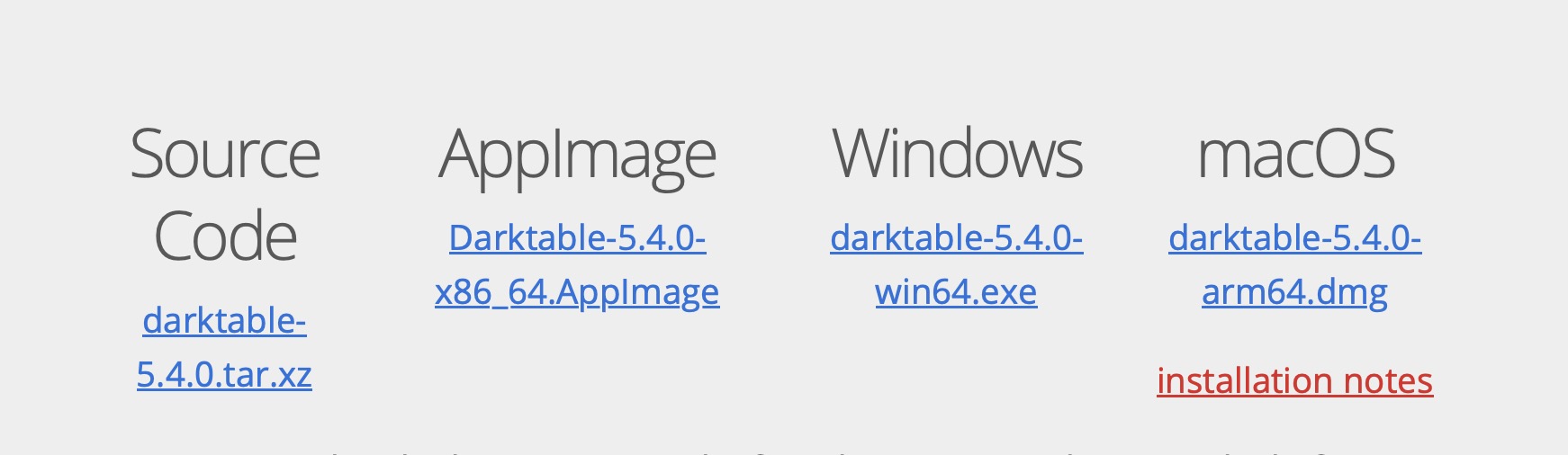
as far as the dmg files for osx is concern the dmg file is only available for arm64 and will not install on osx-intel, which OP has.
I said what I experienced with build, and dmg is not for intel.
which is all true
So if @zisoft can prove otherwise. Let’s all know.
that the simple way if you don’t have a clean macports or homebrew environment on you machine.
Then you just need to decide building with homebrew or macports. Homebrew has more recent versions of the dependencies but can‘t be used to build for different macOS versions than the build machine
Thank you. Got it.
So I will attempt to build a clean environment with Macport.
BTW, I like the other way I mentioned earlier. Rely, on your builds. --Seriously, thank you for your builds. It is a lifeline for many of us who have difficulty building it.