I have an idea for improving the program’s interface. I hope worthy minds will pick it up and spread it until it’s perfect.
Guys, I think if you’re creating a separate list of modules, you should make it possible to sort them…
Either by Frequency of Use or Custom.
It’s just that the idea that a module you don’t use the most could be prioritized over the one you use in every photo.
This could be put in a separate menu in the options, like Hotkey. Let’s say you could also manage presets there. Hide or Delete unnecessary ones, create groups for presets, and assign a default preset to load with a module.
If you’re thinking about sorting modules in darkroom, then the order they are in, is set by the order they are processed in the pixel-pipe - from the lowest upwards in the list. Even if you create your own list of them, their order has a meaning. You can manually sort them, however that significantly changes how the image is processed and you may break stuff.
I’m not sure if that’s what you asked, please let me know if not.
Hi! Thanks for clarifying… I’m not sure if the translator is translating my words clearly. So feel free to ask whenever you see my posts. I’ll let you know as soon as my English improves.
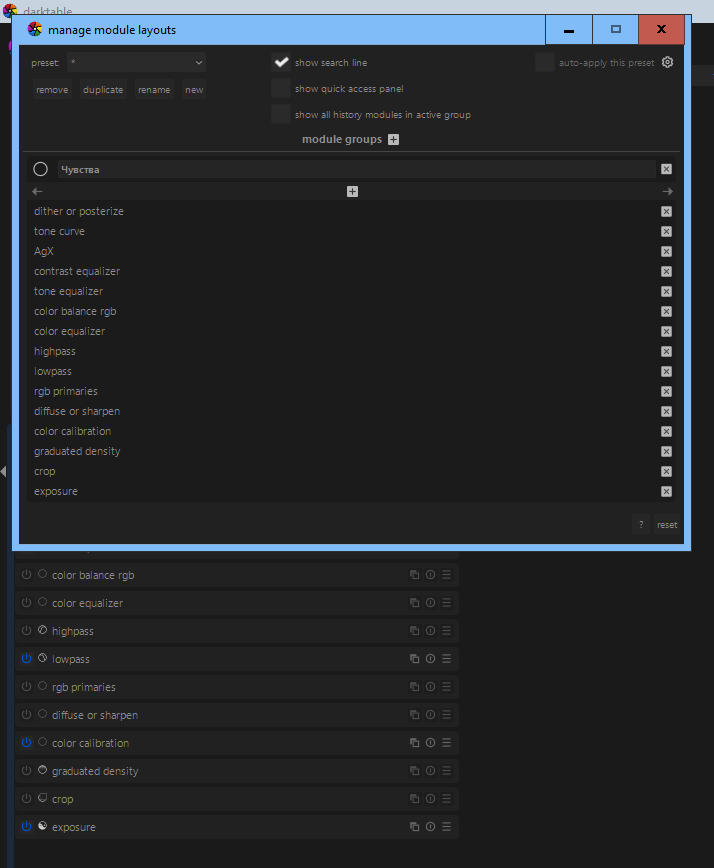
In manage module layouts, I created a database of my favorite modules. If I need something else, I just type its name into the search…
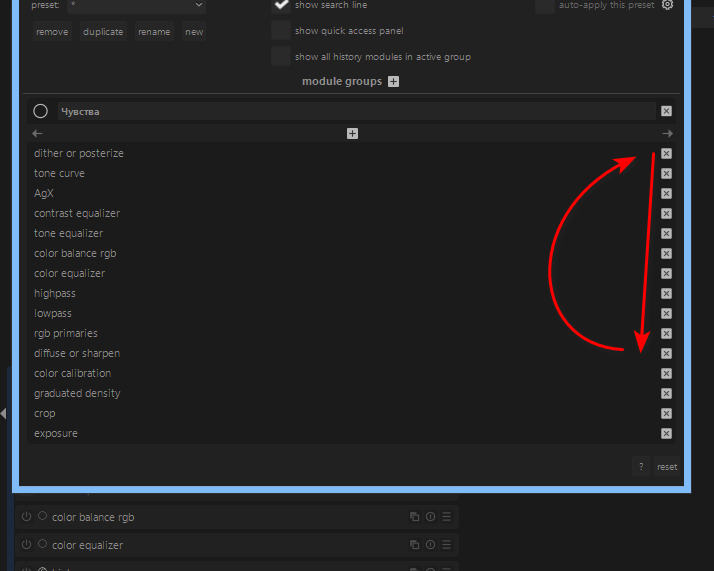
Let’s take the dither module as an example.
I sometimes use it instead of grain. Obviously, it would be more convenient for me to place it at the end of the list.
And the menu I suggested is partially implemented by Manager. It could be moved to Settings/Options, like Hotkeys.
Thanks.
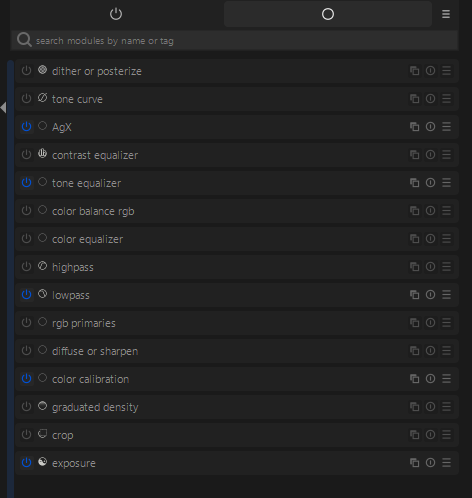
You want to reorder the modules in the first screenshot?
If so, your question was clear. Thank you for the suggestion but it has already been discussed thoroughly. The main reasons it was rejected were:
Module order is how you change the order of operations, for example if you wanted a module to run right after demosaicing, you would drag it to the bottom of the list, just above demosaic.
It’s useful to know which order the modules run in. The order can even affect whether things work.
I am trying to understand the problem you see that needs fixing. I feel it is important that the modules are displayed is in the pipeline order so the user understands that the output from the lower module affects the input of the higher module in the pipeline.
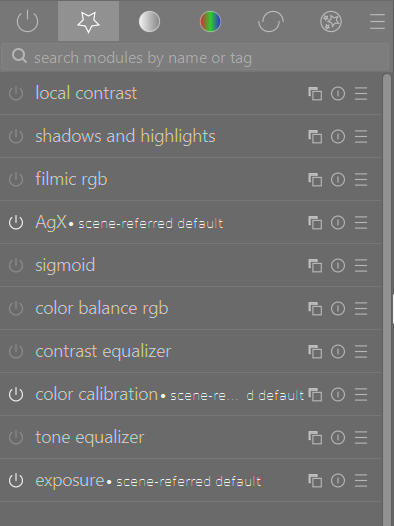
As for sorting modules according to frequency of use I believe this is already achievable by creating your own preset for module layout. In the example here I have a module layout that includes a group of favourite modules used frequently.
Apologies if I have not understood your original post correctly.
instead of long explanation of a solution better spend more time to explain the issue that should be solved. In several cases there’s already a solution for that (as long as it doesn’t conflicts with darktable core concepts)
Hi! No. That’s not what I meant. I have created a list of modules that I need the most, and I would like to organize these modules visually, not technically. They can be executed in the order required by the program.
That’s it! If you look closely, you’ll see that I created this group myself. The modules are included in the icon - they can be arranged in the sequence required by the program… But in the menu created by the user, I would like to arrange them in my own way, for quick selection, it’s good when there are a couple of modules, but if there is a large list, it would be cool to arrange them.
Many of us do that, the favourites tab. I also populate it with multiple module instances using a style.
Many of us, at some time after meeting darktable have had this idea too. The idea crops up on this forum fairly regularly. “Wouldn’t it be nice if we could…”.
But we can’t. Because it is not how darktable works. It may be some time before that day when you first move a module in the pipeline, because you need it to run after some other module, not before. I don’t think I did this for a year or two. When you do, you’ll sympathise more with this:
Pascal is the boss :). We have to live and work with this. I promise you that you will
For me it’s usually for putting Color Equalizer before ColorCalibration with settings to covert the image to monochrome (grey tab), so that I can control the individual hues’ brightness for the B&W conversion. I used it for something else too, but forgot what it was… That being said, I would not be too unhappy if I lost the ability to re-order the processing pipeline, as I barely do it.
I may, in fact, just use the regular Monochrome module and tweak the brightness with Color Equalizer… idk if that’s 1:1 replacement, but an alternative for sure.
Hopefully we will always have the option of reordering the pipeline. I am confident we will. There are times when it is essential to reorder the pipeline. Using negadoctor is one common instance of needing to reorder modules.
Hi! I’m sorry I’ve been away for a long time.
Maybe everything is not as it seems to you… He is a great man from a height, and everything seems different after great discoveries.
Yeah, I see why you would like to do that. To me, it kind of makes sense to have an option to sort independently of pixelpipe, but I assume there’s a very good reason why it’s not possible