Dear all,
I am new to darktable but I already like it a lot
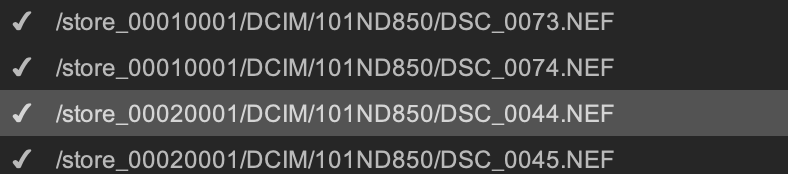
I have a camera with 2 card slots that I use in “backup” mode, this means that each capture is saved twice. Is there any way in darktable to choose the slot where to import from? I see that the image path shown in the import dialog is different for each slot but it would be much faster and safe with a preliminary choice, imho.
I would like to say hi to the community and thank you for the great work you do, this is my very first post.
Do you mean that you import from an external card reader? That’s the best option in terms of speed but sometimes I just don’t have the reader with me.
Alternatively, I know I could remove one of the cards and use the camera to import from the other.
I thought I could have missed some hidden gem allowing me to filter out the unwanted slot
Mine have been Sony for a while. The is a menu option called USB LUN Setting. If it is set to “Single” then the camera only offers the first device to a connected computer.
I move pics from camera to computer using system tools, only later importing into dt. But I am guessing (really! A shot in the dark) that darktable is going to look at stuff that the operating system has detected (because why would dt devs go messing with lower-level device access, but again, I’m guessing). And if this is the case, you’d only see your first camera card in dt.
Do other cameras have a similar option? WTF is “LUN” anyway? Ahhh… so many questions
My camera is a Nikon D850 and, for what I have seen, it doesn’t have USB or storage configuration related menu items.
I think you are right assuming that DT relies on OS to interact with external devices, including cameras. Currently I see pictures from both the slots and I can distinguish them by the image path.
Nikon provides a tool named Nikon Transfer 2 that allows you to select the slot you want to download from. Why don’t I just use that one? Because I like the idea to have the complete workflow in one tool .
LUN is Logical Unit Number, if my memory doesn’t fail, and choosing “Single” gives you just one storage unit.
Isn’t it possible to filter only one folder to take the pictures from?
Like: /store_00010001/
Yeah, unfortunately on MacOS it’s either that or removing the card from the camera and plugging into the Mac, since a service called “ptpcamerad” interferes with usb mounting and cannot be killed without tampering with System Integrity Protection.
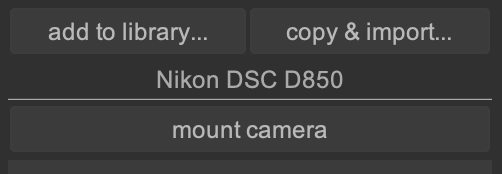
Oh yes, thanks. I use “add to library…” instead of “copy & import” because unfortunately, on MacOS at least, I cannot mount the camera storage via usb cable. So I have to rely on Nikon Transfer 2 to copy the files over to the Mac.
Then your edits are being written to the SD card in the camera. I would not recommend this practice. I would throw an external card reader into your camera bag. They are not that big. Then copy and import
Which version of MacOS are you using? I need to give another read to the camera’s manual maybe. But as far as I understand, this ptpcamerad daemon prevents gphoto from mounting the camera.
Let me better specify to avoid misunderstanding. The mount action that darktable offers is not in any way similar to the Unix mount command. You cannot access camera storage via file system related tools. It is just a way to name the connection to the camera that allows downloading pictures.


 .
.