Just back from a trip … sorry for the delay in responding.
First tests indicate that all is working correctly … many thanks.
Question: is there some place that the theme can be stored for future reference, or do we all have to keep the theme on our own systems?
1 Like
Excellent that the theme worked for you.
I would have to put it on github and have a track for future updates.
3 Likes
Works beautifully. So good! Thank you. 
1 Like

2 Likes
Thank you for this. I’ve found the interface much improved with the work you’ve done, and am happy to be able to access the files without searching through the thread for them. Bookmarked!
1 Like
Franklin,
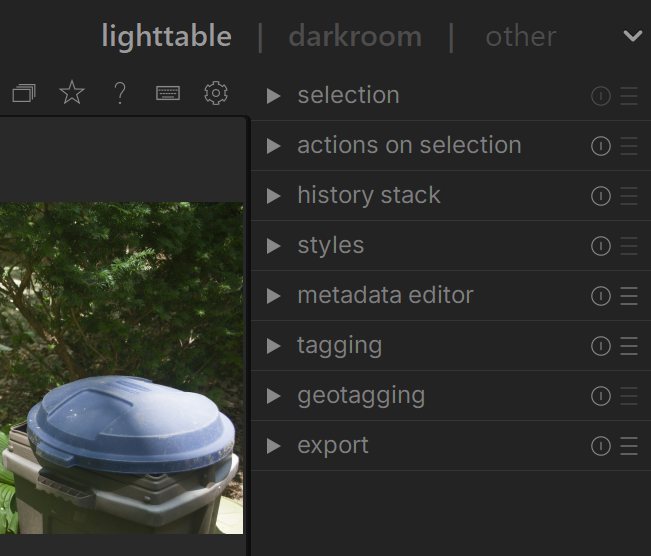
Great theme, I had a question, on the right side column in the lightroom, there are selections at the top. I was going to see if I could have them change color on hover to make it easy to see which was selected. Before I begin searching for the fields, do you know if that is not possible? Example, too many other fields would also change color on hover.
Hi and glad you liked the theme.
Can you post an screenshot of the area?
It isn’t a big problem, but it seems all the fields highlight in orange when hovered over except the ones in the photo. The child box fields under these do highlight but not the ones on the lightroom main view.
Thank you for any info you can provide.
I know very little about css but at line 1004 it looks like it’s missing a period in the front. I only comment on this by looking at the lines above it. I could be totally wrong as I said little css knowledge.
1 Like
Hi.
Thank you for the tip. Here is the corrected version.
Greetings from Mérida, Yucatán.
my-personal-theme (Fixed).zip (6.9 KB)
2 Likes
Hello,
I don’t know specifically which fields you want to highlight. Perhaps there are too many of them to handle from the .css, or if they are done, there are many parts of the UI css that I don’t have access to because I don’t think they are documented.
Greetings from Mérida, Yucatán.