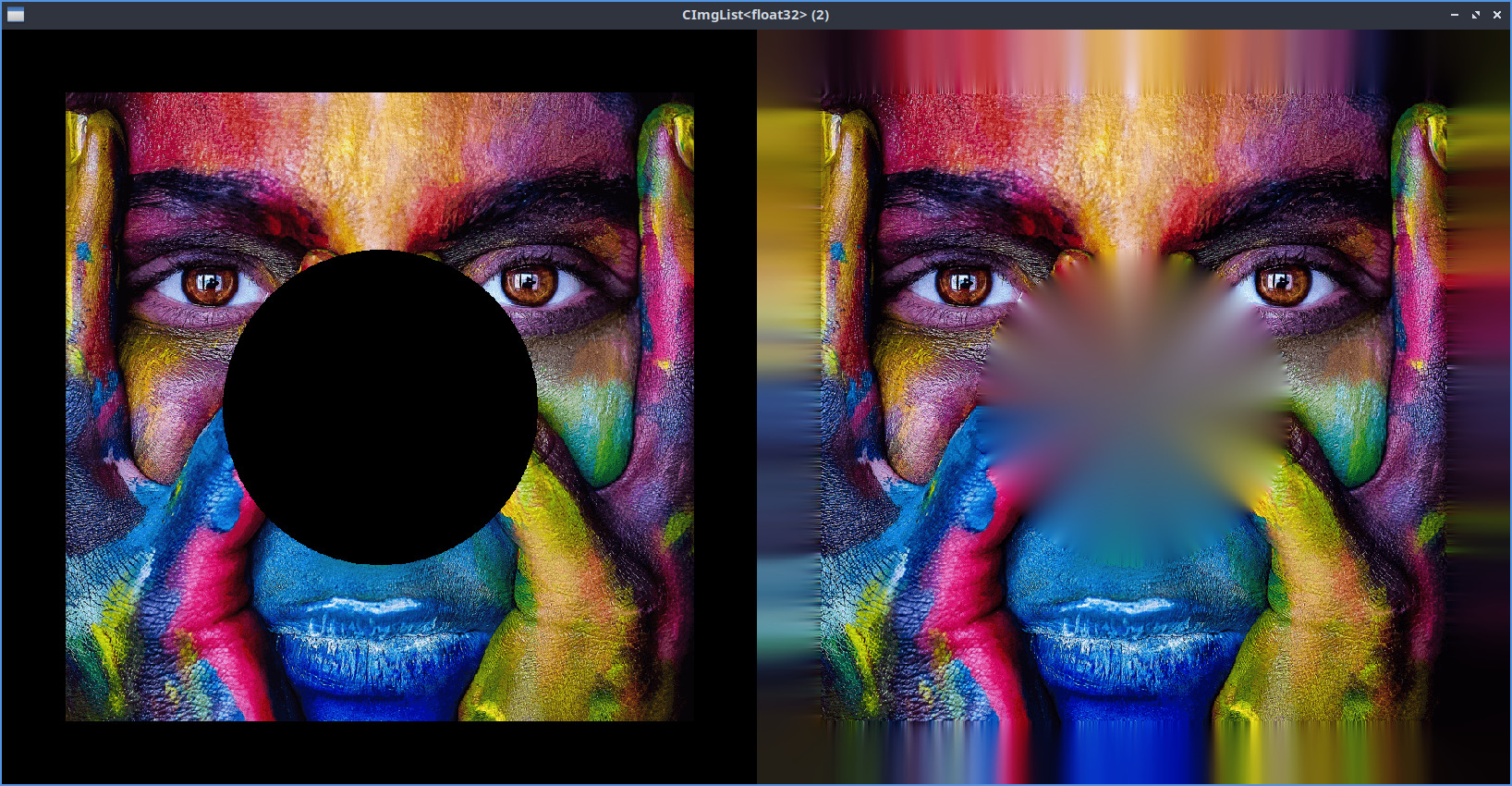
Hello GIMP devs (@cmyk.student  ).
).
I just realized that GIMP doesn’t seem to have a “Solidify” filter, which fills in the transparent areas of an image by interpolating / blending known colors. It seems to me that this is a fairly standard feature for digital image editing software, and it’s very useful, especially for people who work with or create texture maps.
There is already a Solidify filter in G’MIC, but that requires calling the plug-in, and it’s not as convenient as if the feature were built right into GIMP.
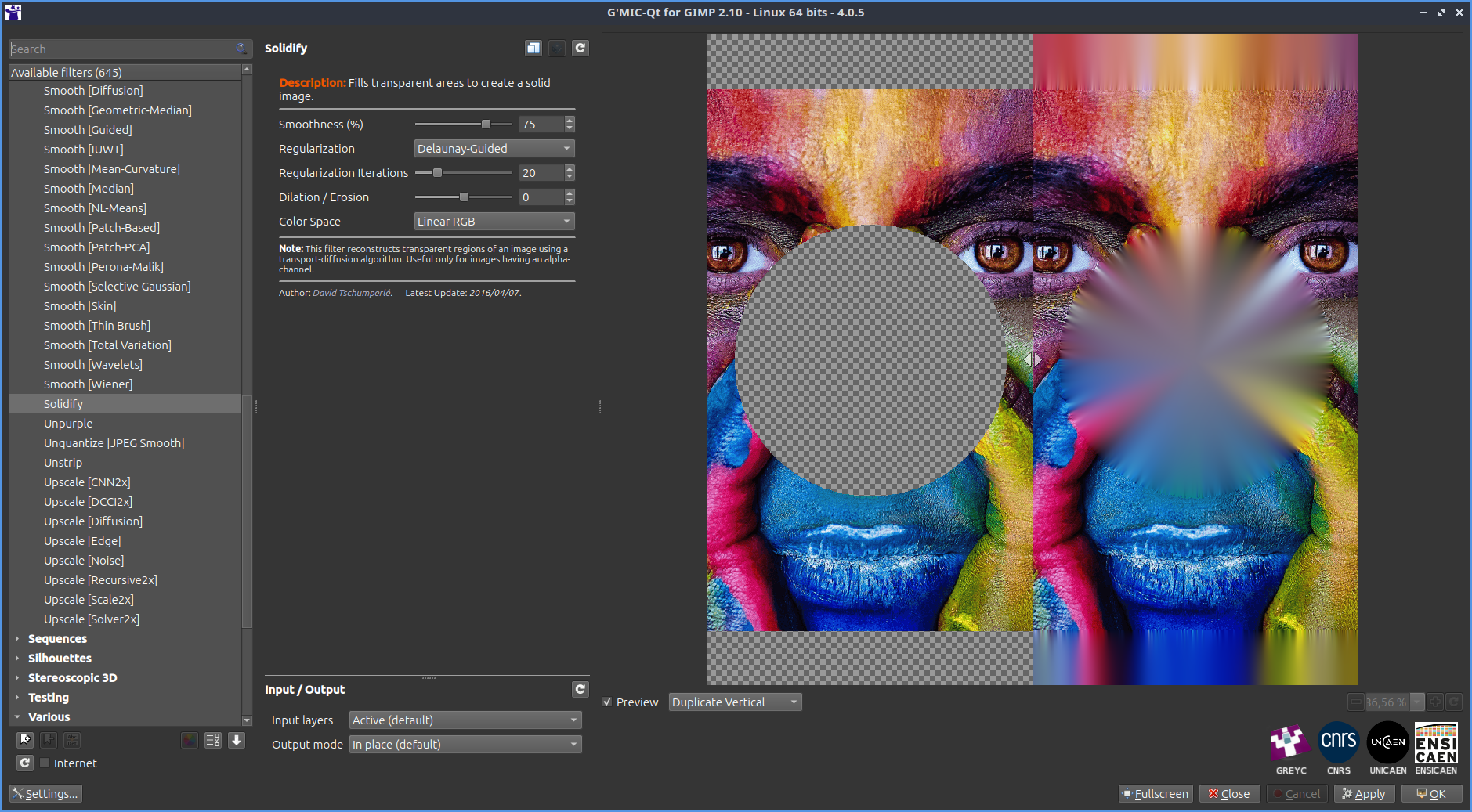
I’m not a GIMP contributor, but I have some basic understanding of image processing algorithms, and this morning I wrote a short C++ program that implements the Solidify algorithm (guaranteed to be LLM-free).
It seems simple enough to me that I hope it will catch the attention of a GIMP developer. If anyone is interested in turning this into a new GEGL operator, I’d be happy to help to the best of my ability.
The basic idea is to start with an image in which known colors have been propagated into the transparent areas, using, for example, a basic region-growing algorithm (such as a watershed algorithm). Then, we apply multiple iterations of pixel diffusion at various (increasing) scales to obtain a smooth, well-interpolated result.
I’ve attached the C++ code for the complete algorithm below (it uses the CImg Library for handling images). Yes, it would require quite a few adjustments to make it work in GIMP, but this is just to show that it’s a feature that’s really not too complicated to implement.
If you’re interested, please don’t hesitate to contact me!
//-------------------------------------------------------------------------------------------------
// Solidify Filter
//
// Note: Most of the cimg_forXY() loops used in this code could be parallelized, so the algorithm
// can run very fast.
//-------------------------------------------------------------------------------------------------

#include "CImg.h"
using namespace cimg_library;

// Convenience function: Return the value that has the maximal absolute value.
//-----------------------------------------------------------------------------
float maxabs(const float a,const float b) {
  return std::fabs(a)>=std::fabs(b)?a:b;
}

// Main procedure.
//----------------
int main(int argc, char **argv) {

  // Input 4-channels (RGBA) image.
  const CImg<float> image_rgba("transp.png");
  if (image_rgba.spectrum()!=4) throw CImgIOException("Input image is not a RGBA image.");

  // Algorithm parameters.
  const float param_threshold_alpha = 128;
  const unsigned int param_nb_iterations = 20;
  CImg<float> output_rgb; // <- Will contain the Solidify output at the end!

  // Pre-process: Propagate known colors of 'image_rgba' using watershed and return RGB image 'image_rgb'.
  // This is important to already have a fully-populated RGB color image that is robust to downscaling.
  CImg<float>
    image_rgb = image_rgba.get_channels(0,2),
    image_a = image_rgba.get_channel(3);
  const float imin = image_rgb.min();
  cimg_forXY(image_a,x,y) {
    image_a(x,y) = image_a(x,y)>param_threshold_alpha;
    cimg_forC(image_rgb,c) if (image_a(x,y)) image_rgb(x,y,c) = image_rgba(x,y,c) + 1 - imin; else image_rgb(x,y,c) = 0;
  }
  CImg<float> watershed_priorities = image_a.get_distance(1);
  cimg_forXY(watershed_priorities,x,y)
    watershed_priorities(x,y) = 1/(1 + watershed_priorities(x,y));
  image_rgb.watershed(watershed_priorities);
  watershed_priorities.assign();
  image_rgb+=imin - 1;

  // 'Solidify' algorithm : Apply a multi-scale diffusion process of known values from 'image_rgb'.
  const unsigned int nb_scales = (unsigned int)std::ceil(std::log2(std::max(image_rgb.width(),image_rgb.height())));
  for (unsigned int scale = 0; scale<nb_scales; ++scale) {
    const float
      scale_factor = std::pow(2.0f,(float)1 - nb_scales + scale);
    const unsigned int
      scale_width = (unsigned int)std::round(image_rgb.width()*scale_factor),
      scale_height = (unsigned int)std::round(image_rgb.height()*scale_factor);

    std::fprintf(stderr,"- Scale #%u: Factor = %g -> %u x %u\n",scale,scale_factor,scale_width,scale_height);

    // Determine image of known pixels at current scale resolution
    // (Basically downscaled versions of 'image_rgb' and 'image_a').
    const CImg<float> scale_rgb = image_rgb.get_resize(scale_width,scale_height,1,3,2); // Moving-average downscaling
    CImg<float> scale_mask = image_a.get_resize(scale_width,scale_height,1,1,2);
    cimg_forXY(scale_mask,x,y) scale_mask(x,y) = scale_mask(x,y)>0;

    // Adapt 'output_rgb' image to current scale.
    if (!scale) output_rgb = scale_rgb; // First scale: Copy from 'scale_rgb'
    else output_rgb.resize(scale_width,scale_height,1,3,3); // Other scales: Linearly 2x-upscale

    // Compute Euclidean distance function to closest values '1' (done in linear-time).
    const CImg<float> distance = scale_mask.get_distance(1);

    // Compute orientations of local diffusion for current scale.
    CImg<float> orientations(scale_width,scale_height,1,2);
    cimg_forXY(orientations,x,y) {
      const float
        d = distance(x,y),
        dx = maxabs(distance.atXY(x + 1,y) - d,d - distance.atXY(x - 1,y)),
        dy = maxabs(distance.atXY(x,y + 1) - d,d - distance.atXY(x,y - 1)),
        n = std::sqrt(1e-10f + dx*dx + dy*dy);
      orientations(x,y,0) = dx/n;
      orientations(x,y,1) = dy/n;
    }

    // Force values of known colors in 'output_rgb'.
    cimg_forXY(output_rgb,x,y) if (scale_mask(x,y))
      cimg_forC(output_rgb,c) output_rgb(x,y,c) = scale_rgb(x,y,c);

    // Perform diffusion iterations on remaining pixels.
    for (unsigned int iteration = 0; iteration<param_nb_iterations; ++iteration) {
      cimg_forXY(output_rgb,x,y) if (!scale_mask(x,y)) {
        const float
          dx = orientations(x,y,0),
          dy = orientations(x,y,1);
        cimg_forC(output_rgb,c)
          output_rgb(x,y,c) = 0.5f*(output_rgb.linear_atXY(x - dx,y - dy,0,c) +
                                    output_rgb.linear_atXY(x + dx,y + dy,0,c));
      }
    }
  }

  // Display original image and solidify result.
  (image_rgba,output_rgb).display();

  return 0;
}
Here is the test image I’ve used:
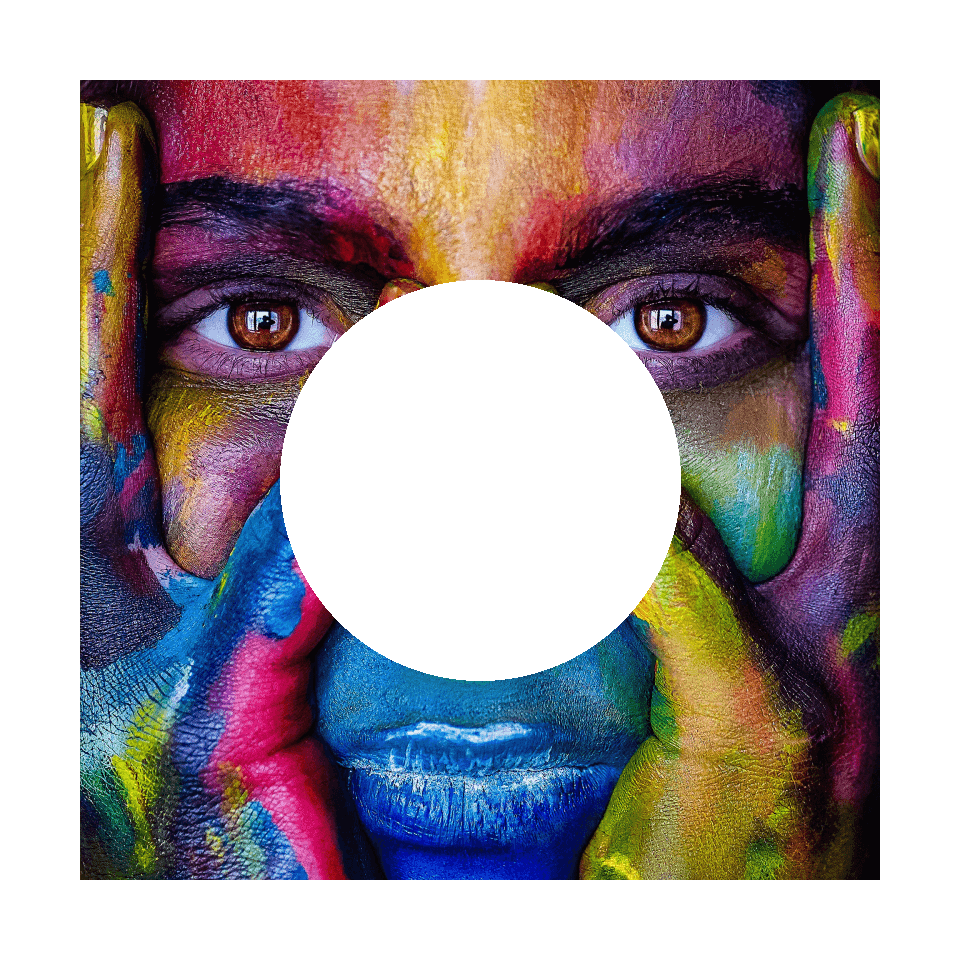
To compile the code:
$ g++ -o solidify solidify.cpp -lX11 -lpthread -Dcimg_use_png -lpng -O3
(the libpng must be linked to manage loading the RGBA input).
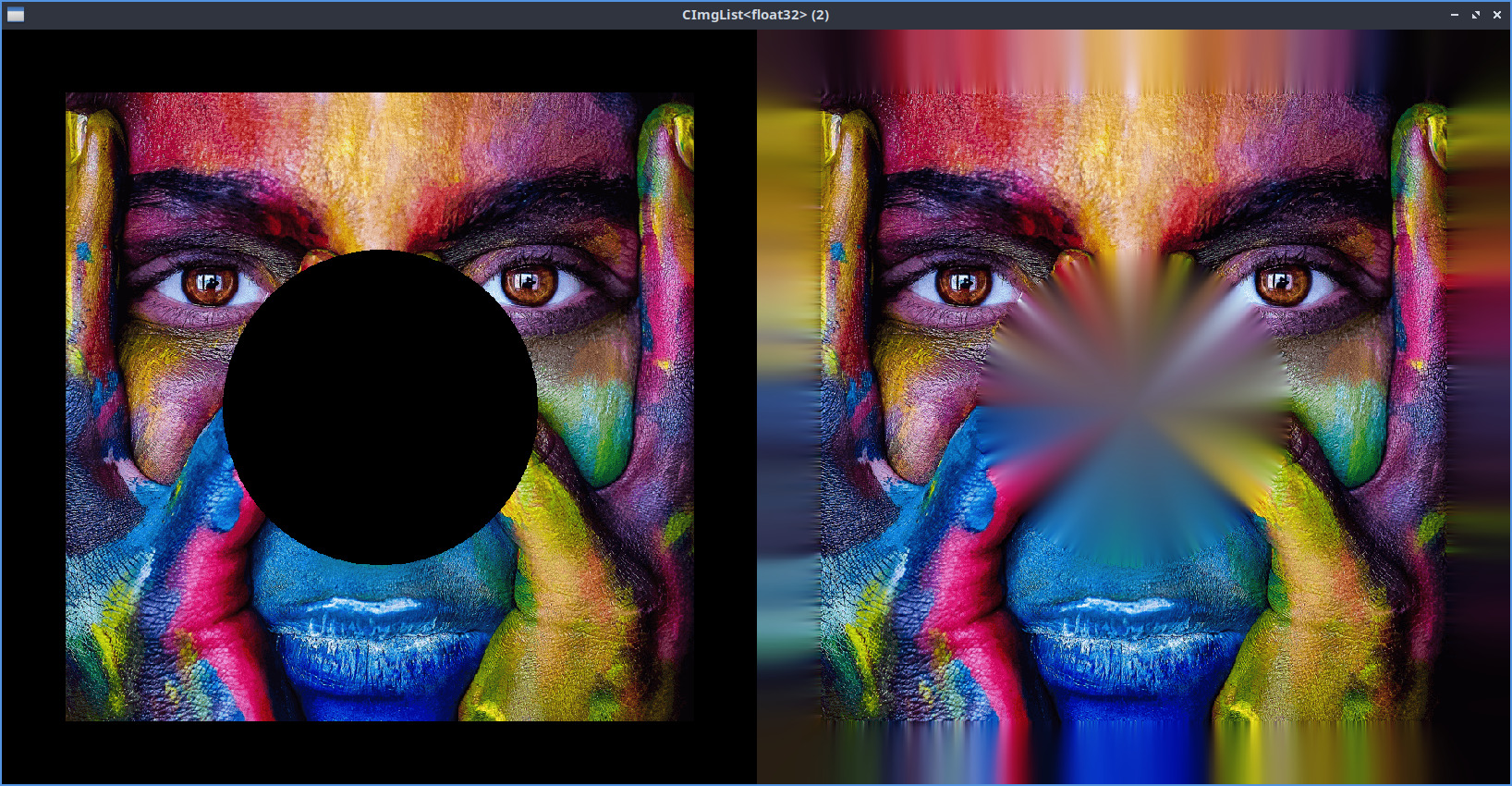
The result of the C++ code: