Thanks a lot! Hope new release will be issued soon.
@agriggio Hi Alberto, I don’t know if it’s of interest for you, but I found this source of utility DCTL’s, maybe you’ll find something cool: GitHub - thatcherfreeman/utility-dctls: My creative and util DCTLs.
By the way, did you translate de Film Density dctl by hand, or do you have some translation script? I tried to translate a dctl by hand, using your Film Density ctl as an example, but I failed.
1 Like
Hi,
Thanks for the pointer, I’ll check it out.
Yes. But I don’t like it that much. I think the tetrahedral warping ones (especially the hsl which is easier to use) are much better.
As for the translation, if something goes wrong you should get error messages on the terminal that are hopefully helpful…
2 Likes
Hi,
Now you should be able to use ART-cli to do some error checking, like this:
$ ART-cli --check-lut /path/to/script.ctl
If you don’t get any output, the script should load fine. Otherwise, you will see a list of errors.
HTH
1 Like
I forgot to look at the console output last time I tried to translate a DCTL. But my script didn’t show up in the list.
BTW, did you get the tetrahedral warp code base from somewhere?
1 Like
Yes, there’s an URL in the comments in the file – I don’t remember it right now but it’s on GitHub. There are several versions available
1 Like
Hi,
the code has no license attached unfortunately. I’ve asked the repo owner to clarify whether the scripts are open source, let’s see if I get any reply
1 Like
Sounds like chroma in darktable:
https://docs.darktable.org/usermanual/development/en/special-topics/color-management/color-dimensions/
It would be great to know what that “density”-ctl actually does.
I thought at first that it’s a rather complex thing with increasing saturation and negative brilliance, crudely like this:
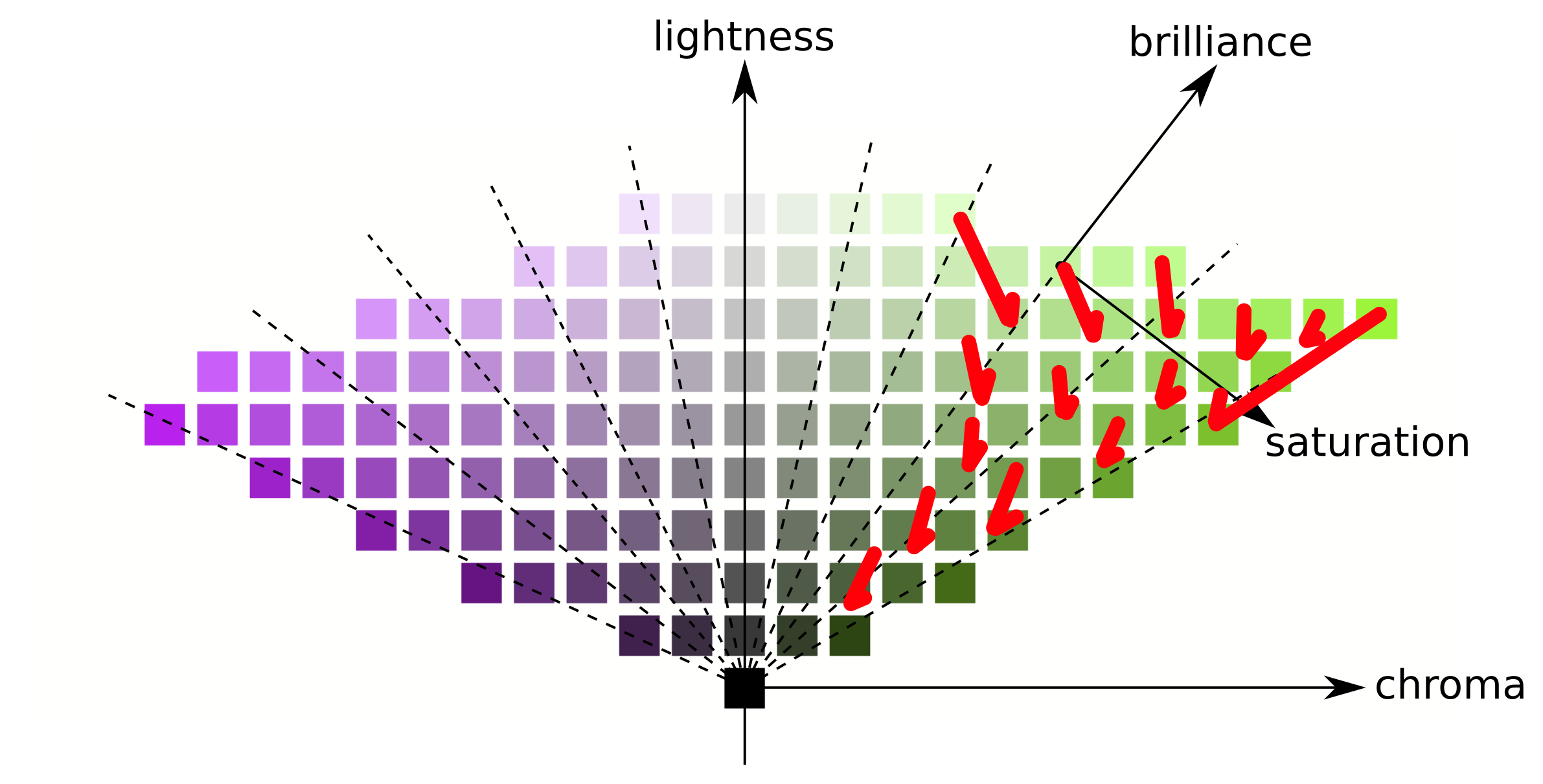
but maybe it’s “just” a negative brilliance for more saturated colors, like this?
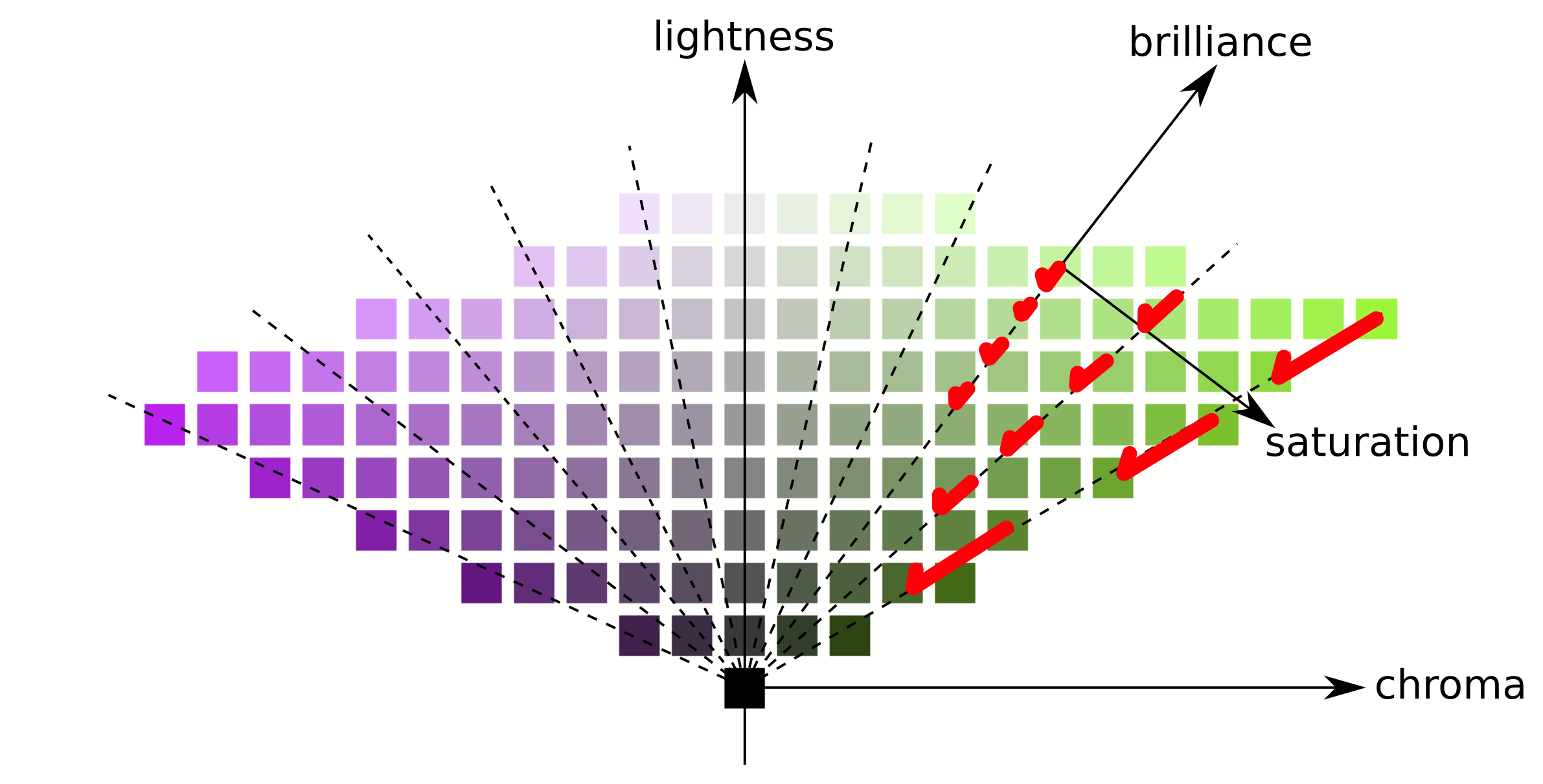
Oh and maybe it doesn’t really stay on that hue-slice but rotates as well? Curious to know actually.
EDIT: (arrows in the first picture all have a wonky length, but I hope one gets the idea)
According to the author, the density script converts the RGB to HSV and then does “Saturation function, combined with luma”.
1 Like
sounds like not just negative brilliance for highly saturated colors.
indeed a cool adjustment, because I would have a hard time replicating that in RT (or ART for that matter).
Hi,
With CTL scripts, can users add customized masks for local editing in ART?
Yes, totally!
Hi,
If you are asking whether you can extend the masking tools, then I’m afraid the answer is no, sorry. However, you can add as many new processing modules you want to the “colour/tone correction” tools, and they will all get support for masking automatically.
HTH
Btw, I published the binaries for version 1.21 earlier today, with support for the CTL interpreter
3 Likes
Thank you.
Thanks a lot! Just installed and running!
… waiting to see when AMD Zen 2 optimized Windows binaries are available from @gaaned92. My little laptop can use all the help it can get. LOL
I have one more question.
I think that for color/tone correction and film simulation, the CTL application results can be different because these modules operate in different color spaces. Is this understanding correct?
Hi,
not really, they operate in the same color space (in fact, you can select which space by using the // @ART-colorspace: tag in the script).
If you see different results, it must be because they operate on different inputs (i.e., maybe you have some other active module in between?)