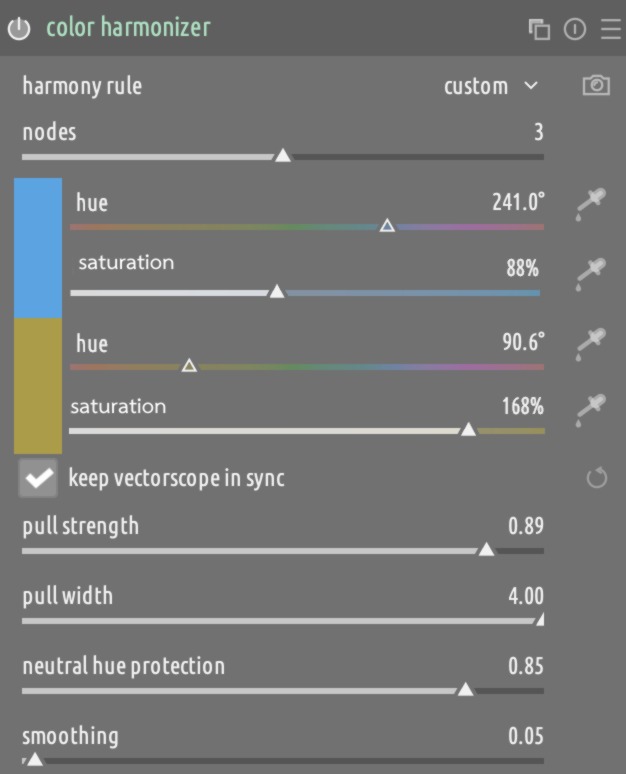
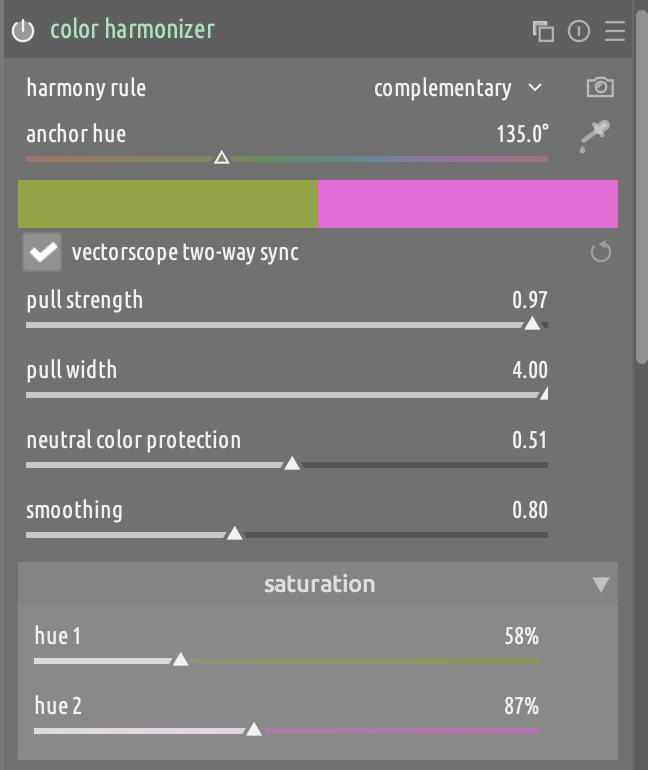
That sounds a bit obscure to me. How about just “Neutral color protection”?
The manual mentions “neutral color” quite a bit, and I like the word “neutral” in there because I think it’s immediately obvious what we’re referring to.
I’m not the biggest fan of putting the saturation controls in drop down, I think they could be quite useful, and avoid the need to open the color equalizer.
I really want to keep the UI as simple as possible for the simple cases.
I had explored the double sliders per swatch concept, but I find it more cumbersome, and I like that the current UI provides some process guidance, i.e., first find a harmony that makes sense for your image, and then play with the saturation to fine tune the effect.
This should not become a duplicate of ColorEq, otherwise there is no point
This module is not meant to be used in isolation. I think it’s perfect to be used as a foundation for more fine tuning in ColorEq or CbRgb.
Actually, this is kind of the whole point that I was trying to make when I wrote On module proliferation. Those modules provide a horizontal foundation of controls that “free” other modules from having to encode that level of fine-grained controls. In my view of a perfect ecosystem, they would be the glue that you use between more specialized, result-oriented modules to achieve the desired aesthetics with as little fiddling as possible.
Done.
Renamed to “vectorscope two-way sync”, to make it clear that the synchronization happens both ways.
I would find that confusing, unless I rename the section “saturation boost”, but then a “negative boost” is also kind of counter intuitive. It could be named “saturation multiplier” and range between [0, 2], but that is also less intuitive and it’s too mathematical. I find that “Saturation” in [0%, 200%] with a default of 100% is very clear and self explanatory.
I am currently focusing on adding some optimizations to make processing faster and smoother.
“Sync” (short for synchronization) means to align, match, or harmonize two or more things to act at the same time, speed, or rate.
Therefore, calling it “two-way” is redundant. Saying the same thing twice.
Why would you rename it “boost” if the changed slider ranges [-100, 100] made it more clear you can both “reduce” and boost"? -100, 100 is far less confusing to communicate you can both increase and decrease saturation, than 0, 200. Not only that, but it is standard in other modules. See color balance rgb as a prime example.
Sync can be used for many things. “pushing” and “pulling” are two kinds of unidirectional sync. “The lights are in sync with the music” is intended to mean that the lights change based on the music, not the other way around. I think that “two-way” is a useful clarification that makes it more evident that you can also control the module with the vectorscope (which you wouldn’t think of trying otherwise).
Because if the label says Saturation and the value of the slider is 0, to me that mans “No saturation”, which is not what it is doing. Anyways, it’s a detail that can be discussed at review time.
Agreed, but then I think that “saturation” itself is not a sufficient label. It should read “saturation correction”, “adjustment”, or something along those lines.
Then you’d have to change it also in color balance rgb, color equaliser, etc… but it is a perfectly fine label in those modules, and will be in yours too
That the slider exists to make a correction or adjustment is self evident. It doesn’t need to be stated.
True. I never noticed that since it is hidden in the “look” selection which I keep collapsed.
I suppose 0, 200 is saying 0% has no saturation, while 200% has double. Whereas -100, 100 is saying you can increase or decrease the saturation by this amount.
I still think the logic of this module is more similar to that of color balance rgb and color equalizer than agx, but I’ve said enough, so I’ll check out now.
Claude and I did some efficiency improvements. I wanted to share this video because I think that it’s quite funny, with all the sliders running around when I scroll on the vectorscope
I seem to be stuck on Vectorscope mode with no buttons to change it, even when I’m in Darkroom on an image without the module enabled or focussed. Using the AppImage build from a few minutes ago.