Lovely tool so far, will keep testing more
1 Like
Thanks for the report! I am not sure I understand. You enabled the module and the vectorscope does not react?
I mean I can’t change it back to Waveform/histogram, or u*v*, even when I’m on a different image where the module isn’t enabled. The buttons aren’t there. Scopes are on the left for me, in case that makes a difference.
1 Like
Can’t reproduce:
Do others see the same issue?
But you made me find a bug: the vectorscope overlay should be visible only when in RYB mode.
I’m having the same problem with the latest AppImage as @gwbarn. The option to switch scopes has disappeared. You only have the RYB Vectroscope:
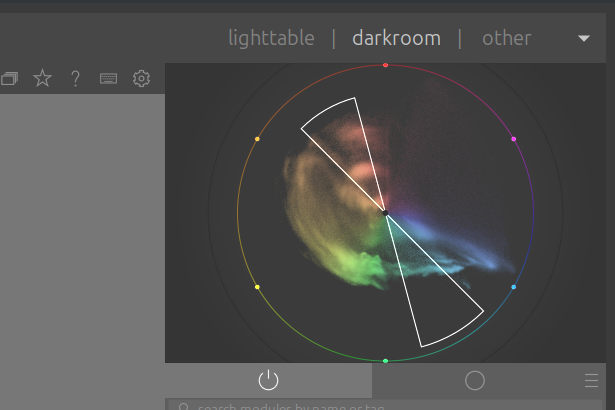
1 Like
Thanks for confirming! Will need to do more testing under Linux then, I cannot reproduce on Mac.
1 Like
Probably not related to this new module:
2 Likes
The evil bug has been tracked down and will soon be squashed. I will post an updated build in the morning.
EDIT: New build is ready, link in the OP.
6 Likes
Hi Daniele. As of commit 407ee93d7e043009056ec6950013d7697fd773c7, I believe the ctrl+x functionality to paste the last changed module onto the filmstrip is broken. I’m not positive it was caused by your module making changes in the background (like the vectorscope being updated unexpectedly), but it seems like a likely guess. My test case was changing the white balance settings or enabling/disabling color calibration, then pasting that into another image on the film strip. The result was that the word “working” never showed up.
Thanks for the report, @finestructure. Software can interact i unpredictable ways, but I would be very surprised if the regression was caused by this module, as it does not touch any parts of the code that would be related. Can you reproduce on master?
I reinstalled that build again, and the report was a false alarm. The issue could have been caused by a lua module or a corrupt state after dt being running a long time, but it’s not happening when I try again. Sorry about the trouble.
No worries, not trouble at all! I am very grateful for the community’s help in testing out the feature 
I’m doing some testing with the ‘stuck vectorscope’ version. Hope there haven’t been major changes since then.
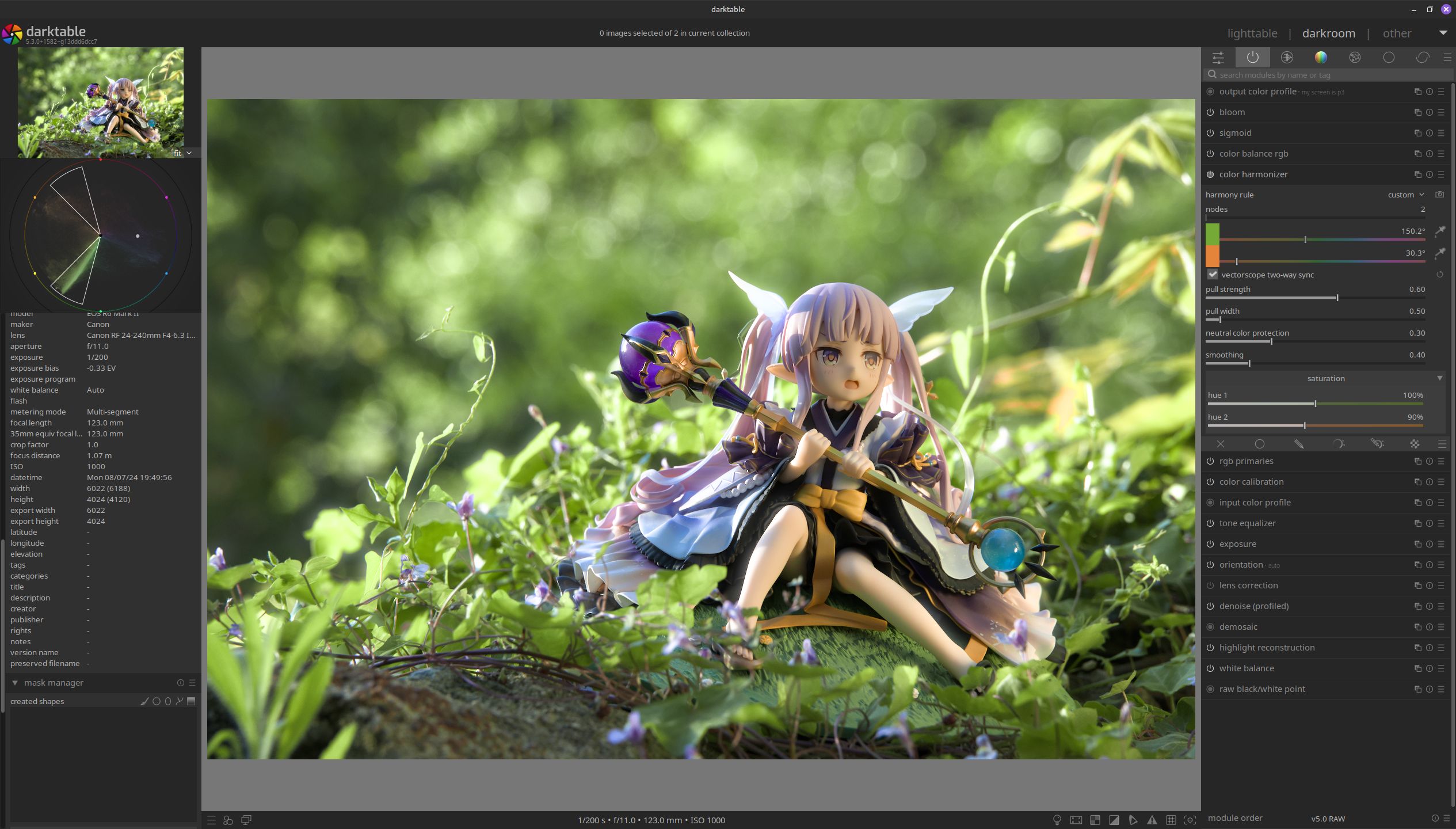
Example 1: Good for removing the yellow cast on the skin in this image, and unifying the prop grass with the real foliage.

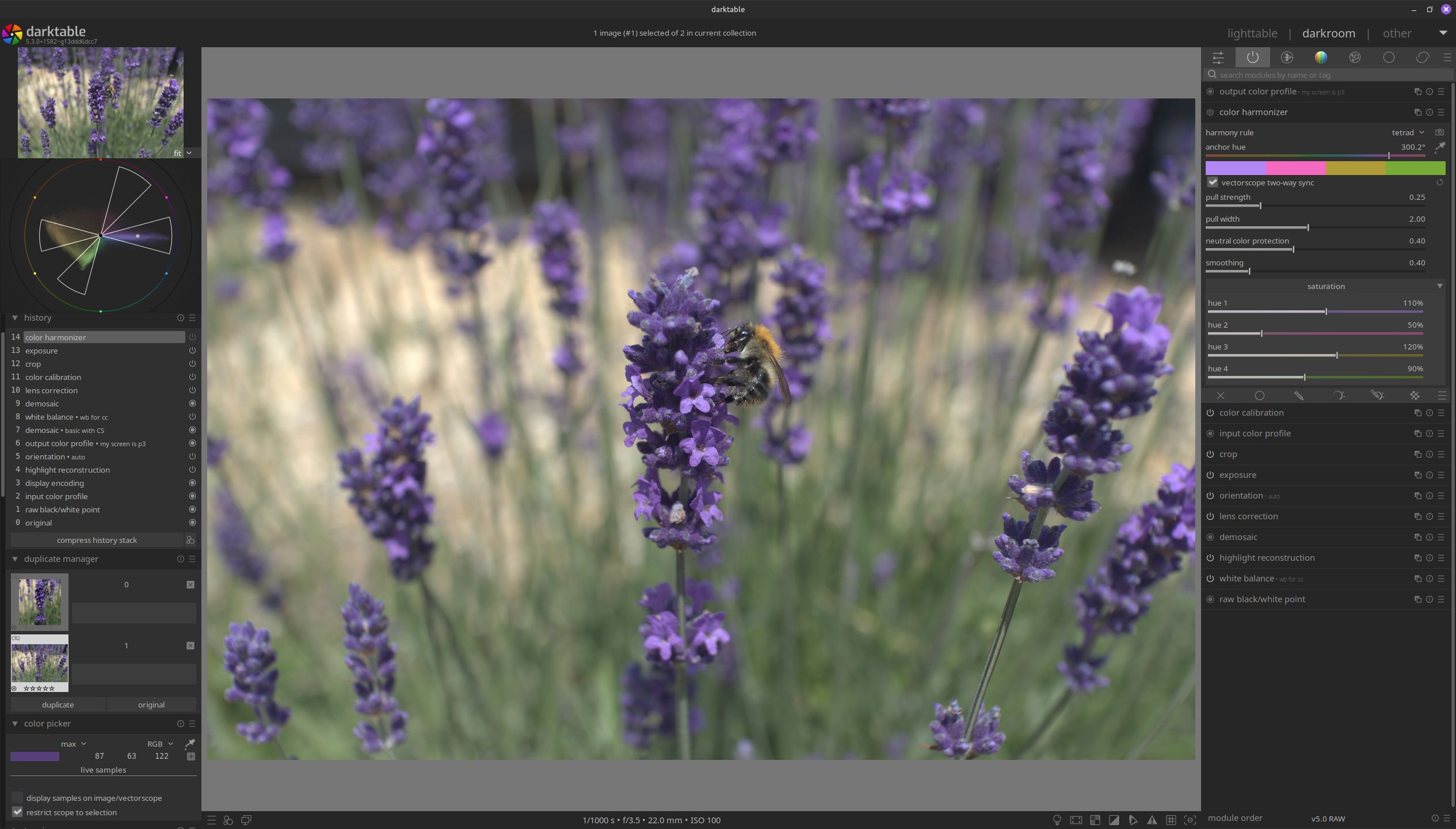
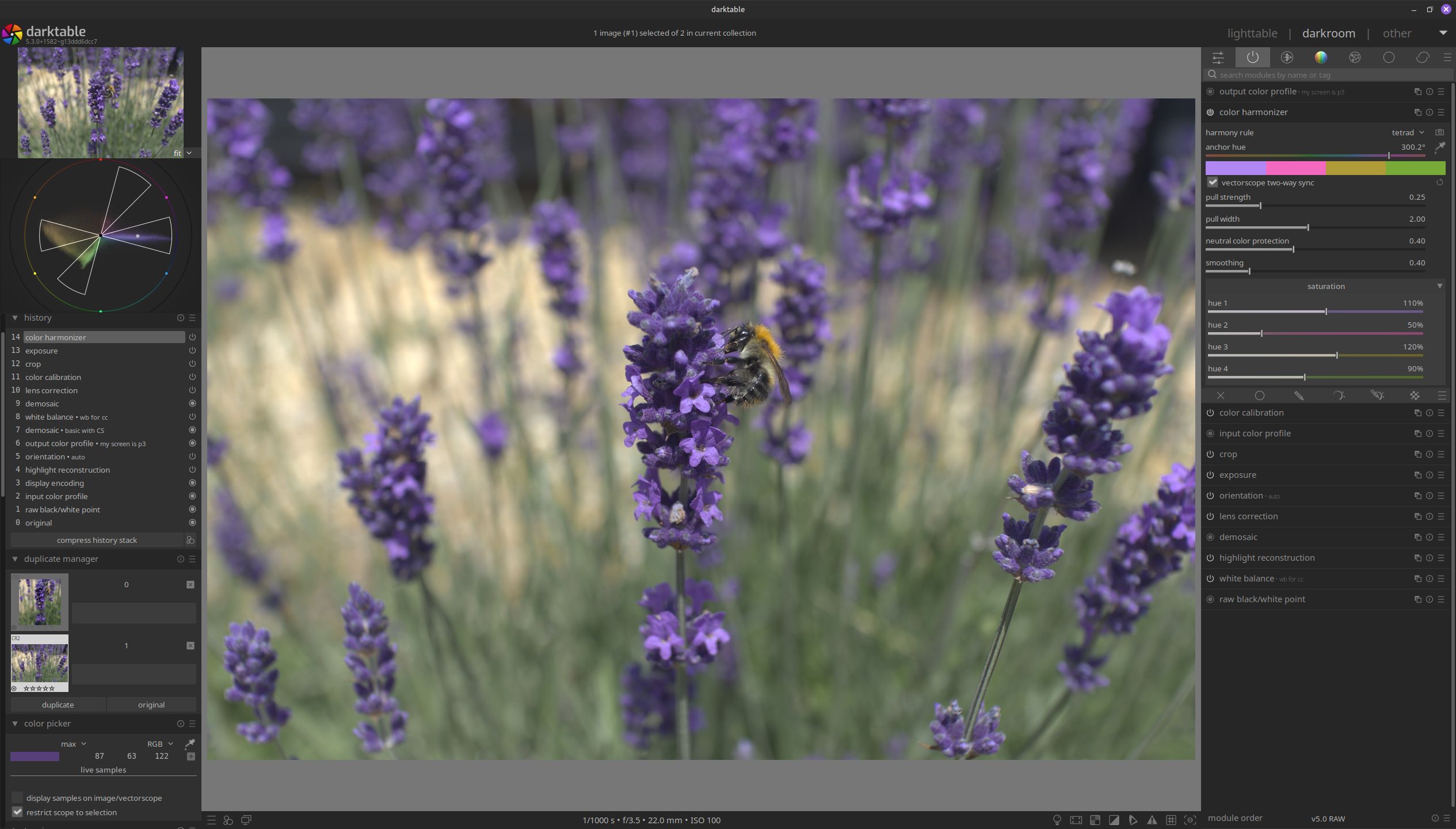
Example 2: Colours were already very neat on the vectorscope; I used auto detect and it gave me this tetrad. Very small change.
Example 3: Playing with the umbrellas. I like the smoothing function so far.
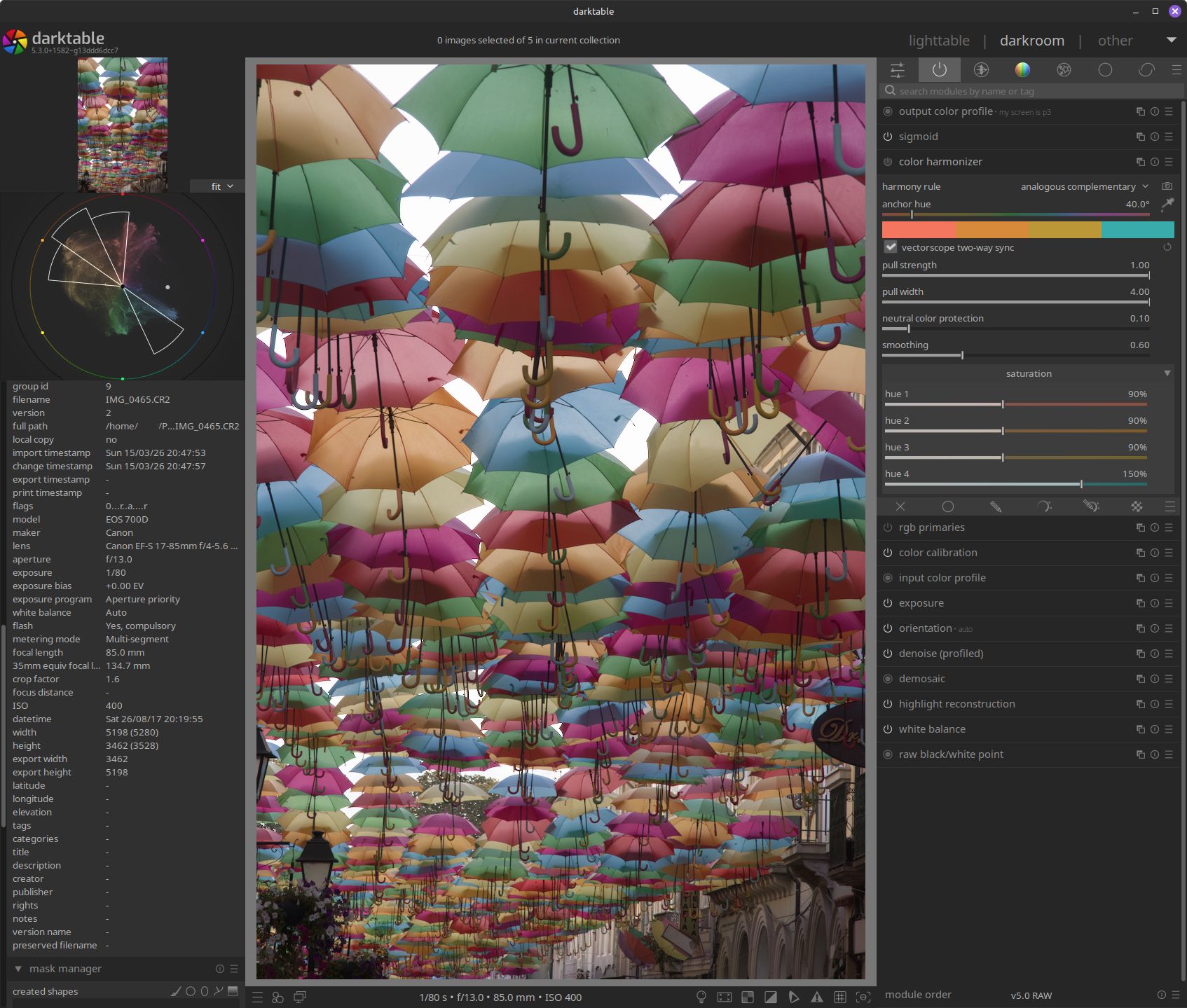
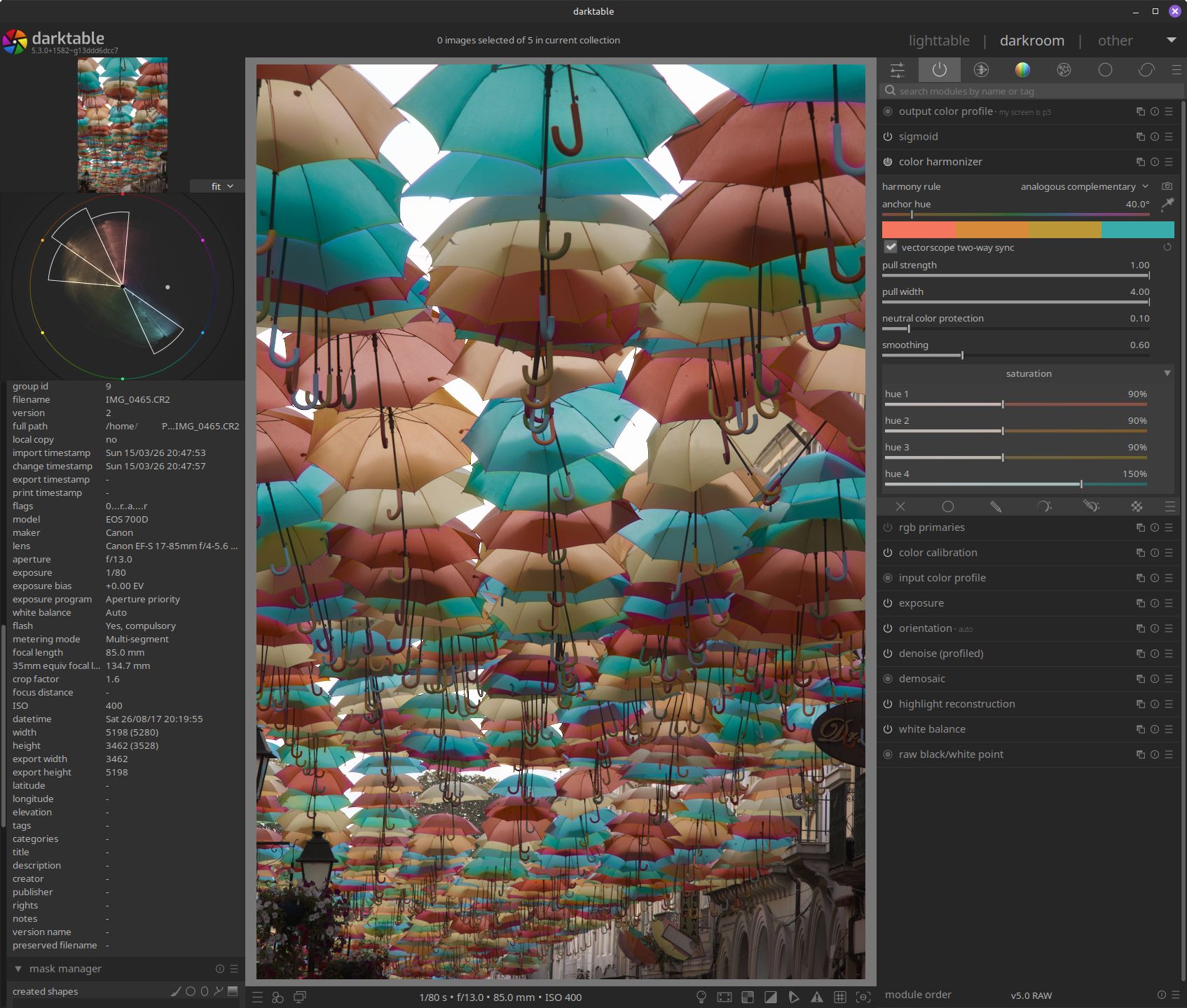
4 Likes
Thanks to all your invaluable feedback and especially to @Pascal_Obry’s very thorough yet speedy review, this has now been merged into master.
Let the real testing begin! 
Looking forward to seeing how the community uses this in real workflows and to squashing all the inevitable bugs that are hiding in the cracks 
19 Likes
Congrats on the merge, look forward to playing with this.
On current master I have found one bug. When histogram is set to ‘split’ (waveform left, ryb vectorscope right), I click the picker for ‘pick hue from image’, then click on the image, and the histogram does not remain ‘split’ but shows ryb vectorscope only.
Actually, after resetting the harmonizer and turning it off, just turning it on and expanding it is enough for the split histogram to unsplit.
1 Like
Good catch, thanks a lot!
Edit: here is the fix:
Thanks for reporting, Tim!
2 Likes
Hopefully all your hard work will end up in that way , that this module will be overall accepted … and the majority of users do find it useful to integrate it in their workflow.
Not sure if i might use it often … but always like to play around at some point .
I personally use DT more or less to create a perfect base file for final touch up in PS … as DT is the best raw converter on the market .
All the best for you and your module !!!
Regards Andreas
2 Likes
A really great module. It feels very intuitive to use.
At first, I couldn’t quite picture what it would be like, but that changed quickly once I started using it. I’m sure there will be plenty of other people who’ll love it too.
Thank you for your time and effort!
3 Likes
How do you do this?
(I’ve not heard about it before and can’t find anything about in the manual - is it perhaps something new in master?)
Check the video above. The icon selected in the scopes overlay is the one that enables split mode.