Nikon seems to have so many different unsupported image formats Ah now I see, i was looking up the wrong tag. Sorry, yeah those files are good! Thanks again!
Here is another dropbox link with other pictures taken with Z6-III and nikkor 24-70mm (5 nefs and 5 corresponding jpegs): RAW-JPEG
Again none of them are supported by RawTherapee (developer builds).
I can only preview their thumbnail on Windows explorer (but I can’t open them)
More precisely from the Z6-III Photo shooting menu
Image quality: RAW+JPEG fine *
RAW recording: ON High efficiency *
They are indeed compressed as size.
I hope they are the “corrcet” ones for your testing :.-)
Currently going in circles I’m afraid. So many things which still need fixing. Still no reply from the EFF. If I could just publish the current state maybe others would know something
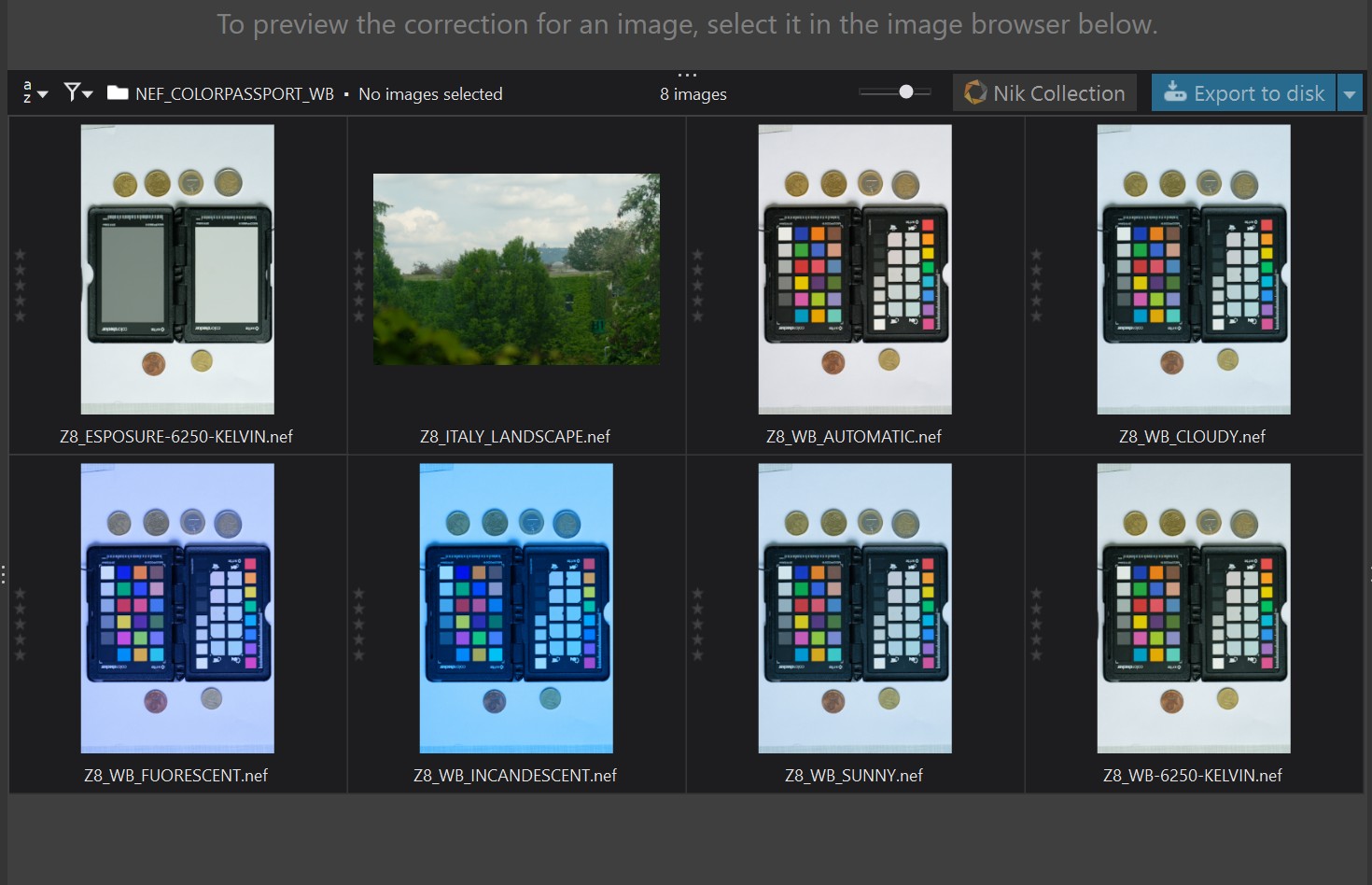
Here is a zip folder (dropbox link) with 8 HE files from a Nikon Z8 and Nikkor Z 105mm macro lens*: ColorChecker_xrite_passport_Nefs
6 pictures contain the same “ColorChecker Passport photo 2” but their White balance is purposefully different: automatic, cloudy, sunny, fluorescent, incandescent, 6250 Kelvin.
There are also 2 additional He* images: ColorChecker Xrite exposure image + Italian landscape
I hope they are useful for your trials
P.s.
As usual they do not open with RawTherapee (Libraw).
On the contrary, they are supported by DXO Photolab 8.6 (proprietary software):
nice, thank you very much! I hope this will at least put an end to the wrong colors. For gettings details up to reference I still don’t know where they have hidden them. Let’s see if I can find it out
I have been looking into it a bit more. Patents are, by definition, public information, so you can explain them, and their implementations, as much as you want, (almost) however you want - including math. It’s only if you publish actual working code that there might be a problem, since that could be considered secondary (or whatever the word was) infringement, but it’s a grey area that very much depends on the patent holder and (eventually) the judge.
Sure, a few shots from lowest to highest ISO would be nice. My decoder can’t decoder the Z6III yet, but as soon as it can this would be very helpful. thanks!
Ok Z6III files now decode to the same point as the Z8/Z9 files with the same fundamental problems (color and loss of fine detail)
Here is the link (dropbox) to dowload some NEF HE* images (514mb, in total) from a Nikon Z8 with 50mm nikkor macro: Nikon_z8
There are 2 folders with RAWs with different white balance.
Sunny, as you requested, and automatic WB.
The aperture is always F8.
What changes is ISO and, accordingly, the shutter speed (as you suggested).
Please, let me know if you need something else (e.g. Z6-III RAWs)…
WB AUTOMATIC - APERTURE F8
ISO_64-2s
ISO_100-1s
ISO_200-1/2
ISO_400-1/4
ISO_800_1/8
ISO_1600-1/15
ISO_3200-1/30
ISO_6400-1/60
ISO_12800-1/125
WB SUNNY - APERTURE F8
ISO_64-1s
ISO_100-1/2
ISO_200-1/4
ISO_400-1/8
ISO_800-1/15
ISO_1600-1/30
ISO_3200-1/60
ISO_6400-1/125
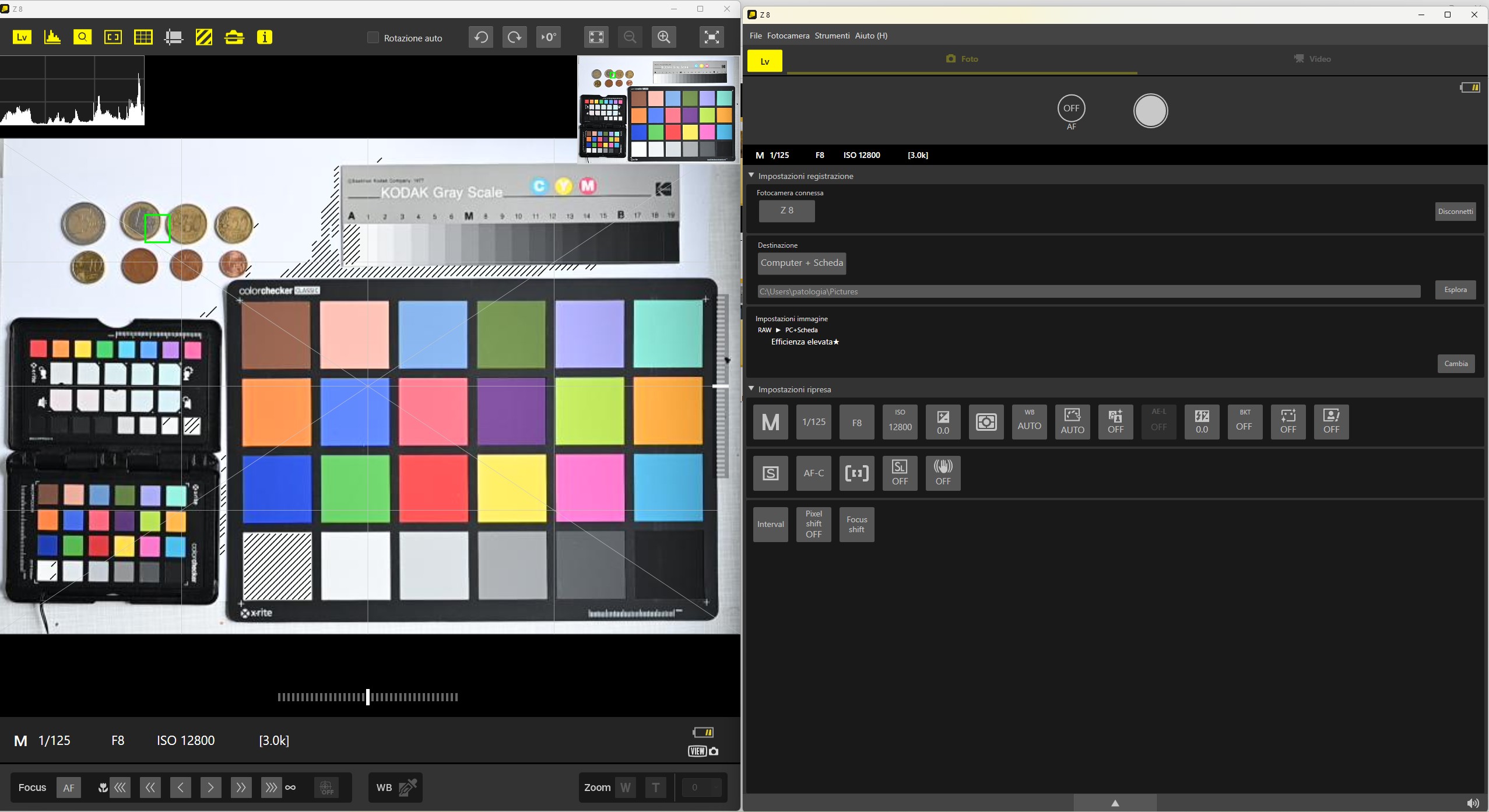
Here are the settings (screenshot) of one picture (with its preview):

 Ah now I see, i was looking up the wrong tag. Sorry, yeah those files are good! Thanks again!