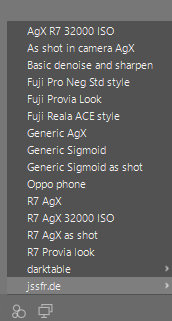
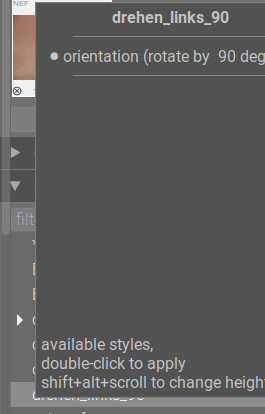
When using the Styles module on the left in darkroom mode, there is no preview in the tooltip (the Hide Preview checkbox is still there, but does nothing). Is this normal or intentional?
5.6.0, Windows 10
[Edit] Okay, using the styles panel in Lighttable mode and going back to Darkroom seemed to fix it, so that’s definitely a bug.
I have now found that switching between Duplicates can also cause the preview to disappear again until I switch to Lighttable and hover to preview one, then switch back.
In darkroom view I find using the three circle icon for styles selection brings up a preview. This is a preferable way for me to select a style. DT 5.6 Windows 11. To be honest I had never shown the styles module in darkroom view before.
Welp, I can’t reproduce the behavior today, so who knows; maybe reboot solved it.
@Terry I agree that the 3-blob button generally functions better. The advantage the left-pane module has is that you can leave the tree expanded instead of clicking through it multiple times. I haven’t used styles much, so I’m going back and forth a lot.