Between last few weeks, I did post multiple issues about my laptop and performance. Long story short, I was grumbling about performance of my laptop whe, n using darktable. Solution was to install nvidia drivers and activate the other card. darktable runs very well now and I’ve no complaints about performance now.
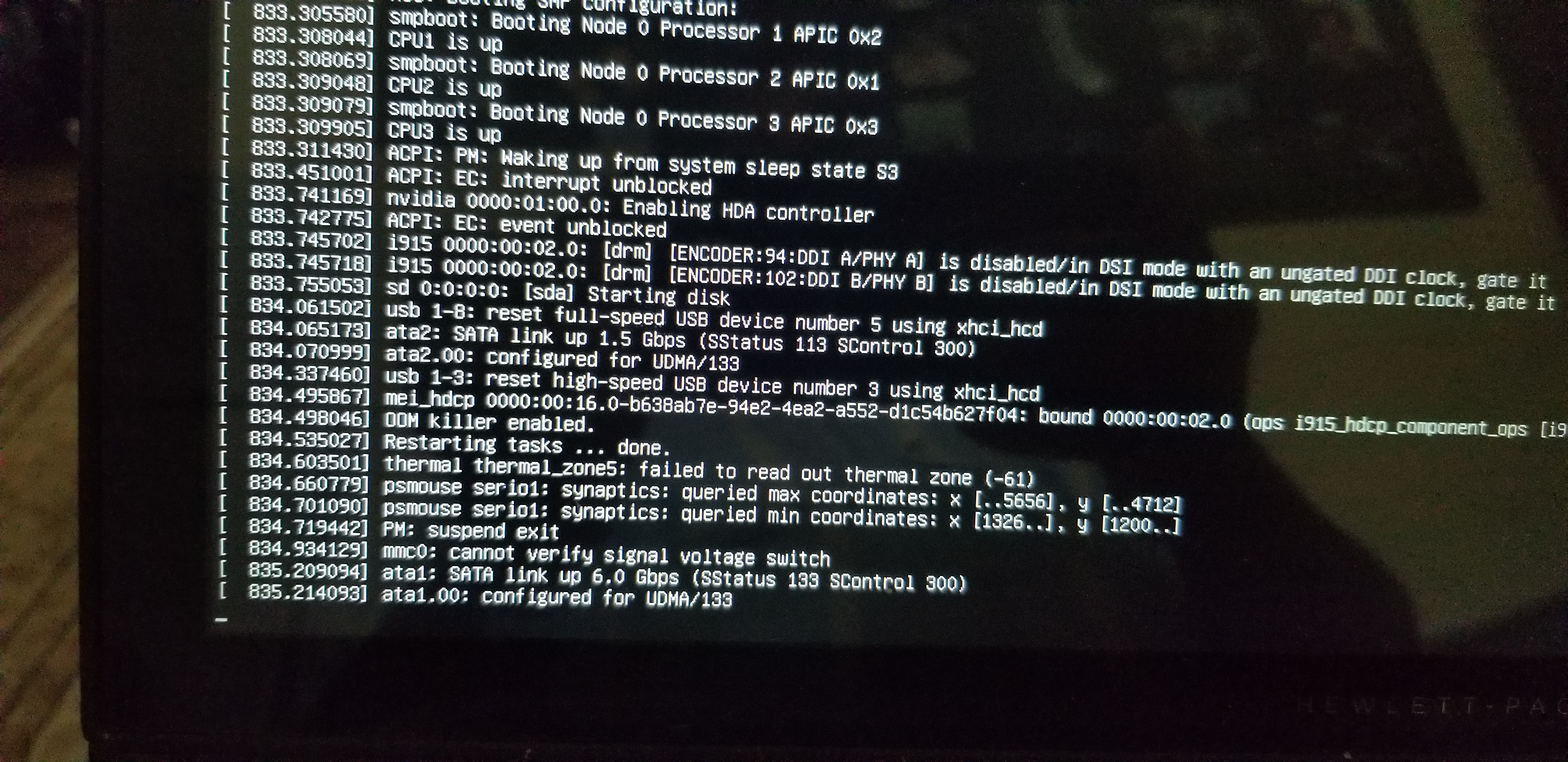
But, now my laptop refuses to wake up if suspended while running darktable. If I don’t have darktable running or close darktable before closing the laptop lid, laptop wakes up. If I have darktable running while closing the lid, laptop wakes up and then hangs.
My poor Ubuntu laptop has not gone through so many reboots until I noticed a pattern. Experimented and kept notes of when it starts and when it does not.
It’s obvious that darktable and driver are interacting in some weird way. Usual log files did not result anything useful or I am missing the important entries from log.
Has anyone experienced something similar or think of why this could be happening?
I face also problems with my Dell Inspiron laptop with dedicated NVIDIA graphics running Ubuntu 23.04. I suspect problems with secure boot (enabled because it’s a dual boot system with Win 11) and the proprietary NVIDIA driver, but sometimes I also suspect the bluetooth mouse/keyboard. Since darktable makes use of the NVIDIA driver it might be related to your issue. I didn’t have time to test all options systematically, although it is quite annoying.
I just want to say, that the problem might be more complex and if you find any solution, it would be great, if you could share…
I had a similar problem (not with Darktable…) until I noticed that the computer did wake up, but the screen had remained dark, so the work around was just to use the “increase screen light” key to light up the screen.
This used to be a pretty common problem, now the distros should be able to use the power managment correctly also for the nvidia driver. But it’s been somewhat “shaky”. nvidia-persistanced installed?
Tried with opencl disabled, no difference. Further experiments reveal that this happens only when darktable is running. Attached photo shows where it gets stuck
Does anyone know where I can find .deb files for previous version of darktable. I’ve two new variables, video driver and newer version and want to play with older version of darktable. I tried searching OBS repo, but only found latest version.
I do know database versions are not compatible, but assume that with right flags and memory database, I’ll be able to get around this.