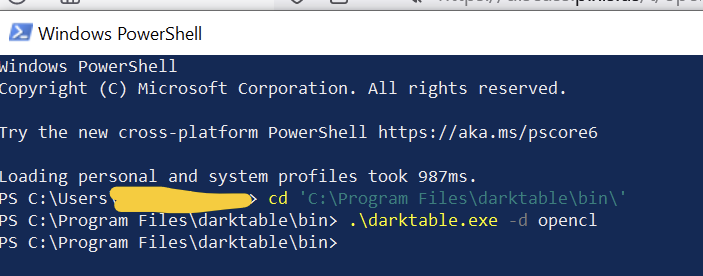
Interestingly, the darktable instance spawned by that command never shows up (it shows in Task Manager and then disappears). I can start darktable from the icon.
Then, in local\temp, I find a log which starts with:
this is darktable 4.5.0+816~gb4955f75ac reporting an exception:

-------------------

Error occurred on Friday, October 13, 2023 at 10:43:07.

darktable.exe caused an Access Violation at location 00007FFACBC75BB6 in module ntdll.dll Reading from location FFFFFFFFFFFFFFFF.
It starts up normally for me.
(Its trying to sync with the files of my quite large database - this takes a moment, usually I start with --library :memory:)
Did you also get a file at C:\Users\{your-user}\AppData\Local\Temp, called something like darktable_bt_{something}.txt? I did, and it contained a crash log. I only get that if I start darktable with -d opencl. I’m on Bill’s latest version on Windows; it used to work in the past (but I don’t know when it broke, as I rarely use this flag).
Maybe It looks like it’s caused by this bug, fixed on master a few days ago:
@Terry : try the same command-line with the nightly build from the GitHub repo, it worked for me:
I am only Bill’s latest version and I did not bug report. I just presumed I didn’t know what I was typing or doing. At least DT is working with the Canon R7 CR3 files if I enable all the resources from the GPU that DT can use. This seems a good idea to set anyway.
This seems crazy… go to the search box and type cmd… should get a cmd prompt… cd to the bin directory and run dt as noted above… none of the ./ stuff works fine for me on win11 no powershell terminal required… if this isn’t working something is very strange…
I wouldn’t say so because, if you allow dt “to take it all” your system might run into troubles as dt might fight for resources with other applications that are using OpenCL memory. (for example firefox takes ~200MB for every open window). You would only recognize that by inspecting the log as dt doing cpu fallbacks.
If your system can handle those files only with that setting that would strongly hint to a dt bug as all internal algorithms must be able to tile (processing the data in smaller parts). If you can confirm that i would suggest to open a github issue including a) the raw and xmp file in question and b) the log with -d opencl -d pipe (minus signs and no spaces
Thanks for all the replies here. I am going to wait for Bill’s next release. Then I will test my CR3 images that cause a crash and if it happens with the latest build I will try and generate an error log.
I took an R7 image and added LC preset in D&S and added parametric mask and toggled details threshold through the full range… no crash… but it might also be specific to what D&S settings… I used LC at 20 iterations… maybe your crash criteria are more demanding…
Hi Todd, I was either using a sharpening or denoise preset and applying the details threshold slider. I will test again when Bill releases the next weekly build. If problems persist I hopefully can get a log and share it. If problem goes away I will let everyone know that as well.
Maybe i oversaw the details threshold mentioned before. In case you run into your issue again it would be very interested in such a log. I would be good to use -d opencl -d pipe -d masks in that case.
So I have installed Bill’s latest weekly build and was able to start darktable using the following CMD prompt. However, I am unable to find the log of the crash that occurred when I opened the edited CR3 image.
“C:\Program Files\darktable\bin\darktable.exe” -d opencl -d pipe -d masks
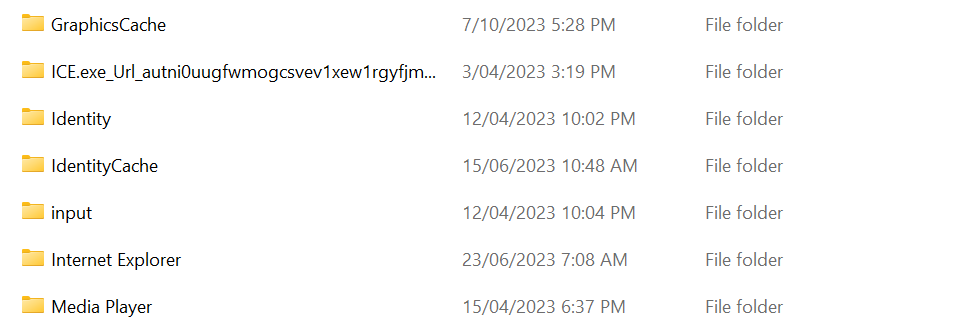
I looked at the following location and only found one temp file from the time of the crash.