@yousei3d I have updated info about how Gtk windows behave Linux (Wayland) and Windows 11.
I’ve been referencing your source code to try to implement it in one of my not-yet-released plug-ins. It works, with some important caveats.
Testing your plug-in with GIMP 3.2.2 on Windows 11 and Ubuntu 25.10 (Wayland).
On Linux, the plug-in window remains on top of GIMP and only GIMP, and the child dialogs are modal on the plug-in window: good.
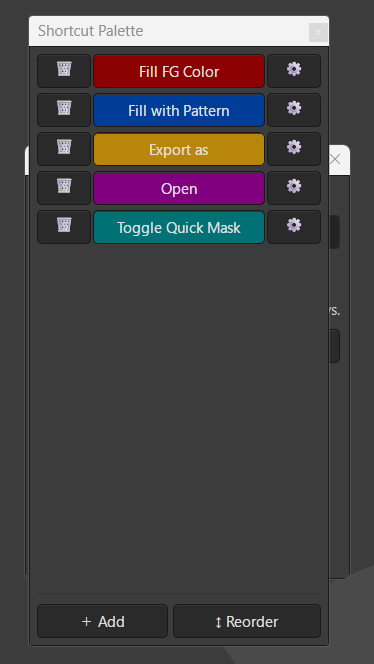
But on Windows 11, the same code causes the plug-in window to float above all windows, not just GIMP. Worse, the child dialogs (like settings dialogs) float behind the plug-in window and the children are modal on the plug-in window (not good).
Here’s a screenshot of your plug-in executing in GIMP 3.2.2 in Windows 11:
You can see a settings dialog hiding behind the main plugin window.
This isn’t an issue with your code, it’s a problem that arises because of how GTK operates on the different operating systems.
GTK plugin window stacking on Linux vs Windows — findings and code
I spent considerable time working out how to keep a GIMP 3 plugin window above the GIMP canvas on both platforms. Here is what I found.
Base class matters
Using GimpUi.Dialog (which subclasses Gtk.Dialog) as the plugin window base class causes a critical problem: setting set_accept_focus(False) or set_type_hint(Gdk.WindowTypeHint.UTILITY) on a Gtk.Dialog silently kills all button click events inside the dialog on both platforms. The root cause appears to be that Gtk.Dialog handles pointer events differently from Gtk.Window, and these properties interfere with that event routing.
The fix is to use Gtk.Window as the base class instead of GimpUi.Dialog. This also means switching from dialog.run() to Gtk.main() as the event loop, since Gtk.Window has no run() method.
Child dialogs and dialog.run()
Once the main window uses Gtk.main(), child dialogs must not use dialog.run() — nested event loops inside Gtk.main() do not work correctly on all compositors. The replacement pattern is a per-dialog GLib.MainLoop:
loop = GLib.MainLoop()

def _on_response(dlg, _response_id):
    dlg.destroy()
    loop.quit()

dialog.connect('response', _on_response)
dialog.show_all()
loop.run()
This pattern works correctly on both Linux and Windows.
Main event loop
Replace GLib.MainLoop with Gtk.main():
if dialog._ready:
    dialog.connect('destroy', lambda *_: Gtk.main_quit())
    dialog.show_all()
    Gtk.main()
Window stacking properties — Linux
On Linux/Wayland, the following four properties together give correct stacking behaviour: the window stays above GIMP, does not steal keyboard focus, and is treated as a utility panel rather than a normal application window:
self.set_keep_above(True)
self.set_accept_focus(False)
self.set_type_hint(Gdk.WindowTypeHint.UTILITY)

try:
    GimpUi.window_set_transient(self)
except Exception as e:
    log.warning("GimpUi.window_set_transient failed: %s", e)
GimpUi.window_set_transient() is the critical anchor — it registers the window with GIMP’s window manager so it floats above the image canvas. The other three properties refine the stacking and focus behaviour.
Window stacking properties — Windows
On Windows, set_keep_above(True) makes the window float above all applications on the desktop, not just GIMP. There is no GTK-native way to restrict keep_above to a single parent window on Windows.
More critically, set_type_hint(Gdk.WindowTypeHint.UTILITY) combined with GimpUi.window_set_transient() causes the plugin window to disappear when the GIMP window receives focus. This makes the plugin unusable.
set_accept_focus(False) does not cause problems on Windows when used on a Gtk.Window, but since set_type_hint(UTILITY) is being skipped anyway, it is cleaner to skip all three properties together.
On Windows, GimpUi.window_set_transient() alone is sufficient to keep the window visible and associated with GIMP, though it does not guarantee the window stays above GIMP when GIMP is clicked. This is a known limitation with no clean GTK solution on Windows.
The platform branch
import sys

if sys.platform != 'win32':
    self.set_keep_above(True)
    self.set_accept_focus(False)
    self.set_type_hint(Gdk.WindowTypeHint.UTILITY)

try:
    GimpUi.window_set_transient(self)
except Exception as e:
    log.warning("GimpUi.window_set_transient failed: %s", e)
Summary table
| Property |
Linux |
Windows |
set_keep_above(True) |
✓ stays above GIMP only |
✗ floats above all windows |
set_accept_focus(False) |
✓ correct behaviour |
skip (tied to type hint) |
set_type_hint(UTILITY) |
✓ correct behaviour |
✗ window disappears on GIMP focus |
GimpUi.window_set_transient() |
✓ essential |
✓ essential |
| Net result |
stays above GIMP, no focus steal |
visible, associated with GIMP, but does not stay above it |
(Tested on: GIMP 3.2.2 on Linux/Wayland and Windows 11, GTK 3, Python 3, gi.repository.)
What I chose to do
I decided to live with the Windows limitations: accept that on Windows, the plug-in window does not stay above GIMP when GIMP is clicked — the user may need to click the plugin window in the taskbar to bring it back to the front.
On Linux, my plug-in window remains on top of GIMP when I click on the GIMP window. (Yet another reason to switch to Linux.)
I asked a friend for an explanation as to why GTK behaves so differently between Linux and Windows, here’s what he said (I hope he’s correct and accurate!):
The short answer is that GTK is a Linux-native toolkit that was ported to Windows, not designed for it.
On Linux, GTK talks directly to the compositor (Mutter, KWin, wlroots, etc.) via well-defined Wayland or X11 protocols. Window type hints like UTILITY, keep_above, and transient relationships are first-class concepts in these protocols — the compositor understands them natively and implements them faithfully. GimpUi.window_set_transient() works by setting an X11/Wayland property that the compositor reads and acts on directly.
On Windows, GTK is running on top of the Win32 API via a compatibility layer. GTK translates its own window management concepts into Win32 HWND calls, but the mapping is imperfect. Win32 has its own window layering system (HWND_TOPMOST, SetWindowPos, WS_EX_TOOLWINDOW, SetForegroundWindow) with different semantics from X11/Wayland. GTK’s translation of set_keep_above maps to HWND_TOPMOST, which on Windows means “above everything” with no concept of being above just one specific window. There is no Win32 equivalent of a compositor-level parent-child stacking relationship.
The UTILITY window type hint compounds this — on Linux it tells the compositor to treat the window as a palette or tool panel. On Windows, GTK maps it to WS_EX_TOOLWINDOW, which removes the window from the taskbar and changes how Windows handles its Z-order and focus behaviour, causing it to disappear when another window gets focus.
The deeper issue is that Linux compositors and X11/Wayland were designed with multi-window application UIs in mind — GIMP’s own floating docks and palettes are a primary use case. Windows was not, and Win32’s window management model reflects that.
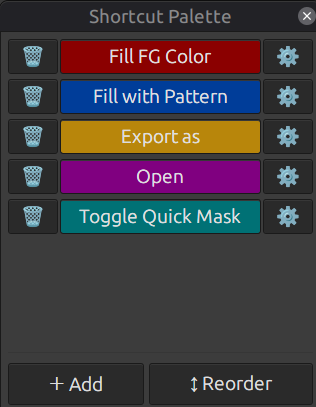
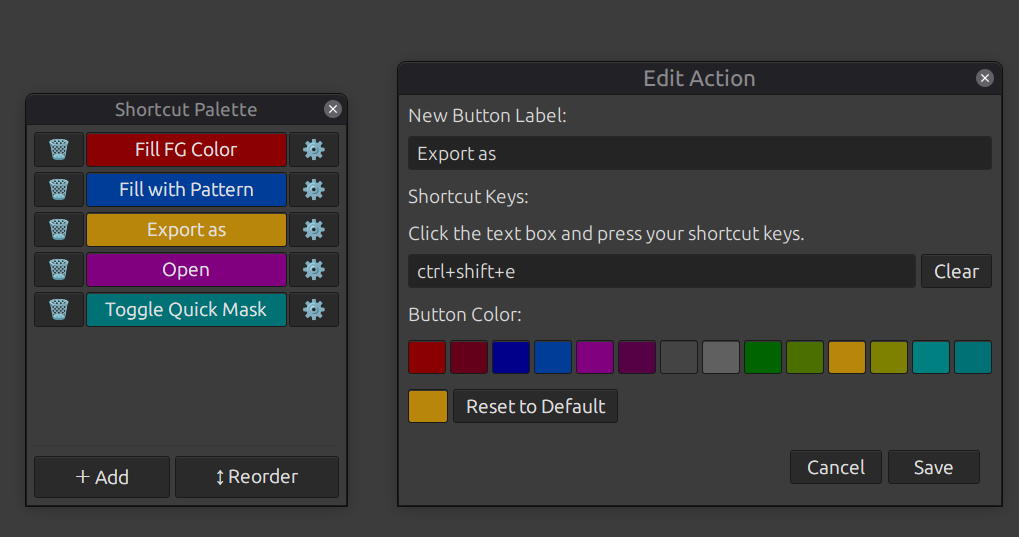
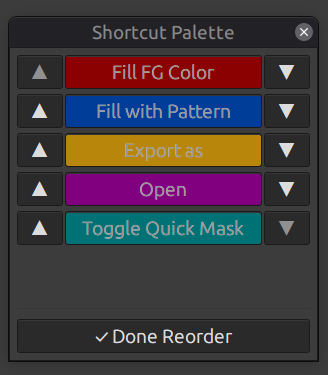
 shortcutkey-palette.zip (5.8 KB)