Edit : 13 june 2026 : For your information, I have decided to rename this module “3D Colorimetric Film (3DCF)” following numerous changes to the code and some feedback from purists.
Hello everyone,
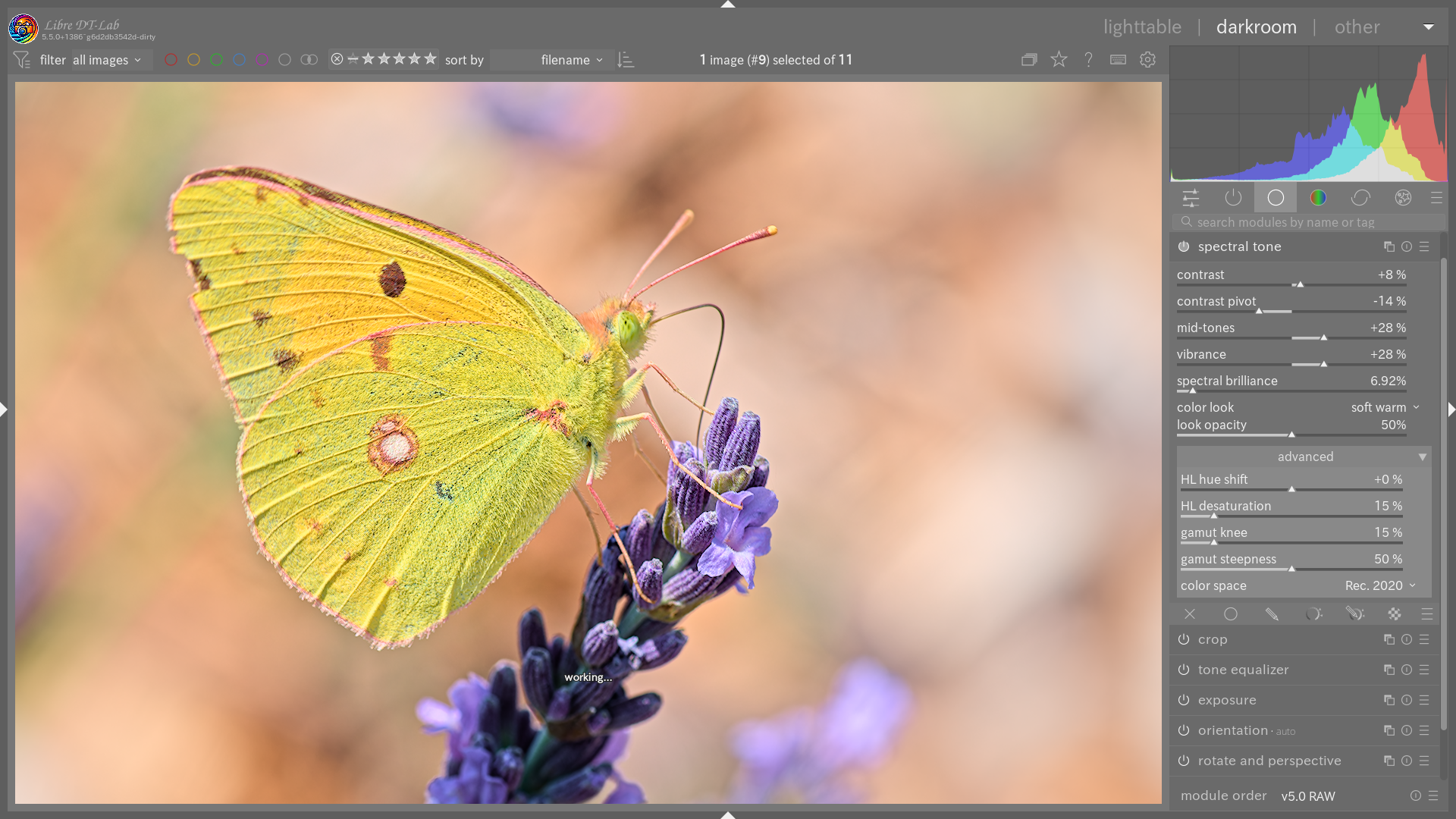
As part of my experiments with the Libre DT-lab edition, I’m pleased to introduce a new tone and colour management module: spectral tone.
Unlike conventional tools working purely in RGB or through perceptual models (JzAzBz, Oklab), spectral tone takes a physically grounded approach, it stays in XYZ colour space throughout the entire pipeline, the canonical CIE 1931 space founded on the spectral integration of the standard observer’s colour matching functions. This is not dressed-up RGB processing; it is colorimetry in the strict sense.
Why “Spectral”?
CIE XYZ is the reference spectral space: every XYZ triplet is a direct measure of the human eye’s response to a light spectrum. The module works in this space (Rec.2020 Bradford-adapted D65→D50) and only converts back to RGB at the very last step. Gamut management is directly inspired by the physics of silver halide dyes (spektrafilm), simulating the asymptotic spectral absorption of film emulsions — the “film” character is inherent to the spectral representation, not artificially grafted on.
ACES 2.0 rendering engine
For dynamic range management, the module integrates the SSTS (Single-Stage Tone Scale) curve from ACES 2.0. This parametric Michaelis-Menten curve provides:
• Precise control of the “texture of light”.
• An extremely smooth and natural roll-off, mimicking the behaviour of film emulsions.
• Automatic exposure stabilisation via the “spectral brilliance” parameter — a single slider controls both the character of the tone curve and perceived brightness.
• A post-SSTS contrast curve with adjustable pivot, plus an independent mid-tone control.
“Physical” gamut management
Inspired by the work of spektrafilm (Andrea Volpato), the module handles colour boundaries via asymptotic compression in CIE xy chromaticity space. Instead of simply desaturating, it simulates the physical absorption of film dyes: the brighter an area, the more naturally it trends toward white.
Highlights additionally benefit from progressive desaturation with Abney effect correction (adjustable warm/cool hue shift), and a safety gamut compression net ensures no negative channel values survive to the output. The knee and steepness parameters allow fine-tuning of the compression aggressiveness.
Creative controls
• Vibrance: intelligent saturation that protects already-saturated colours while boosting pastels.
• Colour looks: 11 colorimetric presets (natural look, portrait, vibrant, nature, blue sky, soft warm, soft, deep cool, authentic cinema, bright atmosphere), with adjustable opacity for subtle blending.
• Configurable output space: Rec. 709, Rec. 2020, Display P3, ProPhoto RGB, Adobe RGB.
In summary
Spectral tone is an organic and physically coherent alternative that remains simple to use. It is ideal for those seeking a rendering faithful to the physics of light, with a natural film touch straight out of the box. Available now in the experimental Libre DT-lab edition, fully integrated into the scene-referred workflow.
Edit June 1, 2025,
Due to a stubborn bug on Windows, I created a new branch for this development.
Updated 06/05/2026,
The Windows bug has been fixed
Here are the different compiled versions
Many thanks to Andrea @arctic for his work on spektrafilm, which led me to this development.
Feedback very welcome!
Greetings from the Lubero, 
Christian
translated into English using AI