Greetings,
I’ve printed sporadically from GIMP in v2.x in the past with “some” success, so thought I’d give it a go on v3.0x.
At this juncture, I’m completely flummoxed.
Printer is a Canon Pro-100, which typically, I print at A3+, which is 19" x 13". That’s what I’m trying to do in this exercise.
Let’s start with Windows. I’ve got the printer set as default printer.
GIMP v3.0.2, Windows 10 Pro, v22H2.
In Image ⇾ Print Size…, I’ve set the size to 18.849/13.000.
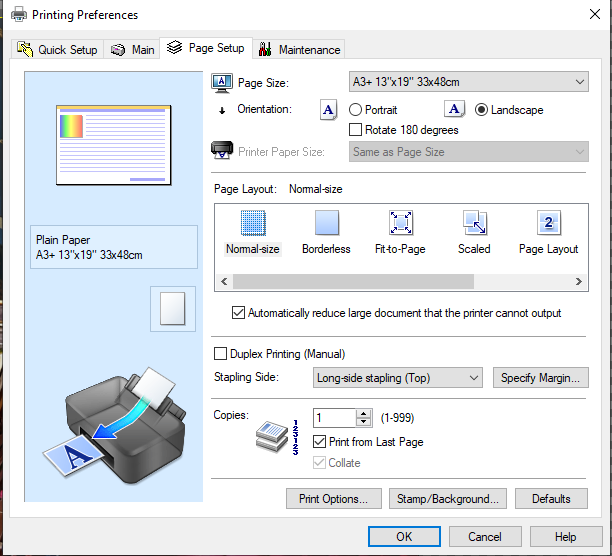
In Page Setup, I’ve set the Size to be A3+ 13"x19" 33x48cm, chosen landscape, and clicked on ok.
From Print ⇾ The Pro-100 is already selected. I click on Preferences. This is what I get, which is the Canon driver:
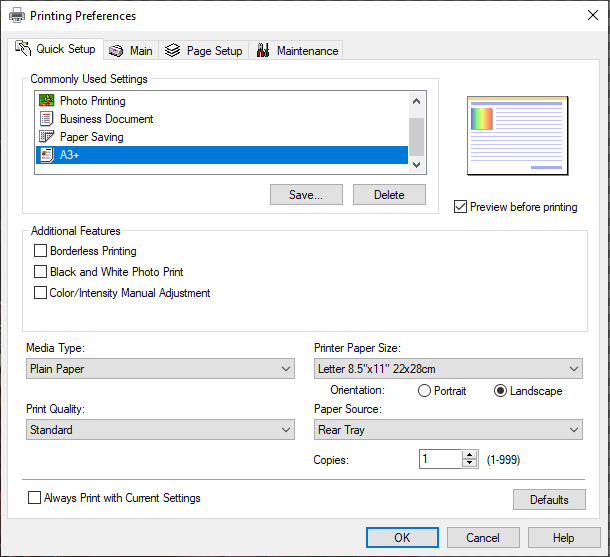
As you can see, the paper size is incorrect, even though I’ve created a A3+ setting. Changing paper size to A3+, I then got to Page Setup. All looks fine here:
Clicking OK, I’m back to the main window.
Choosing Image Settings, I get this:
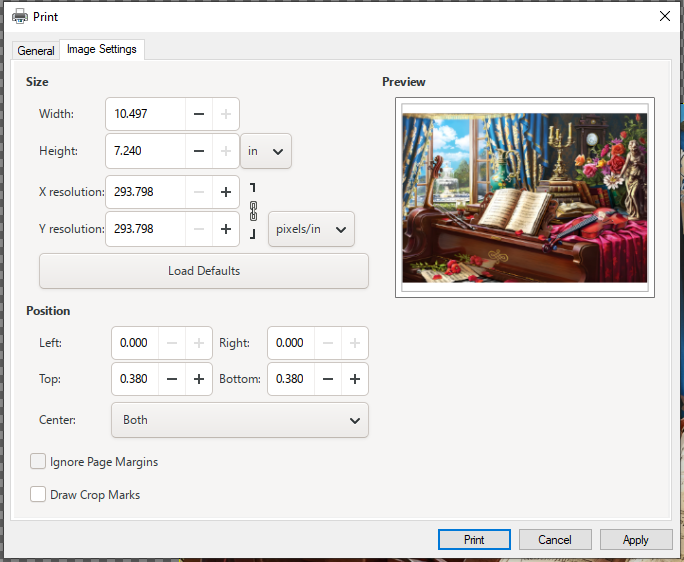
I cannot enlarge the width or height.
If I just choose to trudge forward, and select print, I get this confirmation dialog from the Canon driver:
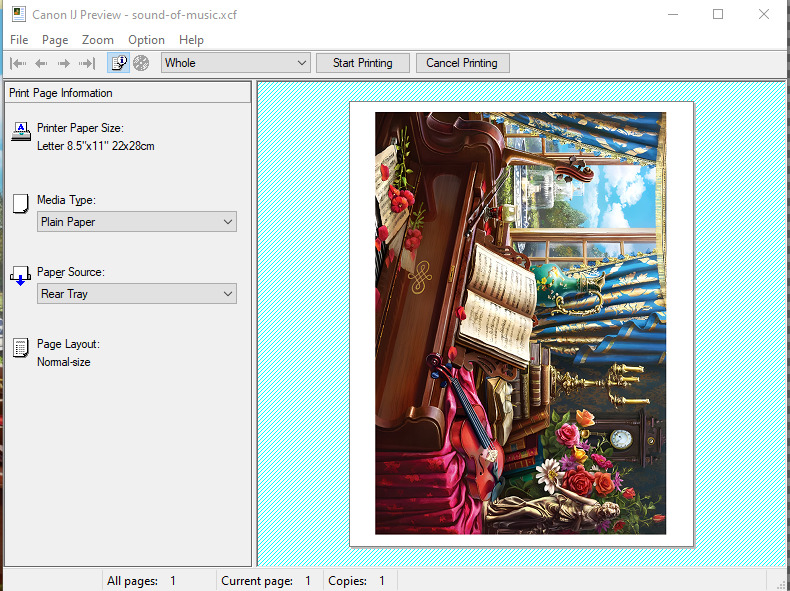
Page size is now set to 8.5" x 11" 22x28cm.
My head hurts. Is there a magic decoder ring on how to print from GIMP on a Windows box?
I wound up saving the image as a pdf and printing that from Foxit. Worked ok, but if I was printing photographs I would be very concerned about the transition from xcf to pdf.
OK, let’s move over to the Linux box. In this instance, it’s an Elementary OS v7.1 desktop (Ubuntu v22.04 variant).
Same image as on the Windows box. In the Linux version, there is no “Page Setup” selection. Only a Print selection.
Choosing that and selecting the Canon printer, then choosing Page Setup, all is much more logical:
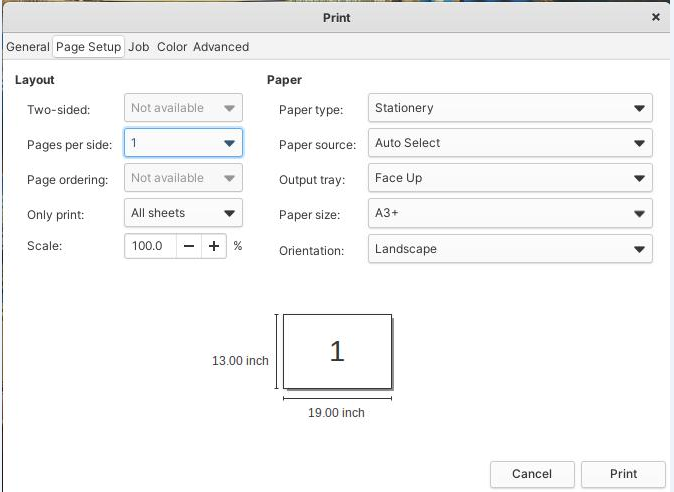
Trouble is, it won’t print. Complains of media-needed-error for a3+ paper, as it won’t feed the paper.
Will print to letter size from GIMP and other applications, just fine. I’m guessing this is some sort of Linux cups issue with “non-standard” print sizes? Dunno.
Now my head hurts even more.
What’s the secret sauce?
Thanks