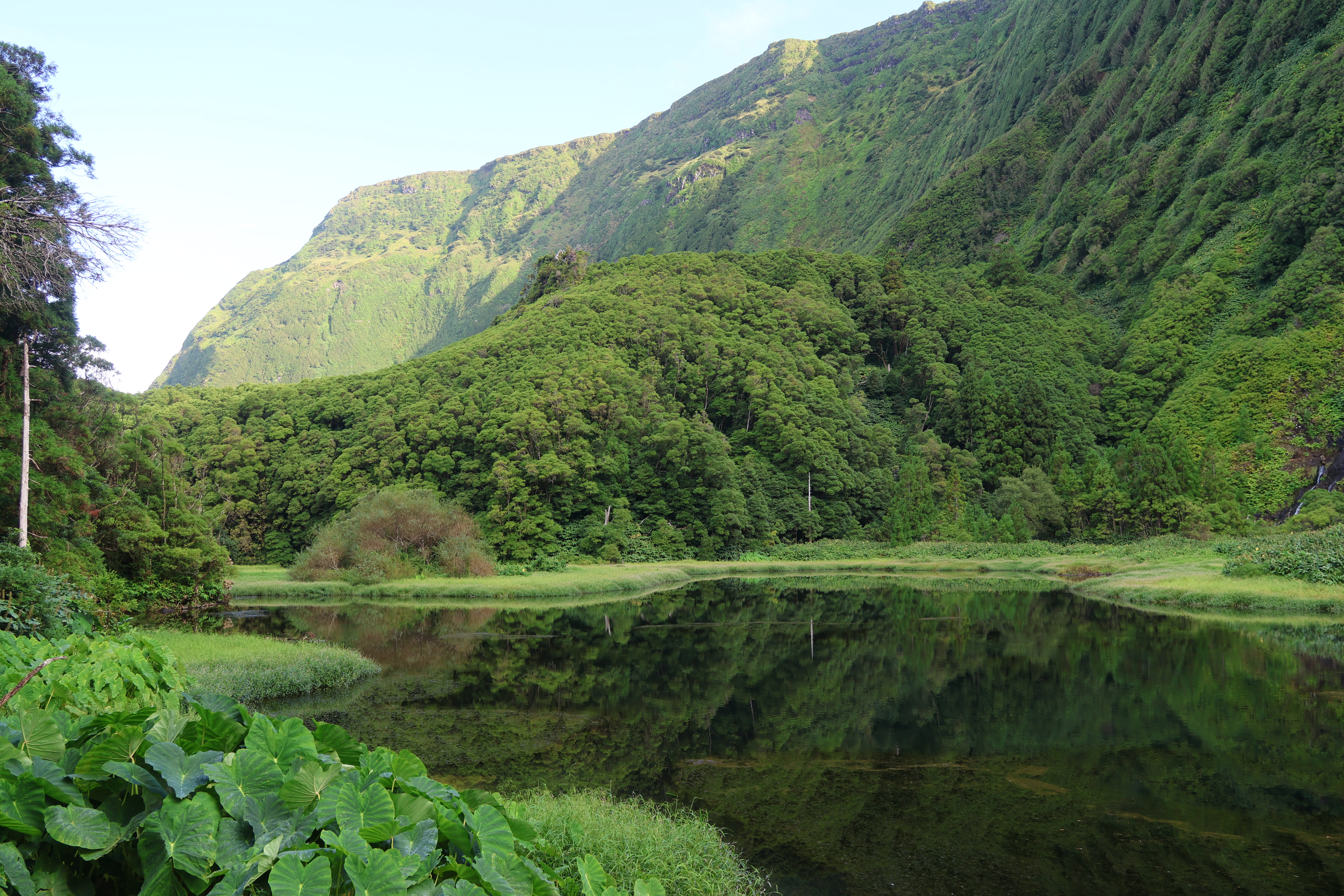
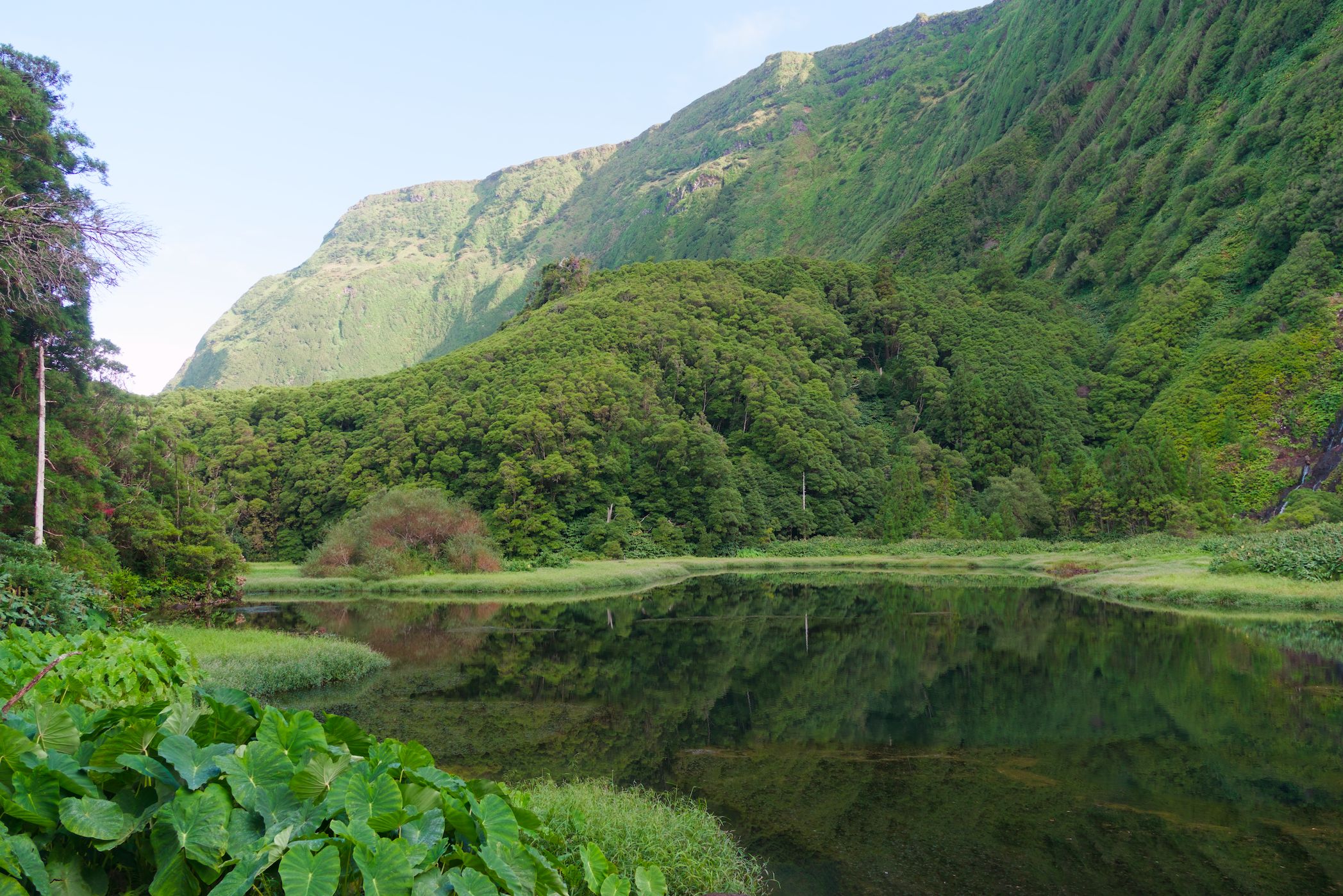
I’ve recently gotten more into darktable and am using it right now to process pictures from a recent trip to the Azores. So far I really like the workflow I’ve setup for myself with the help of online resources.
I am facing an issue, where the processed raw ends up heavily tinted towards yellow, while in fact the location was quite lush green. I’m noticing this across different pictures and locations across the whole set.
I’ve tried messing around with the color calibration module to shif things more towards green/blue, and also tried the color equalizer module. The latter does work to some extent, but I dont want to tweak every image that way.
Shouldn’t the green exist in the RAW data. How can I bring it out automatically?
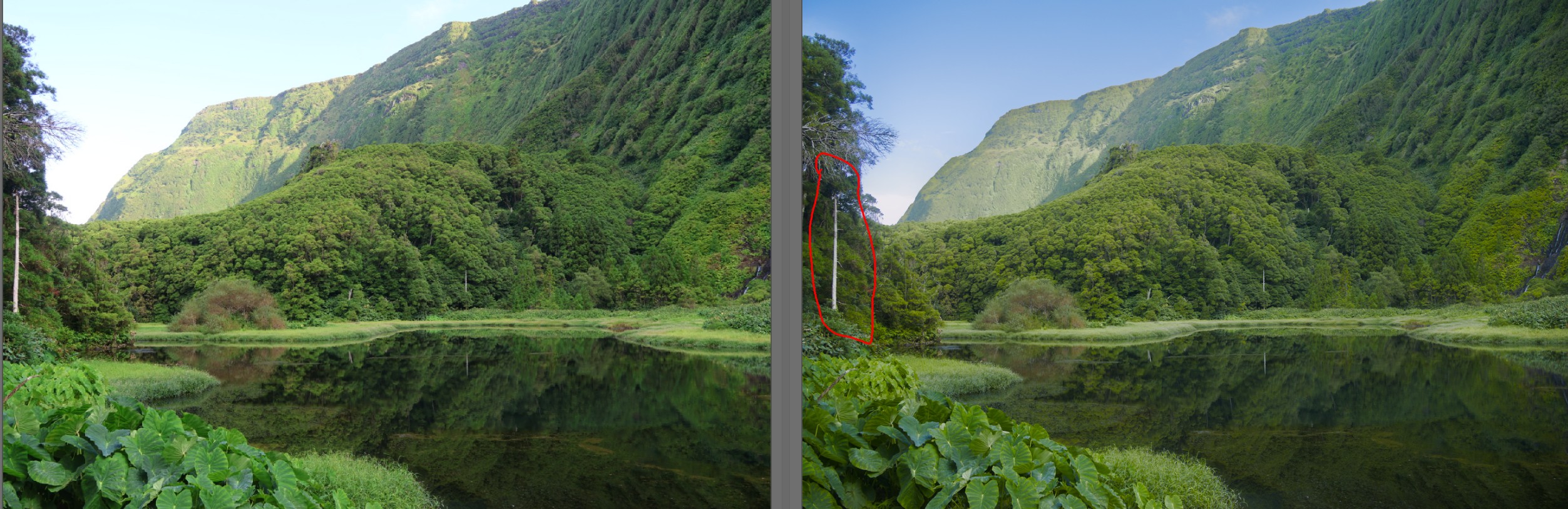
Actually, as far as I can tell from this, your camera is distorting the colors.
On the left is the SOOC JPG, and on the right is the image with white balance adjusted using color calibration. I used the eyedropper tool to select the tree trunk (in the red area) as a neutral color. You can see that the sky in the SOOC JPG is greenish, which can’t be right.The white balance in darktable renders the sky color correctly.:
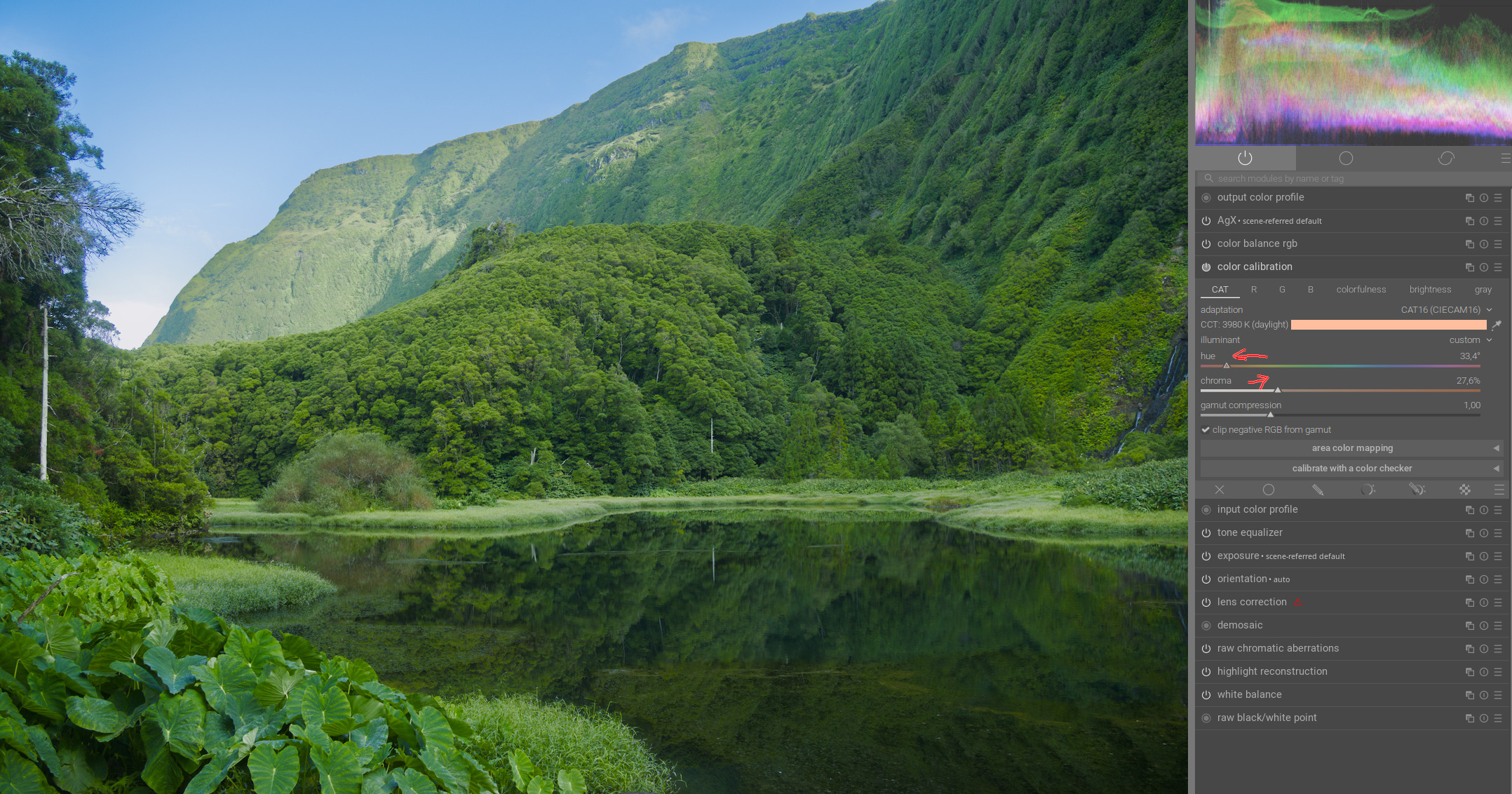
If you want it to look more greenish, you’ll need to choose a warmer hue as the color to neutralize using the Hue slider. You can then enhance the effect with the Chroma slider:
I think it’s an ‘input colour profile’ thing. Quoting the manual page for colour calibration, the standard input matrix, which is taken from the Adobe DNG Converter.
I made a rough little CC preset for my own camera because bright reds are a little magenta by default in DT.
Also, the default AgX preset doesn’t have any primary rotation reversal.
You can make some changes with channel mixing, but I’m not sure if it works for all lighting conditions.
I’ve used rgb primaries module to try to get closer to that jpeg. It’s a channel mixer with less control. Can’t quite get the background cliff correct as much as the foreground…
attached xmp has 100% rotation reversal in AgX too.
The original xmp used the default white balance (which is ‘as camera’) so I figured I should stay with that to match the camera jpeg. I wonder if it’s something that is easier fixed by redoing white balance in darktable. I’m sure there are plenty of other R7 users who have experience with the camera’s colours in DT compared to the OOC jpegs.
Oh, I also wonder if it’s related to the camera’s picture style setting.