Hi,
I have written a GIMP3 plug-in. This is darktable version of “ART editing plug-in”. It uses darktable as external editor of GIMP.
To use this plug-in, of course, darktable and GIMP installation is needed.
Installation Steps:
-
Download this plug-in, and install it in plug-in directory in GIMP personal profile directory.
-
Edit config.ini file in darktable_as_ext_editor_g3 directory adaptive to your environment. Default value of config.ini is as below. “#” is comment out sign.
[darktable path on Windows]

COMMAND_NT;C:\Program Files\darktable\bin\darktable
# Do not add ".exe" for COMMAND_NT

[darktable path on Linux]
COMMAND_LINUX;/usr/bin/darktable
# If your darktable is Flatpak version...
#COMMAND_LINUX;flatpak run org.darktable.Darktable

[darktable path on Mac OS]
COMMAND_DARWIN;/Applications/darktable.app/Contents/MacOS/darktable

[Temp file bit depth]
TMP_FILE_BITDEPTH;16
# TMP_FILE_BITDEPTH specify the bit depth of temp file to be imported by DT
# The value of TMP_FILE_BITDEPTH must be 8, 16 or 32

[darktable edited result pasted as layer]
IMPORT_AS_LAYER;False
# The value of IMPORT_AS_LAYER must be True or False
# Default is False (import as a new image)

[Delete darktable sidecar files]
DELETE_ARPS;False
# The value of DELETE_ARPS must be True or False
# Default is False (keep sidecar files)

[Selected layers import mode]
IMP_SEL_LAYERS;False
# The value of IMP_SNGL_LAYER must be True or False
# Default is False (import visible image to darktable)
In config.ini, specify the darktable path, the bit depth of temporary file which will be imported in darktable, how to handle image exported from darktalbe in GIMP, what image will be imported in darktable and delete darktable sidecar file.
In [darktable edited result pasted as layer] parameter, you can decide whether darktable exported image will be imported in GIMP as layer or as image.
In [Selected layers import mode] parameter, you can decide whether visible image will be imported in darktable or only selected layer(s) will be imported.
How to use it:
-
Start GIMP3.x. If you use GIMP Flatpak version, start it with ‘–socket=session-bus’ option to make it communicate with darktable or other helper programs.
-
If you set [Selected layers import mode] True in config.ini, select the layers of current image which you want to import.
-
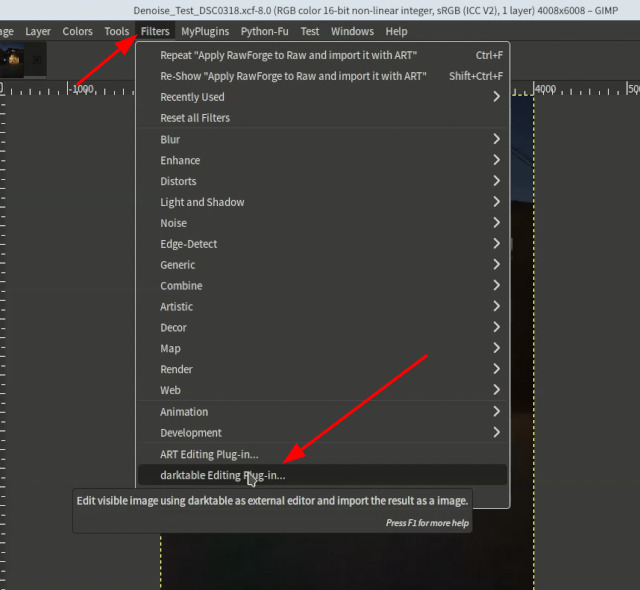
Start this plug-in from [Filters] > [darktable editing plug-in …] in menu.
-
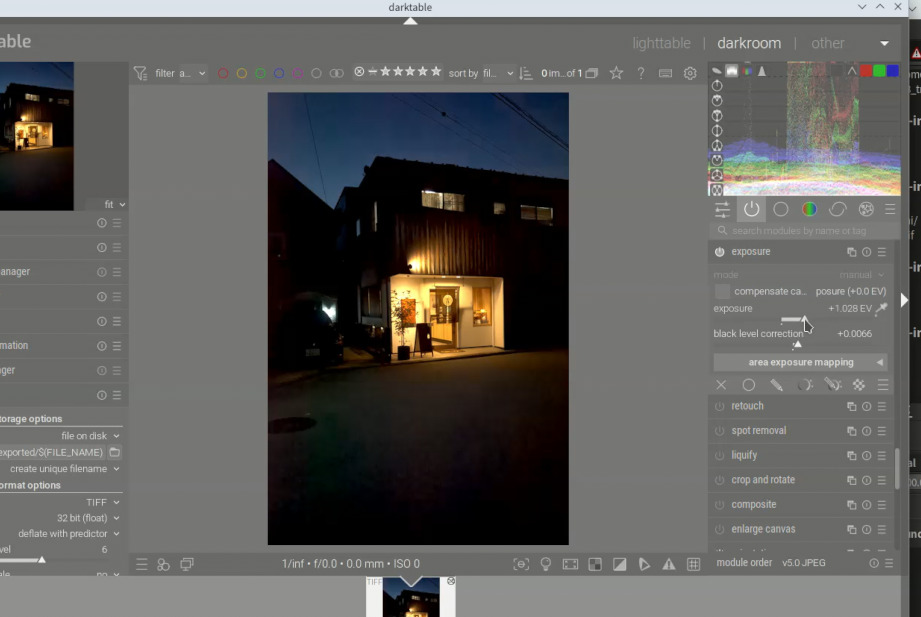
After darktable start, edit the image in darktable.
-
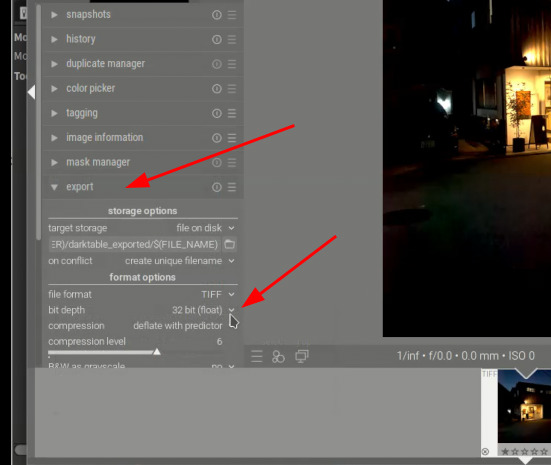
In derktable, you must set export file format TIFF, and specify export image bit depth.
-
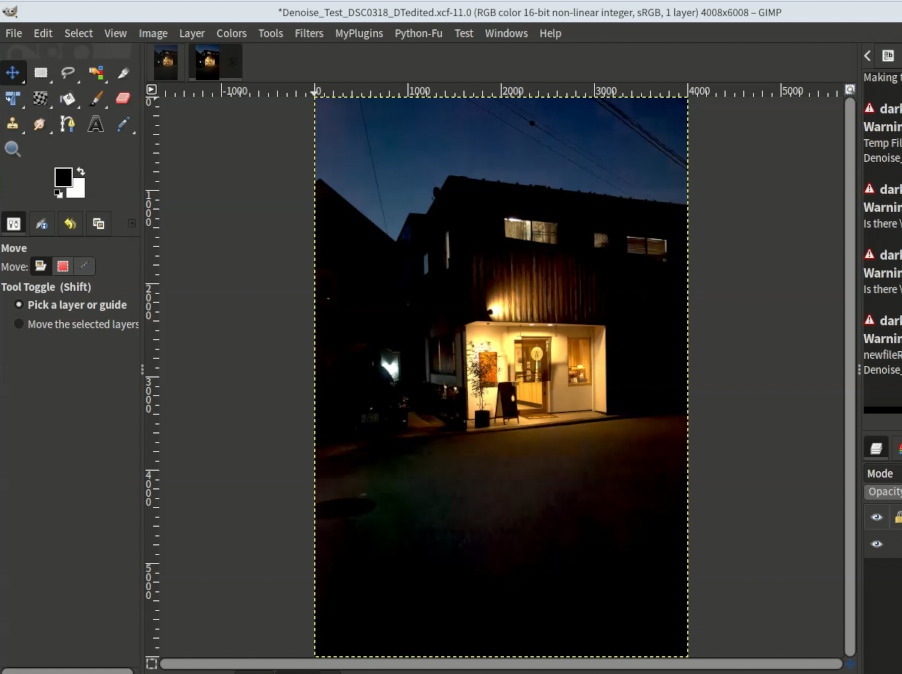
Close darktable and the edited image will be loaded in GIMP.