Hi,
I wrote a GIMP3 plug-in using RawTherapee as raw importer. This is RawTherapee version of my GIMP3 plug-in “using ART as raw editor-importer”.
This plug-in has basically same function with built-in RT Raw loader in GIMP. However if you use GIMP Flatpak version or RT Flatpak version, it seems that GIMP cannot recognize the RT because of its sand box and you cannot use built-in RT Raw loader. So I wrote this plug-in to import Raw files with RT even in GIMP Flatpak version.
And this plug-in can decode Nikon HE compressed NEF files with which RT is not compatible and it allows you to handle these files with RT. To use this function, you have to install exiftool and Adobe DNG Converter as helper programs. If you are Linux user, install DNG Converter with Wine.
Installation Steps:
-
Download this plug-in, and install it in plug-in directory in GIMP personal profile directory.
-
Edit config.ini file in import_raw_with_RT_g3 directory adaptive to your environment. Default value of config.ini is as below. “#” is comment out sign.
[RT directory path on Windows]
COMMAND_NT;C:\\Program Files\\RawTherapee\\RawTherapee
# Do not add ".exe" for COMMAND_NT

[RT directory path on Linux]
# non-flatpak RT:
#COMMAND_LINUX;/usr/bin/rawtherapee
# If your ART is Flatpak version...
COMMAND_LINUX;flatpak run com.rawtherapee.RawTherapee

[RT directory path on Mac OS]
COMMAND_DARWIN;/Applications/RawTherapee.app/Contents/MacOS/RawTherapee

[Temp file format]
TMP_FILE_FORMAT;png
# The value of TMP_FILE_FORMAT must be tiff or png

[Temp file bit depth]
TMP_FILE_BITDEPTH;16
# The value of TMP_FILE_BITDEPTH must be 8, 16 or 32

[Acceptable file extensions]
EXTENSIONS;.dng .DNG .cr .CR .nef .NEF .nrf .NRF .arw .ARW .sr .SR .raf .RAF .orf .ORF .rw2 .RW2 .rwl .RWL .pef .PEF .x3f .X3F .tif .TIF

[Use Nikon HE Raw]
NIKON_HE;True
# The value of NIKON_HE must be True or False

# Following parameters are needed if only NIKON_HE=True
[Exiftool path]
#EXIFPATH;/home/yohnishi/Programs/ART/lib/exiftool/exiftool
#EXIFPATH;/opt/homebrew/bin/exiftool

[DNG Converter path on Windows]
DNG_NT;C:\\Program Files\\Adobe\\Adobe DNG Converter\\Adobe DNG Converter.exe

[DNG Converter path on Linux]
#DNG_LINUX;/home/username/.wine/drive_c/Program Files/Adobe/Adobe DNG Converter/Adobe DNG Converter.exe
DNG_LINUX;/home/yohnishi/.wine/drive_c/Program Files/Adobe/Adobe DNG Converter/Adobe DNG Converter.exe

[DNG Converter path on Mac OS]
DNG_DARWIN;/Applications/Adobe DNG Converter.app/Contents/MacOS/Adobe DNG Converter

[temp. dng file deletion]
DELETE_DNG;True
# The value of DELETE_DNG must be True or False

[Enable UI of RT]
UI_ACTIVATE;True
# True or False
In this file, specify the RT path in your system or Flatpak version RT start command.
In [temp file format] parameter, you can specify temporary file format (tiff or png) and in [Temp file bit depth] you can specify its bit depth.
If you want to use Nikon HE decoding function, set [Use Nikon HE Raw compressed NEF] parameter True, and specify Exiftool and DNG Converter path on your system.
If you want to disable RT UI, set [Enable UI of RT] parameter False. Raw file will be imported with RT default setting and without RT’s UI.
How to use it:
-
Start GIMP3.x. If you use GIMP Flatpak version, start it with ‘–socket=session-bus’ option to make it communicate with RT or other helper programs.
-
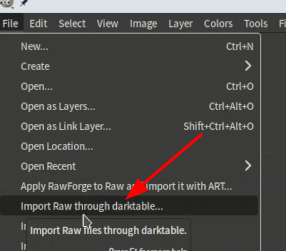
You can start this plug-in from [File] > [import Raw with RawTherapee…] in menu.
-
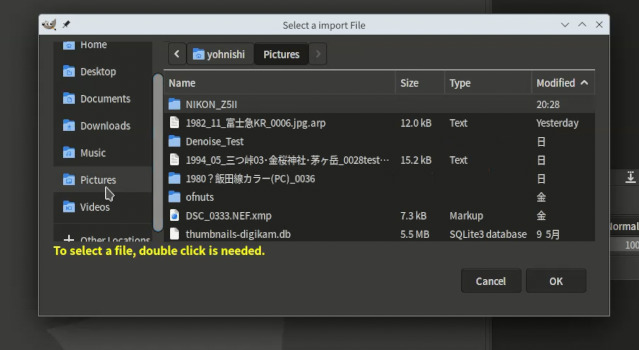
Select the file you want to import.
-
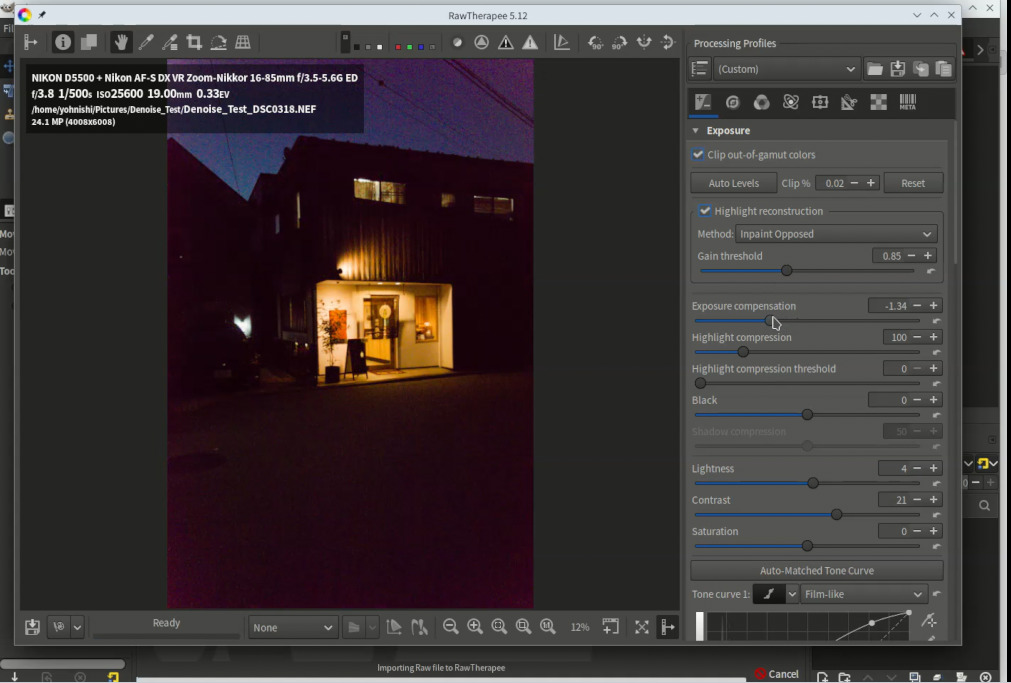
After that RT will start and edit the image.
-
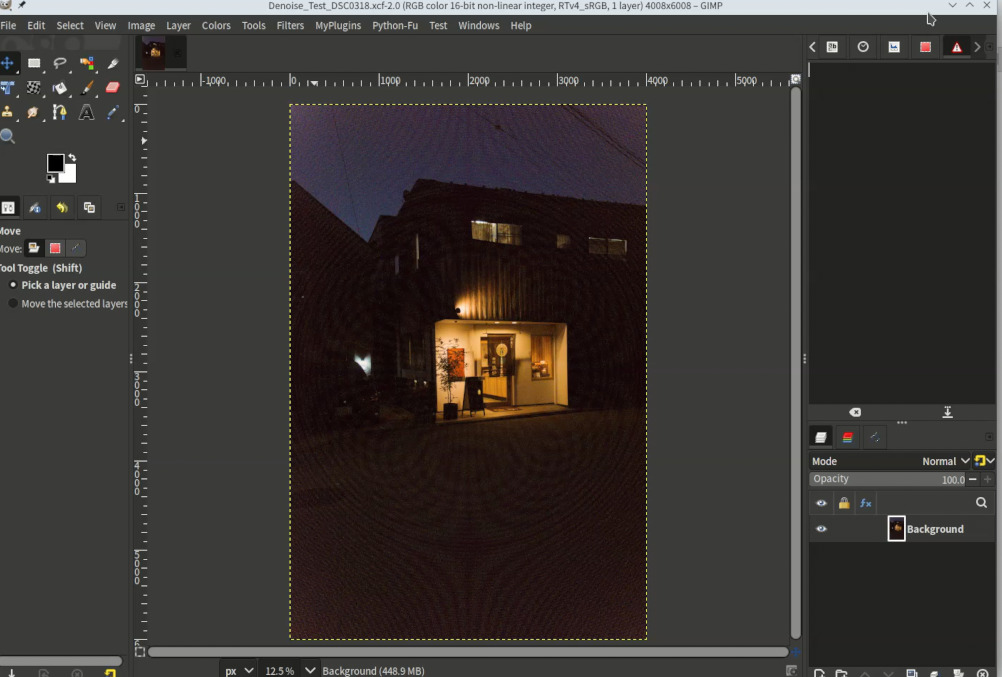
Close RT and the edited image will be loaded in GIMP.