I made another python plug-in.
This plugin duplicates a mask from one layer to another. Doing this manually is a bit tedious: you have to add the mask to the destination layer, specify the source mask, switch to the destination layer, paste onto the mask… And if you want to duplicate the same mask to multiple layers, you have to repeat this process for each layer.
This plugin lets you specify the destination layer first, then select the source layer in a dialog. With one click, you can apply the same mask to multiple layers at once.
Note: If there are fewer than three layers, an error message will appear and the plugin won’t launch.
[Usage Steps]
-
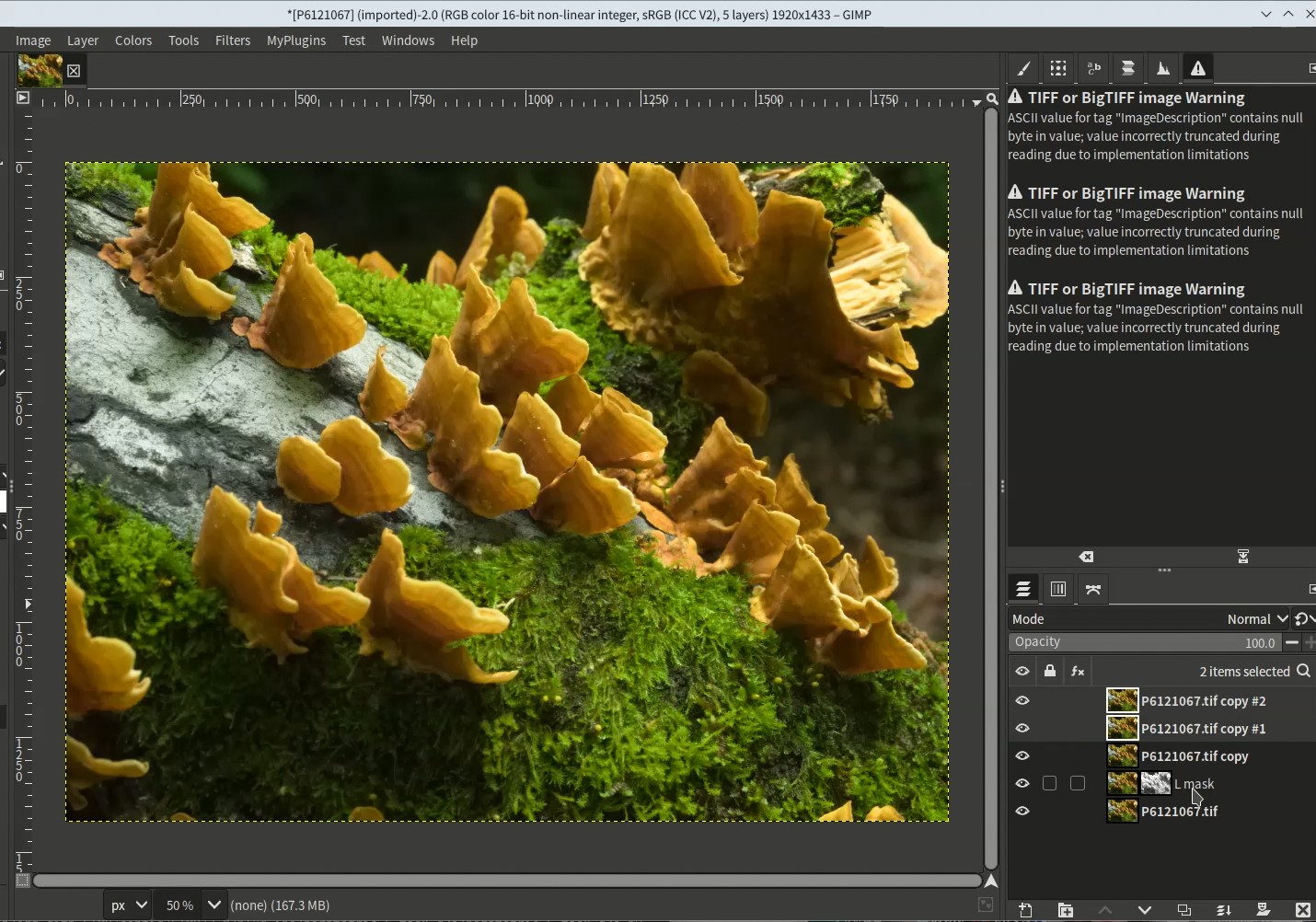
First, select the destination layer in the dialog. In the example, two layers are specified.
[Select destination layers first] -
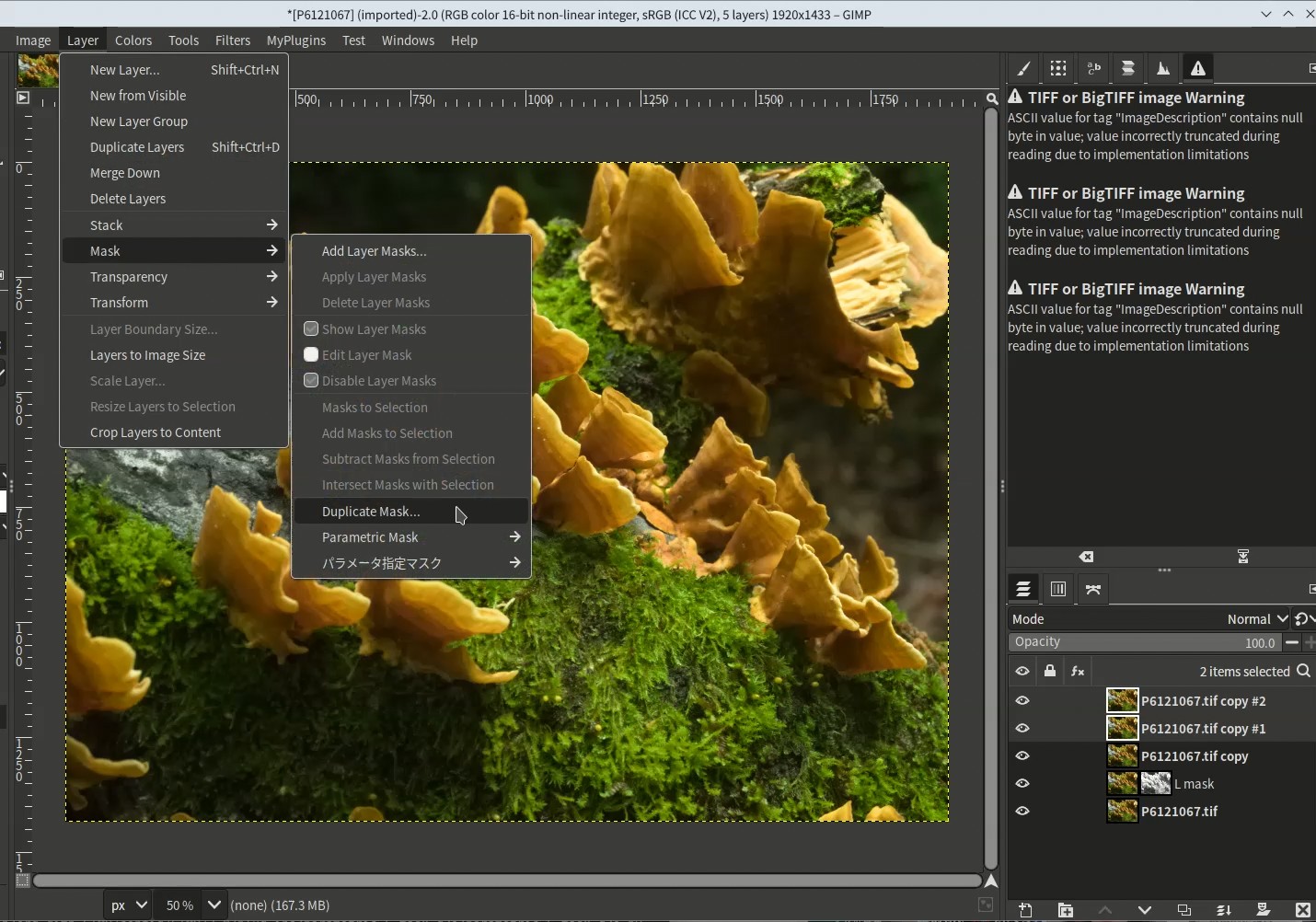
Launch the plugin from the menu: [Layer] > [Mask] > [Duplicate Mask…]
Large files may cause delays before the dialog appears.
[Launch plugin from menu] -
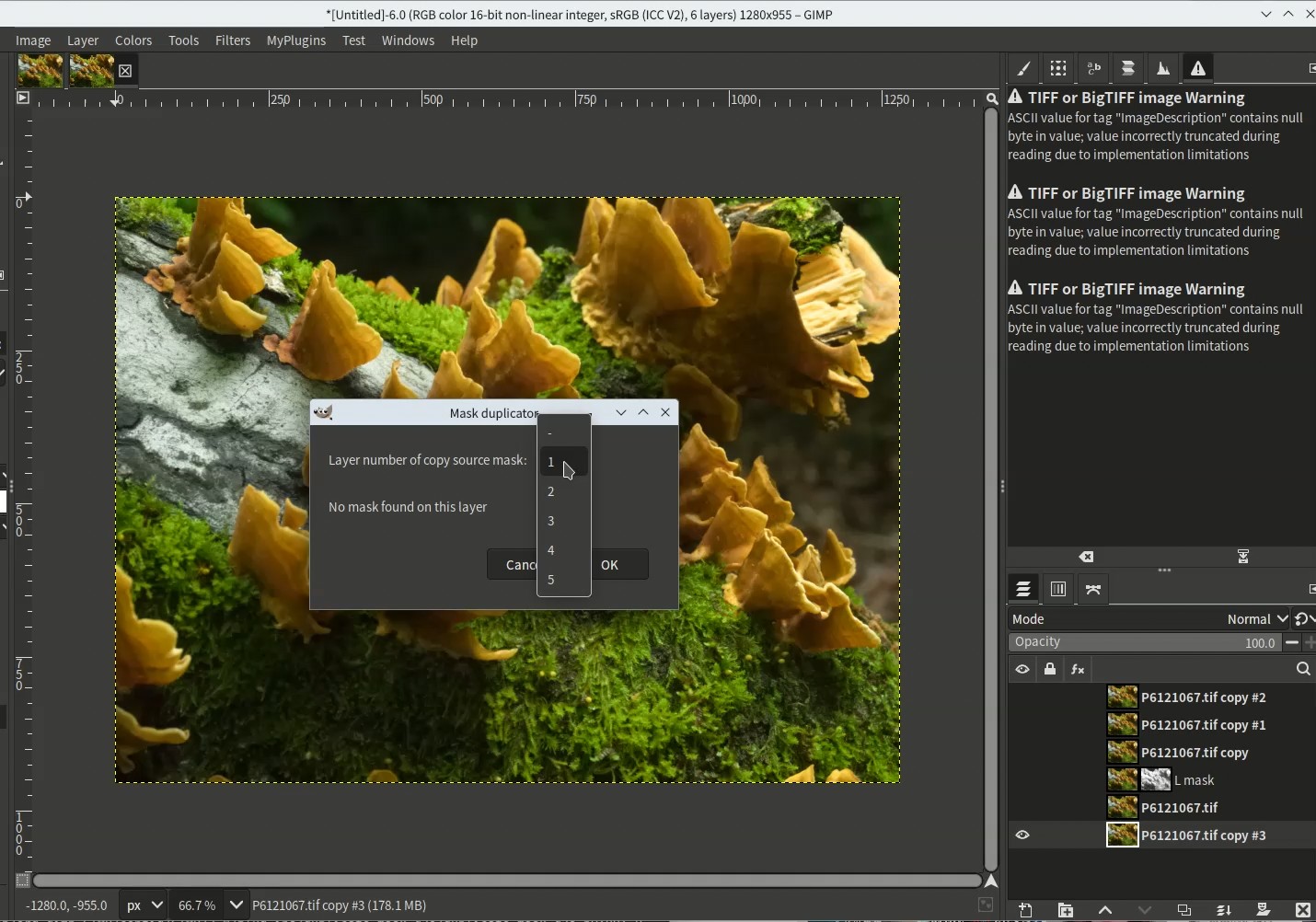
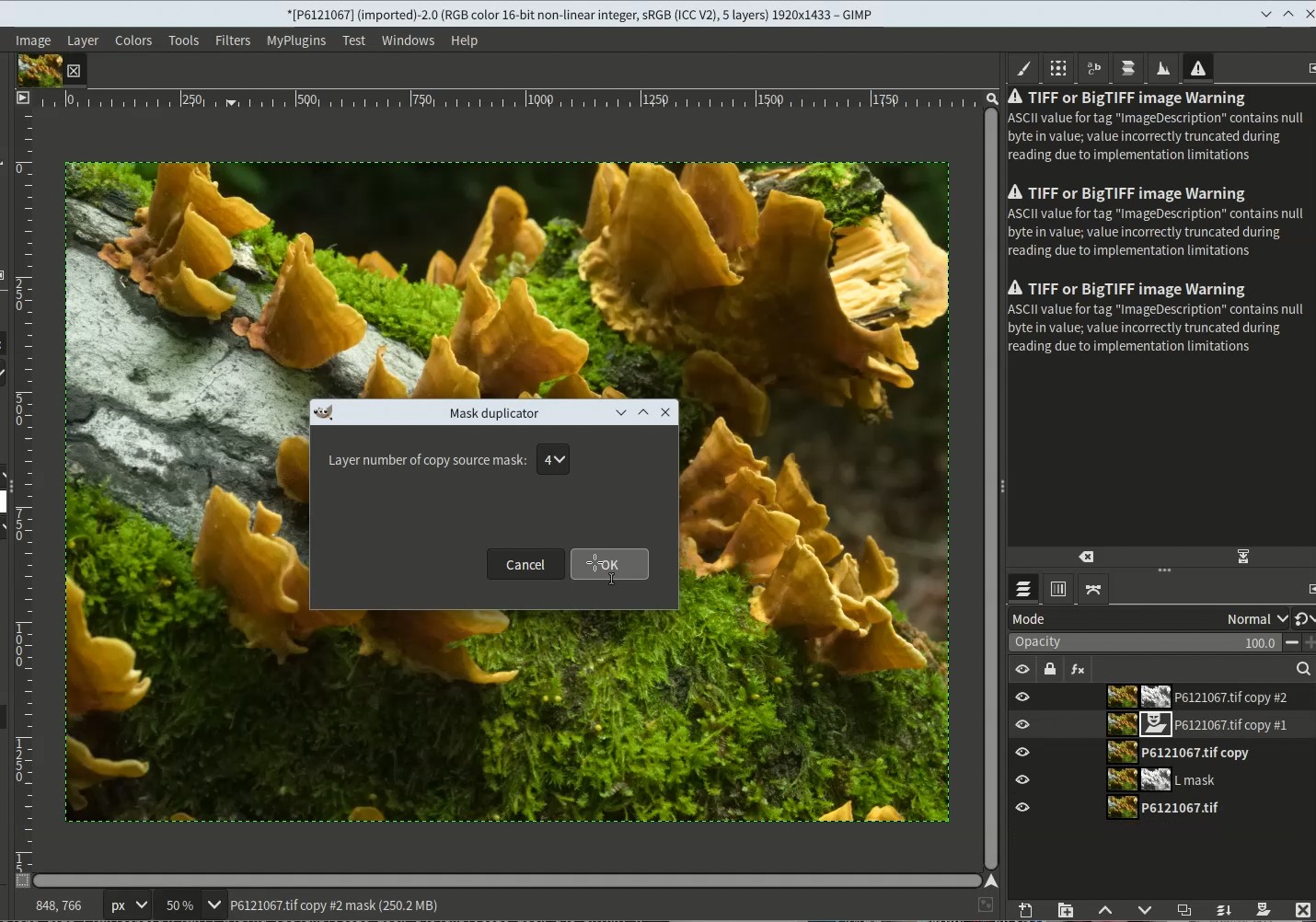
In the dialog, select the source mask layer. The number is the order number from the top. The bottom layer is for preview and cannot be selected.
-
If you select a layer without a mask, a message appears stating there is no mask.
[When selecting a layer without a mask] -
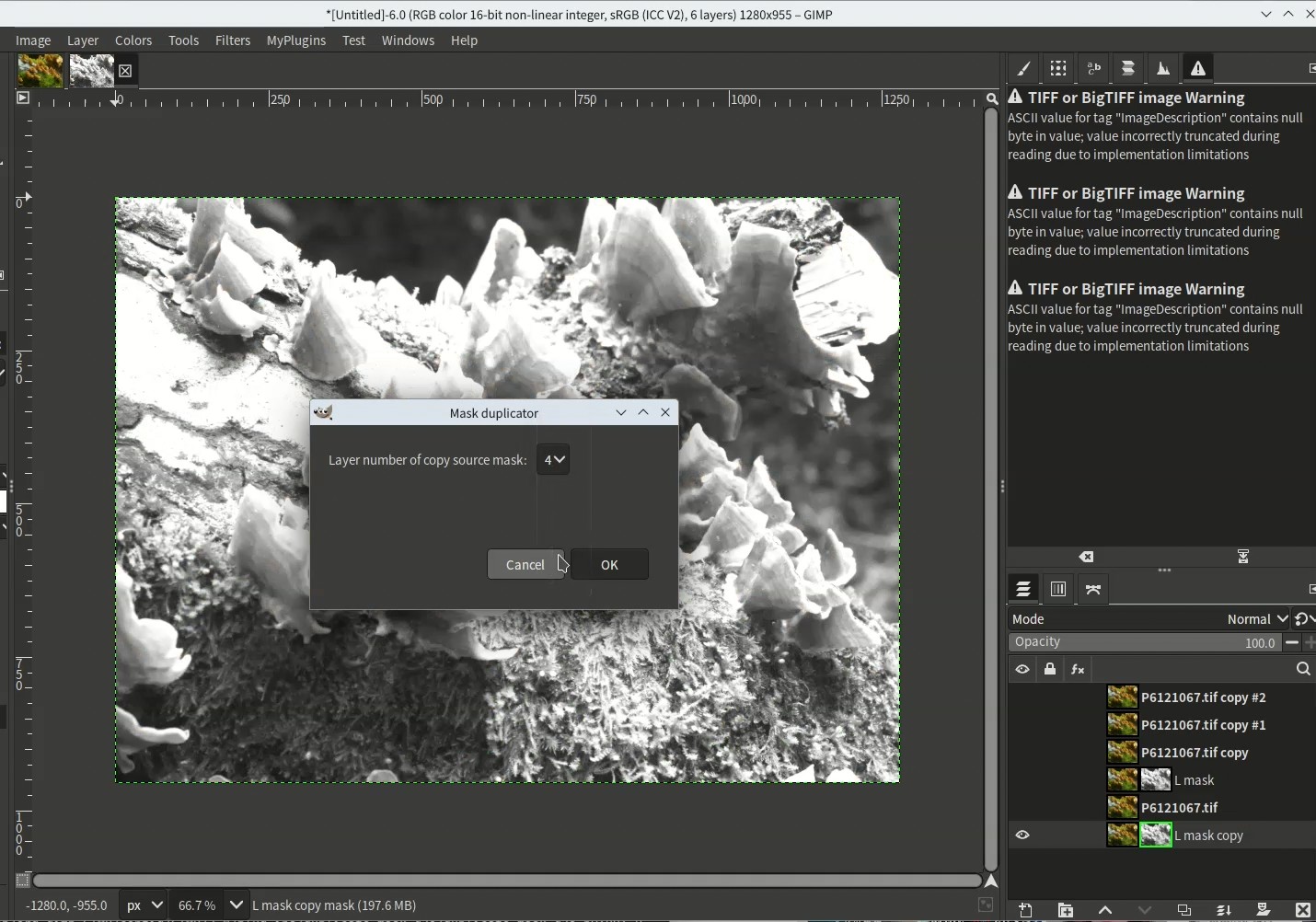
If you select a layer with a mask, the mask is displayed, allowing you to confirm if you want to copy it.
[When selecting a layer with a mask] -
If the source layer is also the destination layer, an error message appears stating it cannot be selected as the source. Pressing the OK button will not duplicate the mask.
-
After selecting the source mask layer and pressing the OK button, the mask copy operation begins.
[Pressing OK starts the mask copy operation] -
Once all masks are duplicated, the operation completes.
Download link is here.