First post here, please be gentle . . .
I have a number of PDFs of photocopies of book and article spreads that I’m trying to touch up a bit by using GIMP’s erode filter to make the text crisper and blacker.
I get very good results with GIMP (good image quality, files that aren’t too large), but the process of having to import each PDF page individually and then apply filters is a very cumbersome and time-consuming process. Is there an easier way to do this ? Some of the books are hundreds of pages! I tried using, (I think it was) bimp, but I’m not sure it was able to import the PDFs to begin with (and what format does GIMP import to if not PDF?). Is there some way to speed up the process? Maybe GIMP from the cli?
Thanks! Unfortunately, I seem to be having a little trouble installing, but I’ll keep trying . . . using GIMP 2.10.36 from the repos on Linux Mint here . . .
Ah, right - Batcher is for GIMP 3.0+. There’s an AppImage of 3.0.4 if you want to try it out - it should be compatible: GIMP - Downloads
1 Like
That could be the clue I’ve been looking for!
I’ll try the AppImage, but do you know if there’s an official or otherwise trustworthy PPA for the latest GIMP?
1 Like
We don’t yet build a PPA unfortunately (the AppImage is new to GIMP 3.0 thanks to a dedicated volunteer). I know there are some PPAs out there, but I haven’t tried them myself so I can’t vouch for them. Hopefully someone else on the board has experience with them and can say.
1 Like
There is a PPA that should work
GIMP 3.0 : Panda Jim or you could use the Gimp 3.0.4 appimage from gimp.org
There is no escape, burst the pdf into pages with something like PDFTK
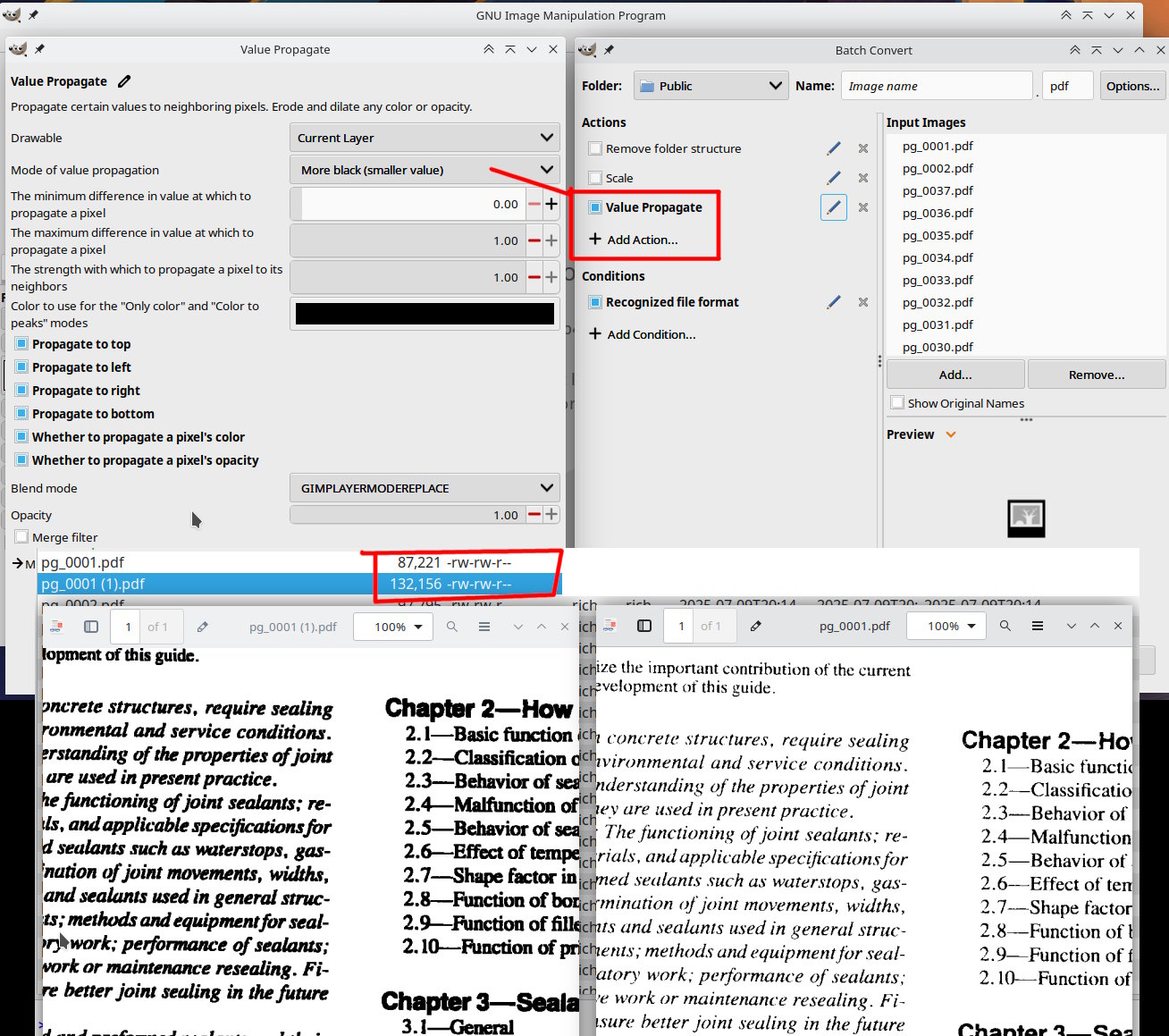
You will not be able to use erode so open a page in Gimp and try Filters → Distorts → Value Propagate A GEGL filter, default values except for “more black”
For Batcher File → Batch Convert you can get to here. and a new set of PDFs.
Note: the larger file size, Gimp typically makes large PDFs. if I was doing it, I would convert to jpegs and use ImageMagick to make new PDFs
2 Likes
 GIMP 3.0.4 installed via PPA
Batcher installed
It will take a little time for me to experiment with this new setup and see what sort of results I can get, but in the meantime thanks to @cmyk.student and @rich2005 for helping me get started. 
1 Like
Hi,
did you try ImageMagick, yet? You can write a script for batch processing all the pages. The code would be something like this (Linux notation):
#!/bin/bash
for file in *.pdf
do convert $file ( +clone -blur 0x3 ) +swap -compose divide -composite opt-$file.
done
Claus
P. S. ImageMagick is available for various platforms at https://imagemagick.org/script/download.php. For MS-DOS batch files, maybe someone else can give you a hint. I’m using Ubuntu MATE.
1 Like
Hello, and thanks for your response.
Whenever I’ve tried using ImageMagick in the past, it’s given me an “out of memory” error or something along those lines, but maybe I could give it another try.
As for the script, do I just copy what you wrote into a .txt file and then name it “something.sh”, is that how it works?
Basically yes, but you have to make the script executable with chmod u+x. That is, if you’re using Linux.
1 Like