Why do my masks have low opacity even though the opacity slider is set to 100%?
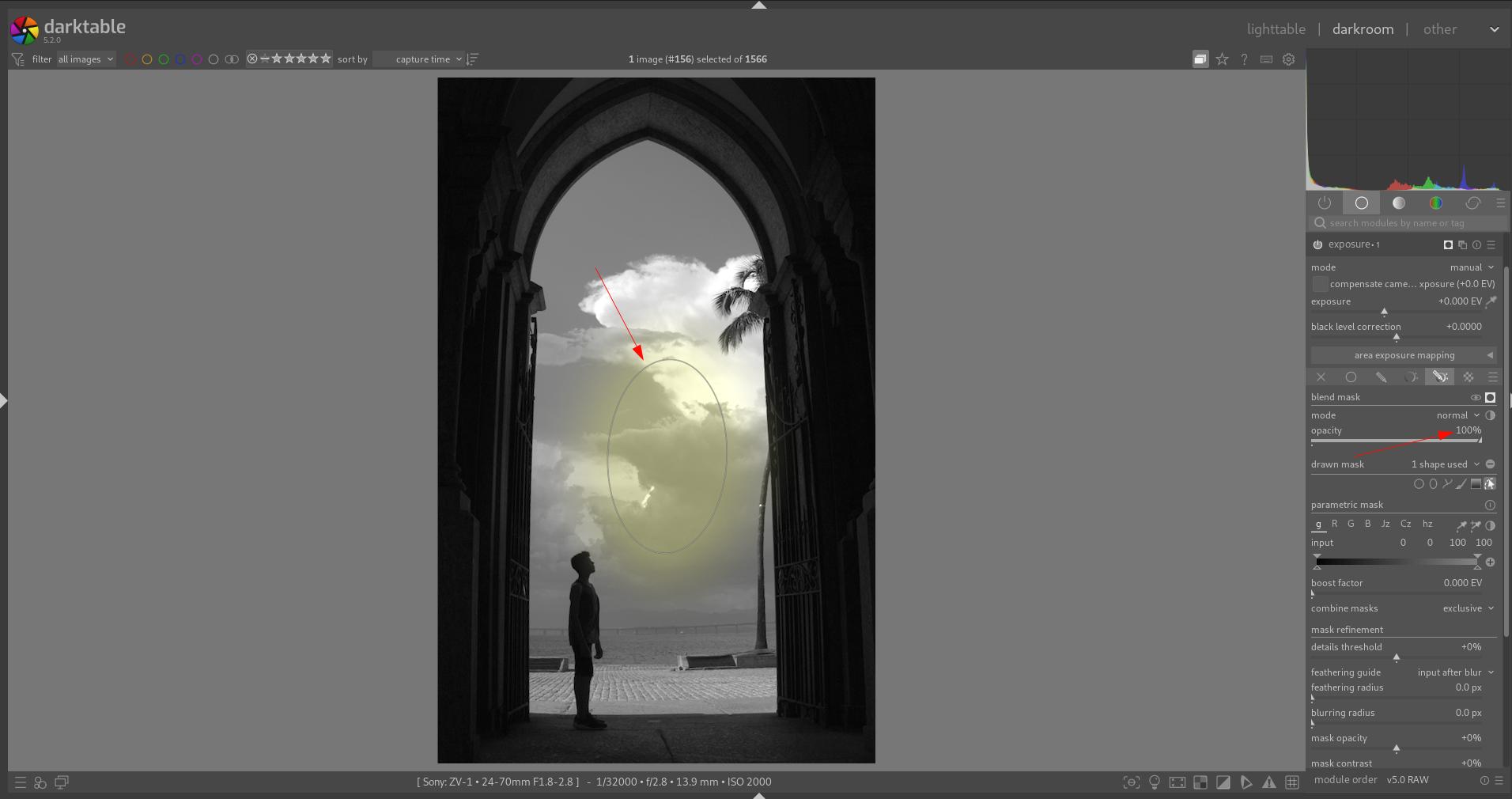
Check what it says in the top bar when you hover over the mask. There should be an item “opacity (ctrl-scroll) (<value>%)”. If that \value> is below 100, your mask will be more or less transparent.
1 Like
To add to @rvietor post:
Check your general drawn mask settings by going to Mask Manager → choose mask “shape” from top line → expand properties → adjust opacity.
If you use ctr-scroll to change opacity before drawing on the image, darktable will remember that change for future uses of the shape. It took me ages to figure that one out.
5 Likes
Man, it worked!!! Thank you so much!
1 Like
This can be sticky setting if you don’t change it. In DT if you set this opacity before drawing an item all the subsequent objects will have or could have that lower opacity.
It can be reset by setting the opacity to 100 before drawing the next mosk element…or also it can be found in the DT configuration file…but just setting it to100 before the next drawn element is obviously easier to do…
3 Likes
To add to the other answers:
A mask can consist of several shapes. Each shape has its own opacity setting.
The opacity slider, however, adjust the opacity of the collective mask – which may then include one or more shapes with an already lowered opacity.
6 Likes