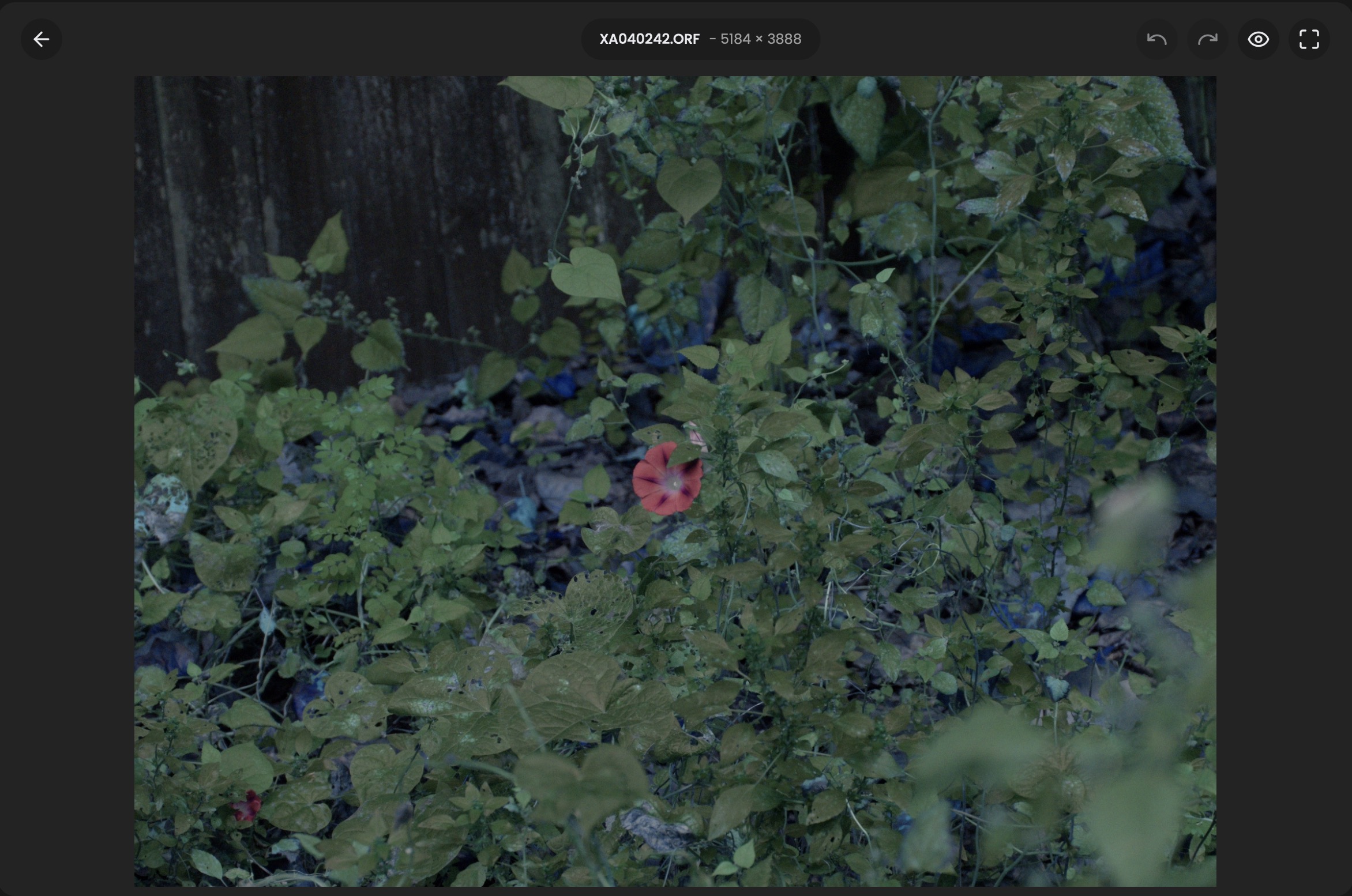
I noticed something rather strange while testing RapidRAW 1.6.5 and I’m wondering if anyone else has encountered something similar.
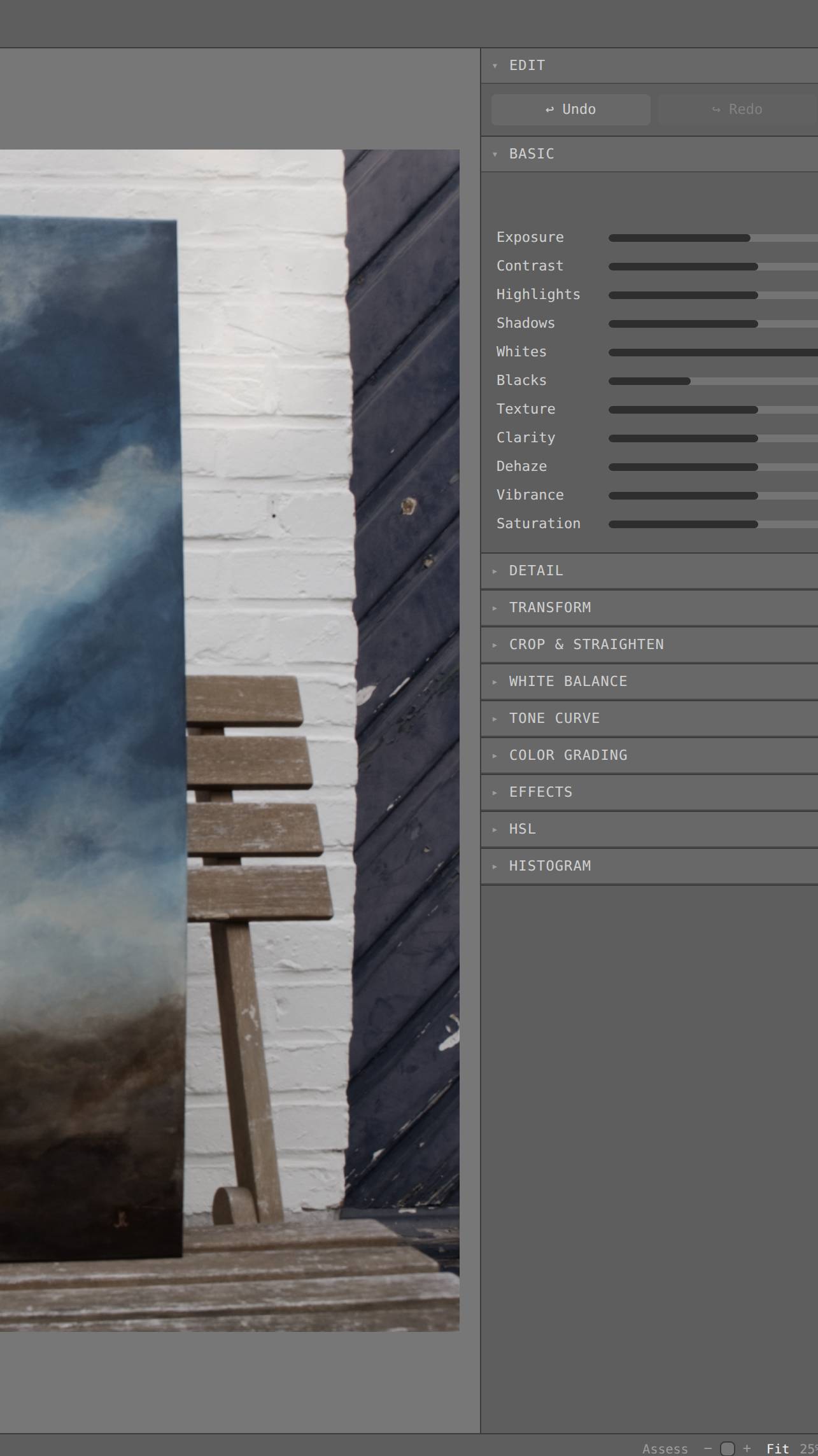
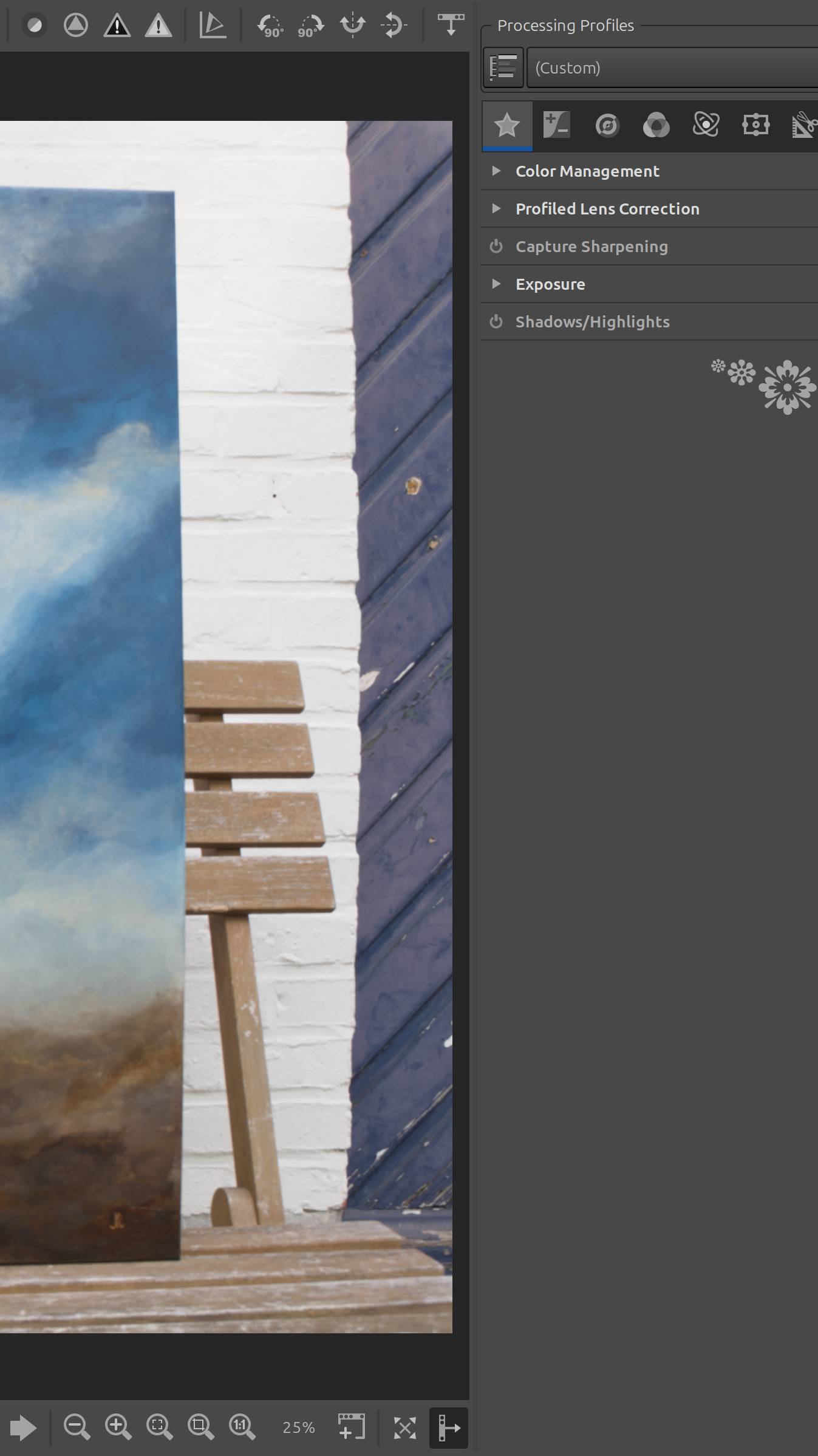
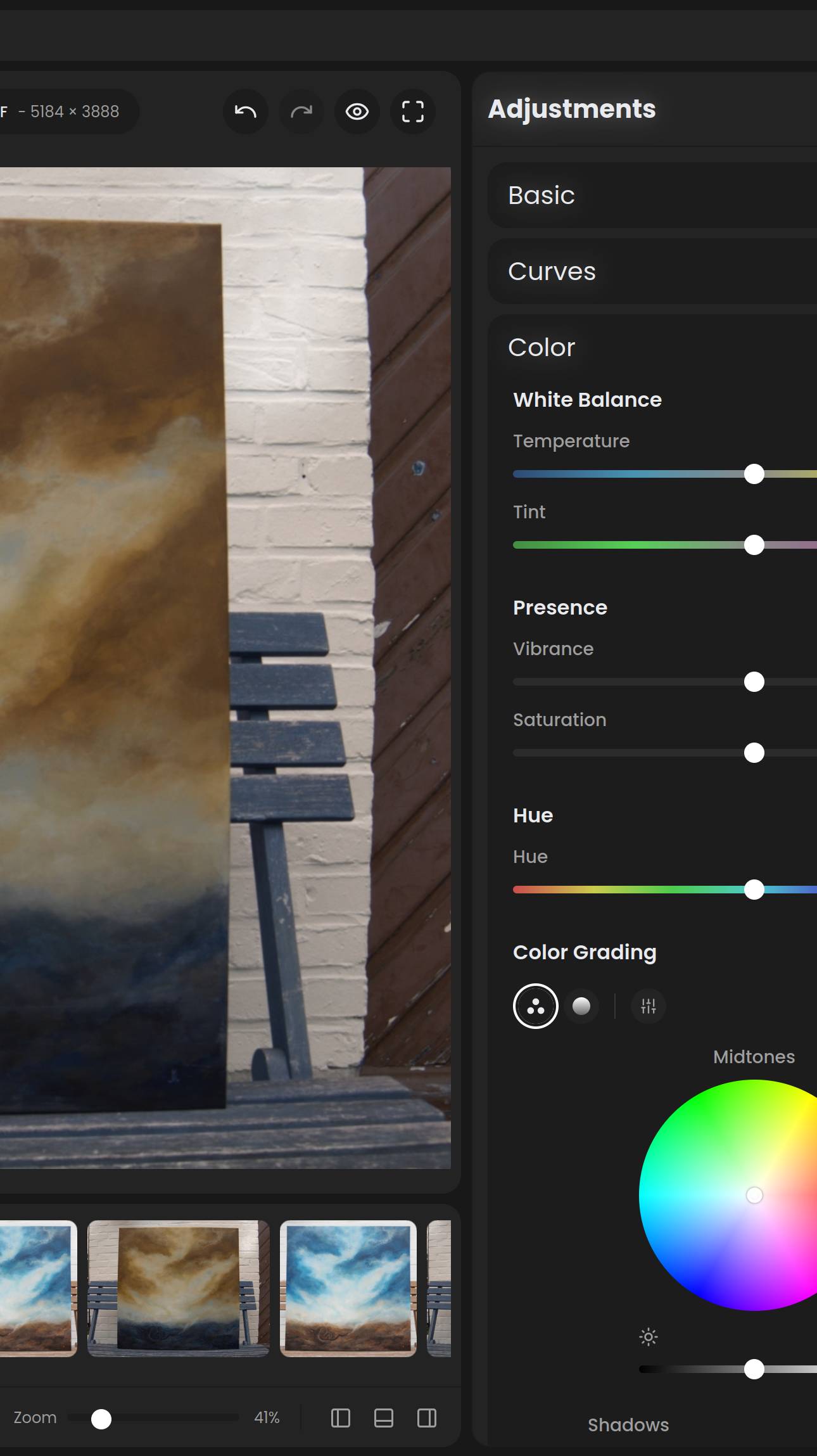
I’m using exactly the same Olympus E-M1X ORF in three different RAW editors, all running their latest versions: RapidRAW 1.6.5, RawTherapee and Safelight .
The overall rendering is different between the three, which is of course perfectly normal. What caught my attention, however, is something much more specific.
I’ve included three screenshots and a small crop rather than showing the complete photograph, as I don’t have permission to publish the full image. The cropped area is enough to show the issue.
In the actual scene, a slatted wooden door/panel on the right is blue/grey, while the wooden chair supporting the painting is brown. Safelight and RawTherapee reproduce that relationship correctly.
RapidRAW does something quite different: the door becomes brown while the chair takes on a distinctly blue/grey colour. In other words, two clearly different physical colours appear to be effectively exchanged.
I’ve reset the RapidRAW image completely and tried different white-balance and tonal settings, but I can’t get those colours into the correct relationship. The result remains essentially the same.
This doesn’t look like a simple warmer/cooler white-balance difference to me. It seems more fundamental, possibly somewhere in the camera colour matrix/profile or RAW colour pipeline.
Has anyone else seen anything like this with RapidRAW, particularly with Olympus/OM System or other Micro Four Thirds RAW files?
I’m not claiming that RapidRAW generally produces incorrect colours. I’m simply trying to understand what could cause this particular behaviour, especially since the same ORF renders correctly in both RawTherapee and Safelight.
Has anyone encountered a similar colour-matrix or camera-profile issue?