Hello everyone,
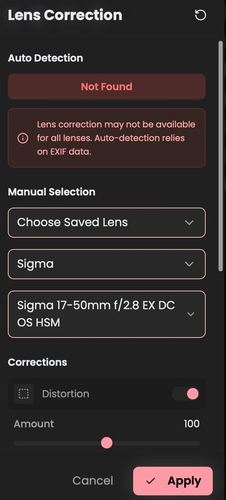
It has been a little while since I last posted about the AgX integration. In my introduction thread, I mentioned that Lens Correction was high on the roadmap but presented a significant technical hurdle.
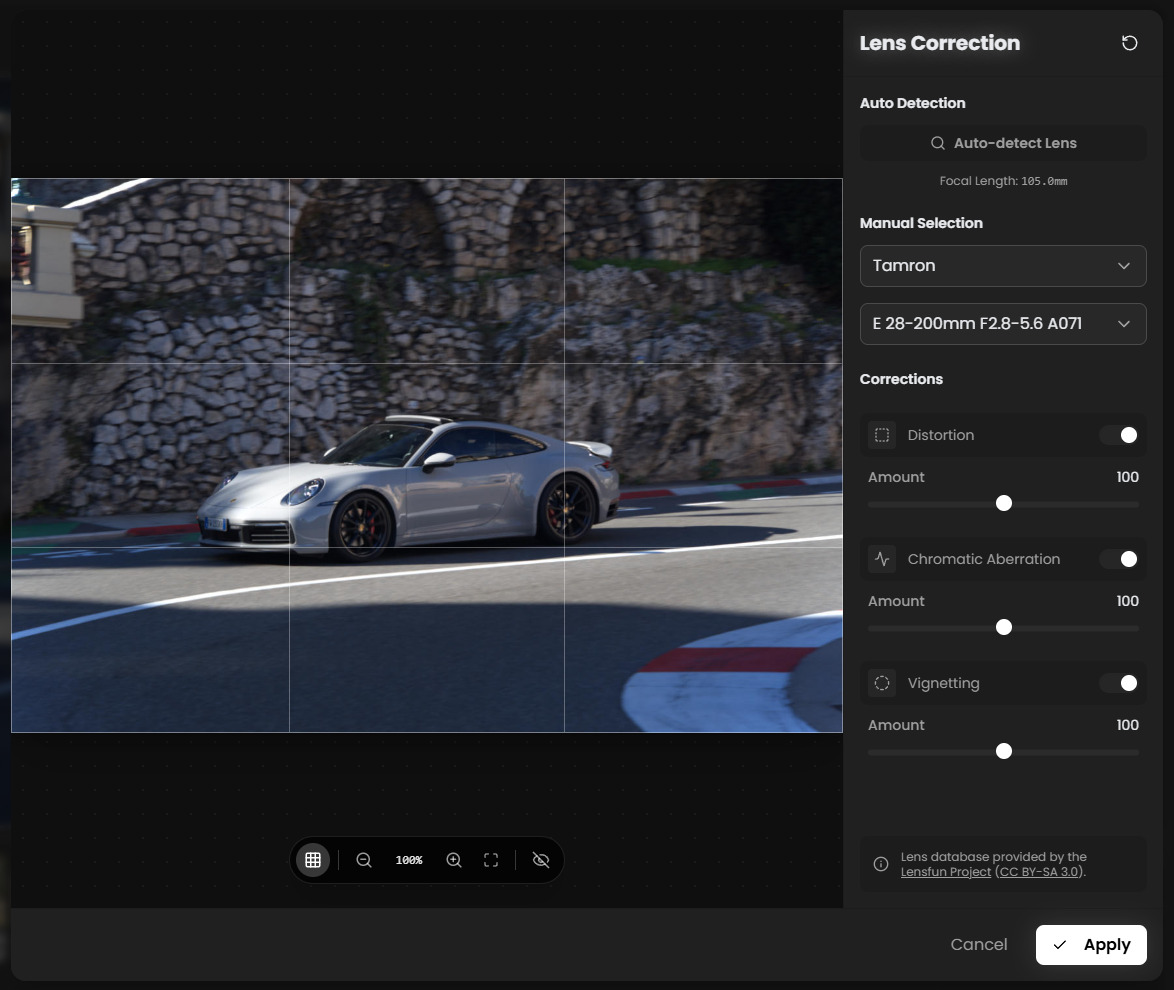
I’m happy to report that with the releases of v1.4.9 and v1.4.10, Lens Correction is now fully implemented in RapidRAW.
I wanted to talk a little bit how this was achieved, as I took a slightly different path than just binding a C-library.
Native Lens Correction Implementation
The standard approach for open-source raw editors is to use the liblensfun C library. However, since RapidRAW is built with Rust and Tauri to be lightweight and cross-platform, linking against C libraries can introduce significant headaches regarding compilation and distribution across Windows, macOS, and Linux (dependency hell is real).
Instead of binding the library directly, I decided to implement the logic from scratch in Rust:
- Database: The application loads and parses the standard Lensfun XML database directly.
- Math: I re-implemented the distortion models (Poly3, PTLens) and the parameter interpolation logic in native Rust.
- Pipeline: The warping geometry is calculated and applied on the CPU. This is efficient because the heavy warp calculation only needs to happen once when you actually change a geometry parameter. The resulting “corrected” image is then passed to the GPU shader for the real-time color grading and exposure work.
The Challenge with Masking
One of the biggest challenges during this implementation was making the lens correction play nice with the masking system.
If you draw a linear gradient or a brush mask on an image that is later warped by lens correction, the mask shapes get distorted and no longer align with the subject.
Because I implemented the warping step on the CPU at the start of the pipeline, I was able to solve this by effectively replacing the “loaded” image with the geometry-corrected version before it hits the masking engine. This means that when you are drawing masks or running AI detection, you are operating directly on the corrected coordinate space. The mask coordinates map 1:1 to the image you see on screen, eliminating the need for complex coordinate reverse-mapping in the shader.
Other Recent Developments
Since my last post, I’ve released several other versions. Here is a quick catch-up on what else has landed:
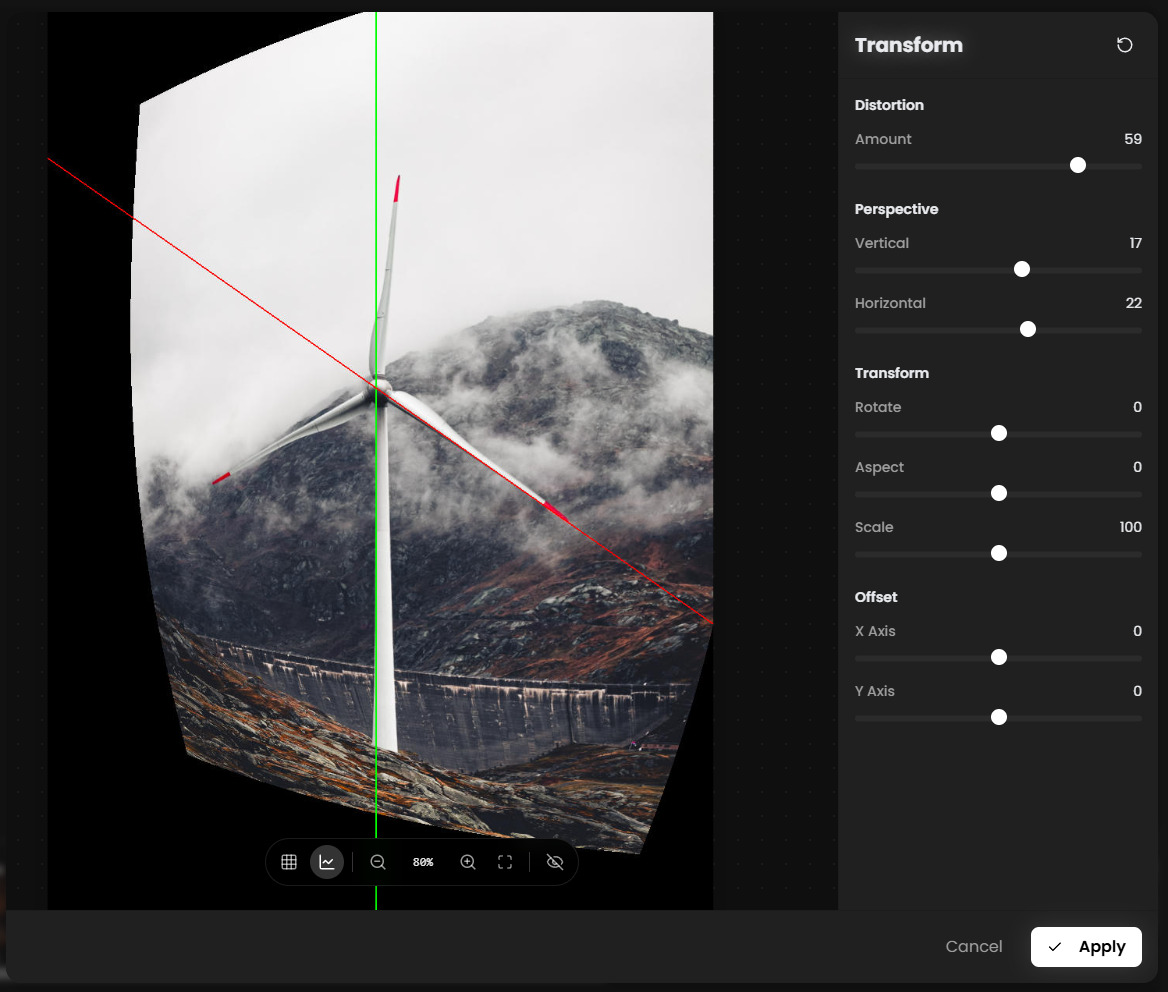
- Geometry & Warping: A dedicated transform tool (check image below) with dynamic grid lines to fix perspective, rotation, and horizon alignment.
- Live Previews: A major rewrite of the render loop now allows for real-time visual feedback. You can see changes applied as you drag the sliders, rather than waiting for the mouse release.
- New Denoising: I’ve replaced the old noise reduction with a BM3D (Block-matching and 3D filtering) implementation for better detail retention.
Feedback
Because the lens correction logic is a “from scratch” implementation, I am very interested to hear how it performs on your gear.
If you have a moment, I’d love for you to download the latest version, try lens correction (under the Crop & Transform panel in the sidebar) on your RAW files, and let me know if the corrections look accurate compared to other software you use.
A note on reporting:
I am happy to discuss the features and general feedback in this thread. However, if you encounter specific bugs, crashes, or start-up issues, please report them via the GitHub Issues section.
Links:
- Download: Release RapidRAW v1.4.10 - Improved Shader, Fine Rotation Grid, Lens Saving & More! · CyberTimon/RapidRAW · GitHub
- Repository: GitHub - CyberTimon/RapidRAW: A beautiful, non-destructive, and GPU-accelerated RAW image editor built with performance in mind.
Thanks for the continued support!
Timon