This is not a major issue for me, but I noticed something while using the new Presharpening Denoise function more routinely. I would like to know if others are seeing the same behaviour.
The Presharpening Denoise setting itself appears to work correctly and very precisely. However, changes to the slider are not reflected in the preview immediately.
Even very small adjustments remain invisible until I toggle the Capture Sharpening module off and on again. After doing that, the preview correctly reflects the new setting.
I initially did not notice this because I was mainly testing the new Capture Sharpening features and moving on to other settings. It only became apparent later when I started using Presharpening Denoise as part of a normal editing workflow.
Steps to reproduce:
Enable Capture Sharpening.
Adjust Presharpening Denoise.
The preview does not update.
Toggle Capture Sharpening off and on.
The preview now reflects the new Presharpening Denoise value.
Important: AppImage!
The actual processing seems fine; it appears to be purely a preview refresh issue.
Again, this is not causing me any real problems, since toggling the module forces the update. I’m mainly curious whether this is specific to my system or whether others can reproduce it.
Don’t ask me how, but I’m actually using the latest version, not the RC1 version I have no idea how I managed to write that
The problem is still there, though. As I said, it’s not a major issue — it doesn’t really bother me enough to file a bug report. I was mainly curious to know how others experience it.
One possibility is that I’m on Linux while you might be using Windows. I always use the AppImage version, and this isn’t the first time I’ve encountered something with an AppImage that others don’t see when using an EXE or DEB. But then again, AppImages have their advantages too
I was the one who made this modification (as well as the one for ‘post-sharpening denoise’) to the excellent algorithm devised by Ingo.
I just tested the compiled version on both Windows 11 and Ubuntu 24.04 LTS; there were no issues - the ‘events’ executed correctly, as did the history message.
I don’t see anything in the GUI code that could explain the malfunction (though I’m no C++ expert); it uses the same ‘event’ level (CAPTURESHARPEN) as all the other sliders and checkboxes. But anything is possible. If you say so, it must be true - at least in your case.
Can you provide a RAW file and a PP3 file where the issue occurs, or does it affect all images?
Well, I’m seeing it on all images, so it doesn’t seem to be related to one specific anomaly. I’m going to try it on my older computer with the same version and see if the issue occurs there as well. I’ll get back to you shortly.
I tried the same thing on my older computer, using the same version. There is a slight delay while the blue busy bar is running, but the adjustment is eventually displayed correctly.
So I’m starting to think the issue might be specific to the laptop rather than the images or Appimage itself ?
It is not unusual for there to be a response delay. This is because RawTherapee’s processing is driven by an event hierarchy (i.e., what triggers an action). The earlier a process occurs - such as raw processing - the more a modification forces the re-execution of subsequent processes associated with lower-priority events.
In the case of Capture Sharpening, we are relatively high up in the hierarchy; the response time therefore depends on: a) downstream processes and, above all, b) the machine’s capabilities.
So, for example, noise processing at the RAW stage - assuming it is similar to the processing performed later (such as in Selective Editing) - will result in a longer response time.
Thanks Jacques. One important clarification: on the Lenovo, the image does not refresh at all after the progress bar has finished.
On the Dell, the behaviour is normal: the progress bar completes and the image refreshes immediately.
On the Lenovo, the processing progress bar completes very quickly, but the displayed image remains unchanged. So this does not appear to be simply a response-time issue caused by downstream processing.
This makes me wonder whether something is going wrong with the rendering/UI stage after the processing has completed, possibly related to the Intel graphics/Linux stack of the more powerfull Lenovo ?
Excuse me, but hardware isn’t my strong suit (nor are the intricacies of C++).
But I’m not saying the problem is the response time… It’s just that you said it was slow.
So, it’s difficult for me to offer an opinion. However, the notable thing is that it works correctly on one of your machines.
The specifications of the machine you described in the first paragraph are more than impressive. My development machine (which is no slouch) pales in comparison.
As for whether Ubuntu24.04 can handle that - or the graphics card - I really couldn’t say…
For my part, I had trouble getting the graphics card (Nvidia) to work properly on my machine (double boot Windows 11 - Linux) with Ubuntu or Fedora, which led to crashes and malfunctions. That’s sorted out now.
I retested the original RC1 on the Lenovo, and the refresh problem is there now as well. I’m fairly sure it worked when I first tested RC1, so something may have changed on my system since then.
Interestingly, Exposure and other adjustments refresh immediately; it’s specifically Capture Sharpening that doesn’t.
Since this seems to happen only on my machine, I think it’s probably better to leave it for now. I know how to force the refresh, so it’s not really a problem for me.
I’ll have a look myself at possible Intel Arc 140T / Mesa issues or updates on the Lenovo.
Is it due to a parallelization issue (use of OMP)?
Is it due to the use of wavelets?
??
To verify certain hypotheses…:
What happens if you disable “Use Wavelets instead of Median” for “Presharpening denoise”?
Does the same problem occur with “Post-sharpening denoise,” which also uses wavelets - though somewhat more intensively?
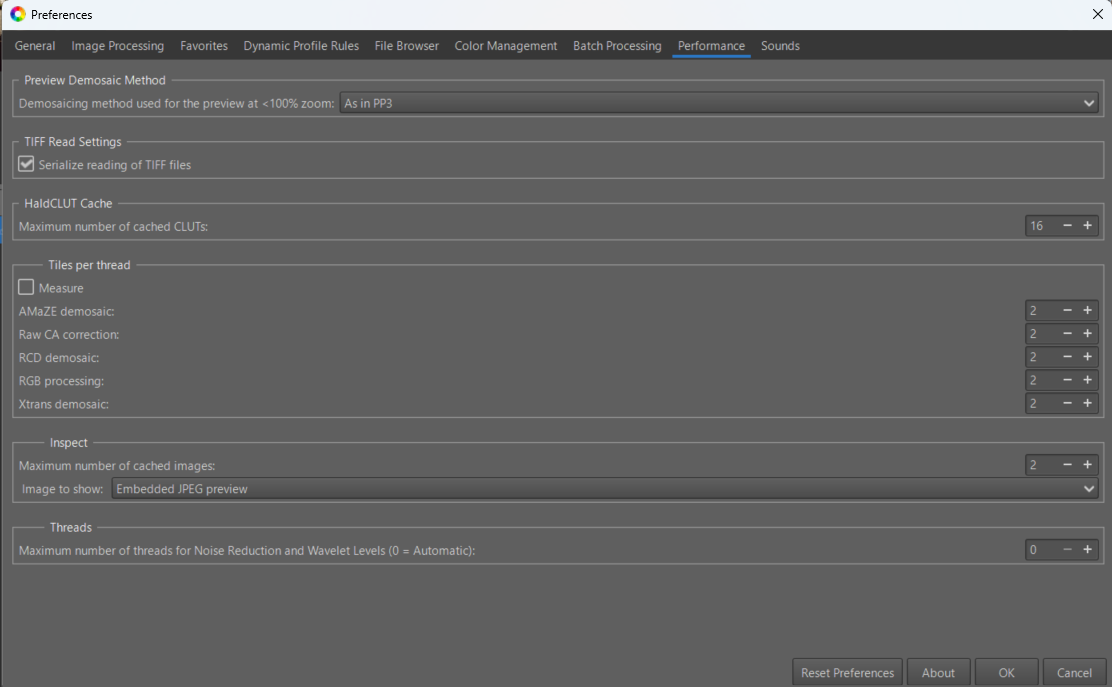
Could you check by changing the ‘Threads’ setting in ‘Preferences’ - for example, by limiting it to 8? (With your configuration it must be by default 16x2 = 32, but I’m not sure about that) .
When you compare it to other functions like ‘Exposure’, there is a significant difference in terms of system ressources. ‘Exposure’ uses the ‘preview’ and requires few resources. Here, the processing applies to the entire image (regardless of the zoom level). In the case of ‘Capture Sharpening’, the two ‘denoise’ functions are sensitive to the number of threads and, of course, the RAW file size. You’ll probably tell me you have 64 GB of RAM, so that likely isn’t an issue. This is the first time in RawTherapee that a ‘heavy’ function like Wavelets has been implemented at the RAW level.
And once again, thank you very much for all the time and effort you’re putting into this. I really appreciate it.
I don’t want you to spend too much time chasing a problem that may well be specific to my particular system. I’m increasingly thinking that there is nothing specifically wrong with RawTherapee itself, but that this may be a combination of my Linux installation and the Intel graphics on my Core Ultra 9 285H.
I tested everything again with the official RawTherapee 5.13 release, rather than the RC, although the problem is still present there as well.
The behaviour is a little strange, and I suspect that perhaps something changed in a Linux/Intel graphics driver update, because this did not happen on the same machine before. But that is only a suspicion; I have no evidence for it yet.
It is slightly annoying, of course, but honestly it doesn’t bother me that much anymore. I’m very happy with the new Capture Sharpening implementation, and the simple workaround of toggling Capture Sharpening off and on makes the result appear correctly.
So please don’t feel you need to spend more time on this particular machine. You’ve already gone well beyond what I could reasonably expect, and I’m very grateful for that.
So, I ran the tests you suggested:
Wavelets vs. Median
Tested Use Wavelets instead of Median in both Presharpening denoise and Post-sharpening denoise.
Both settings work correctly, but the preview still only refreshes after turning Capture Sharpening off and on again.
Post-sharpening denoise
Tested this in different combinations as well.
Same result: the processing works, but the updated preview only becomes visible after toggling Capture Sharpening off/on.
Threads
Default was 0 .
Tested with 8 and 16 (16 is the highest value available).
No difference.
I also restarted RawTherapee after changing the setting — same result.
Full reset
I completely reset the RawTherapee settings and tested again.
No difference; the refresh problem remains.
So far, none of these settings changes affect the problem. The processing itself appears to work correctly; it is specifically the preview refresh that fails until Capture Sharpening is toggled off and on again .
Thanks; these tests have the merit of ruling out certain hypotheses. But that doesn’t solve your problem.
Just so you know, when the Linux kernel was updated to version 7.0 (on Ubuntu 24.04 LTS), my machine experienced random crashes - apparently due to the graphics driver. I had to switch to the ‘nouveau’ driver. Everything has been fine since then.
Yes, and there is a bit more background to my choice of this particular machine.
I only bought this ThinkPad P16s Gen 4 a few months ago. It originally came with Windows, but I wiped Windows almost immediately and installed Kubuntu 24.04 because I specifically wanted to use it as a Linux machine.
I chose this configuration partly because I expected the hardware to be a good match for Linux. The Core Ultra 9 285H uses the integrated Intel Arc 140T graphics, while Lenovo also offered this model with discrete NVIDIA graphics. In other words, I deliberately went for the configuration that I thought would give me the least Linux hassle.
Well… apparently the joke is on me.
Given your experience with a graphics-driver problem after a kernel update, I’m now even more inclined to suspect something in the Linux/kernel/Mesa/Intel graphics stack rather than RawTherapee itself. Especially since this behaviour appeared on a machine where it previously worked correctly.
Once again, thank you Jacques for all your effort! It is very much appreciated!
No, absolutely not forgotten. In fact, I’m starting to look at the problem from a slightly different angle.
The laptop uses a relatively new Intel graphics platform, and there are currently quite a few reports of graphical issues on both Windows and Linux — flickering, black screens, refresh problems and other display-related glitches. That points more towards the graphics pipeline itself — GPU, driver, firmware, kernel/Mesa and the display stack — rather than RawTherapee alone.
So for now, I’m quite comfortable putting the RT issue back in the direction of the hardware/graphics stack. Capture Sharpening may simply have been one of the things that exposed the problem.
I’m going to leave it alone for now and wait for better drivers or a solution to the current Intel i915 issue. Once that has improved, I’ll revisit the RawTherapee problem and see if it has disappeared as well.
I’m still not calling it proven, but at this point the graphics stack looks like a more likely suspect than RawTherapee itself.
 I have no idea how I managed to write that