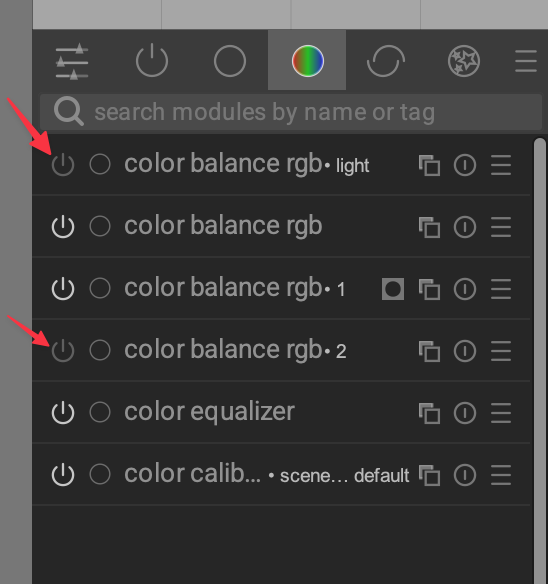
I’m obviously missing something here, but I wondered if it’s possible to remove unused modules? The OCD in me hates to have the modules in the list, even though I’m not using them
Thanks in avdance.
I’m obviously missing something here, but I wondered if it’s possible to remove unused modules? The OCD in me hates to have the modules in the list, even though I’m not using them
Thanks in avdance.
You can in the module group for the active modules (as the name implies). It is the one with the circle and the short vertical line. The other module groups are there for organizing the modules for easier navigation (e.g. by purpose, like color manipulation, corrections, your favorites, etc.). It would not make much sense to only show the active ones there.
If you mean to “remove unused instances of a module”, just click on the first icon on the left right of the title of the module instance that you want to delete (the one that looks like two overlapping squares) and select “delete”.
Thanks mate. Today seems to be a school day for me in Darktable. Still, once you know something, you know it!
Hi! Maybe I misunderstood something. But I’m also inclined to do the same…
I act like this. I click on the round icon of the module that updates the settings to default. I turn off the module and Compress the history.
The same module menu you use to add an extra instance of a module, allows you to remove that extra instance.
And if you really want to remove an unused module (and not just one instance), you can use the menu at the top right of the module group bar to create a custom module layout (youcan actually create a fully customised module collection that way).
Yes, yes, as was written above. Thank you!