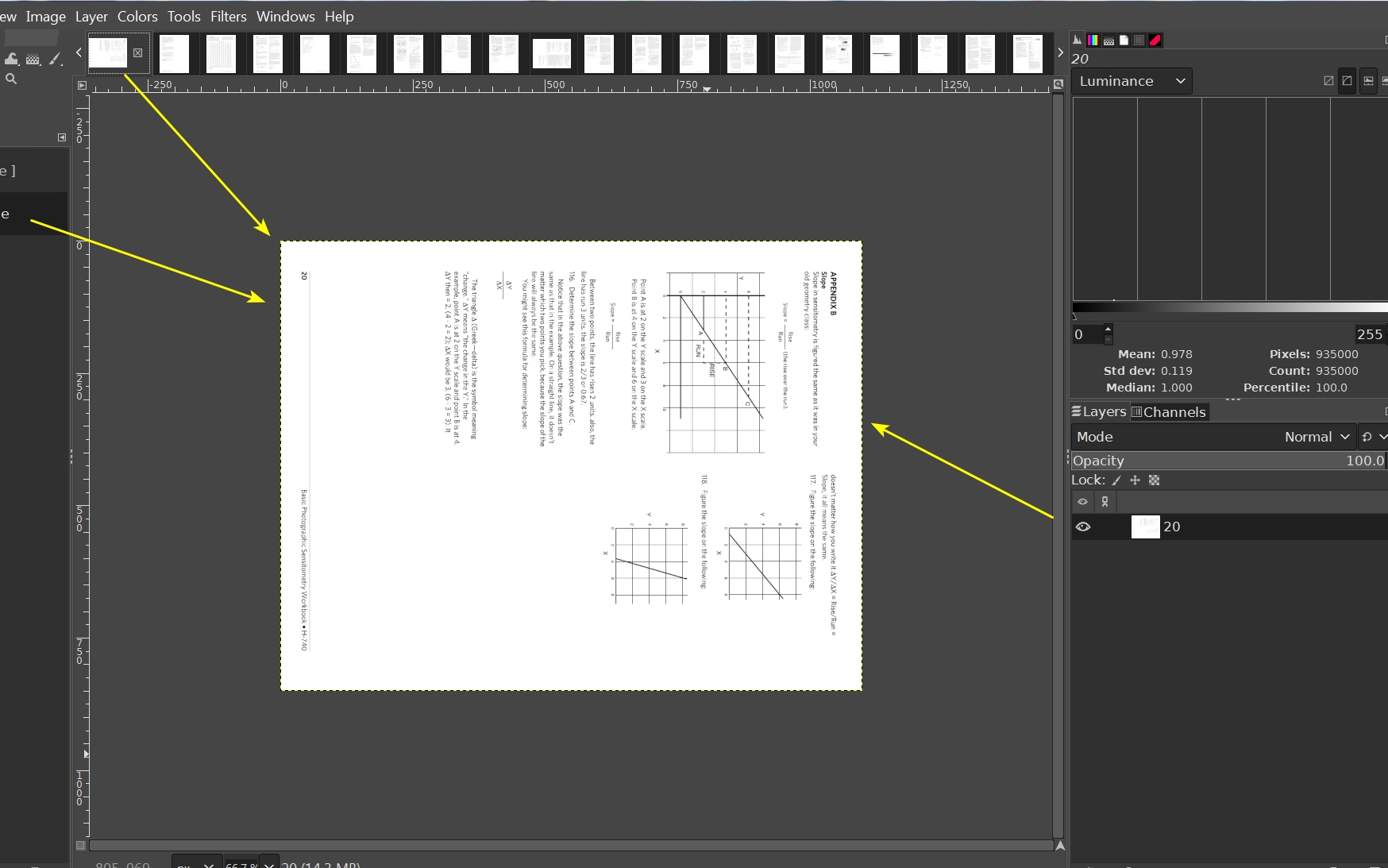
GIMP 2.10.34. Desktop Raspberry Pi 5 desktop OS.
Hello,
I’m rotating a PDF and a JPG 90 degrees from portrait to landscape.
This new landscape transformation causes the left and right edges to be cropped.
How can I keep the full image please?
GIMP 2.10.34. Desktop Raspberry Pi 5 desktop OS.
Hello,
I’m rotating a PDF and a JPG 90 degrees from portrait to landscape.
This new landscape transformation causes the left and right edges to be cropped.
How can I keep the full image please?
Could you please take a screenshot? Maybe we need to change the canvas shape to conform with the layer dimensions swap.
I would do Image > Transform > Rotate… to rotate the layer and canvas together.
Solved with a work around.
Open jpg with default Raspberry Pi 5 desktop Eye of MATE 1.26.0 → Edit → Rotate Clockwise → Image → Save As… → Save.
These Gimp processes failed:
Open image in Gimp 2.10.34 → View → Flip & Rotate (0 degrees) → Rotate 90 degrees clockwise → File → Export As… → Export → Export.
Open image in Gimp -> Image -> Transform -> Rotate 90° -> File -> Export As… -> Export -> Export.