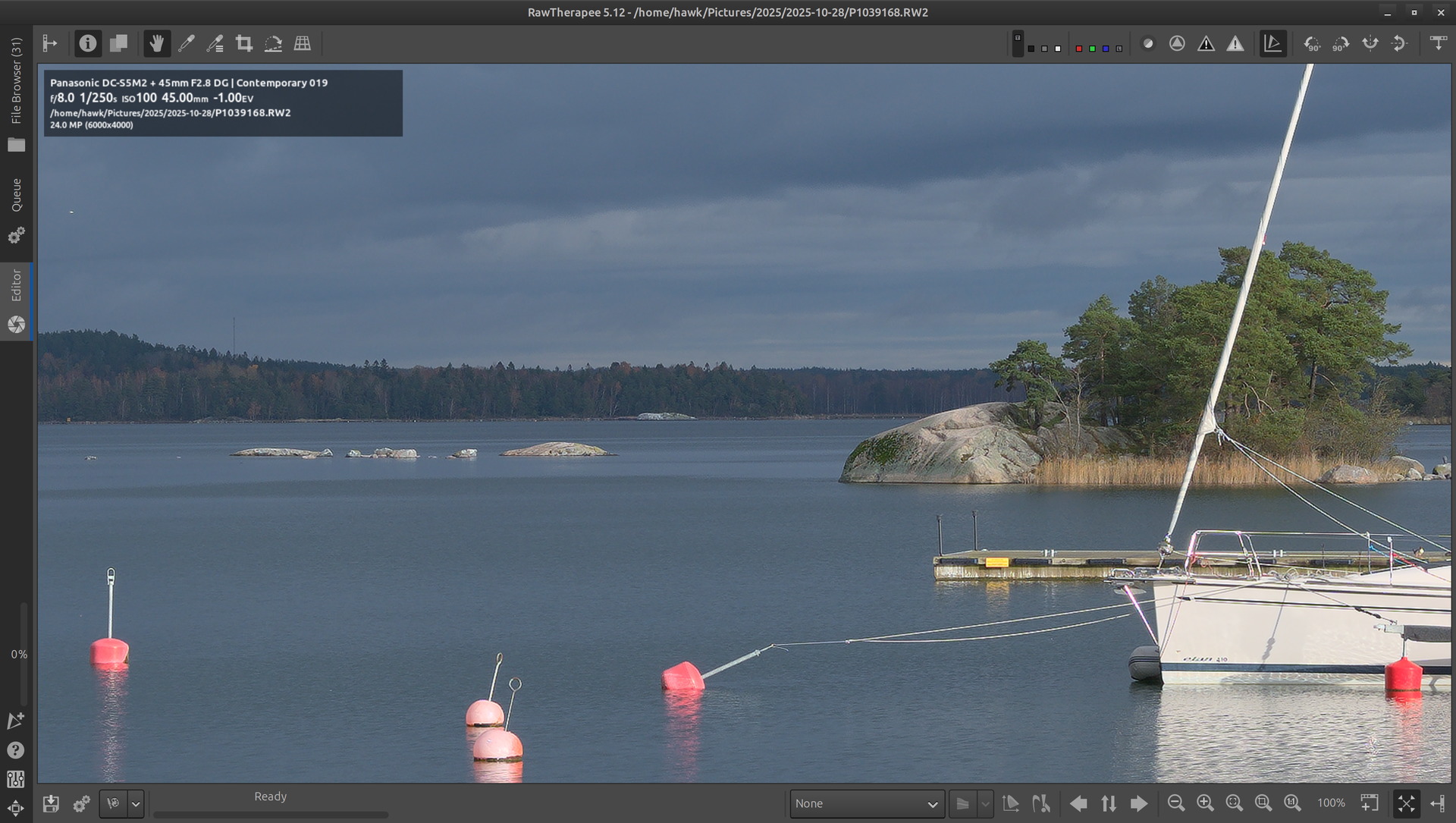
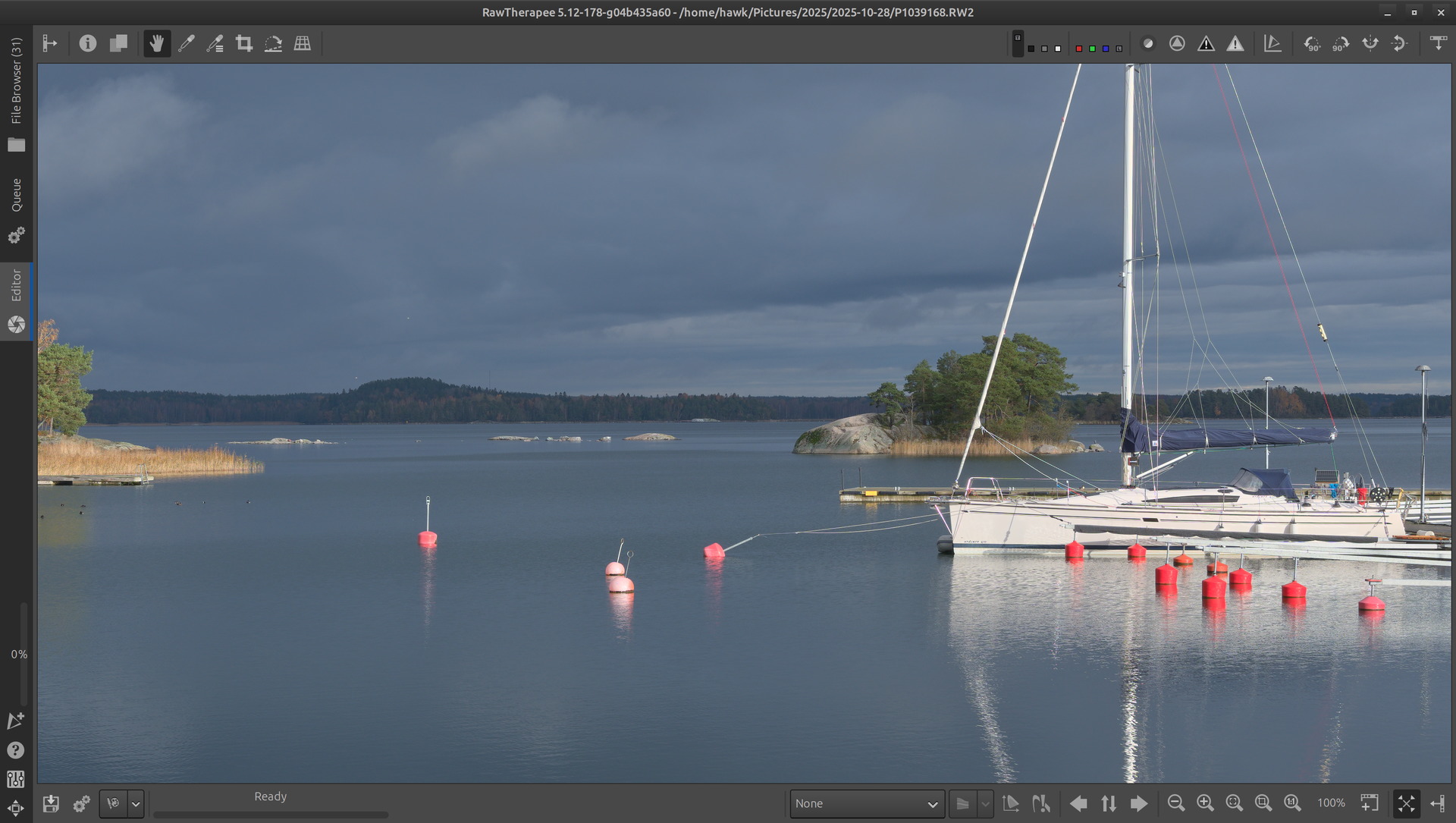
I am having an issue with image resolution in Rawtherapee on Linux Zorin OS 18 and MX Linux KDE.
The issue is that Rawtherapee scales everything on a 4K monitor, including the edited photo. This is a significant drawback because I cannot check if the photo is properly sharpened.
On Windows 10, Rawtherapee only scaled the interface, not the photos.
On Linux, the edited photo is blurry. It looks as if the pixels are stretched, causing the photo to be blurry and lose resolution.
This also happens when zoomed in to 100%.
I tried to find the right settings in the programme, but I couldn’t find anything.
Is there anyone who uses RT on Linux and edits photos on a 4K monitor?
I would like to point out that Darktable, for example, scales very well.
The photos are sharp and the interface is scaled correctly.
I would guess Damian has scaling enabled in the settings? I think in KDE there is a way to disable scaling of an individual app. This will probably lead to small UI elements but result in a sharp image.
I am currently using Zorin because I was unable to get an external DVD drive to work in MX Linux KDE.
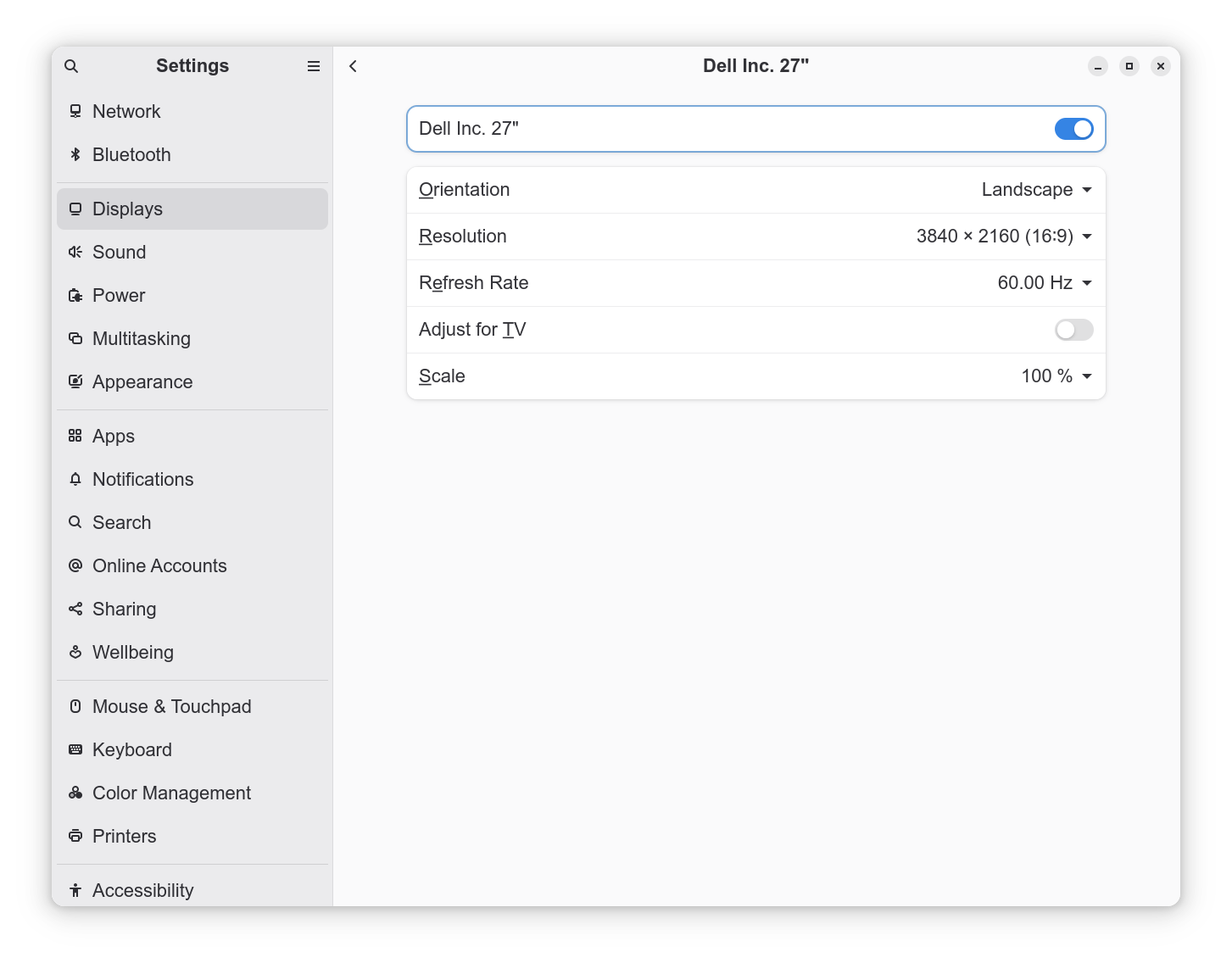
In Zorin, I have 150% scaling enabled.
If I enable 100% (the default setting), RT renders the image correctly, but the interface icons are very small.
All right.
Competitive photo editing programs, such as Darktable or XnView MP, scale the interface, and the photo is displayed in full resolution. Rawtherapee scales everything, so I found a solution.
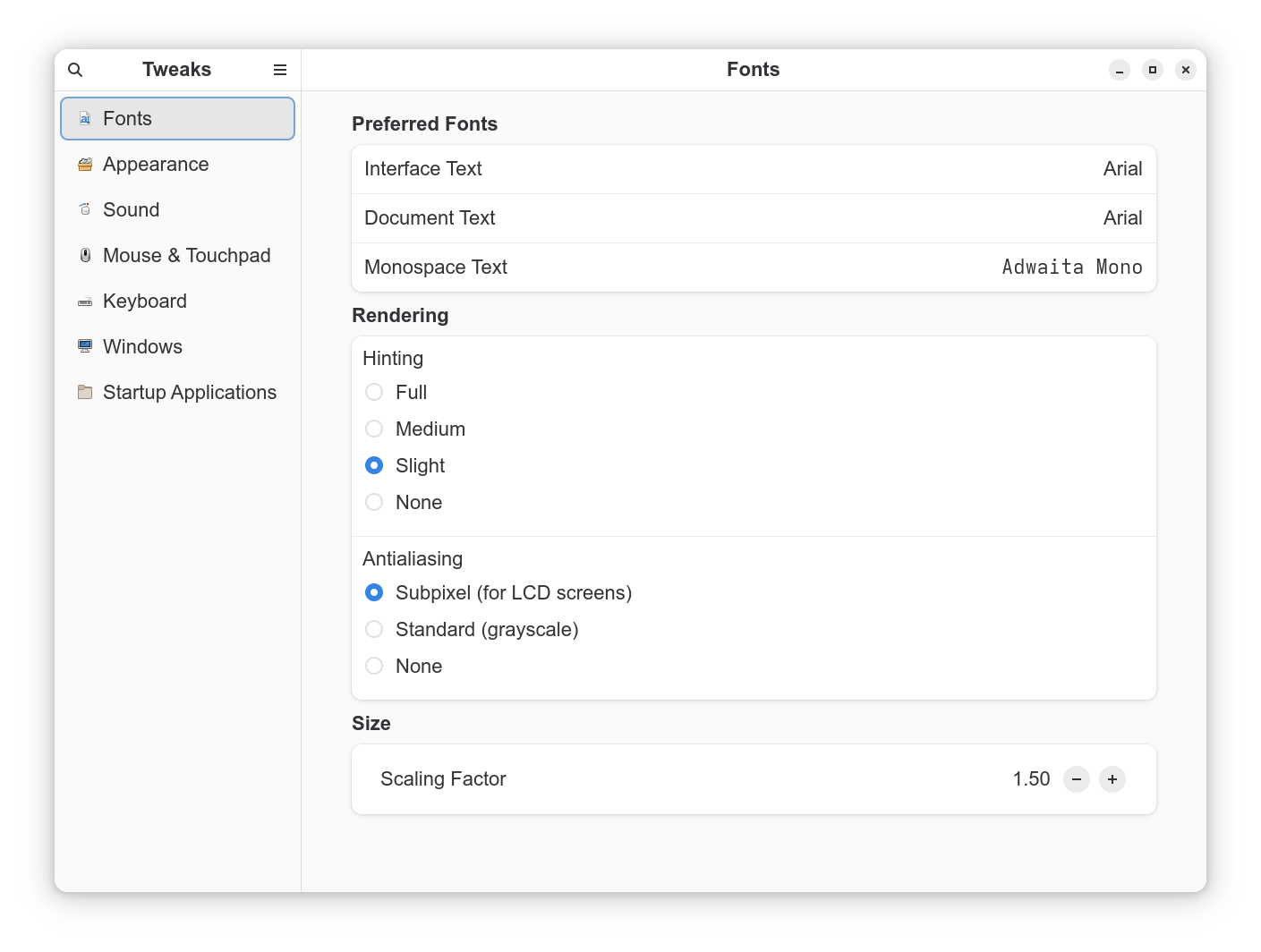
I set the screen scaling to the default 100%, and only in the Tweaks application did I set the font scaling to 1.50, which is a reasonable solution.
Well, unless I decide to give up on RT.
On a 4K monitor and with screen scaling?
Rawrherapee works fine with the default settings, but with scaling, say 150%, the whole thing enlarges along with the photo.
With a Full HD monitor, there is no need to scale anything, so the image will always look good. The problem is the high 4K resolution, and this is where RT completely fails.
It does not affect Rawtherapee (nor ART or Darktable).
BTW I remember at one point Display scaling was auto set to more than 100% and it did affect everything. I reset it back to 100% and things went to normal.
Does anyone know why Rawtherapee scales the entire program and not just the user interface? Why is the edited photo stretched? Darktable does not do this.
I have had the same problem.
I run Ubuntu on a laptop with a 4k display and have been running Rawtherapee 5.12 as a flatpak. Since the display only is 14" I run with 200% scaling. With those settings I have exactly the same problem that you have. I also tried using Tweaks and only increasing font size instead of scaling. But that did not play well with for instance DigiKam.
After testing the dev-release for a while i realized that the 1:1 preview was true 1:1 even though I was running with 200% scaling. I do not know if this is something that has been fixed in the dev release or if the build or compilation process takes the display into consideration.
I tried to build the 5.12 stable release the same way but with my non existing git skills I did not get it to work.
It’s because RawTherapee uses GTK and GTK scales up everything on high-resolution screens by default. It requires some tricky calculations to selectively counteract the scaling for select UI elements such as the preview and thumbnails. The work on these calculations is complete and will be in the 5.13 release.
You don’t need to compile RawTherapee yourself. Development builds are available for download. https://rawpedia.rawtherapee.com/Download
Just be aware of the caveats of using the development version.
 .
.