I have a heap of old 35mm negatives, both b&w and colour, and I’m looking for a basic level scanner so that I can at least proof them. Lower DPI is okay – any ‘keepers’ I’ll get professionally scanned – but something that handles strips of up to 6 negatives at a time would be great.
Not sure if this is a solution that will fit your needs but you might want to have a look at what the Valoi Easy35 has to offer.
This solution does come with a catch: This system assumes you have a digital camera and a macro lens. You end up with a RAW file and conversion can be done with your preferred software.
I’ve been using this system (the V1 version) in combination with a 24MP digital camera for a rather long time now and I am very pleased with it: It is easy to use for both B&W and Color negatives, results are good to a point that there’s absolutely no need to let a professional Lab rescan them. I use darktable to convert the RAWs.
Pricing, in Euros V1: ~190,- and the V2: ~230,-. If you are interested, have a look here for some more info (Valoi’s Easy35 home page):
I previously had a Canon 9000F flatbed scanner and was pleased with the results. I now have an Epson V850 Pro and don’t like it anywhere near as much as the Canon. The Canon might be available second hand for a decent price.
This is my first go with a plustec but I did use Windows; not tried it on Linux yet
You can get 24 to 48 bit depth Tiff images ;they are affordable
my dad died recently and I’m working through his slide collection as local history people are interested in them
I’ve inherited a minox camera and I’m thinking I couldn’t get that sort of resolution on a digital camera of that size and what matters is the photo not the material used to create it
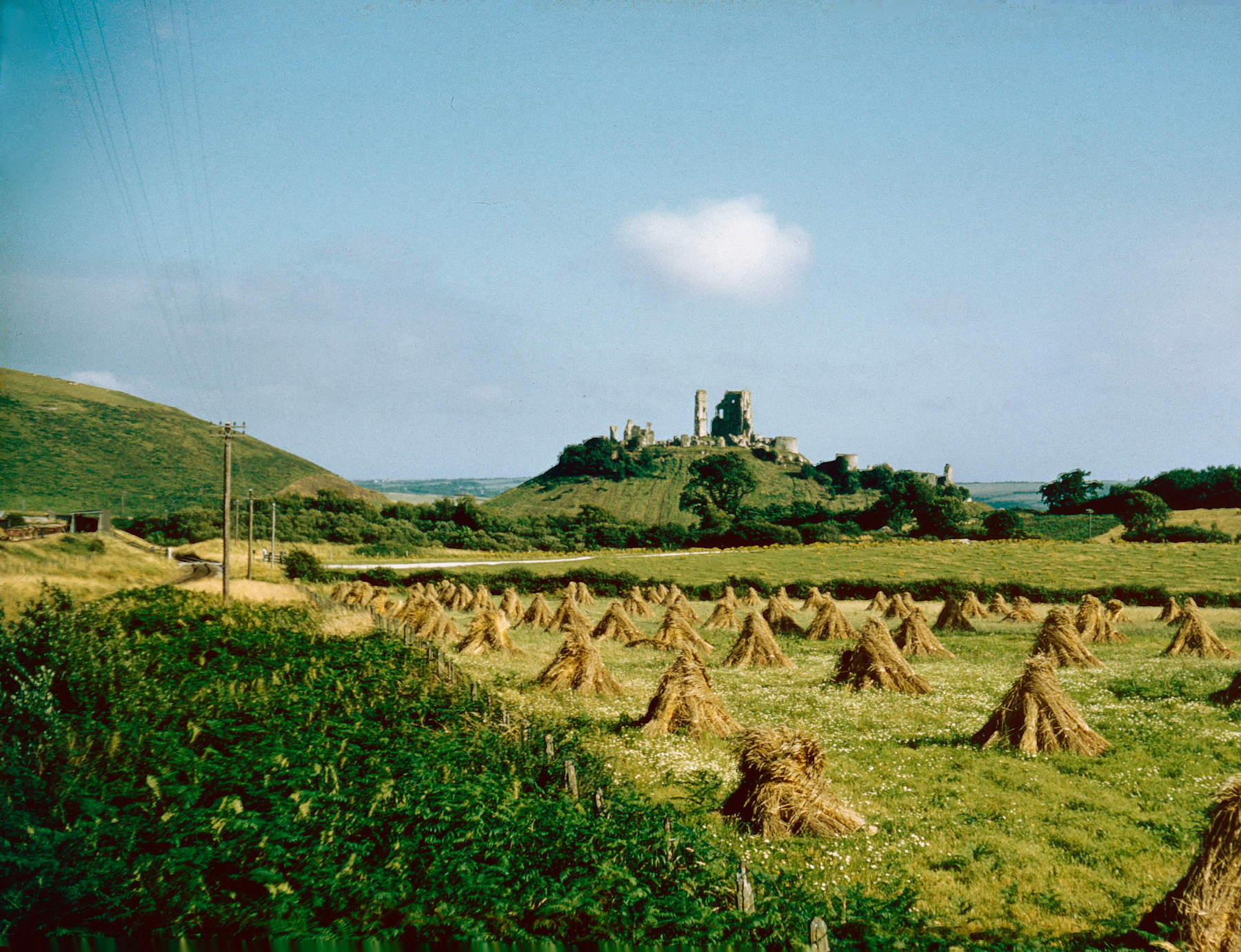
The picture is Corfe castle in Dorset I think the 1950s
I suspect a lot of good creative work is lost in house clearances and digital may suffer more
A great image. Hope this doesnt sound insensitive, but I am quite struck how the colors look like something that would come out of the spektrafilm film simulation tool.
it is as I say first go and I was primarily trying to answer the question rather than to demonstrate technical skill; that is a fair point and I am going to donate the slides themselves to interested parties and giving myself some licence with digital copies
I have got a fair amount of work to do with calibtating colour monitors etc so it was not intended to be professional
there was some merit I think though in a ‘s’ shaped blue colour curve with this image
So no offence taken though possibly spektrafilm may not be pleased
You could I think produce a scan with plustec that was like the original though not as it is now having been in an attic for about 50 years
helpful feedback though; I will have an attempt at a more neutral image might prove easier in Linux or using the quick scan rather than silver fast option with plustek,I think it is maybe the greens that needs looking at that being a whole topic in itself but I think a rawtherapy/ gimp combination can solve it; it is maybe me messing about is the cause
I tend to do digital nowadays when I did used to do analogue it was the case that you were better to process your own black and white film than use Labs because different films were all put in together in a compromise processing at a lab whereas if you did it yourself you could do the exact processing time for that film; maybe I should have said that earlier
I don’t know how it works nowadays but there might be a case for a medium price scanner for similar reasons
I find scanners that use an infrared channel to detect dust and scratches on negatives and slides can save a lot of hard work in the restoration stages. I would be reluctant to have a scanner without dust removal.
I have an EPSON V300 PHOTO. I thought that because it was called “PHOTO” that I would be satisfied with its negative scanning possibilities, because I also can do without professional scanning. Turns out that the results are still kinda blurry.
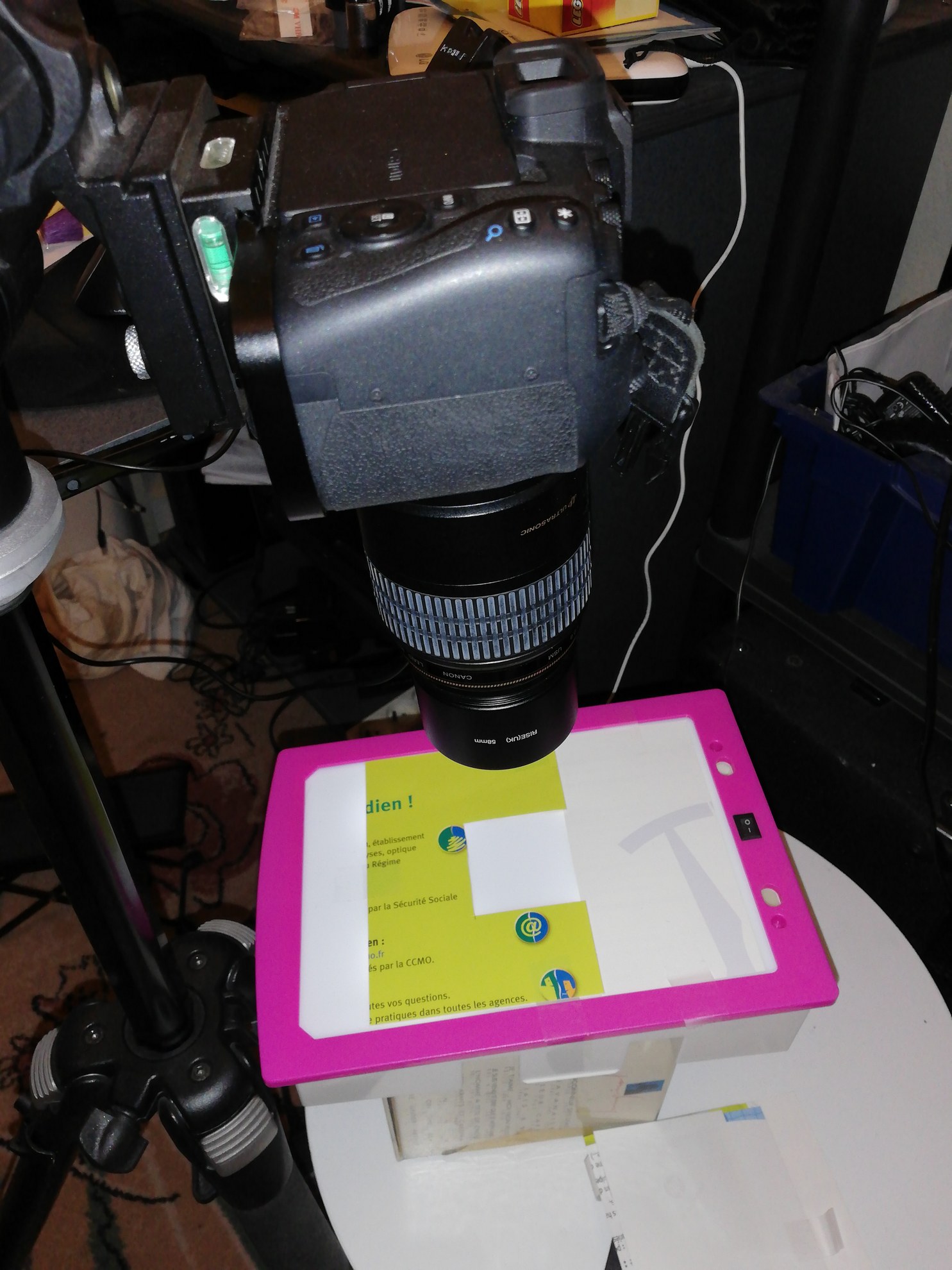
I did not want to spend too much on a scanner because I wouldn’t use it for other purposes. I instead bought a macro lens, a Canon EF 100mm f2.8, so not the most recent, and the leap in resolution is really important, I’m very happy with this solution.
For my setup I use a kids toy that has backlighting and I made a cardboard template to host the negative with good repeatability. (sorry for the messy picture).
That is not a fault in the scanner. Scanned images need sharpening. The Epson software offers sharpening but better sharpening may occur in the editing process. Certainly is the case if using Darktable.
I’m not putting the fault on the scanner, just stressing its limitations. I have to admit I did not spend time on this, but from the results I got with the scanner, it would need some magical sharpening tools to obtain comparable results that I have with my 100mm macro and my Canon 24Mpix camera.
I suspect if sharpening was disabled in the camera (probably not possible with JPG) and no sharpening was applied to the raw file edit you would get the same softness issue from the camera. I may be mistaken.
It could make an interesting PlayRaw to supply an image from your scanner and an image from your camera.
One final thought is that it is possible that your scanner is not focused correctly on the film. We normally presume the factory has everything set right and it should, but many Epson film holders have rotatable feet on the back set to zero/factory, a plus position to raise height, or can be removed for a lower position.
With all the experiments I have done, and whith all what can be found on internet, I don’t think color negative film can be digitized properly with a white light source. The goal is to capture, on each digital channel, the transmission data of the corresponding dye layer. With white light, the sensor’s color filters overlap, so data from one layer leaks into the other channels (crosstalk).
To avoid this, I digitize my negatives with a Nikon Z6 and a Big Scanlight, whose narrow-band RGB light source keeps the spectral overlap between channels small. Some crosstalk remains, but it is far lower than with white light.
You also need to normalize the film base exposure so that it reaches the highest possible level on each channel, without clipping the raw signal. To do this, I lower the power of the red and green LEDs by trial and error. The orange mask absorbs more blue than the other colors, so this keeps the blue layer from being crushed into the shadows.
Nikon coolscans devices work the same way. I’m not sure for the Epson flatbed scanners but I suspect they are not very good for film.
I started using a previous iteration of the Big Scanlight a while ago. It went by a different name at that time but the principle is the same as described by Jiyone.
I decided to try this method as I was having trouble getting good results with bad colour negatives and a white light
I have very many of these.
A lot of them were badly processed in the first instance and subsequently stored for decades in poor conditions.
The ability to tune the R G and B lights individually provides much improved results compared to what I can achieve with a white light.