I didn’t notice that. However, let’s see if @Aliks can edit the original post to use the same input for both methods.
1 Like
I keep all my processed images in Digikam (better tagging, easier to scroll through etc) so I had overwritten the original rough nonD&S processing.
However, its easy enough to recreate, and I have replaced the previous image so the comparison right at the start of the thread should now be fair.
I have an dog image with motion blur, taken at only 1/350s.
My standard was to:
- d&s: dehaze
- d&s: sharpen with opacity around 60%
I just did as you mentioned. Here’s a screen capture of the 2 compare with geeqie.
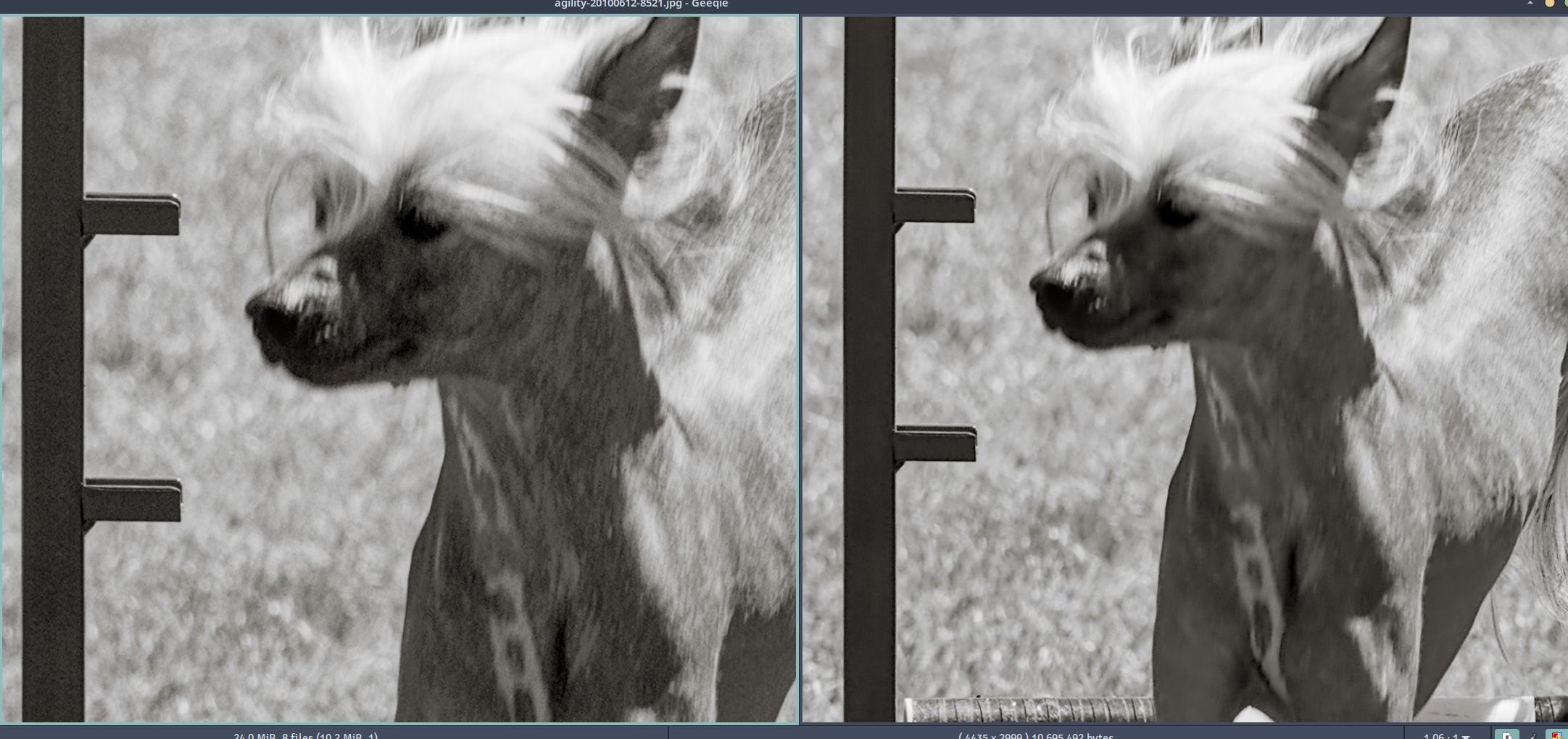
WOW!, What a difference! Thanks
Now, something that I have noticed is that 4.2.0 is slower than 4.0.1 and was slower than 3.8. This took 34 seconds to export in 4.2
I do NOT have useful gpu. I now have a laptop with an amd ryzen 4700 + some gpu and opencl installed but there is not enough memory dedicated to the gpu (only 512mb), so dt does not recognize it.
2 Likes
I’ve used the details threshold mask both ways. I’ll mask out area of high detail when denoising to emphasize broad regions like water and sky and then do the opposite to address fine details like fur and feathers. That way I can be a more agressive with noise reduction with less need for sharpening.
2 Likes