Sorry, brush can only copy parts of one layer to the master layer.
At the moment, I don’t plan to reproduce functionalities that can be applied with GIMP or PhotoShop as last step of post-production.
1 Like
At the moment, I don’t plan to reproduce functionalities that can be applied with GIMP or PhotoShop as last step of post-production.
Yep. You are right.
It makes perfect sense
I actually could do something maybe equivalent. I added a new slider “luminosity” that allows to increase or decrease the luminosity of the sample that is copied from the underlying layer.
Sometimes I needed this functionality, so it will be available in next release.
Hello Luca,
I added a new slider “luminosity” that allows to increase or decrease the luminosity
This might be indeed useful 
@Silvio_Grosso, I think I understood why you had a crash when attempting a unique stack with ~200 frames. The algorithms saves copies, split into tiles, of all images in a temporary system disk area for later processing. This is necessary because for a large number of frames not all images fit in memory. It is probable that you filled your system disk, and ShineStacker complained.
I can try to add some protection and write more readable error messages, I can’t reproduce this unless I artificially fill my system disk
Release 1.10.1 is out, if you want to try it:
2 Likes
Hello Luca,
Just tried this new version.
As usual on Windows 11 (32 gb of Ram)
Everything works fine with the “Create bunches” option.
No problem whatsoever so far: thanks indeed.
Both jpeg and big stacks of TIFF 16 bit!
Even the Exif data are exported correctly (except, as usual, for PNG files where are mostly missing)
BTW, Only for testing purposes…
I have tested one very big stack of TIFF - 16 bit files with the option to NOT create bunches.
My computer runs like this
partition C: 15 gb of free space (where Shine stacker is installed);
partition D: 75 gb of free space (with the stacks: tiff, jpeg)
Stack of Tiff - 16 bit tested: 169 images (23 gb, in total)
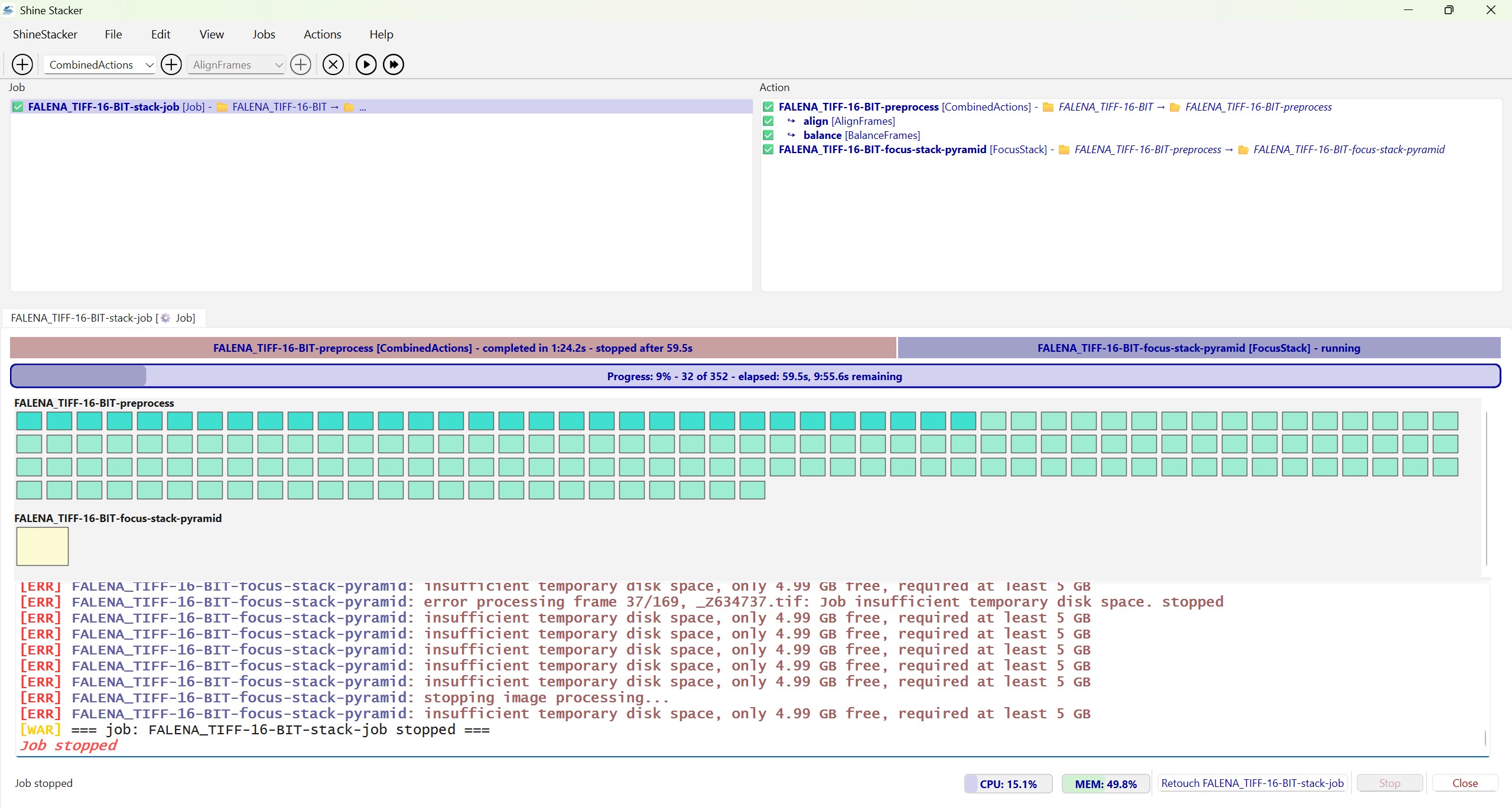
In short, as probably expected, without bunches, it does not work.
Here is the error (insufficient temporary disk space):
1 Like
In next release you will be able to customize the scratch disk folder. If you have a SSD disk with sufficient space you can store there the temporary files for fast processing.
Hello Luca!
I have tried the new version: 1.11.0. The one already available on github (opted for Windows…)
I was curious to verify, by myself, how the depth-map algorithm, of Shine Stacker, performs (inspired by a recent YouTube video by @JasonTheBirder) .
Usually, with Shine Stacker, I only run its default algorithm (pyramids).
From what I have learned the differences between the 2 are:
- depth map (named method B or Dmap: with Helicon or Zerene) preserves colors and surface textures at the expense of fine detail;
- pyramid (named Method C or Pmax: with Helicon or Zerene) preserves fine crossing detail at the expense of color and texture.
Please, feel free to correct me, in case these 2 definitions are not correct OR they do not apply to Shine Stacker.
With some letters and numbers, in the pictures, there are indeed some differences when pixel peeping.
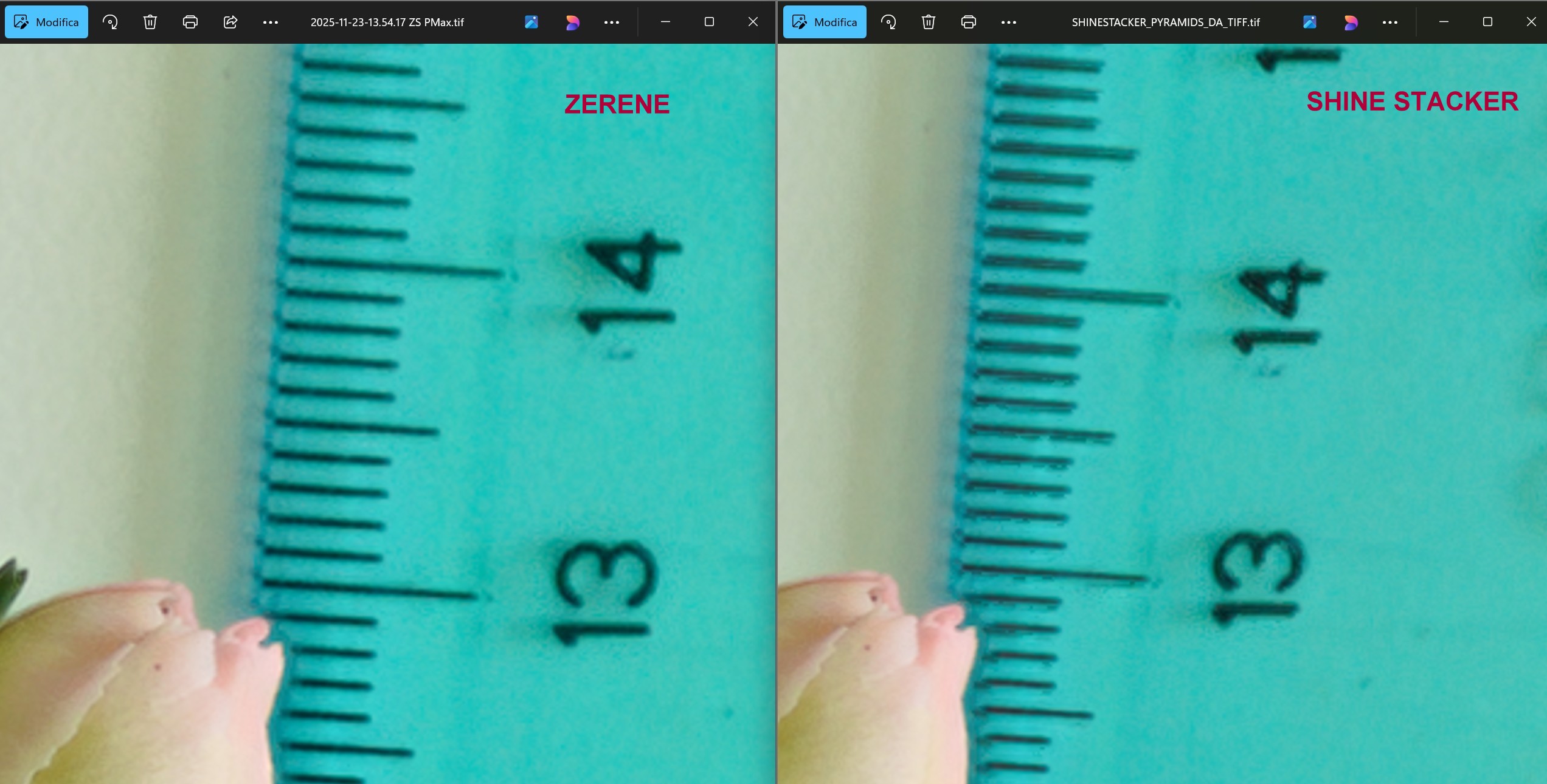
Both Zerene and Helicon show letters which are more crisp (e.g. no artefacts around the fonts) compared to Shine Stacker 1.11.0
Probably I should change manually some parameters in the 2 algorithms of Shine Stacker in order to improve its results (but I am too lazy to do so…).
I always run the default settings of all softwares: I am not a tech guy
Here is the compairison with a stack of 6 TIFF -16 bits images (pyramids default settings but with depth maps the results are the same).
Take a look at the artefacts of the lines in the ruler with Shine Stacker:
Hi Silvio,
The DepthMap algorithm improved w.r.t. the previous versions, but it is still far from being optimal.
At the moment, I use it as additional algorithm, and I recover some areas in the retouch mode, but I rely mainly on the Pyramid method.
I added a couple of levels of filters, you can play with the parameters and try to see if artefacts improve.
At the moment, I use OpemCV bilateral filters, this may be the source of the artefacts. Probably moving to simpler filters may work better, but I have to spend more time on this before it will become comparable to Helicon or Zerene.
As always, thanks for your feedback, it is very useful.
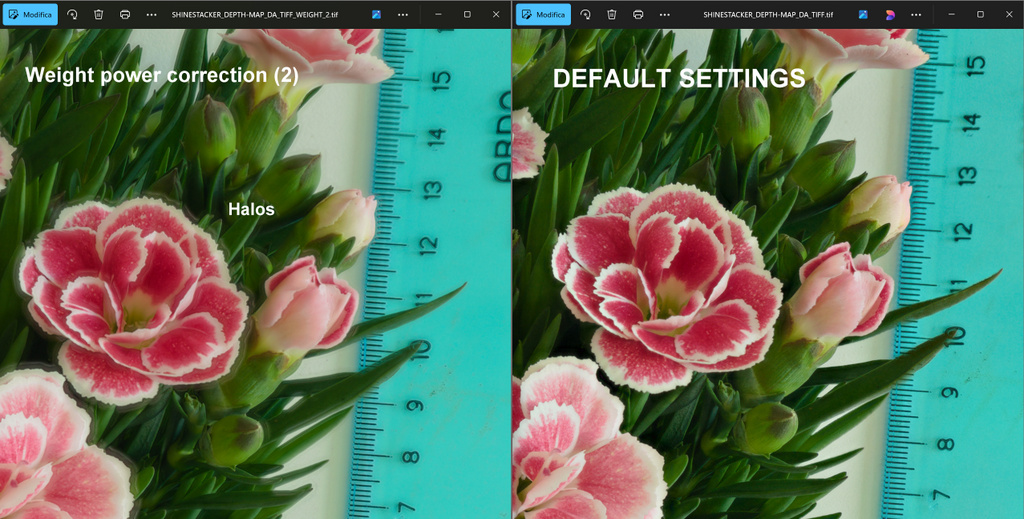
…maybe for the moment just try to reduce “Weight power correction” from 4.0 (default) to 2.0 or lower. But expect to loose some sharpness.
I will try some improvements in the filters, but I’m afraid it will take some time to reach significant improvements. Zerene and Helicon have proprietary software, and available code is not optimize, so I have to work out something new.
Yeah. But, in all truth, IMHO, Shine Stacker is already quite powerful.
Its stacks are extremely pleasant to look at. I do like its interface as well
Zerene and Helicon Focus are the very best and, probably, it is not even fair to always compare the results with them.
1 Like
Comparing with the best software gives good motivation to make steps forward, indeed 
1 Like
With depth-map algorithm: just tried to lower Weight power correction to 2. But, as a result, there are plenty of halos and the image looks blurry as you anticipated
Silvio, I have something in mind that I am testing.
If you send me those images, I have a new test benchmark.
Sure!
They are 6 TIFF files from a Nikon D700; from RAWs exported thanks to RawTherapee:
1 Like
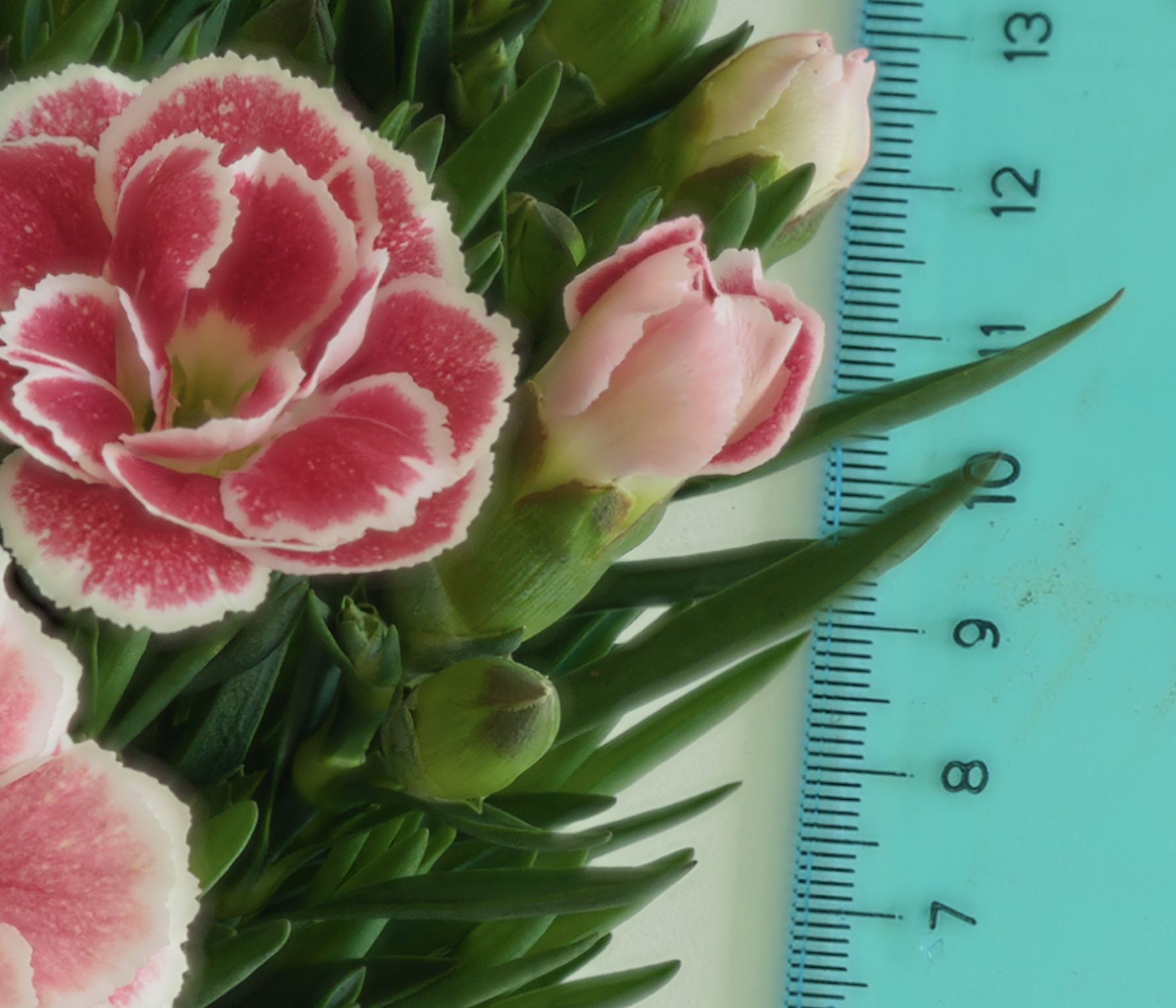
Here is what I got with a better layer blending. There is a halo around the flower, but artefacts are gone.
What do you think? I can work a bit on the default parameters to reduce the remaining halo, which to some extent is hard to fully eliminate.
1 Like
I think you have done a wonderful work, as usual
1 Like
OK, let me accumulate some more fixes and then I will release a 1.11.1.
I don’t want to publish one release every day
3 Likes
Here is 1.11.1:
The Depth Map is improved, and I also added an optional sharpen filter, if one wants to enhance the blended image, in case it may appear too soft.
2 Likes