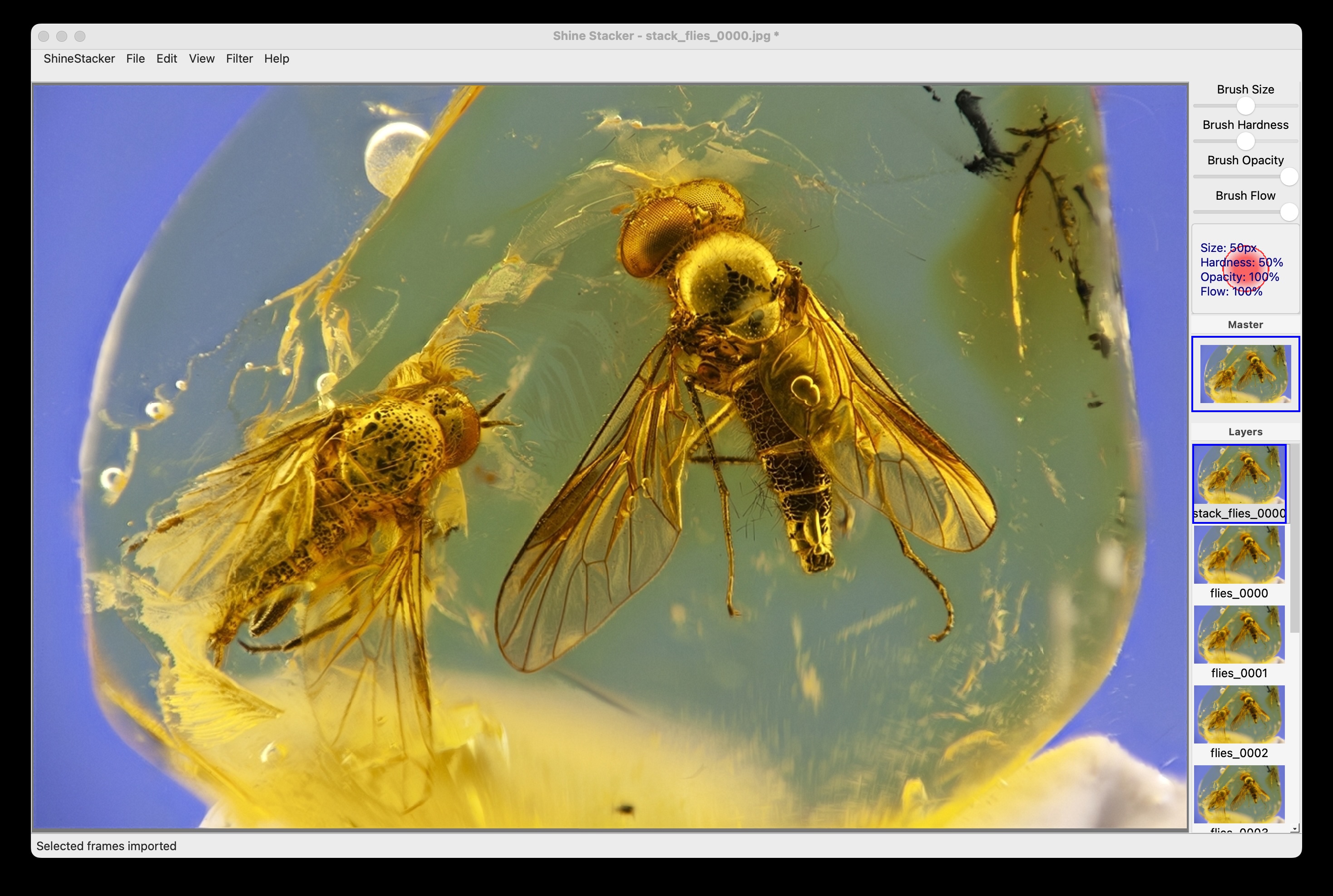
Shine Stacker, new focus stacking application

Hi all,

:camera_flash: I developed Shine Stacker, a free and open source, available on Windows, Mac OS and Linux :computer:.

:beetle: I have been using the “core” part of the software for about one year and a half for my macro photography of fossil inclusions in amber :mag:. The user interface is pretty recent.

:white_check_mark: It is still in the final test phase, but I hope it is already usable.

:envelope_with_arrow: I appreciate your feedback!

:sos: If you find problems or bugs, I will be happy to help and fix them.

23 Likes

I look forward to trying this later tonight and will give some feedback.

1 Like

Well, for a start:

So you wait a lot with a CPU that is doing its level minimum :grin:

Used images freshly produced by the focus bracketing of my R7 with an EF-S 35mm macro (so, 32Mpix images). Running the thing on Kubuntu 24.04.

Gave it a 10 image sequence… my Linux UI went completely catatonic during the final stages, and the app crashed.

Removed every other image from the sequence (so 5 images), and it worked a bit better (took about two minutes), but when I click on the result thumbnail I get in the console:

>/opt/shinestacker/bin/shinestacker
QObject::moveToThread: Current thread (0x5de5238a53d0) is not the object's thread (0x5de5238c8e10).
Cannot move to target thread (0x5de5238a53d0)

qt.qpa.plugin: Could not load the Qt platform plugin "xcb" in "/opt/shinestacker/lib/python3.12/site-packages/cv2/qt/plugins" even though it was found.
This application failed to start because no Qt platform plugin could be initialized. Reinstalling the application may fix this problem.

Available platform plugins are: xcb, eglfs, linuxfb, minimal, minimalegl, offscreen, vnc, wayland-egl, wayland, wayland-xcomposite-egl, wayland-xcomposite-glx.

Aborted (core dumped)

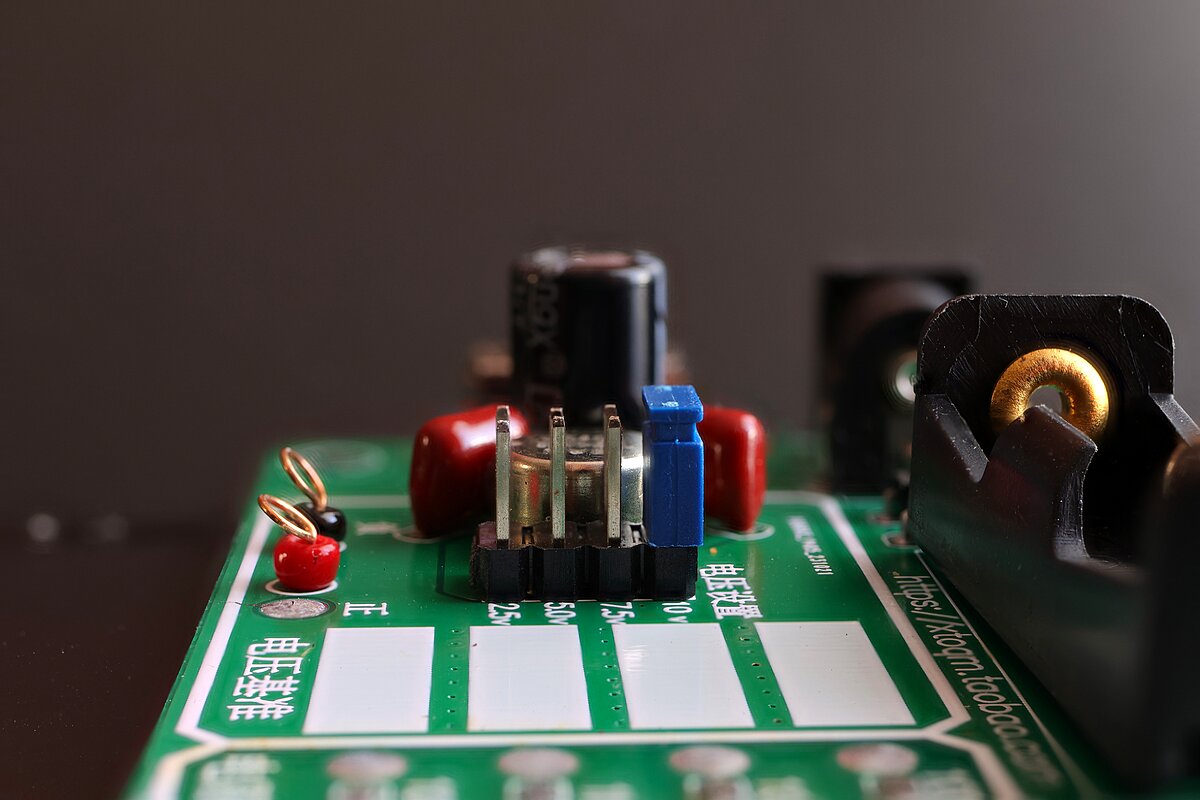
<looking around I found a focus-stack-pyramid directory(*) with what looked like a result image.

The shinestacker result (scaled to 1200px):

The composite created by the camera:

The red capacitors are bit fuzzier with Shine but the camera worked with 10 images and they are a bit sharper in the 10th image that I removed when I reduced the sequence. And Shine does a better job with the edges of the white tabs.

So, good start, but a few things to improve.

(*) IMHO this focus-stack-pyramid and the align directory should be under the directory of the sequence. You may have clashes if sequences are put in sibling directories.

1 Like

Thank you very much for trying my app and for your feedback!
I will give a closer look at your issues. For the moment here is what I can say:

  • Yes, at the moment the app doest not support multicore, it is something I could to develop. In particular for alignment, this could be an improvement.
  • I have no way to test on Linux at the moment. I have a macOS and sometimes I can test on Windows. Linux app comes from the automatic build on GitHub. I can try top install a virtual machine.
    Cheers!

Hello Luca,

Just tested on Windows 10.
It works fine (just an easy stack, though, with 7 jpeg images…).

BTW: I was a bit surprised regarding the “huge” size of this installer. For instance, compared to Picolay which is only around 7 mb .
And yep, having this software taking advantage of the GPU (e.g. as Helicon Focus) would be great :slight_smile:

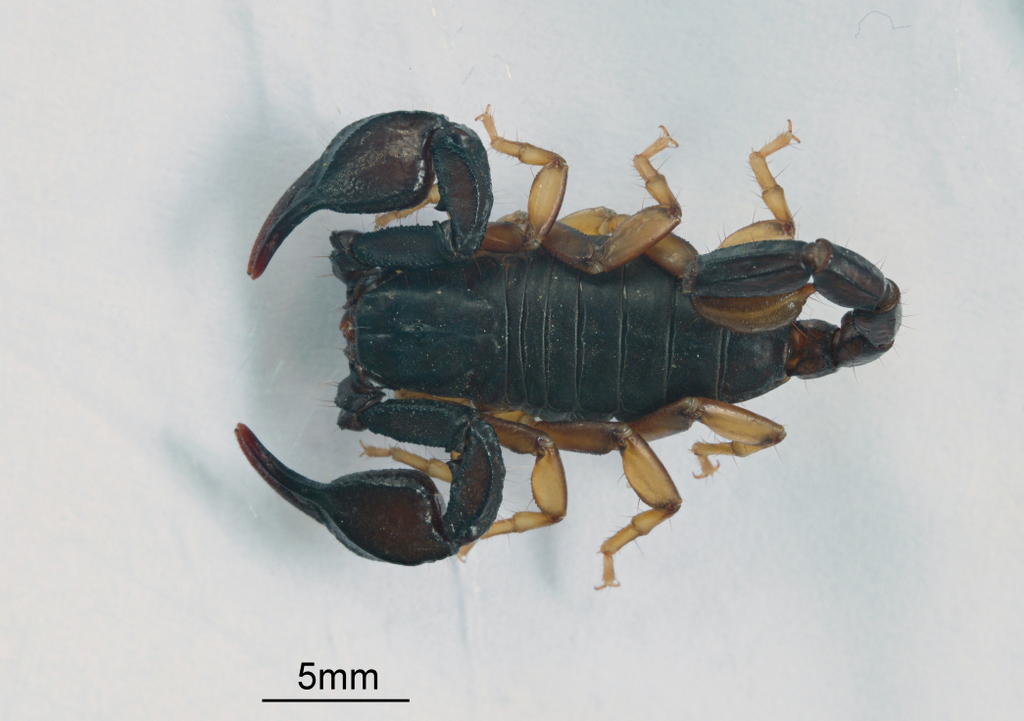
Final result (I only edited the image adding the scale bar):

2 Likes

We should have @andabata torture it with his examples of 100+ frames per stack :wink:

Thank you for trying! The distribution ships all required python libraries. You could save space if you:

  • install python
  • instally shinestacker from PyPI using pip
    But I understand that this requires a bit of developer skills.

I use it with ~150 frames by splitting the job into “bunches”, and then combining all together into a single image. There is an option to do this, similarly to Helicon Focus.

Concerning the xcb crash on Linux, I found a similar problem online, and a user fixed this by reinstalling libxcb. I don’t have an immediate way to reproduce the issue on Linux, sorry…

The R7 (so probably my R6m2 as well) can stack that stuff by itself?!? :open_mouth: I had no idea. (But I suppose it produces a JPEG?)
Probably, see the Focus Bracketing, it should have a Depth composite: Enable/Disable option. And yes the composite is JPEG only. But you still have the RAWs for the stack if necessary.

1 Like

I stacked some jpg files taken with my Canon R7 successfully in Shine Stacker and the result looked good. I tried running the CR3 files from the R7 and they did not run. I presume the CR3 files are not compatible with Shine Stacker?

Welcome to the forum @Luca_Lista thisblooks really cool! I don’t have any stacks yet, but I do have a macro lens now! Looking forward to trying it out.

1 Like

Hello Luca,

Just tried again with a medium size stack.

Here are the specs for my PC:
WINDOWS 10
CPU: Intel i5-8500
RAM: 16gb

Nikon z6-3
Laowa macro 100mm F-2.8 2:1

stack:
88 jpeg images (639 Mb, in total)
7 mb each jpeg image (6056 x 4032 pixels)

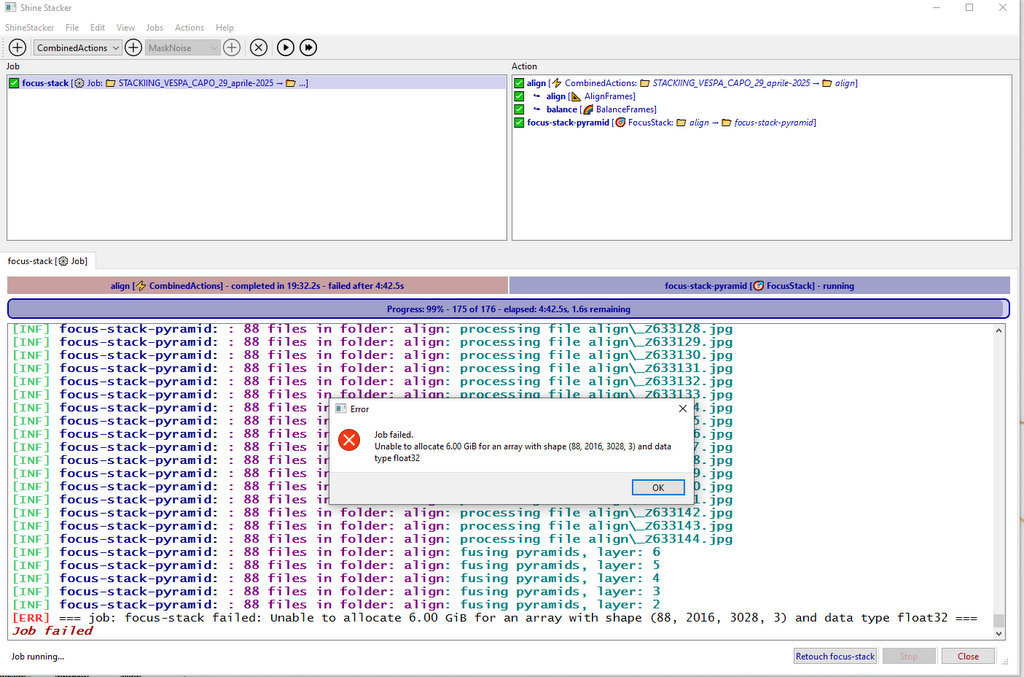
Unfortunately it doesn’t work (“Run job” option).
I have also noticed it is a bit slow (IMHO…). Maybe because it is python code (?).

Here is the screenshot of the error in the GUI:

Picolay works like a charm with the same PC and jpeg stack.
Here its final result with Picolay:

In the past I have also tested this same stack both with Zerene and Helicon focus and they both work great (Helicon, as usual, is blazing fast)

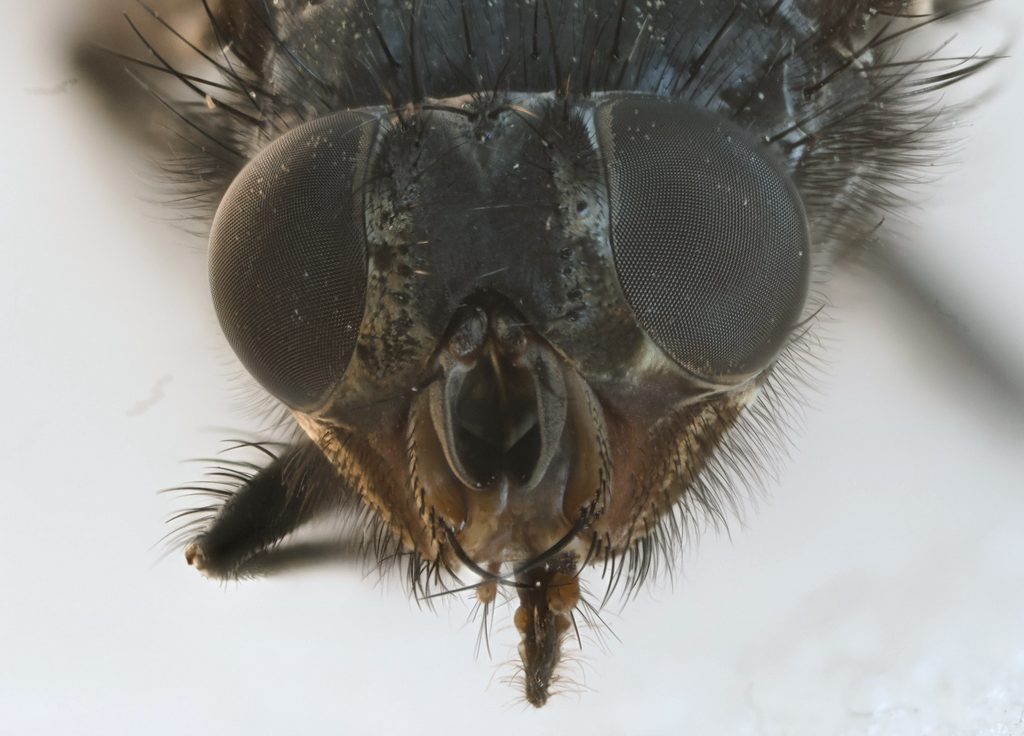
Yes, Canon R6 and R7 can stack the images, but the composite image has bad artifacts at the edge of sharp object. The algorithms used by Helicon, Zerene and Shine Stacker provide a much better, job, and permit a final manual retouch for details that the automatic stacking may have missed, e.g.: two overlapping legs of a fly at different depth of focus.

3 Likes

If you combine 88 images, you can use a bunch stack: first bunches of images are stacked together, then the final image is merged. At the moment the stacking algorithm requires a fair amount of RAM, optimization may be the next implementation step.

1 Like

You could save space if you […] install shinestacker from PyPI using pip

This is what I did and it generates a 1.3G venv :grin:

Hello Luca!

I have just tried another medium size stack of mine.
This time with a much powerful pc than the previous one :slight_smile:

Operating System: Windows 11 Home 64-bit
CPU Processor: 12th Gen Intel(R) Core™ i7-12700H (20 CPUs), ~2.7GHz
RAM Memory: 32768MB
GPU Card name: NVIDIA GeForce RTX 3070 Ti Laptop GPU
Samsung SSD

Nikon z6-3
Laowa macro 100mm F-2.8 2:1

stack:
93 jpeg images (638 Mb, in total)
7 mb each jpeg image (6056 x 4032 pixels)

I have followed your suggestion about applying the option to “bunch images” and it worked to the end without error.
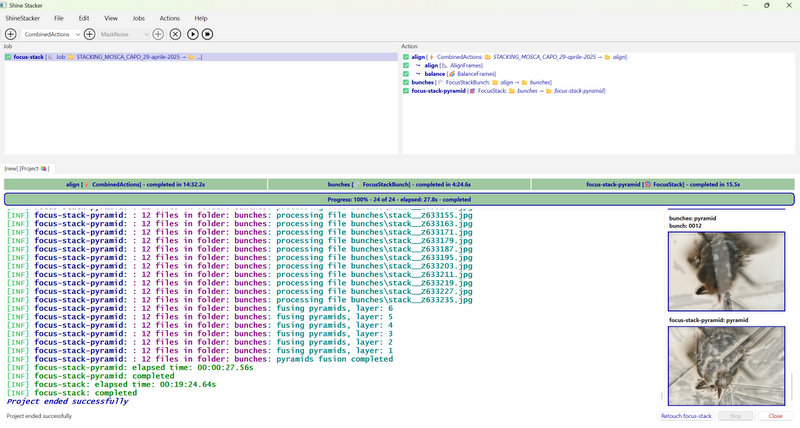
Unfortunately the final image was completely messed up.
I suppose I must doing something wrong (perhaps some settings to fine-tune?) :slight_smile:
I have also confirmed it is running slow around 20 minutes for the whole process with this pc.

Here is the screenshot with the images


:

As a comparison I have also just tried Helicon focus (pyramid: method C).
It takes around 1 minute to finish.

Here is the final result with Helicon:

EDIT:
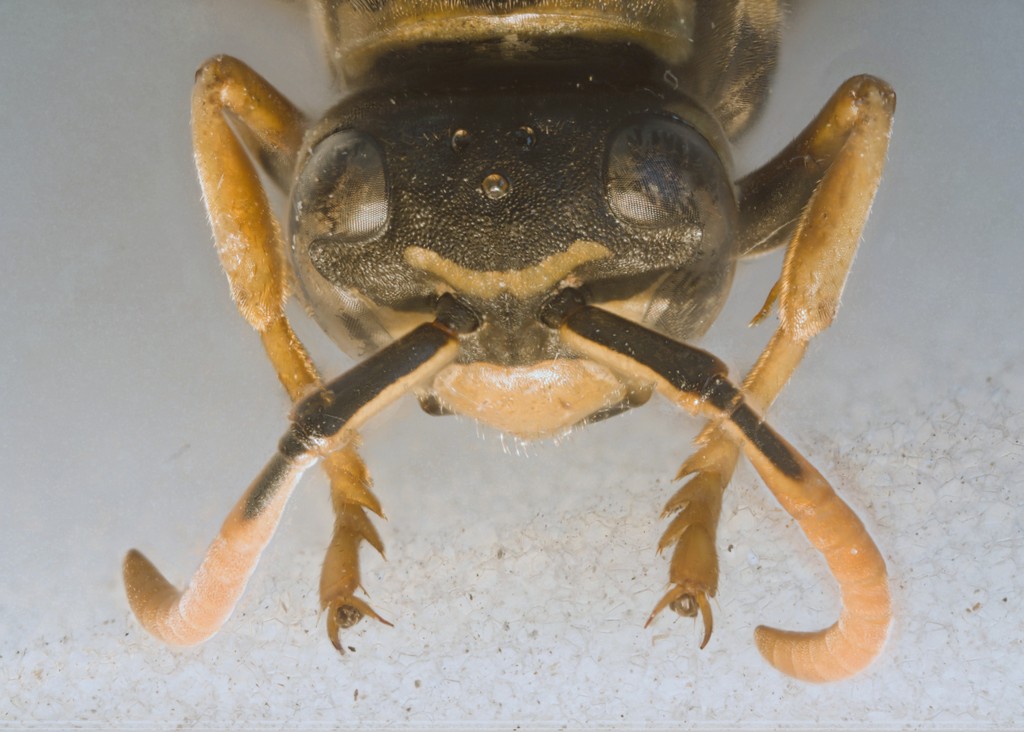
I have also just tried the stack with the wasp head (see previous Picolay final image). Even with this stack the final image is not good (to say the least…).
I suppose I must change something, in the settings, before the stack… ?

1 Like

Sivio, Helicon il clearly optimized to use multiple CPUs and GPUs, which my app at the moment does not support. What is worrying is that probably alignment is not working. If you have a way to send me the images (my e-mail is on GitHub) i would be happy to give a try.

1 Like

I am developing a more efficient pyramid stack algorithm for large images that does not require huge amount of RAM even for large number of images. It will be out in next release. Anyway, I expect that using bunch stacking will still be a more effective option in most cases. Bunches are also required for a fine retouch of the composed image, which is not practical in presence of many layers.