Thanks for that! I guess I can stop worrying about the fact that RawTherapee forces level 6 now. (They probably hardcoded that after reaching similar conclusions.)
I found the post around JXL effort/size. This was in Feb2024 using libjxl available at that time (llibjxl.x86_64 1:0.8.2-3.fc39). It might be better now.
Using a RW2 image (5200x3900) at full scale, I looked at the timestamp from the end of pixelpipe to export complete. Quality = 100 (lossless)
Size differences are from lossless are significant. Compared with jpg is also almost half the size. e3 compares to the same encoding speed as jpg. Comparing e1, e3, e9, I cant see a difference at 400%. I might see some minor differences at 800% zoom. I think an effort of 3 is also good for the lossy exports.
Perhaps, but it is written in the code nonetheless. I found it by searching this weird PNG_FILTER_PAETH constant name, because… it appears verbatim when I run the CLI with -h. “Compression is hard-coded to PNG_FILTER_PAETH, Z_RLE.”
There is a lot of white border involved. I presume (only presume) that PNG compresses this information more efficiently. Also bit depth of 8, 16 or 32 didn’t contribute to file size in my tests. I tried that as well.
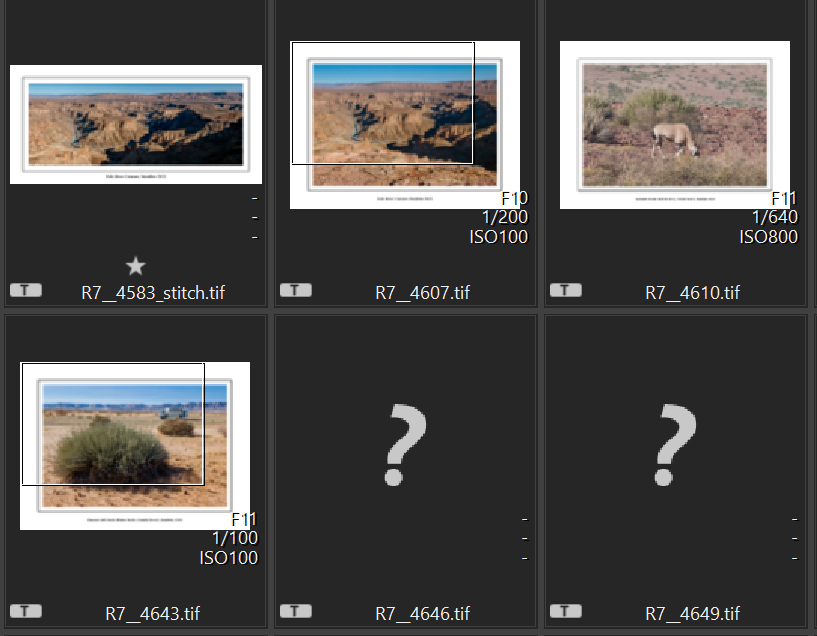
This exercise has been very informative to me and I have changed my Tiffs to compressed and my PNGs to uncompressed based on the results. BTW, some of my tiffs are not readable by programs including Canon’s own editing software DPP, but DPP doesn’t recognize the PNGs at all. So there are potential issues with both file formats to be aware of. However, for me PNGs are only an intermediary step in the workflow and having a unique file extension makes their identification as such easy in my workflow.
Could it be a case of “file too heavy, no thumbnail generation to save resources”? Did you try actually opening them, or just looked at this global listing thingy?
(Not using Canon’s app myself ’cause not cross-platform and I prefer sticking with RT anyway.)
I have had this problem numerous times with tiff files and it is not based on file size. Tiff files can be very complex and include layers or even small thumbnails of the image. When opened in GIMP sometimes the offending tiff file has two layers. One a full size image and the other a small thumb.
 “Compression is hard-coded to