If I want to crop a photo from, say, a 35 mm focal length to 50 mm, how do I do that? Are there any tools I can use, or is it just arithmetic that will help me?
AFAIK there is nothing in dt that does the conversion for you. The maths are easy. Just do the calculation from this thread backwards
1 Like
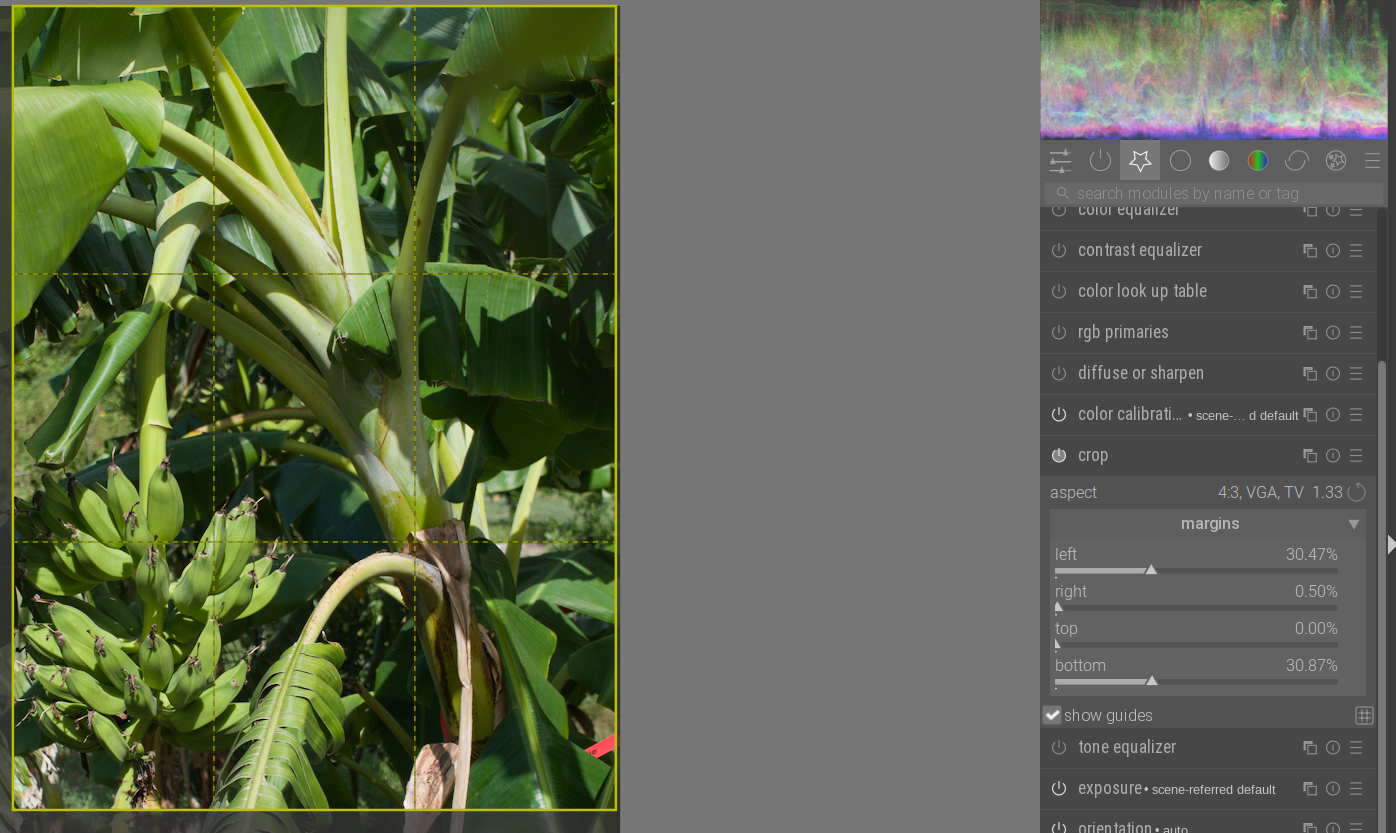
That, and a fixed aspect ratio in the crop module, that matches your sensor.
FWIW, I would just use the latter and set the actual size to be approximately 70% (in lengths/diagonals). The field of view s never exact anyway (focus breathing etc).
But if you insist, you can see the margins using percentages and make the size exact (this is on a micro 4/3 sensor, for most cameras you would use 3:2):
Do you keep in mind that the normal distortion of a 30mm lens and a 50mm lens are completely different?
I really recommend everyone just to take a zoom lens. Go through the standard stops like 24/35/50/70. Reframe to capture the same part of the motif every single time and then pay attention to changes which come from the different behaviors of the lens. e.g. a portrait at 35mm feels often very different to 70m or even 200mm
3 Likes
Sure, but if the image is cropped in, the outcome is the same as if it was shot with a narrower lens (except for the resolution, and the effective aperture, which would need to be multiplied up by 50/35).
1 Like
I can tell you that my portrait shot with the 16 (24 ff) mm, cropped to the same frame as the 35 (50 ff) mm would have seen from that range, will look very very different because of the way the ultrawide will pull things close to the lens in the middle.
- https://www.reddit.com/r/gifs/comments/1mc6rxc/the_difference_focal_length_makes_to_portrait/
- How to Use Lens Distortion and Compression in Photography — Sandy Noto
- https://www.diyphotography.net/gif-explains-changing-focal-length-impacts-portrait/
focal length is not just important for the crop of the frame.
3 Likes
How are these examples relevant for what @Tamas_Papp said? They both change the distance to the subject so that the subject fills the same area in the frame. This will of course result in different degrees of facial distortion.
If you keep the same distance to the subject and shoot one with a 35 mm lens and one with a 50 mm and then crop the 35 mm shot to match the 50 mm shot, will the facial distortion be the same in both shots?
I would love to see two additions to the crop module.
- An easier way to define new aspect ratios via the module.
- A “crop to focal length” feature that uses Exif focal length data and a field to enter a new, longer, focal length. Bonus: Some cameras have this crop feature but saves the raw file uncropped. For these files it would be terrific if the crop module picked up the soft crop metadata to automatically “crop to focal length”.
2 Likes
I should add that I almost exclusively use fixed focal lengths: 50 mm, 35 mm, 28 mm, 24 mm, and 15 mm. So there are no focal lengths in between.
1 Like
Yes it will be …
2 Likes
Agreed. Sorry for the superfluous rhetoric question. 
1 Like
Only if the face is 2D
To come back to your question - there is no ready to use tool for that in darktable but of course you can calculate and crop accordingly.
But why would you do that? 35mm or 50mm is just a technical aspect. I also shoot only fixed primary lenses but heavily crop whatever the image needs. I think we are beyond fixed formats except if someone needs to print and buy a fixed frame for the paper image. Cropping is as much a creative process to me as all color grading, tone mapping etc. I would encourage to crop wildly until the image looks best disregarding all constraints of any fixed formats. Especially if you have the luxury to start with a super sharp base image from a primary lens!
5 Likes