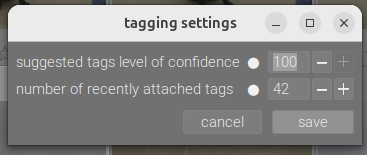
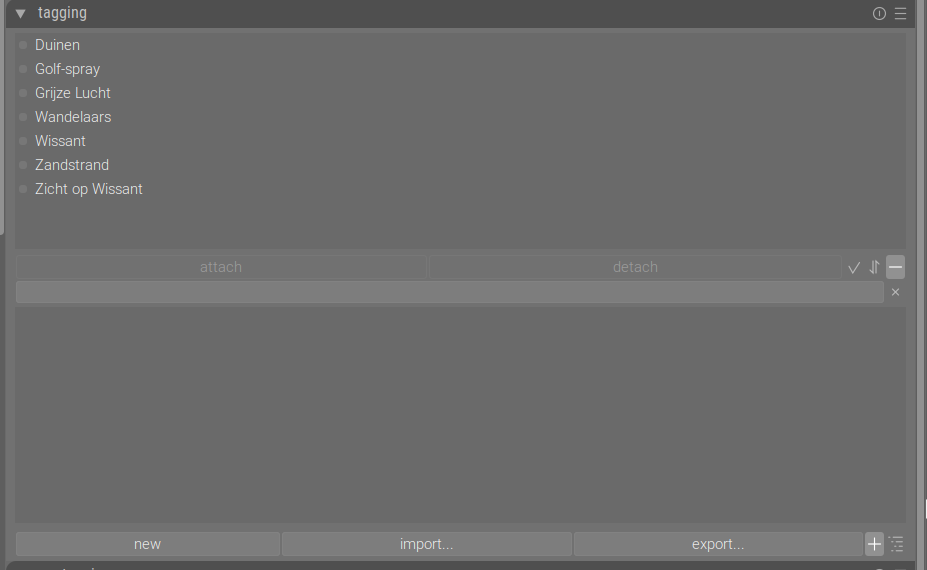
Does anyone know how this may happen? The list turned empty and newly applied tags do not anymore appear in this list. No matter what I change in settings - it’s gone…
Where to look? What to do? I did not (consciously) change anything. There where bouts of sluggishness and questions about forcing dt to close down. I lastly did change a lot (>10.000) of star-ratings at one go.
I’m on Ubuntu 24.01 LTS, darktable 5.3.0+169~g06f0b0b576
If you had to shut darktable down forcibly, the database may have been corrupted.
If you have sqlite on the machine, you can try: https://sqlite.org/pragma.html#pragma_integrity_check
If you don’t, you can still install it.
The databases are library.db and data.db.
Thanks @kofa, I’ve installed sqlite. That was easy. I’ve read the PRAGMA page and searched for how to apply this. That is not easy for this non programmer…
I’ve started sqlite and get its prompt.
Managed to open ‘library.db’ and later as well ‘data.db’
managed to list the tables in de databases and counted the number of tags in the ‘tag’ table. Just to have some idea what I was doing.
But I’m unfortunately still completely lost on the pragma command.
The webpages says: PRAGMAschema.integrity_check;
sqlite does not recognize the PRAGMA command.
How to I apply this?
Do I need to put a db name in place of ‘schema’? With a full path?
Any help greatly appreciated!
sqlite3
SQLite version 3.45.1 2024-01-30 16:01:20
Enter “.help” for usage hints.
Connected to a transient in-memory database.
Use “.open FILENAME” to reopen on a persistent database.
sqlite> .open /home/jetze/.config/darktable/data.db
sqlite> PRAGMA foreign_key_check;
sqlite> .open /home/jetze/.config/darktable/library.db
sqlite> PRAGMA foreign_key_check;
sqlite>
That was exactly what came to my mind ‘walking the dog’. Always useful to do so. Downside will be we will not learn anything and I possibly lose hours worth of tagging.
As far as I know I keep a backup every session and keep around 20 of them. Will check and probably do so. Thanks for the advise! Kind regards Jetze
The foreign key check does not return OK or anything like that; it outputs one line per error. So that’s fine.
You didn’t get an OK because you did not run
sqlite3
SQLite version 3.45.1 2024-01-30 16:01:20
Enter “.help” for usage hints.
Connected to a transient in-memory database.
Use “.open FILENAME” to reopen on a persistent database.
sqlite> .open /home/jetze/.config/darktable/data.db
sqlite> PRAGMA foreign_key_check;
sqlite> .open /home/jetze/.config/darktable/library.db
sqlite> PRAGMA foreign_key_check;
sqlite> PRAGMA integrity_check;
ok
sqlite> .open /home/jetze/.config/darktable/data.db
sqlite> PRAGMA integrity_check;
ok
OK, so it seems like it’s not due to a physically corrupted DB. What the root cause is, I do not know. data.db contains a table for tags. library.db stores the images, as well as the association between images and tags (a weird design, foreign key constraints between the two cannot be verified).
With library.db open, this will give you the number of images: select count(1) from images;
This will tell you the number of tagged images (how many images have tags at least one tag): select count(distinct imgid) from tagged_images;
This one the total number of image-tag associations: select count(1) from tagged_images;
This one, the number of tags in use (each tag is just counted once, no matter how many images it is assigned to): select count(distinct tagid) from tagged_images;
From data.db, you can get the total number of tags: select count(1) from tags;
You can even list them: select id, name from tags;
That’s neat @kofa, will play around. I did already see a list of all tags. A bit more than 6000. But would like to no the number of image-tag associations.
darktable shows me which images aren’t yet tagged. Mostly this years pictures as after migrating to darktable I concentrated on learning darkrooms modules first. I just started to intensely tag and was mostly happy with lighttable functionality dealing with tagging.
I guess I will revert to a one day old backup saved on the 13th(!what’s in an name!).
I think I should start darktable (once) with the setting ‘look for updated XMP files on startup’ set to ‘enabled’. So far I had this setting set to ‘disabled’. In that way I hope the XMP’s will be read containing the tags applied since the backup was made. Possibly I only ‘lose the recent tag list’ and no tags.
I’ve made a bit of progress here : the result of the following SQL-statement was not empty…!
select filename from images where exists (select imgid, count() from tagged_images where images.id = tagged_images.imgid group by imgid HAVING COUNT() >= 25);
Works nice, only have to find out why I count one keyword to many…
I will use this for finding pictures with only one or two keywords. Those are mostly pictures made with a smartphone and me being too lousy to properly keyword them .
Found out over time I’ve applied more than one million instances of keywords


 : the result of the following SQL-statement was not empty…!
 .
.