I tried by searching the topics here and also by changing options in the workflow preset, but haven’t find a solution yet. My goal is to initially display the active modules group when switching to darkroom.
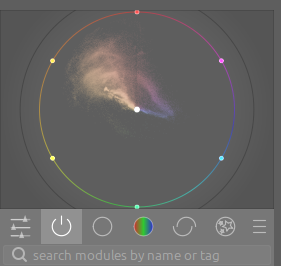
Currently my first click is always the “power switch” icon, but I’d like to avoid that. Well, if this is not feasible out of the box, I may still put a shortcut to it
Thanks in advance for your help & have a nice week-end
I think that the darkroom opens wherever you left it last time. So, change to that tab before exiting darktable.
Oh… are you aware that you can set up a favourites tab, including just the modules that you regularly use? Different from the Quick-Access tab in that it is full modules, not just selected controls.
I believe @Thad_E_Ginathom is correct and the default behaviour is that in the darkroom, when a new image is opened, the most recently opened module group will automatically be selected. As far as I know, this behaviour cannot be changed. It would be nice to have that as a user-defined option, and you can certainly make that request on GitHub (I assumed that it would not be high on a developer’s to-do list, so I have never requested it myself). I long ago created a keyboard shortcut for this purpose.
Yes @Thad_E_Ginathom I have played with that some time ago, thanks for the pointer anyway.
Typically, I leave darkroom with the “active modules” tab activated / selected. When I switch back to lighttable and enter darkroom again, it stays on the tab I had selected before, just as you said and that’s fine.
But the setting is lost when I close datktable and start it next time (sorry for being a little unclear in my OP)
Here’s a lua script that will do what you want. Add it to your lua scripts and start it, which will set darktable to full screen. When darktable ends it will remember that the script is enabled so the next time you start darktable it will run the script and set darktable to full screen.
Do you want the active module group displayed when you change to darkroom or when you load an image?
If you have it set to darkroom, then when you first enter darkroom it will be set. If you change to a different module group, when you change images that will be the active module group, versus changing each time you load an image.
I thought of having the active modules tab selected, when I double-click an image in lighttable to process it in darkroom, then. Or did I perhaps misunderstand you?
Oh cool, works like a charm. When opening an image from lighttable, the active modules are now selected. Same when changing images inside darkroom (via space / backspace). Wonderful.
Yes, I knew about the space / backspace feature @Jetze, but I haven’t understood that @wpferguson referred to that action - hey you made me really happy, thanks so much
All the time wondering: I hardly ever look at the active modules tab, I do have a tab with modules I love to use and mostly use this. Do you have a style that activates the most used modules for you that you’re focused on the active modules tab?
Yes exactly, I mostly use a brief set of modules being auto-applied (using presets) and then I mainly work from this starting point. Often, there’s not much to do as just adjusting AgX whitepoint / blackpoint and perhaps pivot.
If I need an instance of any other module like Tone Equalizer, Color Equalizer, etc. I access it from the other tabs, or simply type into the search field. But this will for sure speed up now, since @Qor offered the Shortcut Manager and it’s getting easier to keep track of all these shortcuts in darktable. Just need some spare-time now to set or learn some for my most used modules.
Oh how I really love this wonderful piece of software and this community as it keeps me discovering new features, workflows and techniques mostly every day
I’m much like @Macchiato17 . Depending on which camera and lens combination I’m using, I have dt automatically apply about 7 or so presets. I then have shortcuts for some additional presets or styles I often apply. Once I’m done with that, all I really need to do is be in the active modules tab.
I also have two sets of module groups that I can access: one for more frequently used modules and one for less frquently used modules. If I need to get to them, I simply switch to that module.
I agree! And not only that, the willingness of people to jump in and get things done and help others in the community. One of the best ‘social media’ (I hate to use the term as PIXLS.US so much better than what is considered social media) sites on the innerwebs!
Thanks @Macchiato17 and @EmerS,
I think it’s time for me to invest in presets and styles to get me to a kind of nice starting-point. Lots to be learned still. Regards, Jetze
PS And I do agree fullheartedly with you both about this community!


 (sorry for being a little unclear in my OP)
 - hey you made me really happy, thanks so much

 as it keeps me discovering new features, workflows and techniques mostly every day