If you don’t have access to a calibrated monitor, for these types of shots, stick to legacy WB, then. Looks fine to me.
Color calibration can do much more than the legacy WB, but in your specific case, it might work better for you.
If you don’t have access to a calibrated monitor, for these types of shots, stick to legacy WB, then. Looks fine to me.
Color calibration can do much more than the legacy WB, but in your specific case, it might work better for you.
I actually discovered something more.
The ‘Sony ILCE-7M2 Camera Neutral.dcp’ profile that is included with Adobe software, I can convert with dcamprof to icc and this gives completely different results compared to using the ‘dcp2icc’ tool I used earlier.
dcamprof dcp2json followed by dcamprof make-icc gives a single ICC file that actually seems to work no matter the input whitebalance I start with in Darktable…
edit: Not the all-in-one solution I was hoping for… in daylight pictures the colors are off, even when trying to use colorchecker calibration.
Problem is, because the pixelpipe start on the bottom, if you do not have a proper calibrated wb module for your sensor, all the rest on top might not work as expected. If I understood everything correctly, one do not calibrate white balance only for a good looking picture, it’s mainly to have tools working correctly (demozaic expect a signal from a D65 illulminant). If you have something wrongly setup at the bottom, it’s all the pipe that is touched.
And I believe not all the same sensor of the same brand/model will need the same calibration.
I think it’s luck if it’s working. The same story as the broken clock that is correct 2 times a day. 
Tungsten is weird !
There is lot of red light meanwhile allot less blue light. That means there will be more red light on top of daylight’s.

CC applies on top of input profile, so the result is only as good as the worst offender. Input profiles are calibrated to D65 standard illuminant, it’s not suprising that warm artifical light throws it off. You need a custom profile for that particular illuminant, otherwise, fiddle the channel mixer by hand (which is only what the calibration does automatically anyway).
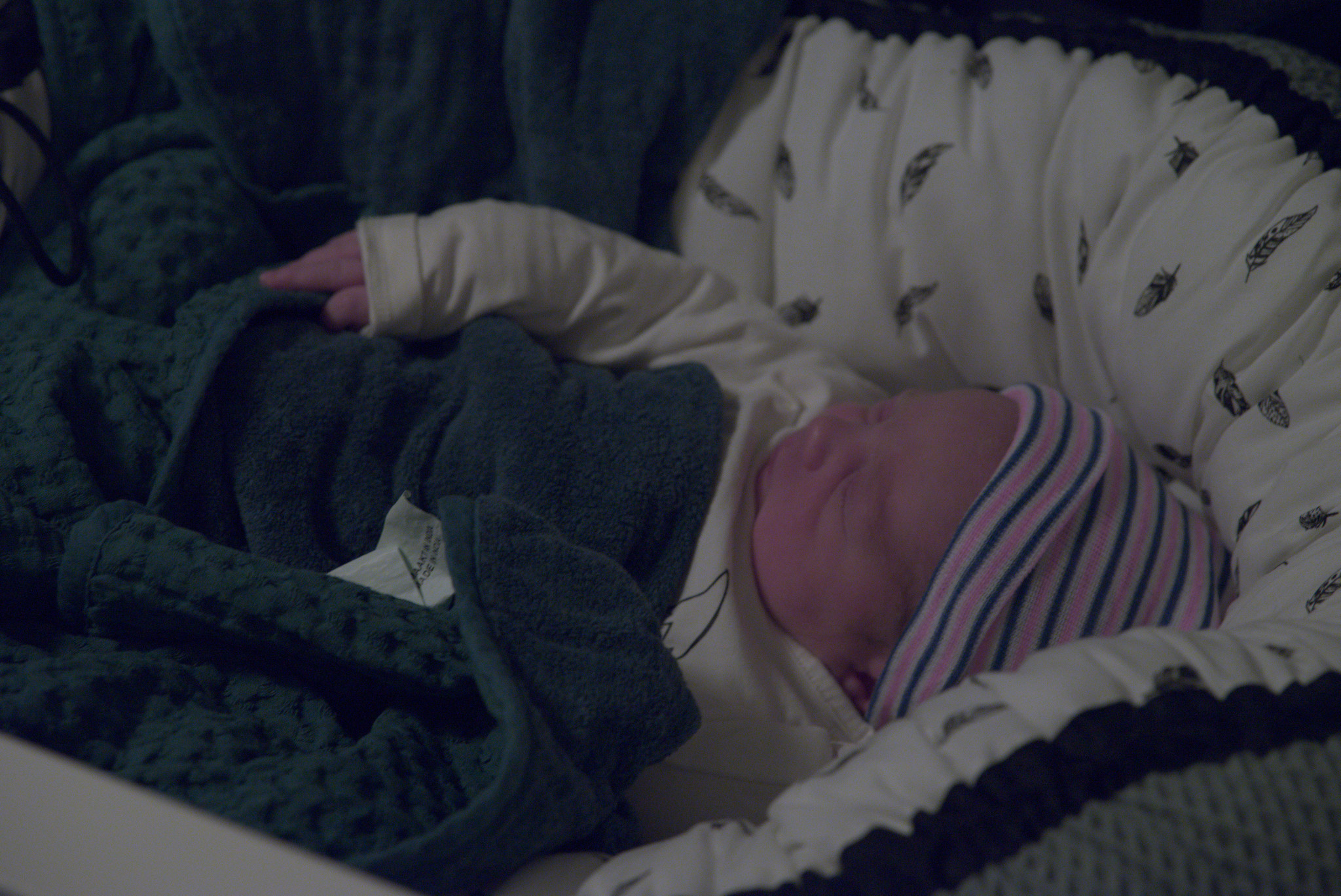
But don’t forget that baby skin is a lot redder than grown-up skin. Aging makes skin shift to yellow.
Just a test:
Modern white balance using the d65 matrix
Modern white balance using the illuminant A matrix
So you had the white balance module set to the ‘camera reference’ as always, but used a different matrix you manually placed in your ‘input profile’ list, am I understanding this right?
Where did you get it from?
I’ve tried finding multiple DCP files, and when converting to ICC I always had to pick from ‘matrix A’ or ‘matrix D65’ or something. And of course I tried the A version (since this shot is more or less a tungsten-lighting shot) but didn’t have much success.
It’s been noted before that this is quite a logical cause and solution. If I’m phrasing it in my own words: Setting the white balance module to ‘reference’ sets it tot something around D65, which is quite wrong for the shot. So as the stage in the pipeline where ‘input profile’ starts to do its thing and expects ‘correctly setup color’ to apply the matrix, it goes all wonky because at that moment you’re giving it wrong input. Having an input profile that expects the given input will yield in better results.