I eventually found the DCP Profiles for Sony a6700 (ILCE-6700). I have transferred them to RawTherapee (not yet done it with DarkTable).
I am not sure what the rules are about all this. If I am allowed to share let me know, or if I am allowed to share against personal request? or if I can only be happy alone.
It took me forever to find them, but sheesh am I chaffed
Hey, welcome to the community!
It depends where you got the DCP files from and what their license says you’re allowed to do. We do not condone piracy, so if the license does not allow alteration or redistribution, then they are not welcome here.
Since you haven’t told us anything about the license or where you found them, we can’t tell you if they’re welcome.
DT doesn’t use DCP files…
There are a full set from Adobe which is the usual source, so if you found them there then you can just simply say that they are part of the DNG convertor and people can get it by installing it…
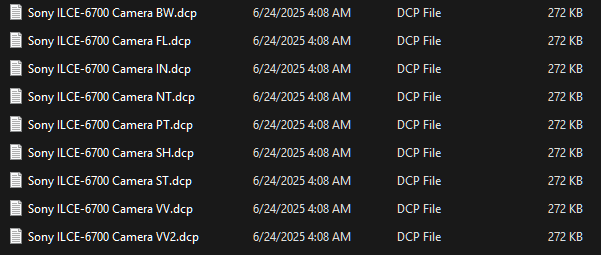
If the source is different then you should as noted check for any restrictions or just share where you got them rather than posting them…
I don’t even know where I got them. They are Adobe for sure. I was researching with ChatGpt who is pretty good with right and wrongs.
But on closer working with them they are still not as good as what comes out of the camera.
I have been wanting to do minimal editing. And I find the post-processing is so cruelly time consuming.
Anyway I have gone back to tdrawing board with ChatGpt to try create my own, but gosh it is tough.
I was bleaked out by DarkTable which I just can never get to be what i get in camera
If any of you awesomes have done something I would so appreciate getting them. happy to pay
If you are dead set on the in-camera profile look, why not just use Sony Image Edge (or whatever Sony’s RAW developer is called)? It is the only way you will be able to get exact matches to the in-camera. Everything else will be in varying degrees of “close”.
1 Like
Well you now know where to get the official adobe ones… I would get those ones and try them. Be sure that you turn off the tone curves in RT when testing so you can apply the full DCP profile and tone curve without contributions from that… and finally if you can run windows or an emulator…the Adobe profile editor is a great tool. You can edit those profiles or you can convert your image to a DNG and load it and then tweak the embedded profile to create your own modified version of a DCP profile…
The power of what you can do is shown here…
If you have a color checker you can even create a profile based on that…
So, I caved and started to learn DarkTable. I am really starting to get my head around it. It’s cavernously deep! The shots are really coming alive now
2 Likes