The main Spektrafilm thread is becoming a bit messy. Let’s talk about installation issues in this thread instead.
Spicy take perhaps, but IMO pip is a mess, or at least it’s easy to end up with a mess. Try managing your installation with uv.
The main Spektrafilm thread is becoming a bit messy. Let’s talk about installation issues in this thread instead.
Spicy take perhaps, but IMO pip is a mess, or at least it’s easy to end up with a mess. Try managing your installation with uv.
Thanks for your support, but unfortunately I get similar issues with uv, namely:
  × No solution found when resolving dependencies:
  ╰─▶ Because rawpy==0.26.1 has no wheels with a matching platform tag (e.g., `macosx_15_0_x86_64`) and only the following versions of rawpy are available:
          rawpy<=0.26.1
          rawpy>0.27.dev0
      we can conclude that rawpy>=0.26.1,<0.27.dev0 cannot be used.
      And because spektrafilm==0.3.1 depends on rawpy>=0.26.1,<0.27.dev0, we can conclude that spektrafilm==0.3.1 cannot be used.
      And because only spektrafilm==0.3.1 is available and you require spektrafilm, we can conclude that your requirements are unsatisfiable.

      hint: Wheels are available for `rawpy` (v0.26.1) on the following platforms: `manylinux_2_27_aarch64`, `manylinux_2_27_x86_64`, `manylinux_2_28_aarch64`,
      `manylinux_2_28_x86_64`, `macosx_11_0_arm64`, `win_amd64`
I’m on MacOS x86_64 …
Has this dependency been introduced recently? Asking because I have agx-emulsion up and running just fine.
Could be that older Intel Macs sometimes don’t get new wheels, especially for packages with compiled extensions. rawpy==0.26.1 only has wheels for macosx_11_0_arm64.
So, I interpret this message as: It’s time to install Linux on your Mac.  Someone correct me if I’m wrong.
EDIT: And, yes. I believe rawpy came with the Spektrafilm release (as it brought support for raw files).
I tried to install from a local clone of spektrafilm now, changing the version requirement from 0.26.1 to 0.27.0 in pyproject.toml, and installed rawpy 0.27.0 separately. (Hoping the version bump would still work with spektrafilm).
Now the install continues, but breaks later at llvmlite (required by numba required by spektrafilm) - sigh …
Linux is not an option (actually I even have it in a separate partition) because I still use Photoshop and other commercial SW.
Dang. Resistance may be futile…
Then I’d install Linux in UTM.
Thanks for the hint, I will try UTM when I have more time. I have successfully built and run darktable, ART, Filmulator, vkdt, … on MacOS, so for the moment UTM/Linux seems overkill just to be able to directly run spektrafilm.
I will stick to the implementation within vkdt, even though it does not yet contain the latest and greatest film simulations like fuji velvia.
Thanks for your help anyway!
Update: using conda instead of plain python pip, the installation worked. I had to separately install numba and llvmlite, though - but contrary to the official documentation at llvmlite - anaconda | Anaconda.org it did provide a package with version 0.47 for macos-64. Maybe I just misunderstand their site …
Thanks again!
I’m on Open Suse TW. I had to manually set the ‘include-system-site-packages’
from false to true to make it work. Found in ~/.local/share/uv/tools/spektrafilm/pyvenev.cfg.
Otherwise I got :‘QTBindings are not found’.
I installed with uv. Is it uv, the program, my OS, or me? Where’s the fault?
I thought, the idea of installing via venv is that it is selfcontained?
Now I’m dependend on my OS’es qtbindings, but as long, as it works, I’m fine with that.
I have difficulties building/installing Spektrafilm, not the release but the main branch. Under Ubuntu 26.04 I made the gui/napari appear after 2 or 3 patches (there were problems with the python version), but the raw file does not load properly
On Debian + Nvidia (only Nividia graphics, no built in graphics), I could not install Spektrafilm, I think that had to do with the proprietary driver
I actually could make Spektrafilm work on a dual graphics laptop with Debian stable.
Sorry that I don’t provide more useful info but so much for now.
Known bug with the latest version! It has been reported on GitHub.
and fixed
Update:
I was able to make Spektrafilm run on Debian 13 on my desktop with the Nouveau driver, so without the proprietary driver. Just set up a clean Debian for this.
I guess I still have to check Arch-like systems…
If someone wants to run spektrafilm inside distrobox…
Might be an option if you have trouble getting it to run on your system - like me  .
.
It works for me with Ubuntu 24.04 as the distrobox environment (running on Fedora Kinoite host).
Dependencies: sudo apt install git python3.13
Installing uv: wget -qO- https://astral.sh/uv/install.sh | sh
Installing spektrafilm: uv tool install --python 3.13 git+https://github.com/andreavolpato/spektrafilm.git
Make spektrafilm available outside of the distrobox: distrobox-export --bin "$(command -v spektrafilm)"
I managed to install Spektrafilm on Arch/Nvidia, but it only starts like this:
QT_QPA_PLATFORM=xcb spektrafilm
on arch I had to use conda install -c conda-forge libstdcxx-ng to make it run
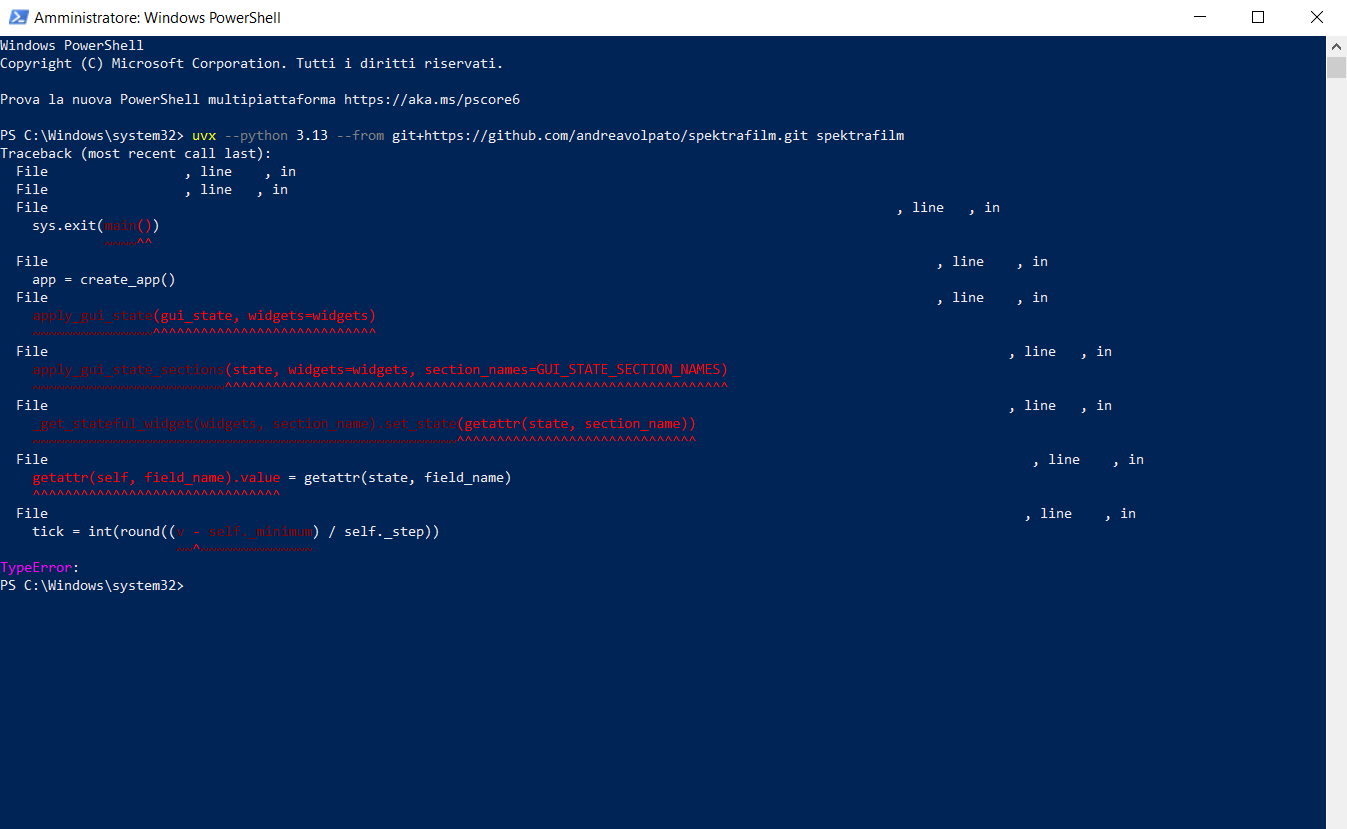
suddenly been having an issue with opening spektra through:
uvx --python 3.13 /Users/anthonygansauer/Desktop/spektrafilm-main
getting this error
Traceback (most recent call last):
File “/Users/anthonygansauer/.cache/uv/archive-v0/_8eivWNAJeExAMENOs5EZ/bin/spektrafilm”, line 12, in
sys.exit(main())
~~~~^^
File “/Users/anthonygansauer/.cache/uv/archive-v0/_8eivWNAJeExAMENOs5EZ/lib/python3.13/site-packages/spektrafilm_gui/app.py”, line 310, in main
app = create_app()
File “/Users/anthonygansauer/.cache/uv/archive-v0/_8eivWNAJeExAMENOs5EZ/lib/python3.13/site-packages/spektrafilm_gui/app.py”, line 295, in create_app
gui_state = load_default_gui_state()
File “/Users/anthonygansauer/.cache/uv/archive-v0/_8eivWNAJeExAMENOs5EZ/lib/python3.13/site-packages/spektrafilm_gui/persistence.py”, line 32, in load_default_gui_state
return load_gui_state_from_path(default_path)
File “/Users/anthonygansauer/.cache/uv/archive-v0/_8eivWNAJeExAMENOs5EZ/lib/python3.13/site-packages/spektrafilm_gui/persistence.py”, line 57, in load_gui_state_from_path
return gui_state_from_dict(json.load(file))
File “/Users/anthonygansauer/.cache/uv/archive-v0/_8eivWNAJeExAMENOs5EZ/lib/python3.13/site-packages/spektrafilm_gui/persistence.py”, line 25, in gui_state_from_dict
return _deserialize_dataclass(GuiState, data)
File “/Users/anthonygansauer/.cache/uv/archive-v0/_8eivWNAJeExAMENOs5EZ/lib/python3.13/site-packages/spektrafilm_gui/persistence.py”, line 83, in _deserialize_dataclass
values[field_name] = _deserialize_value(type_hints[field_name], data[field_name])
~~~~~~~~~~~~~~~~~~^^^^^^^^^^^^^^^^^^^^^^^^^^^^^^^^^^^^^^^^^^
File “/Users/anthonygansauer/.cache/uv/archive-v0/_8eivWNAJeExAMENOs5EZ/lib/python3.13/site-packages/spektrafilm_gui/persistence.py”, line 97, in _deserialize_value
return _deserialize_dataclass(annotation, value)
File “/Users/anthonygansauer/.cache/uv/archive-v0/_8eivWNAJeExAMENOs5EZ/lib/python3.13/site-packages/spektrafilm_gui/persistence.py”, line 82, in _deserialize_dataclass
raise ValueError(f"Missing field {field_name!r} in {cls.name}.")
ValueError: Missing field ‘apply_hanatos2025_adaptation_window’ in InputImageState.
been using chatgpt to fix it but seems to be a coding bug?
macOS 14 Sonoma M2
it’s an issue related with the new fields added to the gui and yuor saved default.
i need to fix that so it will not cause issues in the future.
for now yuo can delete the folder ~/.spektrafilm/ that will erase the defaults but the program should run at least.
it’s related to the very latest changes to the spectral upsampling, and the new fields connected to it.
[update]: and fixed in main
ok thank you Andrea!
I am running on Debian with the Nvidia driver. On wayland I have to add this to the command (QT_QPA_PLATFORM=xcb) then it works.