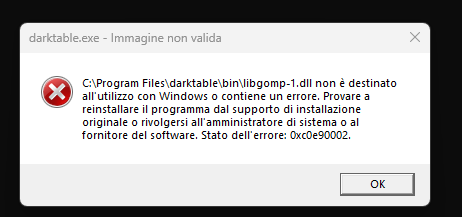
There is a report in GitHub that some smart something in Windows 11 is blocking dt because the .dll are not signed. My Italian is not great, but it sounds similar. I think the resolution is to disable the smart thing to install dt.
It does sound like it could be due to Smart App Control. At least the submitter of the GitHub issue got the same error in conjunction with the SAC warning.
Dear god what did microsoft brew up with those .dll checks! If this really starts affecting basically all windows 11 users I think it might be even worth mentioning on https://www.darktable.org/install/ ?
Due to how the reputation system works, this is going to be a recurring issue. Smart Screen should also be explained.
The problem is that the certificate needed for signing is not free (and has to be renewed regularly), and the signing process itself seems to be a bit obnoxious.
I was thinking the same yesterday. But looking at the install page, I would say that everything regarding MacOS Gatekeeper and now this, should be completely reworked i some way, since it’s honestly a bit non-obvious and impenetrable for non-technical users.