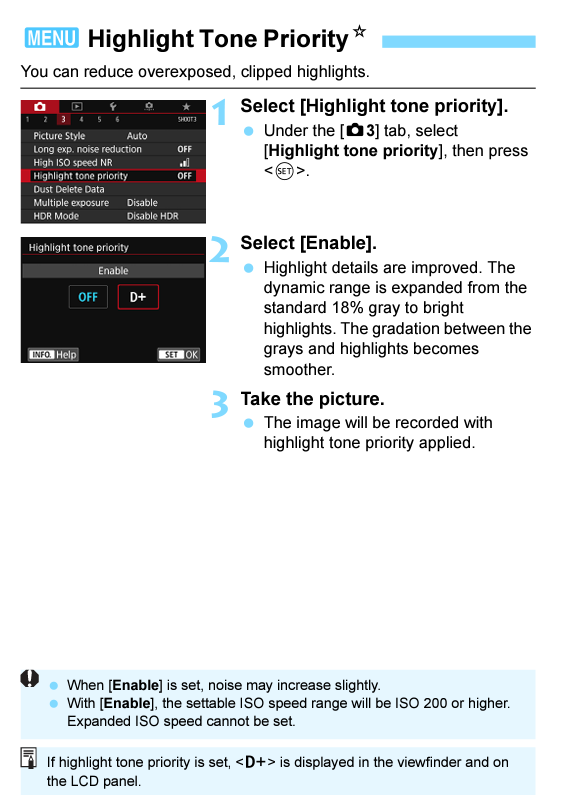
Using xmp with darktable-cli sometimes results in pink hue

I’m using darktable-cli from darktable 4.2.1 and passing the attached xmp file to apply a standard set of corrections to a folder of Canon CR2 RAW files:

darktable-cli input.cr2 test.xmp output.jpg --out-ext jpg

For most of the files, this works fine; but for a small subset, the resulting jpg has a pink hue:

Attached are the XMP and the sample RAW file (this file is licensed CC BY-NC-SA 4.0). What can I do to fix this? I’ve tried selectively disabling the modules in the XMP file but unless I get rid of all of them (or don’t specify the xmp in the command at all), some form of the pink cast remains. Thanks!

_MG_5736.cr2 (27.9 MB)

test.xmp (6.8 KB)

If I just load your file then the raw bp is 2048… your xmp has it using 512… making this change seems to correct the issue with the image you provided… could this be the issue???

EXIF would support that the defaults for DT ie the 2048 and 10Kish for white are likely correct.

image

Thank you! I thought it was something simple like that but it’s hard to tell what the module settings are just looking at the XMP file. For anyone else who encounters this, I was able to just remove the rawprepare module from my XMP file (which I believe causes darktable to just use the defaults for the raw black/white point module). Interestingly, a collection of photos from the same shoot have a variety of values in the RAW files (some are at 512 and others are at 2048).
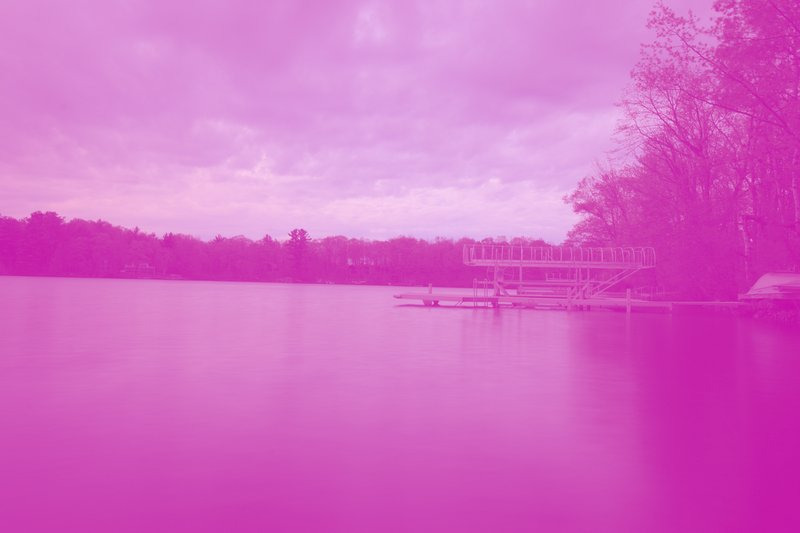
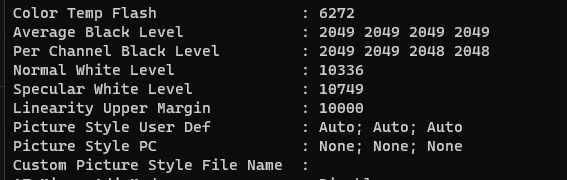
Same camera… maybe canon changes this…does this track with what the exif data shows…ie is it 512 in some and 2048 in others??

Quite possibly ISO dependent…

1 Like

Would a setting like this be apt to invoke such a change??

image

I was just scanning the manual for the camera to see what it might say??

1 Like

Black points are ISO dependent for Canon EOS 80D:

<Camera make="Canon" model="Canon EOS 80D">
	<ID make="Canon" model="EOS 80D">Canon EOS 80D</ID>
	<CFA width="2" height="2">
		<Color x="0" y="0">RED</Color>
		<Color x="1" y="0">GREEN</Color>
		<Color x="0" y="1">GREEN</Color>
		<Color x="1" y="1">BLUE</Color>
	</CFA>
	<Crop x="266" y="42" width="-8" height="-4"/>
	<Sensor black="512" white="11892" iso_list="100 125"/>
	<Sensor black="512" white="10749" iso_list="160"/>
	<Sensor black="511" white="14338" iso_list="200 250"/>
	<Sensor black="2048" white="10749" iso_list="320 640 1250 2500 5000"/>
	<Sensor black="2048" white="14338" iso_list="400 500 800 1000 1600 2000 3200 4000 6400 16000"/>
	<Sensor black="2046" white="14338" iso_list="8000 25600"/>
	<Sensor black="2045" white="14338" iso_list="10000"/>
	<Sensor black="2049" white="14338" iso_list="12800"/>
1 Like