I’m making my first experiences with vkdt, and I must say I am impressed. The workflow is a bit nerdy (sorry ;-)), but after setting up my default processing pipeline, I achieve fine results with very few mouse clicks - and especially the new filmsim module is fun to play with.
I see some issues however, which may be due to my inexperience, or due to some build weakness (macOS 15 Sequoia, Intel-based, libvulkan.1.4.335):
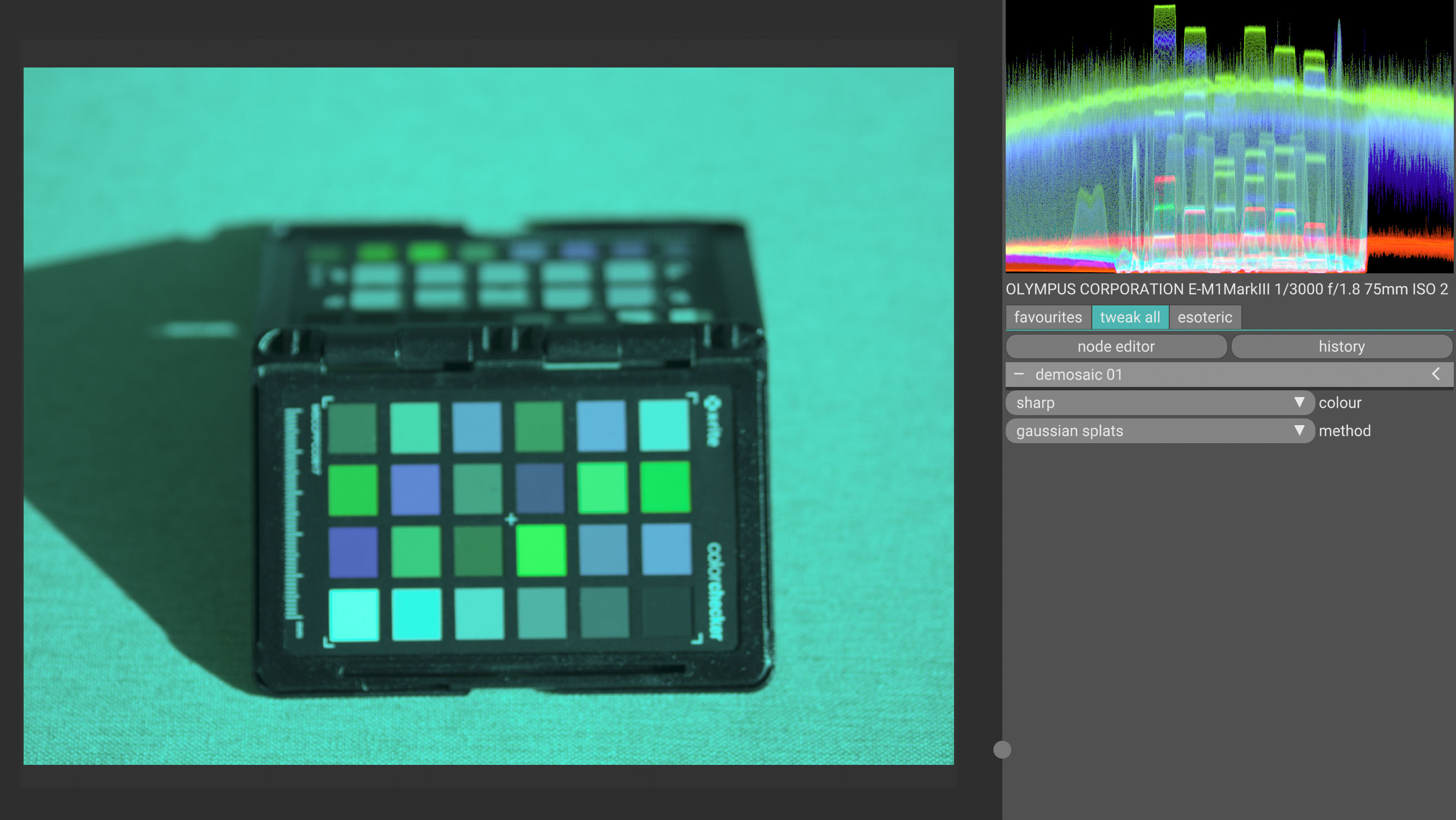
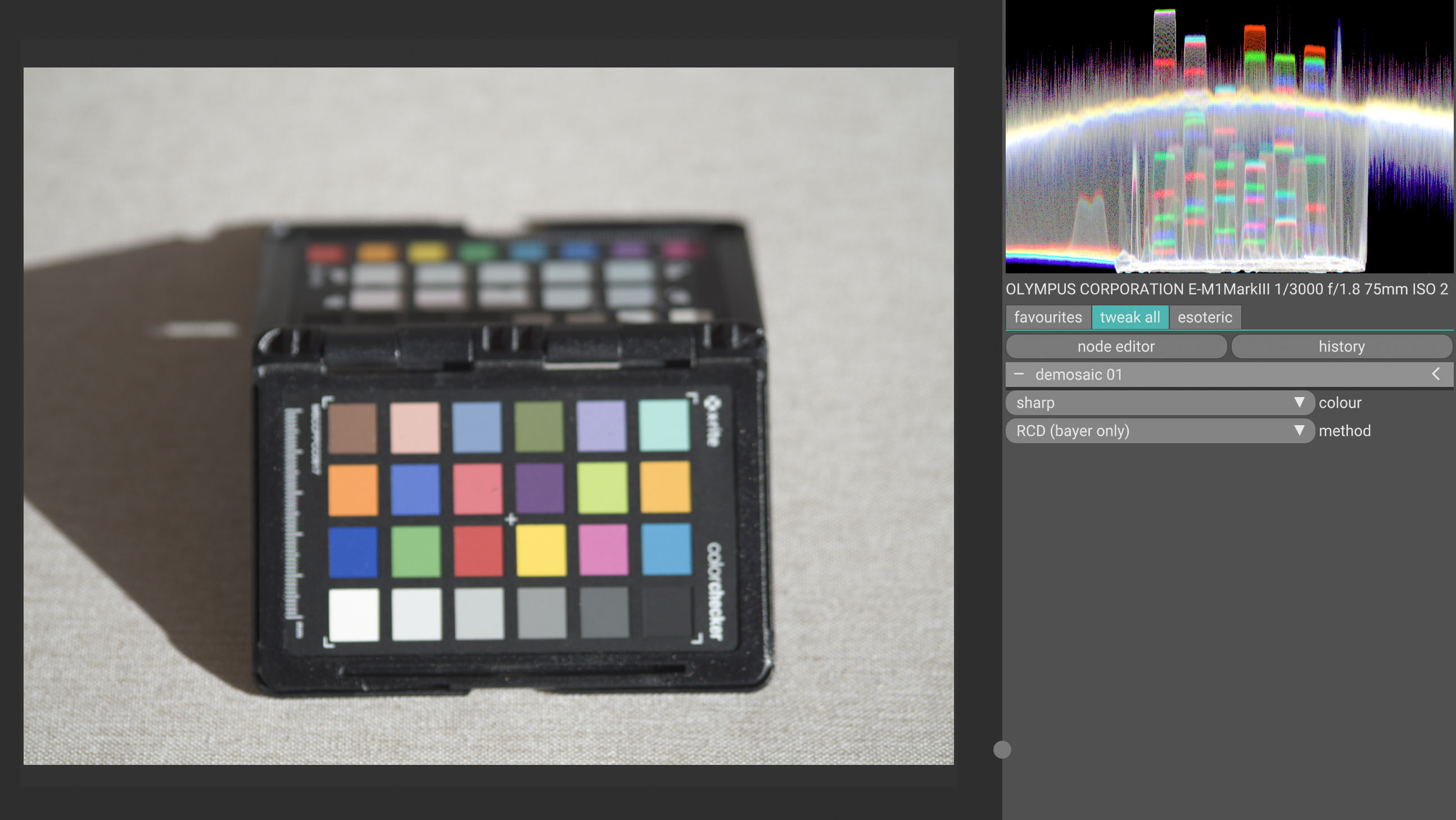
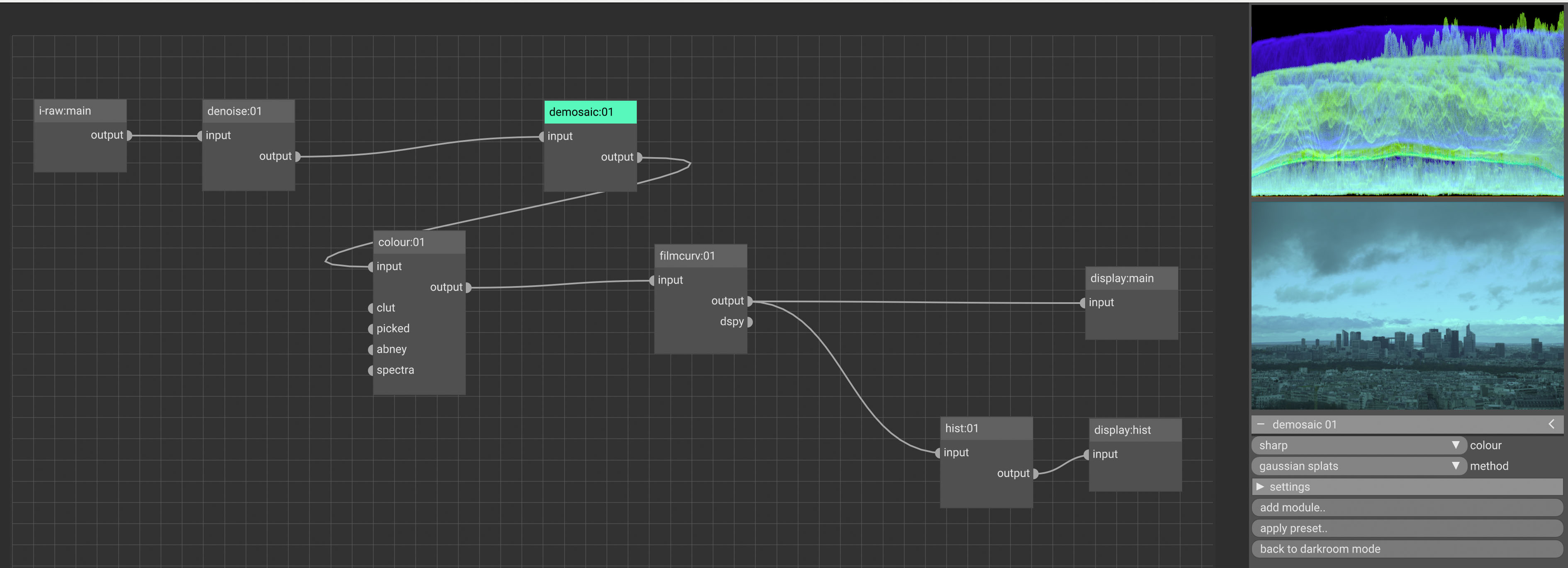
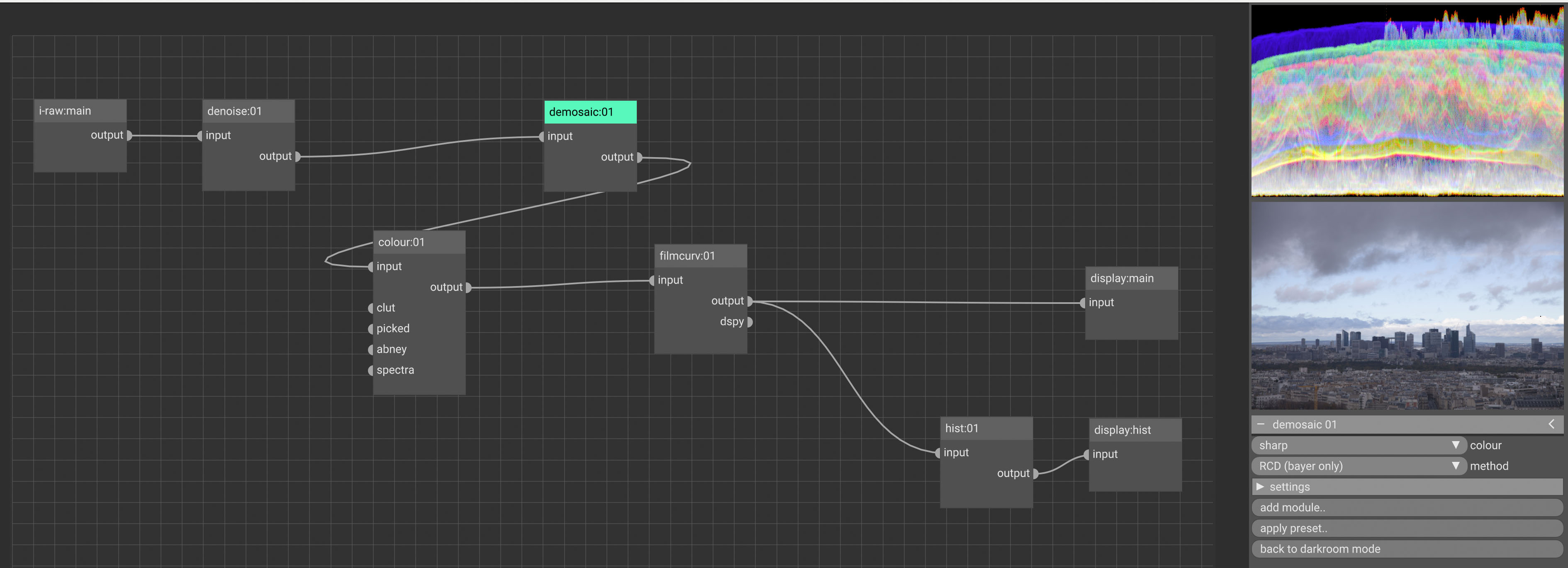
demosaicing with the default setting (gaussian splats) produces a strong green tint. This is with raws from several cameras (Olympus ORF, Canon CR2). I set RCD as my default now, which works fine.
denoise has just a very slight effect on a quite noisy image, even when using (as I understand them) extreme parameters strength 1, luma 0, detail 0
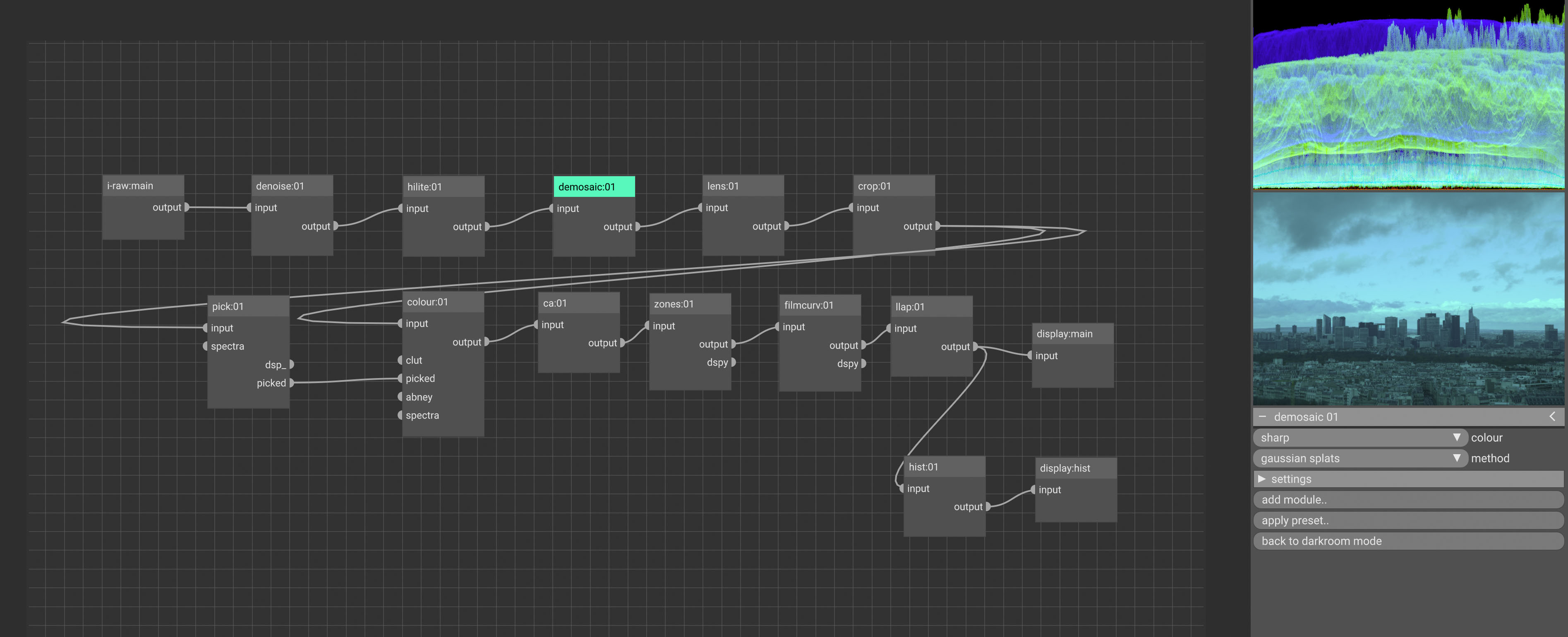
disabling denoise produces a very dim and magenta tinted image; processing chain is i-raw:main → denoise → hilite → demosaic … shouldn’t disabling simply bypass the module and leave the image untouched?
jddcnn crashes immediately with EXC_BAD_ACCESS (SIGSEGV) within the moltenVK library
Any hints from someone more experienced? I hesitate to file bug reports, as I would not rule out user error …
do you have a test image/screenshot for me? maybe something white balance coefficients for these cameras? i haven’t experienced this, or don’t know what you mean.
also see docs above. this module also crops off the black borders and rescales to black and white points. this might seem like intermingling concerns, but you’ll have to do it anyways and reading/writing the full image to global memory again is not a very performant idea.
does your gpu support the cooperative matrix extension / does it come with tensor cores at all? there is a compatibility layer in place in the code (that you can activate if you’re compiling yourself). i didn’t wire this since this module is extremely slow and i figured running this on a lower end GPU without coopmat support would make it unbearable. didn’t actually try to run it there though, might be good to have the option run-time. also it requires a lot of memory. for >20MP images you definitely want 8GB video ram.
This raw file is from an Olympus OM-D EM-1 III, but I have the same issue with files from OM Systems OM-1, Canon 5D Mark II and Nikon Z5.
Regarding denoise - I was not aware of the need for profiling, should read the docs more carefully
jddcnn: I have a Radeon Pro 5300 (iMac 2020), so no - I think it does not have the cooperative matrix extensions nor tensor cores. I will live with that for now, thank you!
uhm what’s your default processing graph now? this isn’t even wb but complete lack of input device transform. maybe some module clears the image metadata by accident? my main camera happens to be the Canon 5D Mark II, too. i’m quite sure it’s not green on my end
This is my default graph (except manually selected gaussian splats to demonstrate the issue). All other modules are at their default, even colour is at “ignore” for the picked input.
The color distortion is the same with the default graph out of the box. I am really wondering what is happening here, can this be an artifact of compiling on macOS? Will compile again and look for warnings …
Anything I could do to debug? Else I am happy with RCD.
Edit: even if I remove everything except demosaic and colour the issue is still present.
I will try to do a build with rawspeed instead of rawler, maybe this can isolate the issue. Actually that’s what I tried first, as I was suspicious about a decoding problem - I just abandoned the effort, as builds that require openmp seem to be notoriously complex to get all the options correct on macOS .
i doubt rawspeed will make a difference. i would start debugging by printing the value of img_param->colour_primaries in colour/main.c:commit_params to find out where the demosaic method affects input transform. maybe do the same in various create_nodes callbacks in the modules before that.
img_param->colour_primaries is 0 (“use cam_to_rec2020”) in all modules (denoise, hilite, demosaic, colour) and in both cases, gaussian splats and RCD.
I noticed that the 4th WB coefficient is “nan”, as it comes out of rawloader. Is this as expected? The other coefficients fit to the exif data, for example for an image from Canon 5D Mark II:
One more thing: the thumbnail in the light table has correct colors, even if gaussian splat is selected and darkroom colors are off; not sure if this persistent or not. The whole behavior is a bit stochastic - I also remember (a few) images that at least temporarily worked with gaussian splats.
Again: I am fine with RCD. But can try to investigate further, if this is of interest to you (and I still do not rule out some user error …).
Just sporadically the image is initially ok with gaussian splats, switching then to RCD is also fine, but switching back to gaussian splats it’s off.
Where is white balancing done when gaussian splats are used? I think I see it for RCD in rcd_fill.comp, but I cannot see the equivalent code in gauss.comp or splat.comp?
Regarding the stochastic behavior: this might be due to some parameters being stored persistently across runs?
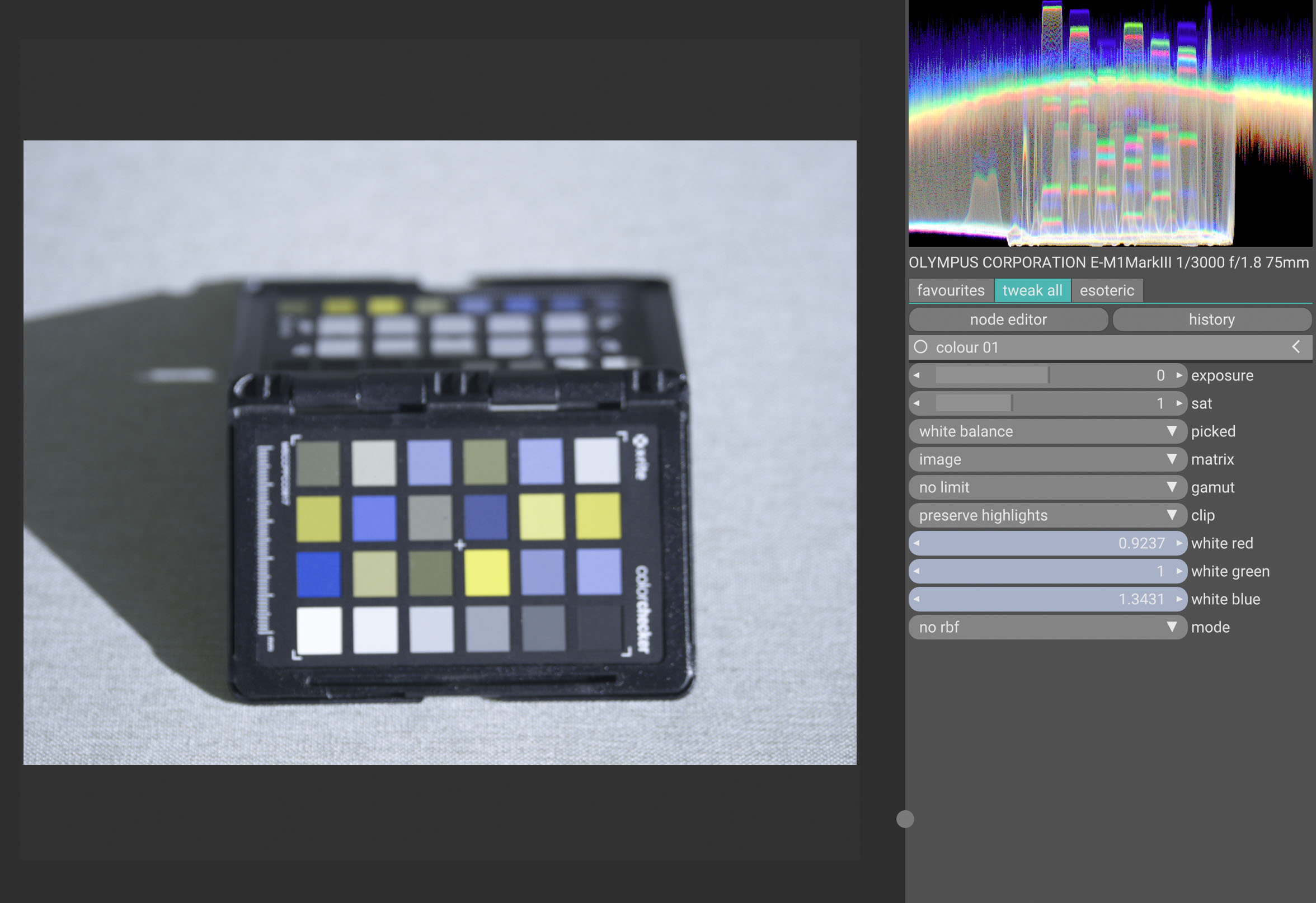
I am able to white balance also with gaussian splats, i.e. achieve very good grey patches on a Colorchecker test image using “picked”, or quite good wb by manually adjusting the rgb parameters in colour.
However, the red channel remains strongly subdued in the other patches of the CC, even though the grey patches are near to perfect grey:
RCD grey patch (3rd in bottom row of CC): 129/129/130
RCD red patch (directly above grey): 118/56/56
Splats grey patch: 136/135/137
Splats “red” patch: 75/72/55
i’m currently travelling/on mobile, will give more detailed answer when back at a computer…
rcd uses luminance gradients, so it depends on some coarse wb being done. the colour module does chromatic adaptation and input device transform, i.e. matrix and wb coefficients in the simple case.
so since the cpu/host side values in commit_params seem to be good, maybe we’d need to look into what is actually sent to the compute shader?
the behaviour you describe sounds more like colour matrix issue than white balance issue to me. simply matching white but then destroying the other colour points… also the green looks like the camera → rec2020 matrix is reverted to the identity. i mean printing the values of the matrix host side might be a good idea too, to try this first. if this looks good, i’d probably go to colour/main-impl.glsl and do some “brain surgery” there. like right around line 213, test some values in the params for plausibility, and then depending on the outcome write some debug values into the vec3 rgb and:
This is inline with bin/data/cameras.xml (even taken from there and not from the camera?): 11896 -5110 -1076 -3181 11378 2048 -519 1224 5166
Other data: colour: p_wb coeffs 1.021910 1.000000 1.053810 colour: p_mat 1 primaries 0 i-raw WB coeffs: 2.148438 1.000000 1.718750 nan
But I find the camera->rec2020 matrix really as identity, as you suspected: colour create_nodes: cam-to-rec2020: 1.000000 0.000000 0.000000 0.000000 1.000000 0.000000 0.000000 0.000000 1.000000 colour commit_params: cam-to-rec2020: 1.000000 0.000000 0.000000 0.000000 1.000000 0.000000 0.000000 0.000000 1.000000
If I temporarily disable colour, my printf-output from create_nodes and commit_params is still there (would have expected it to disappear?), now with the correct matrix values; but this does not change the image output, still RCD is correct and gaussian splats is off. Same if I comment out the resetting to identity in modify_roi_out() of colour.
I have now deleted all nodes except i-raw, colour and display, even demosaic. Still cam-to-rec2020 in colour shows as identity.
BTW, if there’s a more appropriate communication slot for such a discussion, please advice. I can also post a github issue, if you think I am not just guilty of some user error …
whatever, github issue works the same, but here is fine for me.
maybe the test==test doesn’t work due to some compiler setup/flags? testing nan is a bit wacky anyways. also, this exiv2 thing is copied from the old rawspeed codepath and doesn’t make sense here. if you just remove the if(!(test == test)) line so it always enters the block? i’ll also push a version with that one cleaned up…
The test==test check works, we enter the if clause. This is the output from starting vkdt, lighttable shows up, and then double-clicking on one image (entering darkroom).
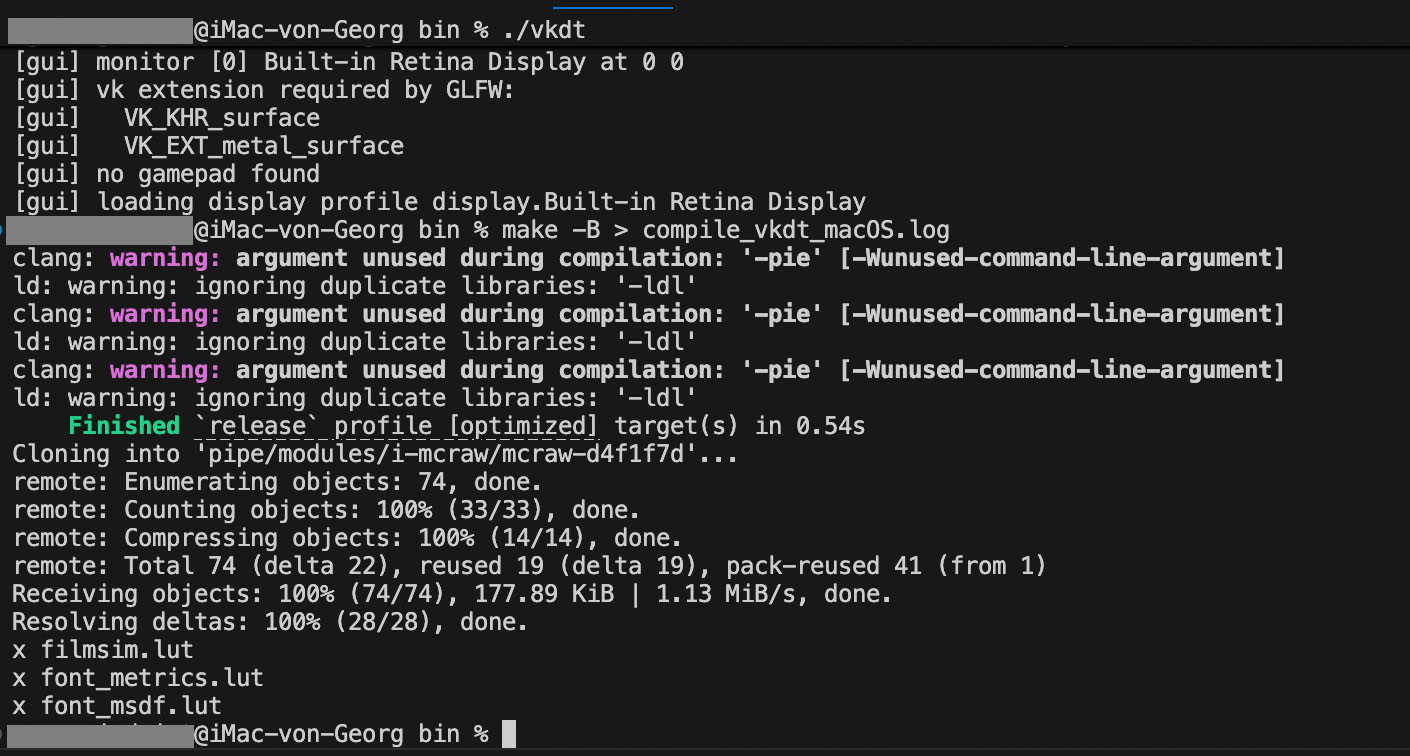
One additional remark: I did not do anything specifically to install rawloader separately, just cloned your vkdt repository, installed moltenvk and started “make”.
Is there a separate step necessary to install a potentially updated version of rawloader, or is the one coming with vkdt fine?


 .
.