Can someone link me to the documentation on this? Currently my image viewer will apply an input and output profile to the image, but it doesn’t automatically fetch the output profile, nor does it tell the system to not apply any conversions on top. I also use KDE so I am wondering about the correct way to do this
Is someone working on implementing correct communication with wayland color management in darktable? Accoring to chatgpt and deepseek there could be several possiblilites to do this without porting darktable to gtk4. I am thinking about opening an issue about this on github.
How do you calibrate your monitor using a colorimeter under Wayland?
the most important thing: same as on x11, you just have to skip the creation of calibration curves.
3 Likes
Wayland color management is being prepared in digikam.
I think these are two corresponding commits:
1 Like
If digikam excepts the system to apply the final output profile, what does it use as a working space profile?
I think this is your article, right? You are using xwayland, right? I’m not sure if Graeme @gwgill statements around the subject are still valid. Wayland color management - #809 by gwgill
I’m on KDE and one of the things I dislike is how easy it is to adjust the brightness via the toolbar or laptop keyboard. One change there and all of your images exposure adjustments would be wrong.
if you start displaycal under wayland it will use xwayland, yes. everything works except creating calibration curves.
Edit: the only situation I can imagine where you definitely need calibration curves is: you need to change the white point of your screen because your graphics software can only work with one specific white point, and your screen has no controls for that because it’s a laptop or so.
I also mention that in the article.
I guess it would be nice and perfect to create calibration curves under wayland but I think most people can live without that.
You can set the working profile inside digikam yourself.
1 Like
nice plug and good article 
1 Like
I can see slight differences in the reds on Kubuntu 24.04 on X11.
Also check nicolas’s reply on the bug that is linked in the MR
https://bugs.kde.org/show_bug.cgi?id=436526#c17
So it might take a bit more time for digikam to have it properly
2 Likes
I started using an old laptop again with a DCI-P3 screen. Had I known about the color management issues, I would not have bought it, but by the time I realized it was outside the return window. I saved it for a spare and it was just sitting on the shelf unused.
I am happy to share that now the issue is fixed, I can load an ICC profile I found on the net with swaywm, and the colors no longer look like a bunch of neon crayons that were regurgitated by a toddler. I can even edit photos in Darktable!
1 Like
Last night I was able to install my old .icc profile (created in 2022) on my latest tumbleweed gnome wayland installation and it worked. Not sure if it is perfectly correct but at least the contrast range is significantly improved.
2 Likes
I have just compiled krita alpha 6.0 on Manjaro (that takes a really long time). Krita starts in Wayland mode and there is this:
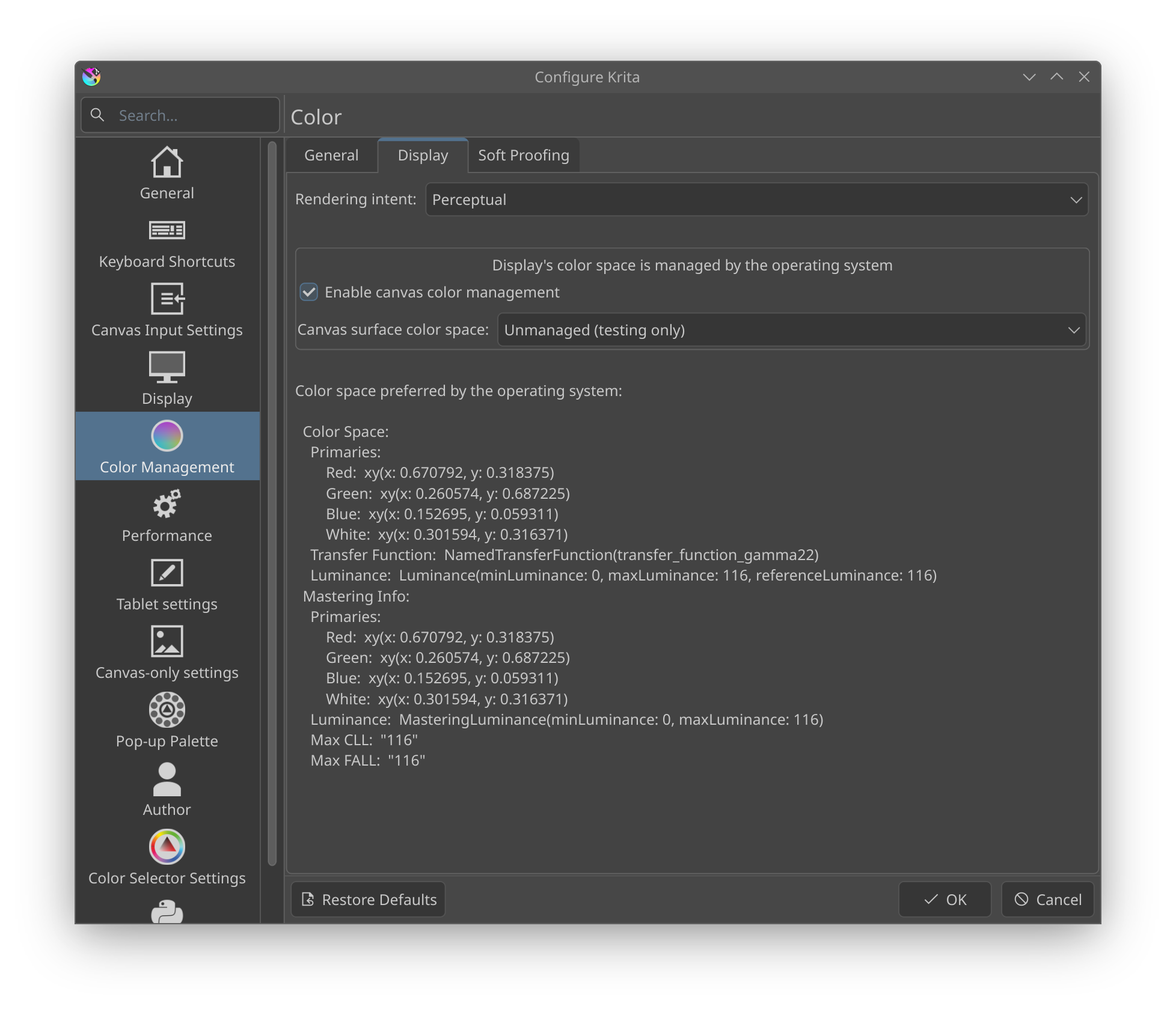
But I see no difference between sRGB and AdobeRGB1998.
edit and it was also tricky to compile krita
1 Like
Try with these test images: ICC Color Management & Rendering Intent Test
And these stunt profiles: http://www.colorwiki.com/wiki/Stunt_Profiles
3 Likes
I think I have enough test images. Have you tested Krita 6.0 color management?
1 Like
I do not understand much of what this is telling me but my firefox shows that all images except one are correctly displayed with an embedded profile.
Is there a way to check this with darktable or krita? Do I have to download the images and open them in the respective application?
the colorwiki page is under maintenance.
1 Like
Yes, you will have to download them.
The Internet Archive has it: ColorWiki - Stunt Profiles
I have collected a bunch of color management links here:
5 Likes
I created a shell script to use Chromium as an image viewer which has the Wayland Color Management Protocol implemented:
3 Likes