I read the manual and it suggests sometimes it results in better quality. I wonder if there are known specific instances or modules that this is the case for. When I tested it recently it made no difference so I presume certain modules it might be important and for others not so. Thanks in advance for explaining this to me.
1 Like
I have had it make a difference in two main cases:
-
I push contrast in the sky too far and do not have a great mask. The tops of trees get a wormy or strange look when viewed at 100%. With HQ enabled, those artifacts will show up even when exported to FHD (1920x1080). Without HQ enabled, they do not show up and they get diffused/blurred out a little.
-
Sometimes the retouch module, or feathered drawn masks, will show artifacts and blending errors when zoomed out, but not at 100%. These, sometimes (not always), show up in the export with HQ off
Most of the time, there is no difference (to my eye) but every once in a while…
2 Likes
I had an image once from a playraw. It had a boat and there was some interesting detail found on some larger ropes and some chains on the deck of the boat.
I thought looking at it zoomed out to fit that with HQ preview off (default) that the image looked way more sharp, contrasted and detailed in those areas. As I zoomed in though I could see artifacts around the the chain links and along the rope. The were the sort that I often see in cell phone jpgs…
If I turned on HQPreview they would disappear… This lined up with using those respective modes for exporting…
I think using modules like dehaze and diffuse or sharpen can show a big difference between these modes depending on the image so your preview could be at times less faithful to your export. Other times the differences will not be too noticable.
In some cases I actually prefer the image imported with the HQR set to no because I am not going to try to print it or do anything else with it but look at it full screen and in that situation I sometimes like the look of it better…
For the ground truth likely HQR on for preview and export is the best choice… its going to be more like what you would see if you view your image 1:1 for review I would think in most cases…
Having said that I have only used DT on an HD monitor …never 2K or 4K so I’m not sure if the experience of viewing your image and then exporting and then viewing the result would line up with those obervations above…
1 Like
I use 4K. I presume certain images or modules are prone to problems. Also, without timing it, because I don’t care really, the HQR processing didn’t take any significantly more time for my tests. Probably was slower, but not enough to upset me.
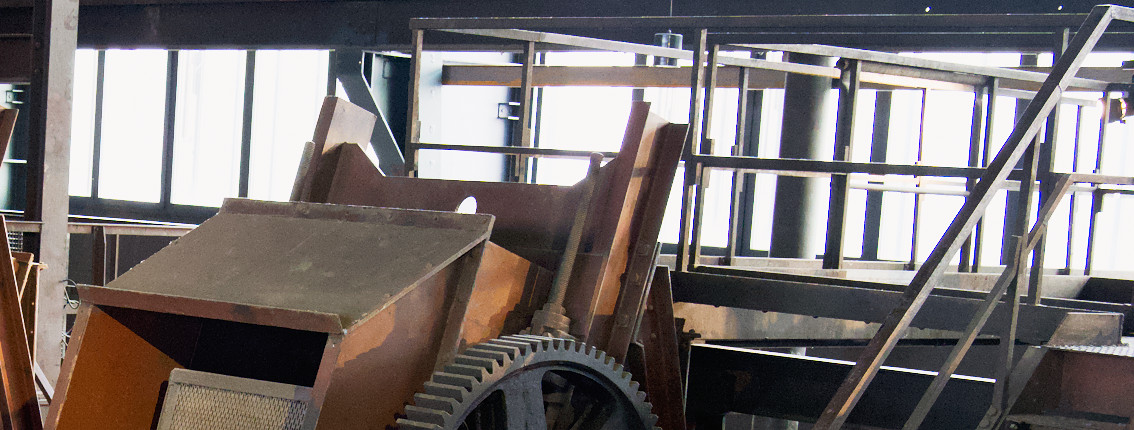
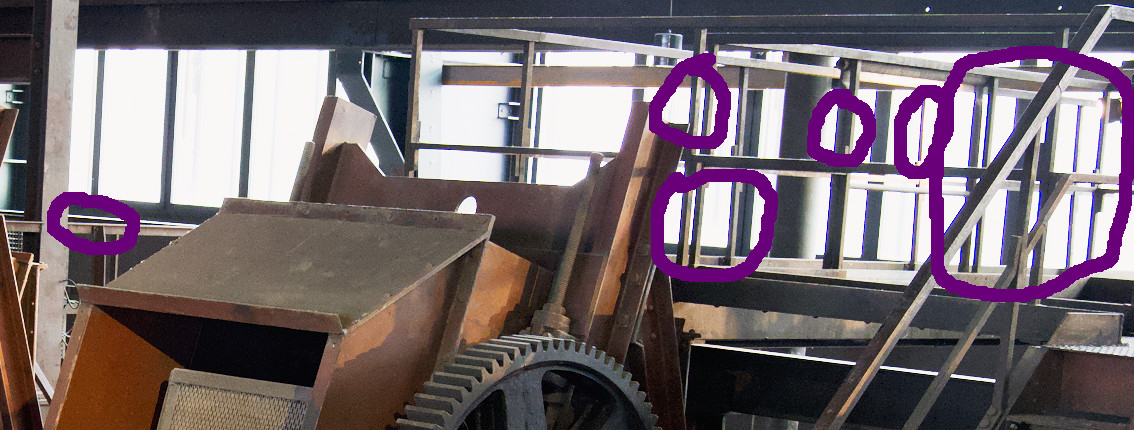
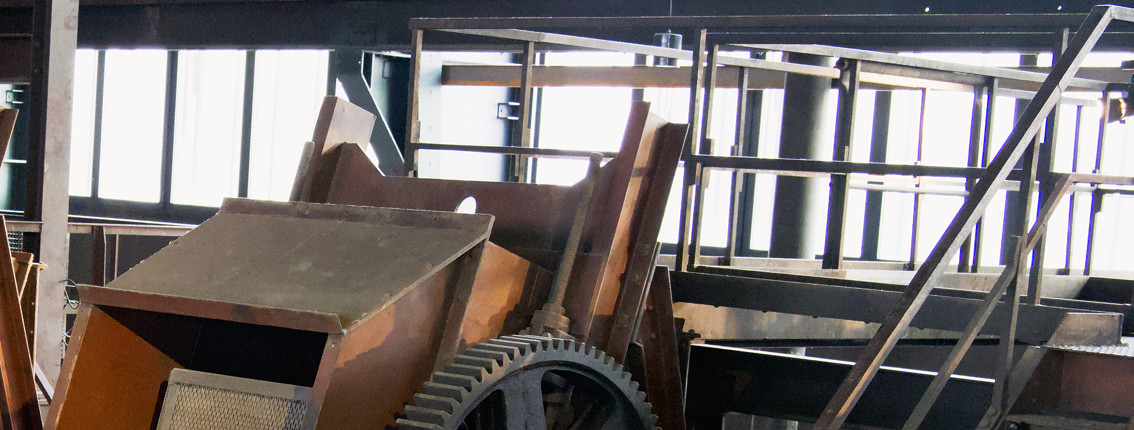
@age this is a nice example of what I was asking for. What module or correction was causing the aliasing artefact?
None.
If I recall correctly, without the HQ, the image is first cropped and then the modules process is executed to the smaller pixel data. With HQ, the entire raw file is used.
2 Likes